ASCII Display - Rockwell String

ASCII Display - Rockwell String https://forum.weintekusa.com/uploads/db0776/original/2X/b/b5a5e1d2582842b04c55c3d8eba1688f461e7188.png
none 0.0 0
  • HMI Model: cMT-3218XP
  • EasyBuilder Pro Version: 6.10.02

I’m converting another HMI platform’s application to Easy Builder Pro and it seems the string buffer isn’t clearing for the display on the HMI

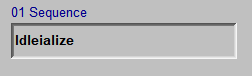
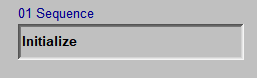
You can see that when going from Initialize to Idle, I get “Idleialize”.
Screenshot 2026-10-27 174002

image

My display is set for Unicode, 1 char per word import, and to terminate on first null string.
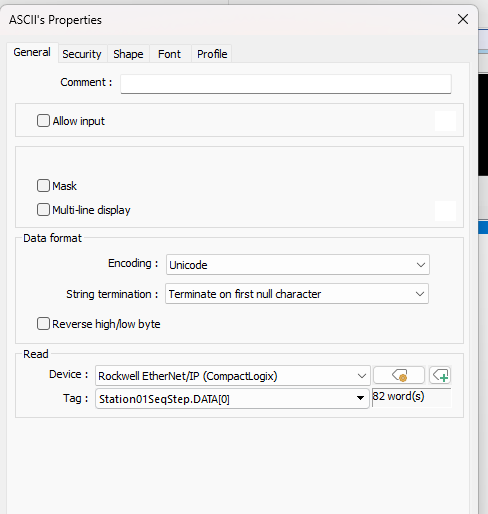
I set to 82 words because that is the array of string data in the PLC - SINT[82] and unchecked the “Lock minimum size to content” so the 82 words didn’t stretch it off the screen.
How can I make this string display only what’s in the PLC tag? In the PLC, the string is displaying “Idle”, “Initialize”, etc. as it should be.
Hi @JDControlsLLC ,

Thank you for your question!

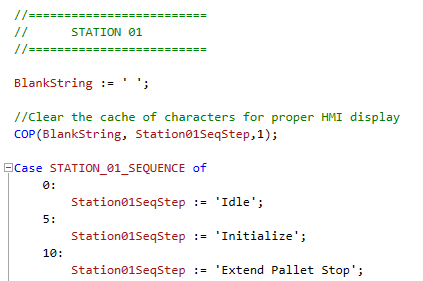
The Rockwell PLC uses the LEN tag to define the length of a string, but the remaining characters in the string buffer may not be cleared automatically when a shorter string is written. The ASCII object in EB Pro does not reference the LEN tag and instead displays the string data based on the configured word length.

We recommend clearing the string buffer on the PLC side before writing a new value. This should prevent leftover characters from the previous string from appearing on the HMI.

I had to experiment a bit but this did the trick. Thanks!