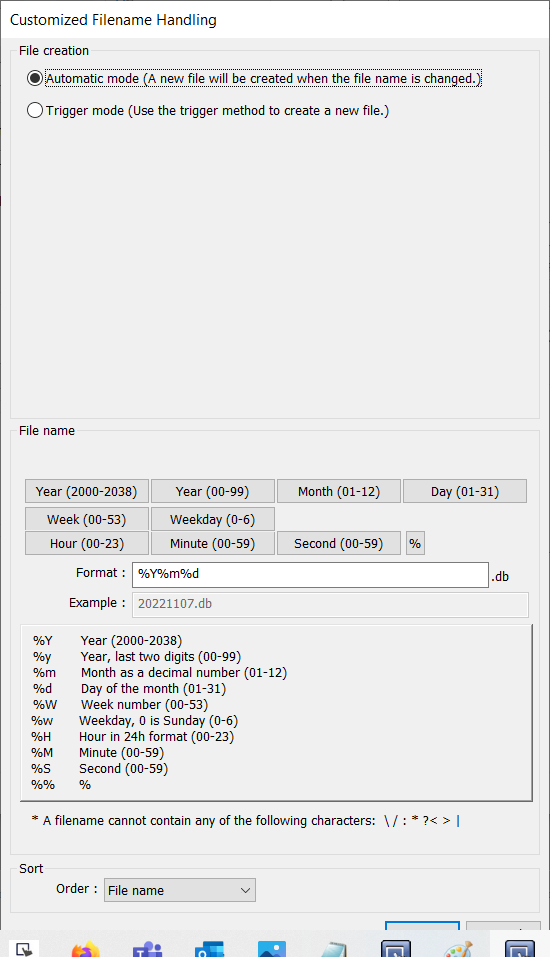
When using “Customized file handling” the “Hold control” address will not create a new file each time it is triggered. To create a new file, the “File creation” condition must be met. While “Automatic mode” is selected the files are named according to the time syntax used within the “Format” box. When the name changes (e.g. the date or time) a new file will be created automatically.
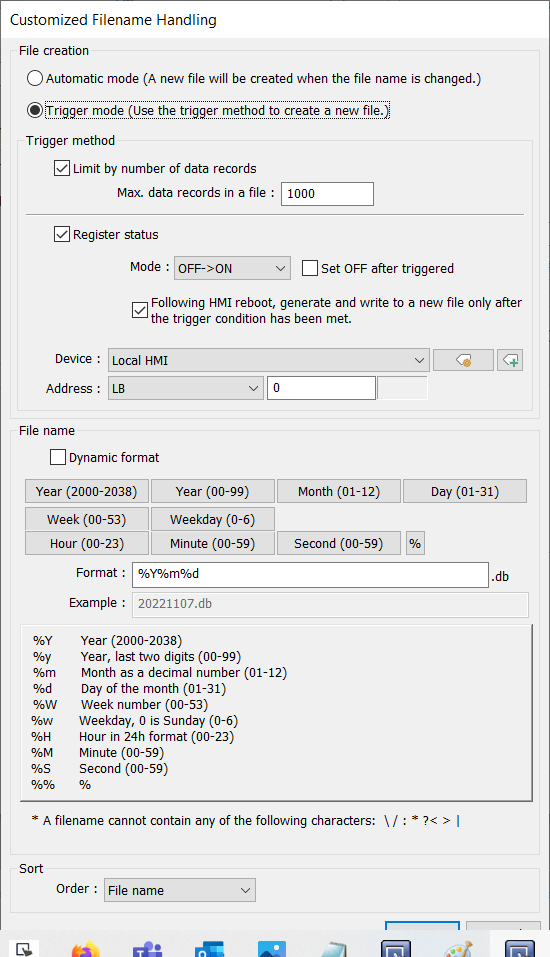
While “Trigger mode” is selected, a new file will be created when the corresponding trigger condition is met.
To find the system bit that is associated with removing all retained data sampling logs, please perform the following:
- Select the “Project” tab and click “Address”:
- Select “System Tags” and enable “Classification”:
- Select “Data sampling” and identify the system bit that corresponds with the location that your files are saved:
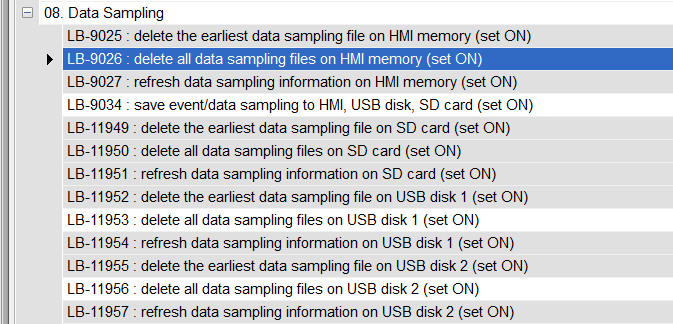
- Trigger the appropriate bit within an external object or macro to delete all data sampling files.

