I am creating an application that generates a text file containing parameters required for my application (recipes). My program saves these files in the PLCLogic folder. However, when I try to copy this file to a USB drive connected to my HMI, the file is copied (or created) but ends up empty. I have tried changing the USB drive’s format, the file extension, and the file path, but I get the same result in every case. The code has been tested on an Eaton PLC and works perfectly; for that PLC, the path is direct, so I don’t need to make a copy of the file. Is there any other way to retrieve this file without connecting to the HMI?
Copy files from the PLCLogic folder to a USB drive
none
0.0
0
Hi @rescobar ,
Thank you for your question! Could you share screenshots of the CODESYS code responsible for creating and copying the file?
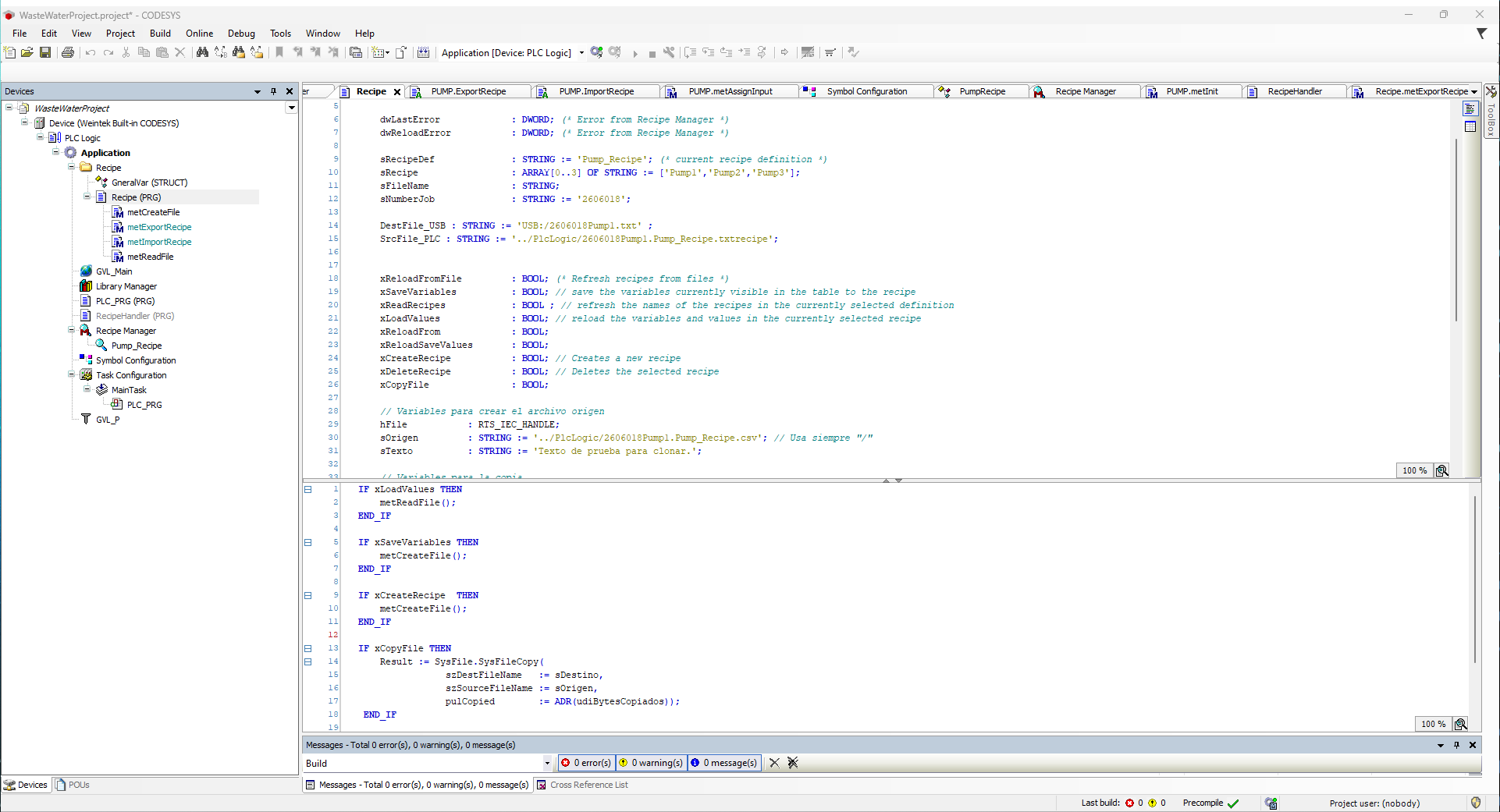
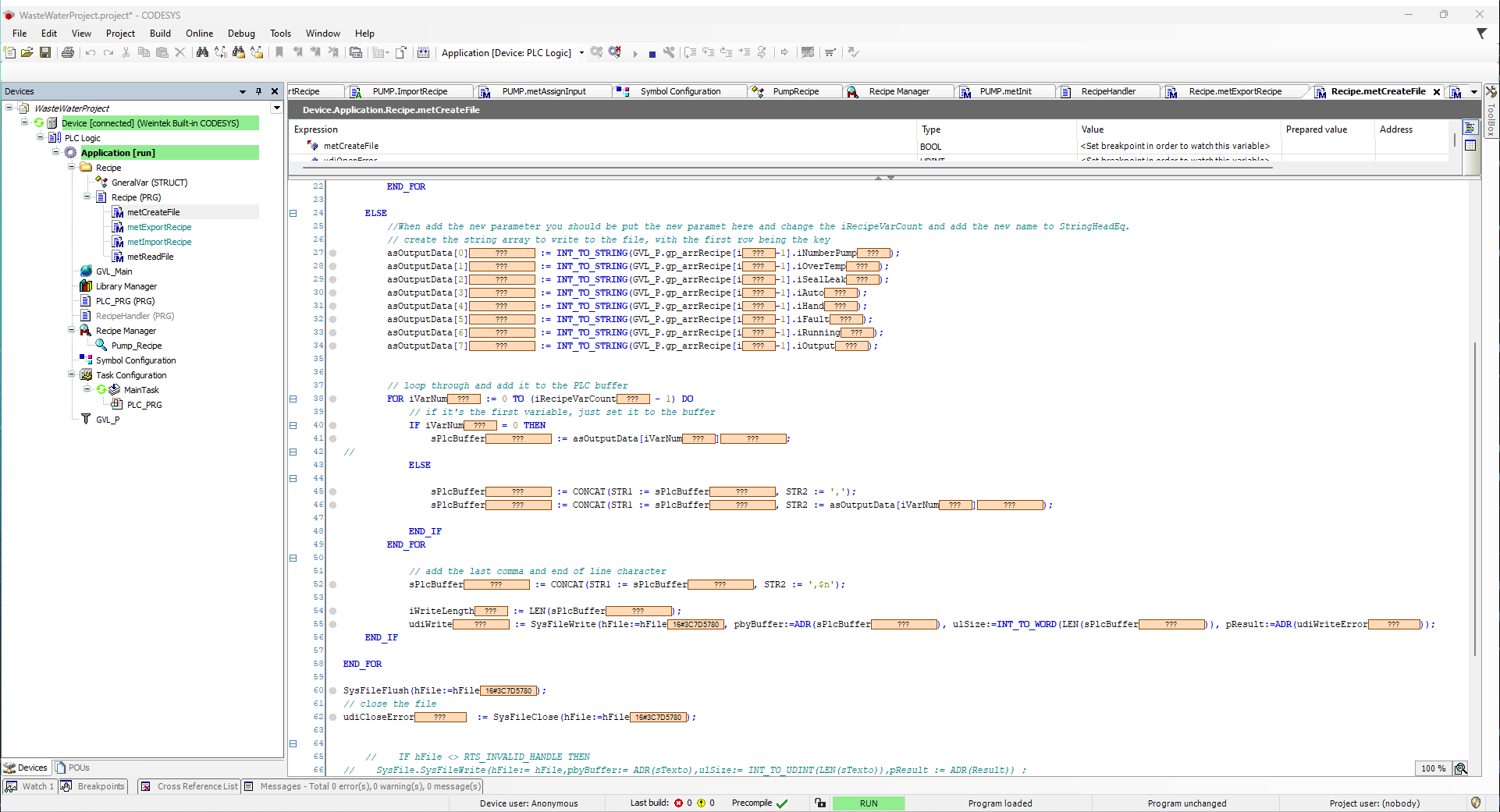
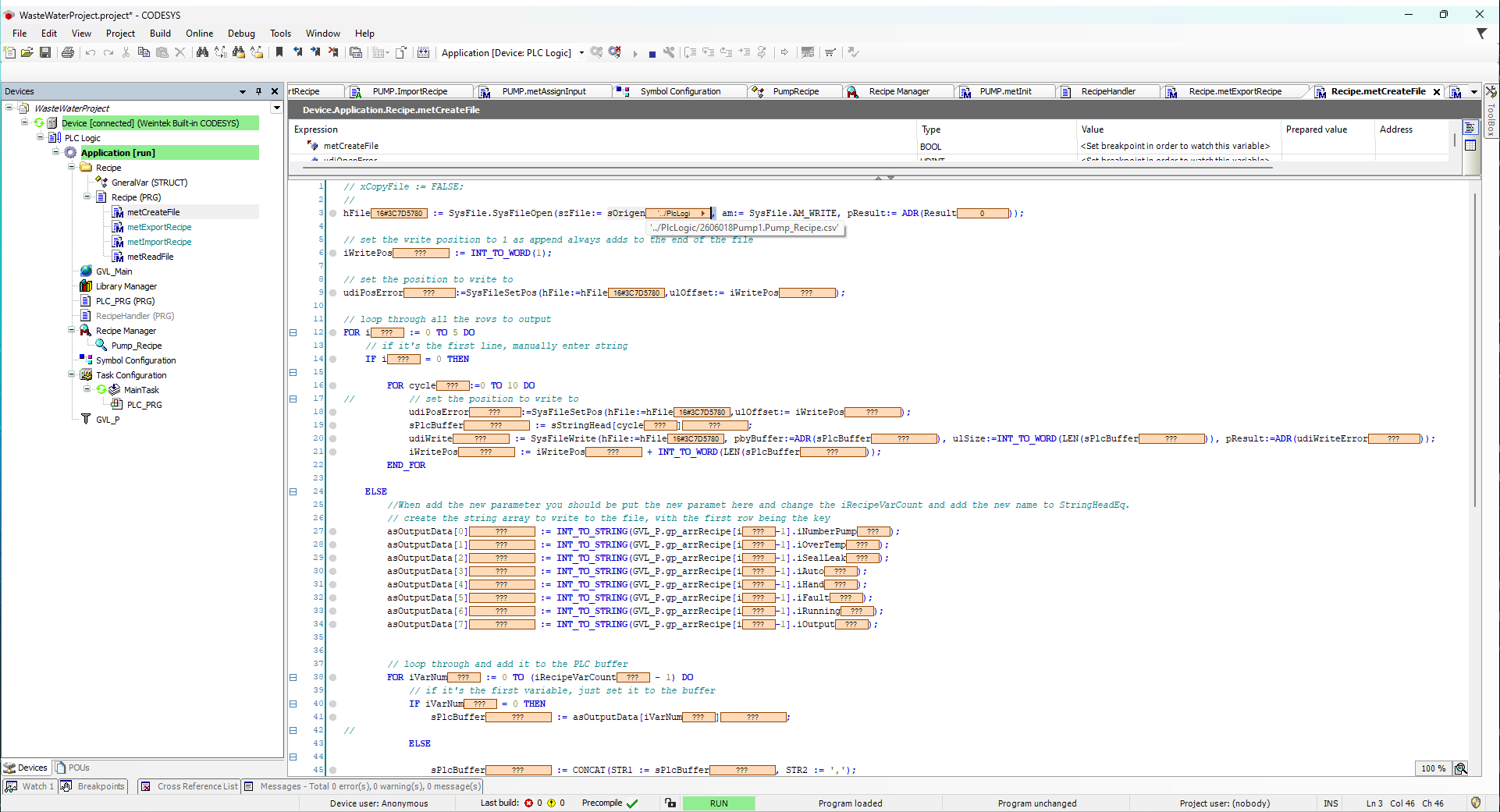
Hi @rescobar ,
Thank you for the additional screenshots. Here is a demo project that creates a new .txt file, writes data to that file, and copies this file to a USB on the CODESYS-activated unit.
As a first step, can you replicate these steps and see if you can reproduce the same results?
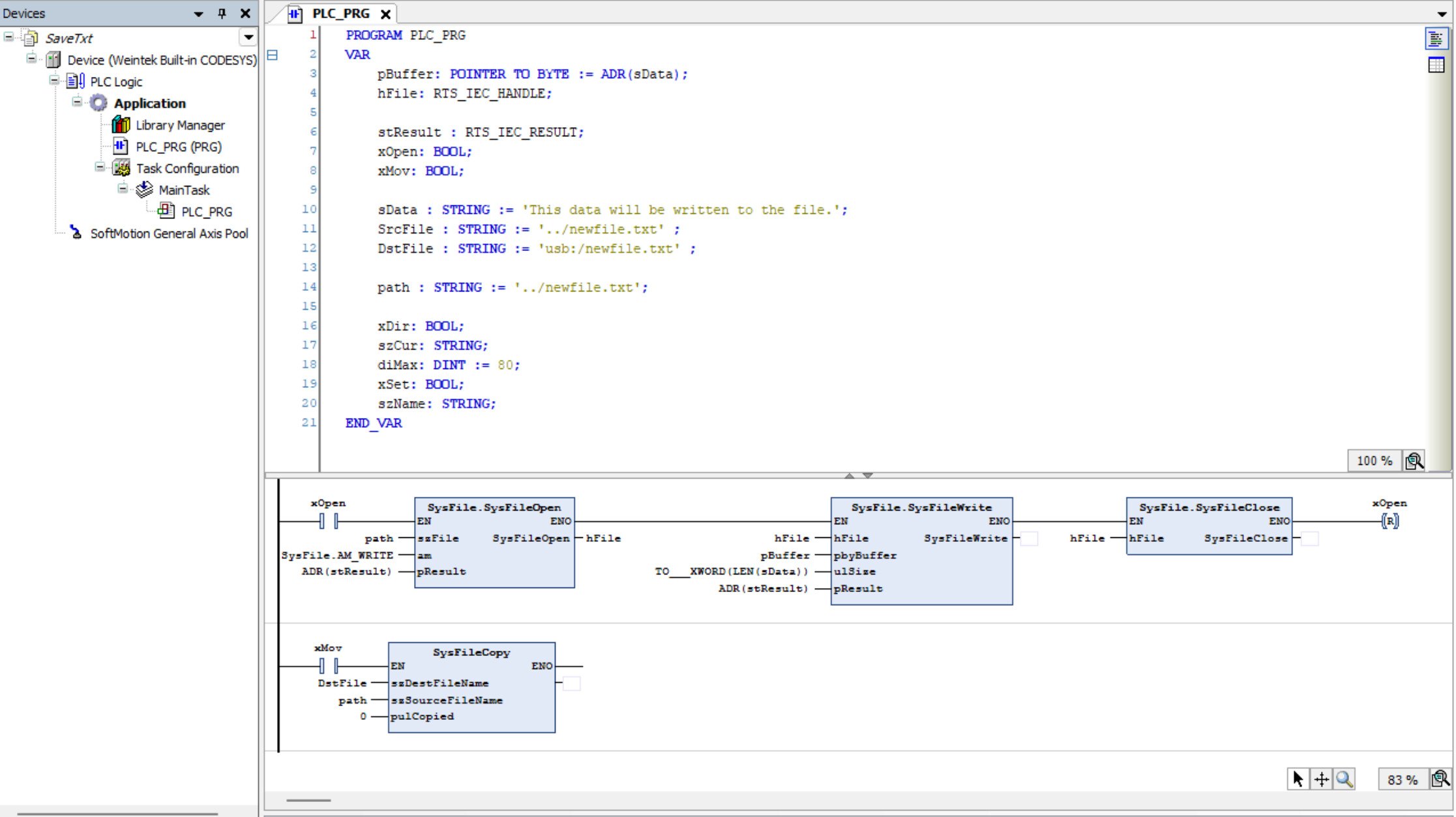
I’ve adapted that code into my own, and it works well. Thank you very much for your help. I’d like to ask one more thing: how do I handle the reverse process—copying a file from the USB drive to the PLC’s internal memory so it can be read later? Would it be a similar process, just swapping the source and destination addresses and performing the copy before reading the file? Or is there an extra or different step involved?
Hi @rescobar ,
Glad to hear the approach worked for you!
To answer your follow-up question, you can copy a file from a USB drive to the PLC’s internal memory using the SysFileCopy function. Configure the source path to the USB drive and the destination to internal memory, and the file should become available.
For a working example, we have a CODESYS External Storage Access demo available on the forum under Downloads > Demo Projects > CODESYS. This project demonstrates transferring .txt files to and from an external storage device.
You can modify the project to transfer a file from a USB drive to the PLC’s internal memory by changing the source path to the USB drive and the destination path to the desired location in internal memory.
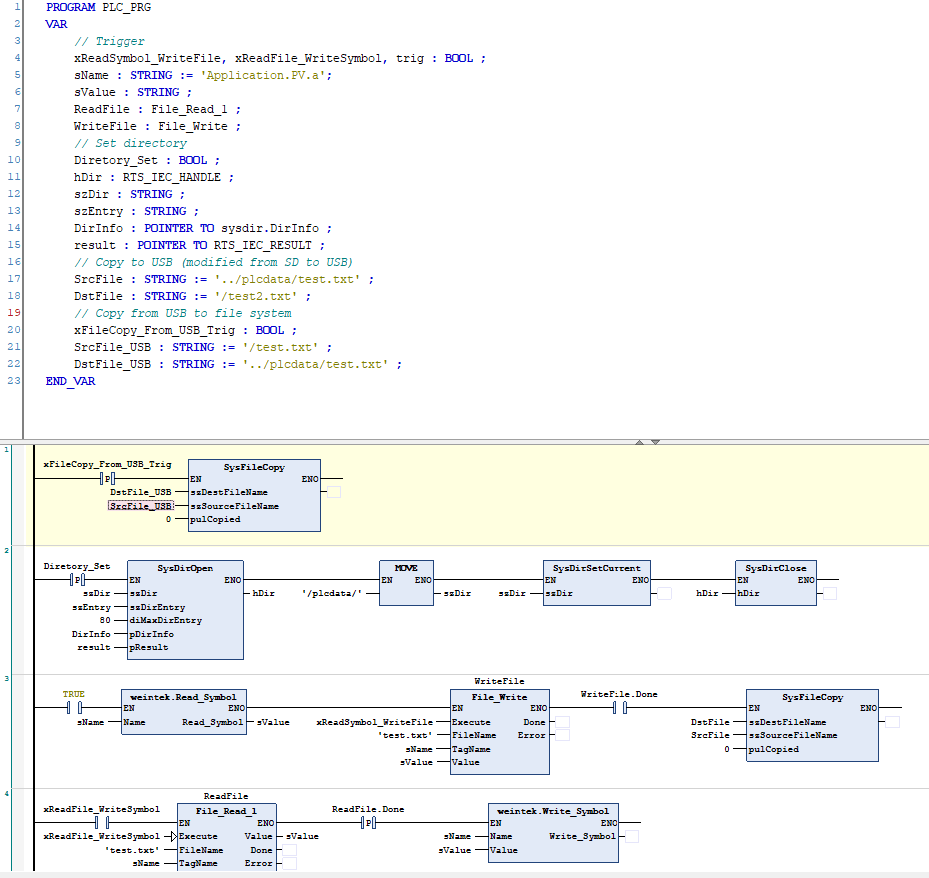
It seems that this demo is for SD external storage. I have tried this method for writing a USB file to my CMT-2078X but have not been able to make it work. Is there any adjustment needed to be made to this program to have it work for USB external storage?
In my case, I’ve replicated the example in my program; the program doesn’t throw any errors, and I can see in the code that it references a file (though I can’t be certain it’s the specific file I want to read), but it appears to be empty since it doesn’t read any values. I’m still trying to get it to work.
Following the demo software that was listed above, it does not appear that Codesys is recognizing ‘/test.txt’ as the correct file path for the file located in the USB ‘/plcdata/test.txt’ path that the demo instructed to create. The first program that Arden.y listed did allow me to copy a file in the USB, but I did not test it with any values.
I believe that I have found the solution. The USB must have a folder named “plcdata”. To reference this folder, you must use the filepath “usb:/”. So, to copy from or copy to a file named “test.txt” you will be using the filepath “usb:/test.txt” which accesses the file “/plcdata/test.txt” in the USB. The Codesys file path “../plcdata/test.txt” allowed me to copy to/from this path as well.
That sounds good; I’m going to try that solution. Thanks a lot.