-
HMI Model: cMT-FHDX-820
-
EasyBuilder Pro Version: 6.10.01
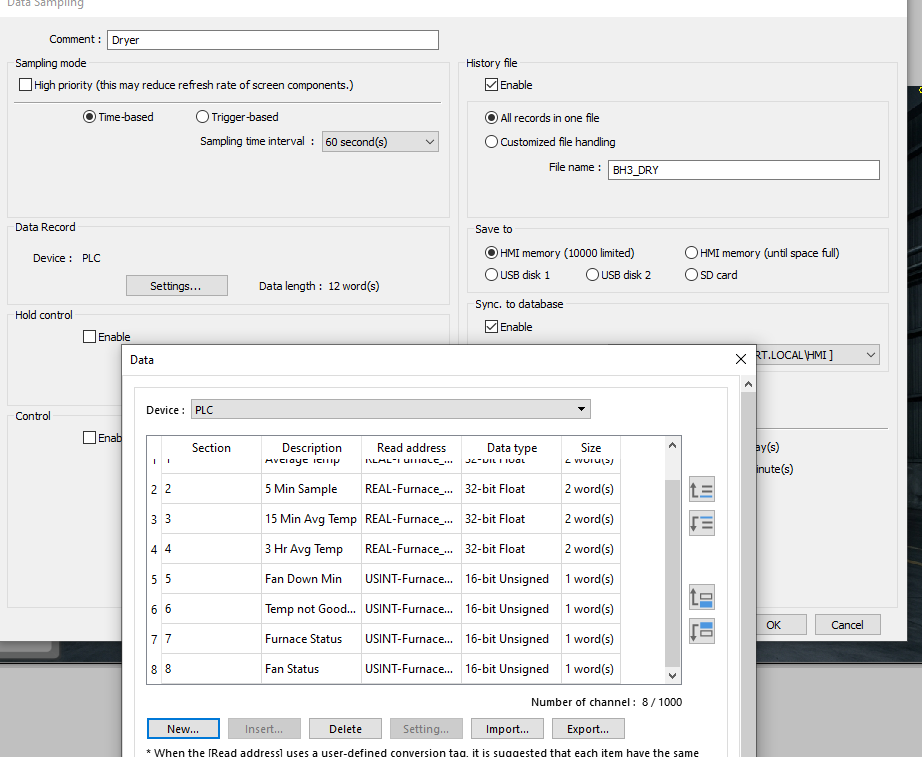
This is the first time I have used the Data Sampling feature. The Tags I have setup work and it’s logging to an SQL database like I want, however each Data Sample set seems to be limited to 8 tags or channels? In the lower right, it says 8 of 1000 channels? I would like to add a 9th TAG here but what it seems to do is split 8 into 2. Again it might be because I might not understand how to set this up correctly.
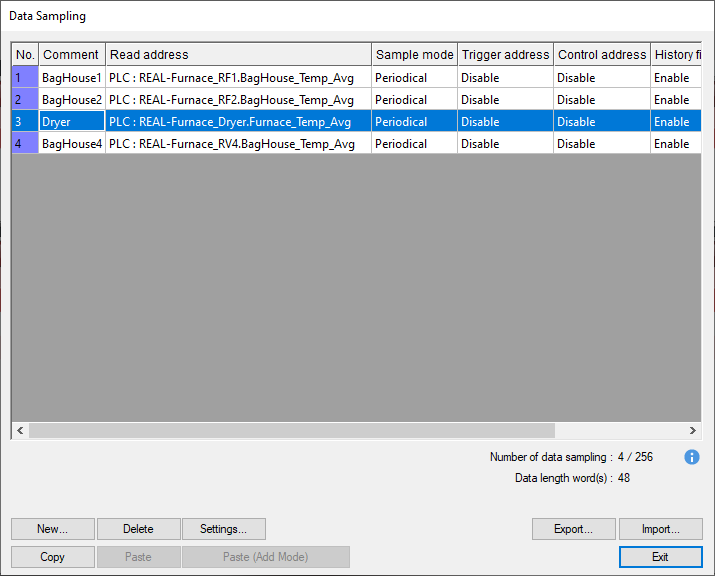
In the database, I have 4 sets of these Data Samples setup. Each set logs 8 tags so far.
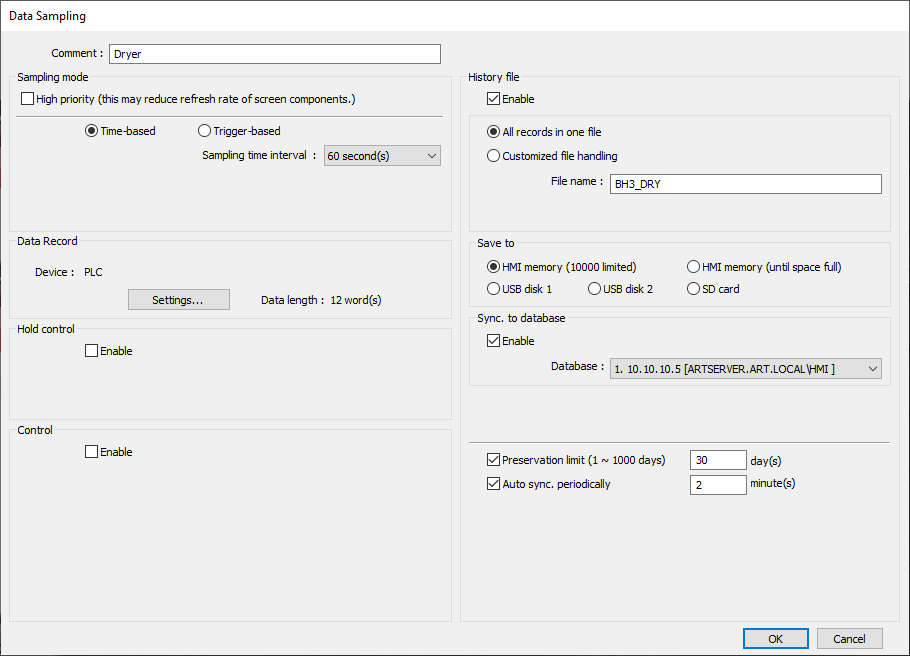
It might be the way I have things setup, but I would like to add more TAGS for each set to keep the database together in the database.
A second part: If I add a 9th TAG, the database structure was “auto created”, so how will that affect the current database now if I do end up adding the 9th TAG like I want? Or where and why does it seem limited to 8 channels here?
Hi @Chris_Elston ,
Thank you for your question.
Each Data Sampling object is limited to 8 non-contiguous address sections when Next contiguous address is not enabled. If the tags can be mapped to consecutive addresses, you can add more than 8 tags to the same DS object by selecting Next contiguous address when adding each additional tag.
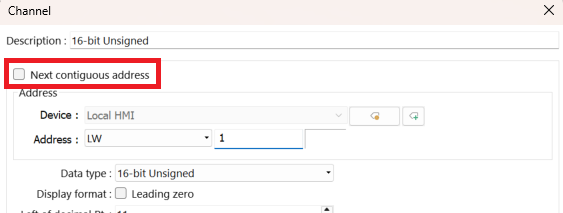
The maximum number of data records (log entries) that can be stored in the data sampling object is 1,000.
For more information, please refer to our forum post: How to Use Non-Contiguous Addresses in Data Sampling.
Regarding your second question, the SQL table created when you initially set up the data sampling object will not be automatically updated to reflect the new configuration. After backing up your existing SQL database tables, you can either manually alter the existing table to add the new column or delete the existing table and allow EasyBuilder Pro to automatically recreate it based on the updated configuration.
**Note: Please back up your existing SQL database tables before making any changes.