I am trying to connect a cMT-CTRL01 as an EtherNet/IP Scanner to an iR-ETN. The scanner stays in “No run” state and shows the diagnostic message “Configure encapsulation layer…”. When I try to run the project, the program goes to STOP and ends up in an exception error. Has anyone experienced this issue or found the required CODESYS / firmware settings to make the connection work?
Enabling EtherNet/IP Scanner in Codesys
none
0.0
0
Hi @PabloPaul,
Thank you for your question.
To help narrow down the cause of the issue, could you please provide a screenshot of the device configuration within your CODESYS project, along with the CODESYS version used to develop the project?
Additionally, please note that the LAN-1 Ethernet port on the cMT-CTRL01 is dedicated to the CODESYS runtime. For EtherNet/IP communication with the iR-ETN, the device must be connected to LAN-1, as this is the interface used by CODESYS for network communication.
For additional troubleshooting steps, here are a few resources that may help:
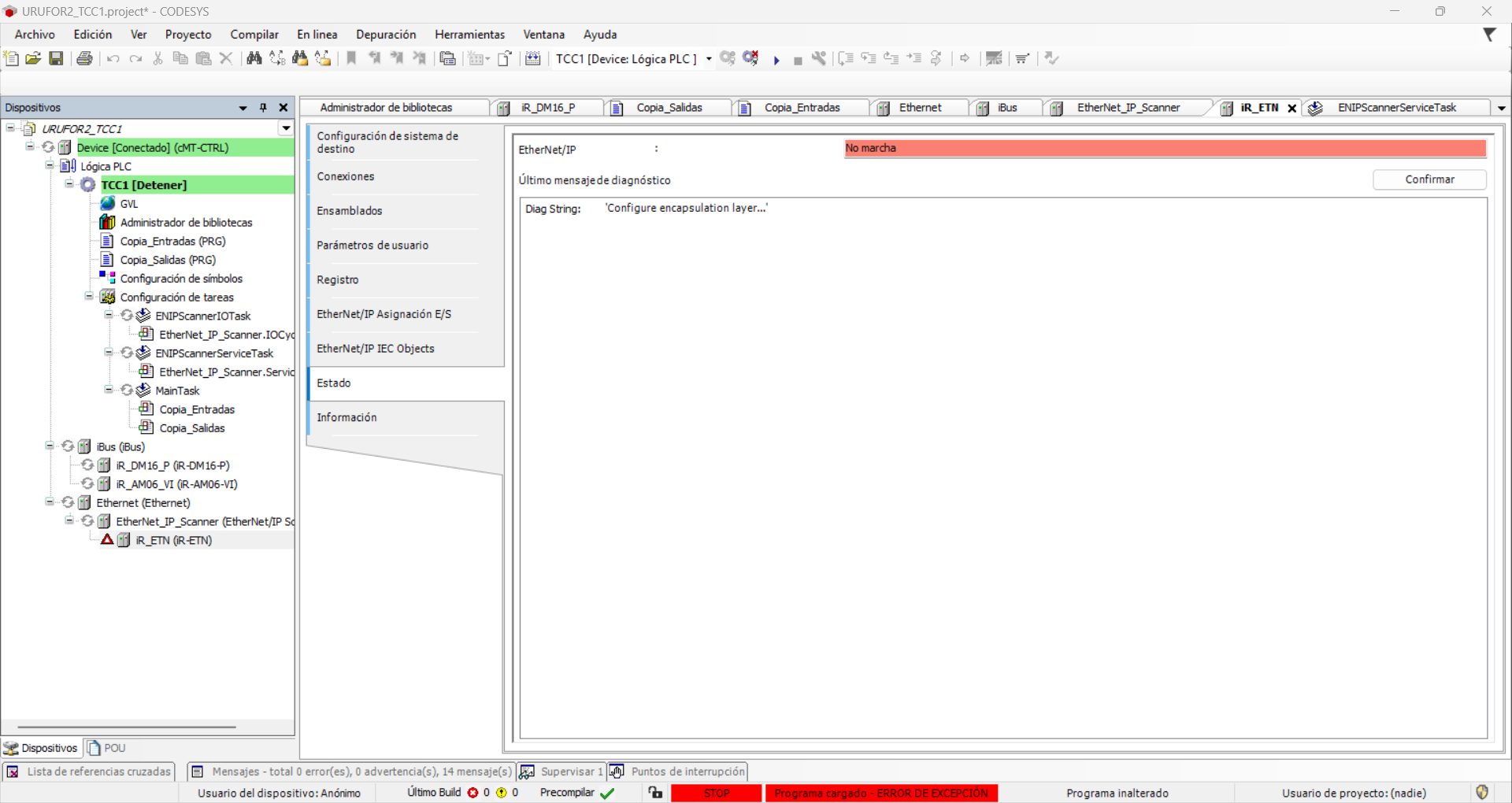
Hi, thanks for the reply. I have already sent the screenshot of the device configuration. The runtime version used in this project is CODESYS V3.5 SP15 Patch 5. Both the cMT-CTRL01 and the iR-ETN are connected through LAN1.
Hi @PabloPaul ,
Can you click the Run button in Codesys? We noticed it hasn’t been selected. Could you also check the linked document and ensure all configurations are set up correctly: iR-ETN/iR-ETN40R - EtherNet/IP Connection Guide (Available in Downloads Section as well))
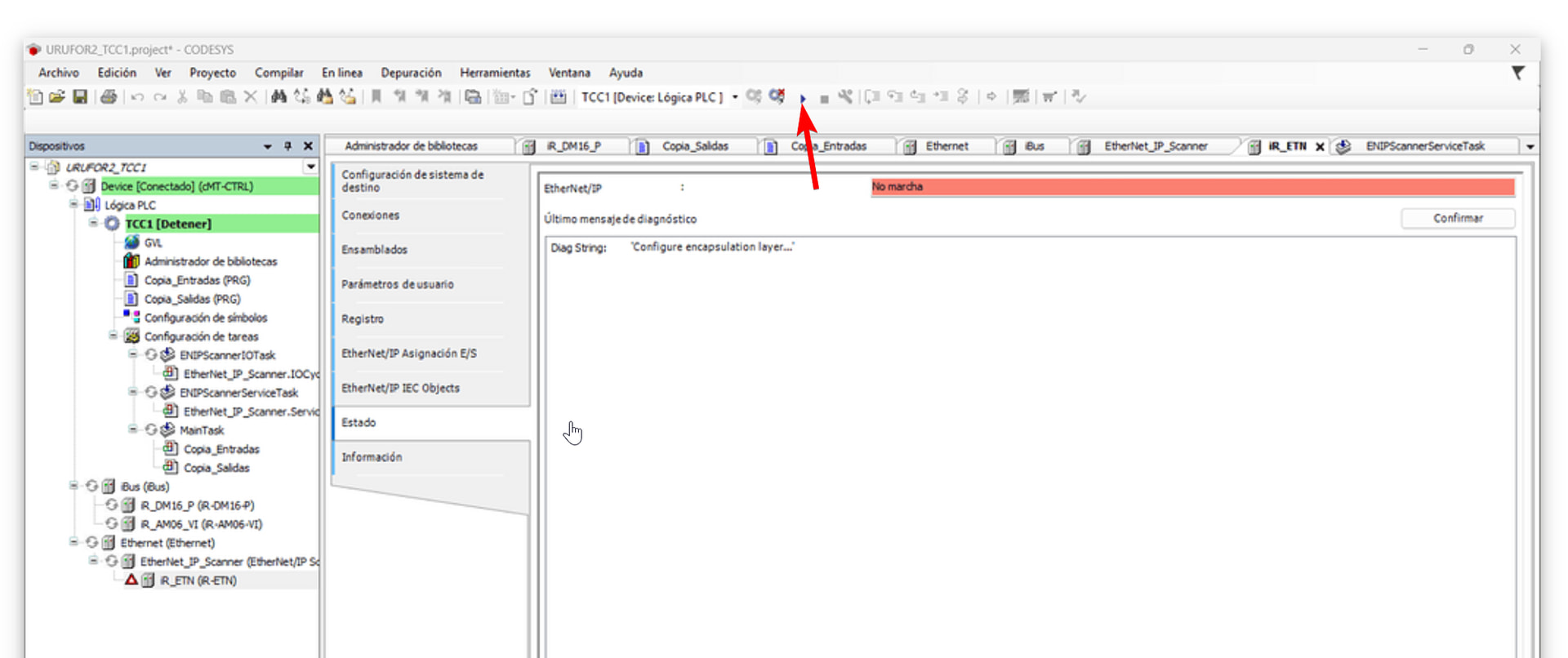
Hello @Aaron.S, yes, I can. When I do that, it switches to STOP and shows an ERROR EXCEPTION within a few seconds.
I’ve already read the document, checked all the steps, and watched a YouTube video showing the same setup, but I’m still getting the error with the Ethernet/IP Scanner.
Hi @PabloPaul ,
Thank you for the additional information. It sounds like the issue could be a logic error within the application.
As a troubleshooting step, we recommend creating a simple Structured Text (ST) program to help further isolate the issue. For example:
VAR
    iNum : INT;
END_VAR
---
iNum;
Then, map iNum to a value and attempt to run the project.
If the project runs successfully, this would indicate that the exception is likely caused by logic in the original application. Please let us know if the issue persists.