How to connect to a remote HMI with Online Simulation in Easybuilder Prohttps://forum.weintekusa.com/uploads/db0776/optimized/2X/b/b5fc1e0847f8679f52abc76a492a786be11f0a88_2_1024x576.jpeg
EasyBuilder Pro Version: V6.10.02.470 Build 2026.10.21
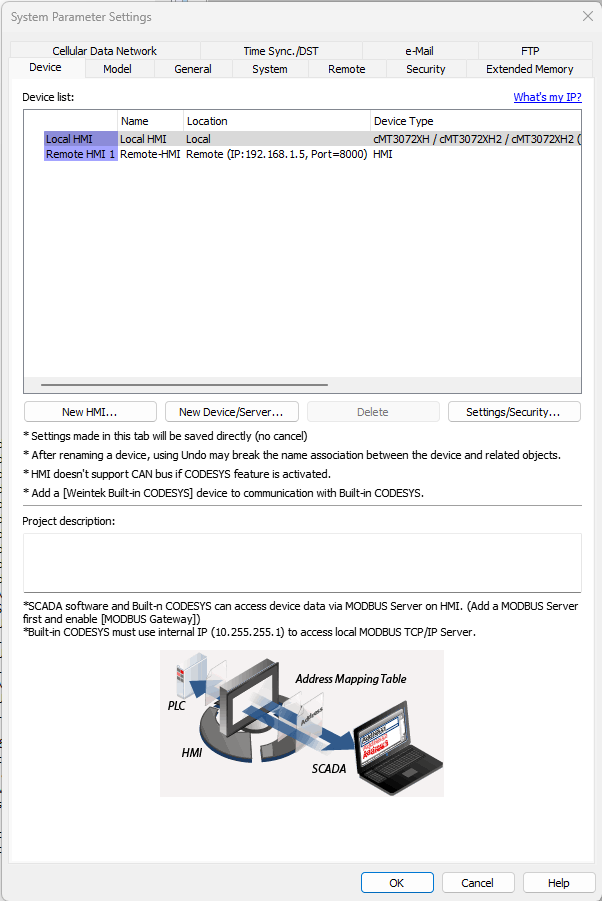
I am trying to simulate a remote HMI connection with the hardware cMT3027XH that I have and the EBPro online simulation, similar to this tutorial:
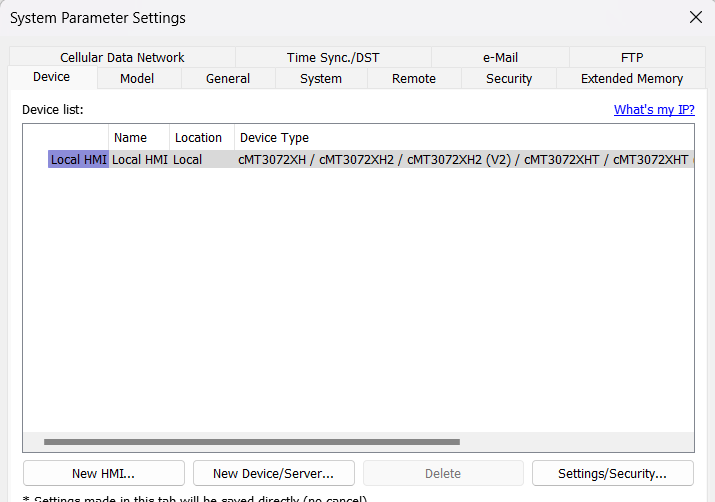
I have had no luck getting the simulation to connect to the hardware that I would like to use as a remote HMI. Settings are as follows.
Simulation:
I have confirmed that the ip address to the remote HMI is correct, and my PC can connect to the hardware HMI. It was not clear if I needed to use port 8000 or 8010, I have tried both with no luck.
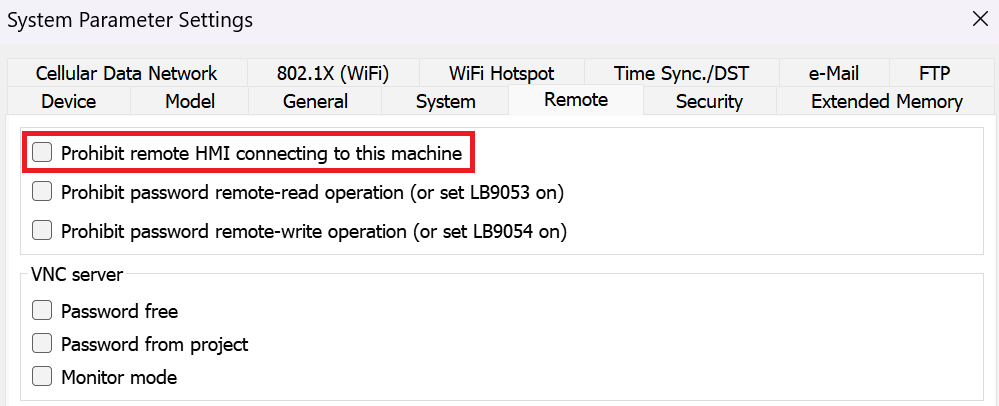
I have confirmed that none of the remote connections should be prohibited on either device.
The end user’s ultimate goal is to have two displays, one for reading and writing recipe data and the other just for reading. I plan to accomplish this with global data transfers after transferring the recipe data to local data on the local display to local data on the remote display.
Any insight you could provide to get me closer to a working demo is appreciated. Thanks.
For communication between two cMT X Series HMIs, port 8000 is the correct default port.
As an initial troubleshooting step, could you navigate to System Parameters > Remote and confirm that Prohibit remote HMI connecting to this machine is disabled in your projects? Additionally, please ensure that LAN 1 and LAN 2 are configured on different subnets.
The ports were on the same subnet, but no change after adjusting. Neither of the projects have any prohibitions on remote connections enabled. I don’t appear to have a “Device No Response” message.
To continue troubleshooting, could you first confirm that you can successfully ping the HMI’s IP address from your PC?
Then, try configuring a simple test project following the video below and running an online simulation to see if communication can be established. This should help us narrow down the cause of the connection issue.