ASCII Input

ASCII Input
none 0.0 0
  • HMI Model:cmt3218xp
  • EasyBuilder Pro Version:6.10.01.510

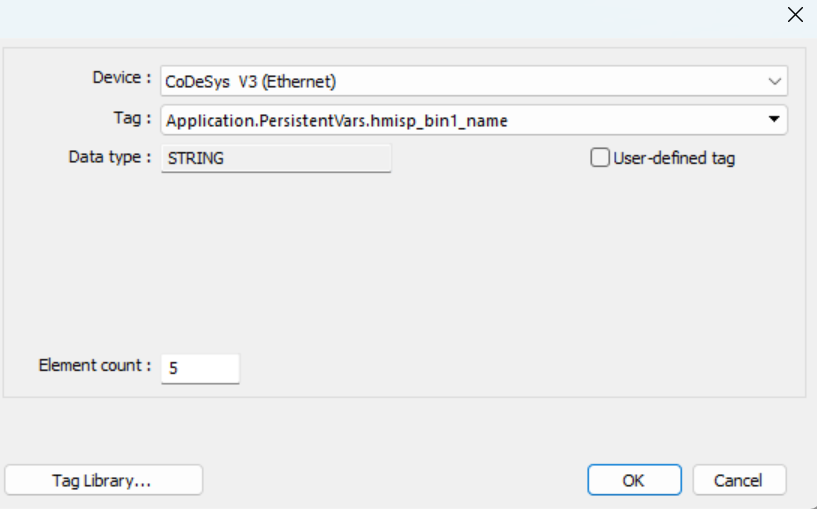
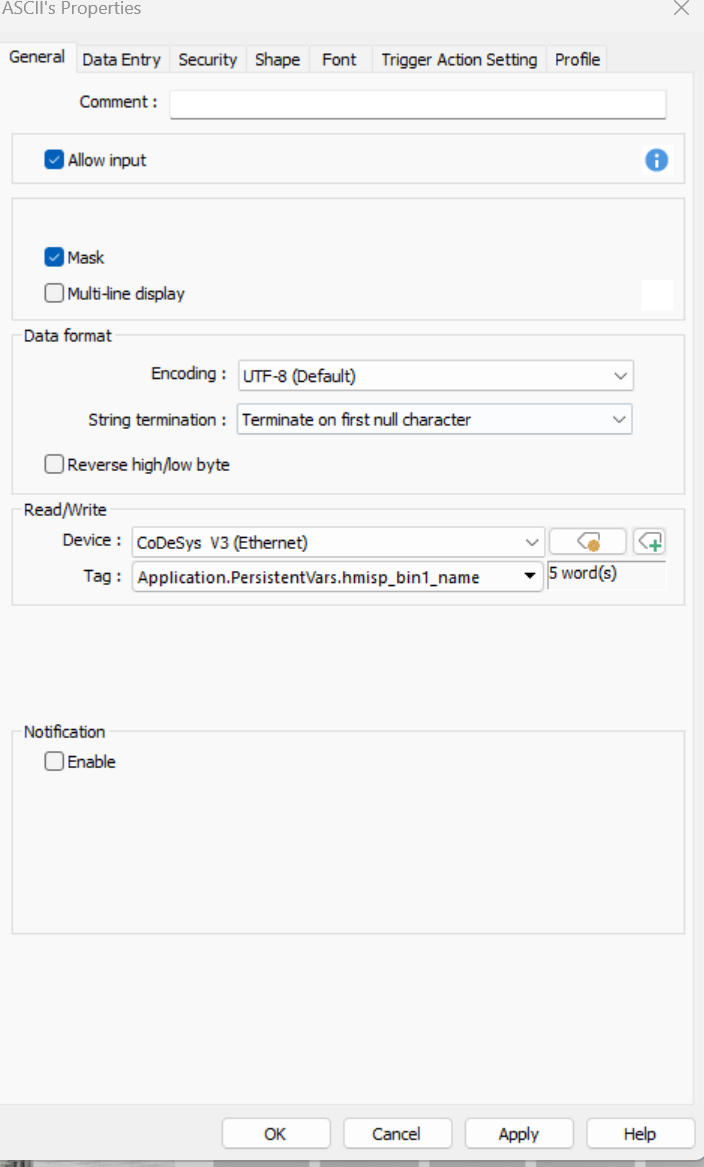
Hi I am Having problems with displaying a string that allows input that is stored in codesys using wago PLC. I am trying to get a label to display in the screen that can be changed by clicking on it. I cant seem to get the ASCII to display over 2 digits. I have tried changing the string length and element count but when the element count is over 5 no message appears at all.

Hi @MarkusVDH ,

Thank you for your question! Could you please provide screenshots of the PLC driver and the ASCII object configuration? This will help us troubleshoot the issue further.

PLC is a wago 750-8001 running codesys v3.5

Hi @MarkusVDH ,

Thank you for the additional information. Can you confirm that you are selecting “Two char per word” when importing the tags from CODESYS?

For your reference, here is the PLC connection guide: CODESYS V3 (Ethernet).

Yes that is correct.

when I have my element count as 5 and string length as 10 and type in 1234567890 the hmi will display 90.

Hi @MarkusVDH,

Could you confirm which version of CODESYS you are using for this project? The recommended version is 3.5.15.50.

If possible, could you also try upgrading to the latest version of EasyBuilder Pro and see if this resolves the issue? The latest version can be downloaded from the Software tab of our forum.
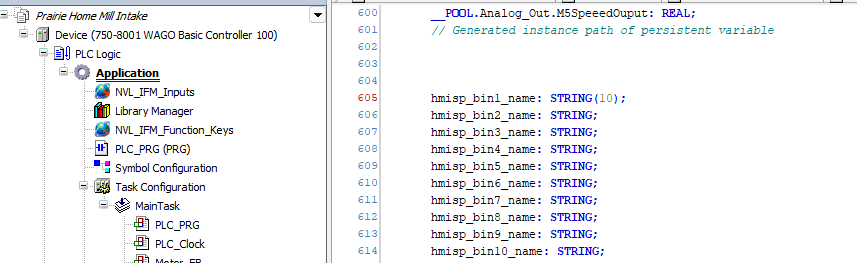
I am running codesys v2.3 SP19 patch 7.

I will try update EBpro but would prefer to keep the version I have.

Hi @MarkusVDH ,

Please keep a copy of the current EasyBuilder Pro project in case we need to revert to this version of EasyBuilder Pro.

Updating Ebpro seemed to have fixed the issue.

Thanks for your help.