I am new to Weintek and trying to establish my first connection to the HMI using BACnet MS/TP. I have been able to connect my PC to the HMI via ethernet, and I have been able to create a few screens and make my function keys work. However, I have not been able to make an MS/TP connection with my controller. I am using a KMC BAC-5901C controller. I have looked through any document I can find about which COM port to use for the HMI and have tried different pinouts and rotated the -/+ wires to see if they may be reversed but so far no luck. I do not see KMC listed as a manufacturer, so I used BACnet MSTP. I really need to get this working by Friday so any help will be greatly appreciated and I thank you in advance. I do not mind reading any documents or watching any videos to help me get this working. Also, do you know id the HMI will appear in my BACnet software as a device? I assume it will since it has a Device Instance number. I have not seen the HMI show up as a device yet.
Below are the links to our PLC connection guides page and the guide for BACnet MS/TP. Please confirm the wiring diagram and settings using the documents.
So I have successfully created a project using the MT8071iE and have it connected to the system and functioning fine. However, when I take the same project and change the HMI to a MT8100iE it will not find the devices. The only difference that I have found between the two HMI’s is the COM port. I have the 8071 set up to use COM3 using pins 6&9 and I have the 8100 set up to use COM1 using pins 1&2. I tried using the 8100 on COM3 using pins 7&8. Is there something I am missing?
Only 1 HMI at a time. I will be glad to send you screen shots….What screens would you like for me to upload? Thank you for your help… it is GREATLY appreciated!!!
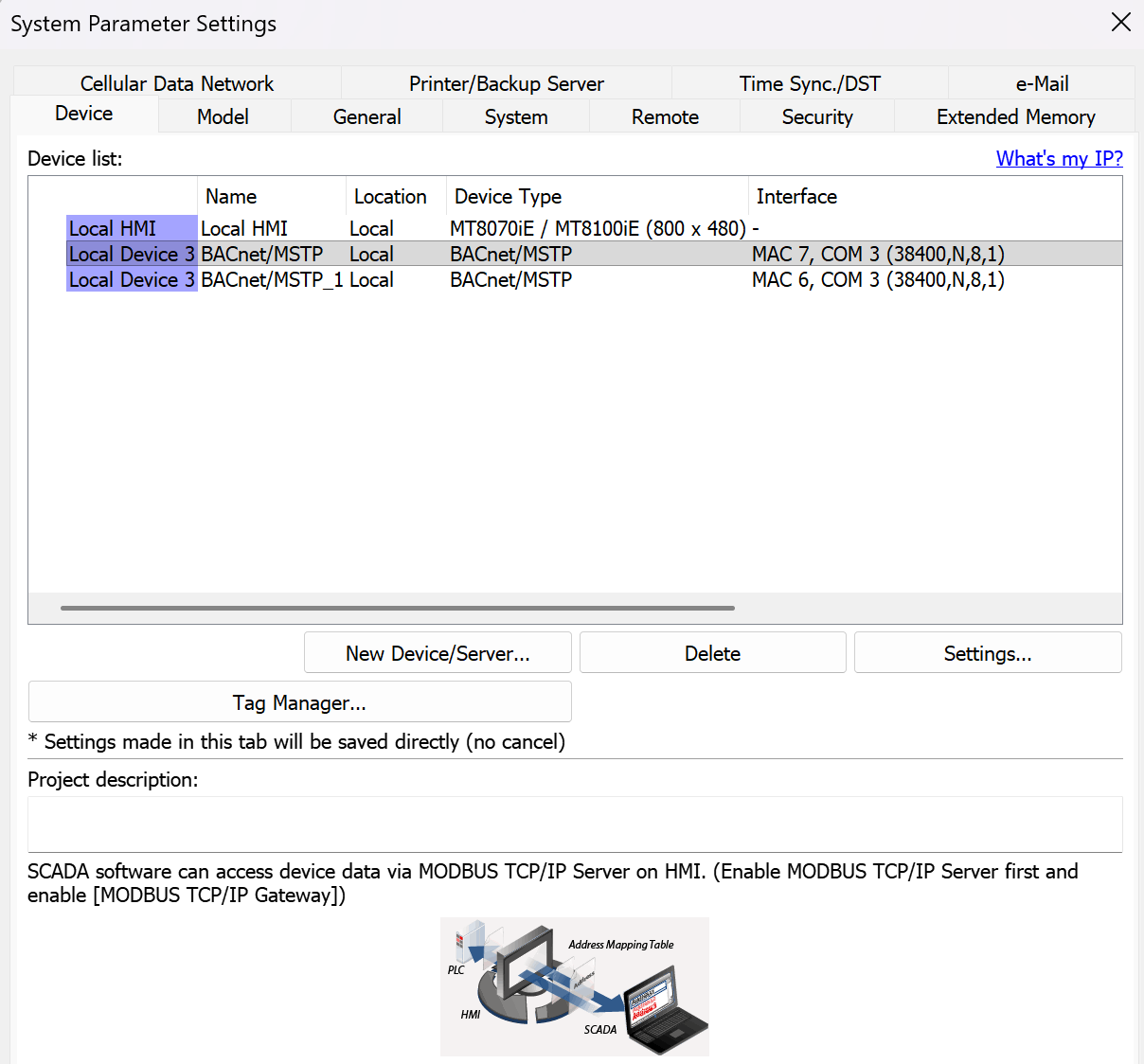
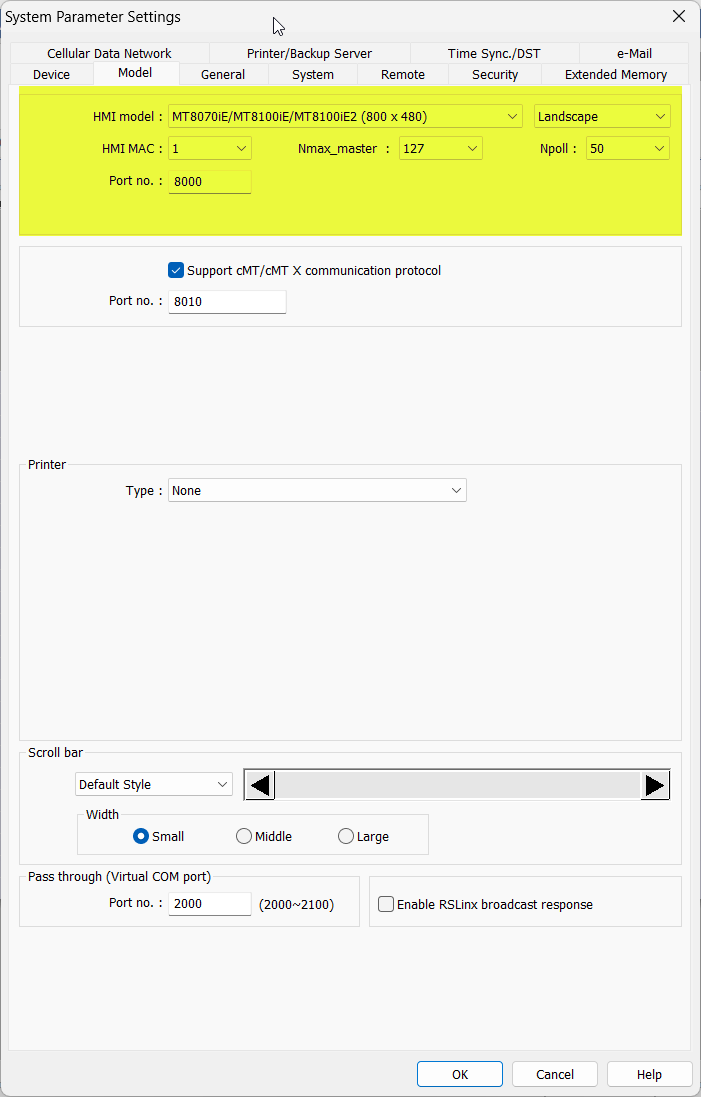
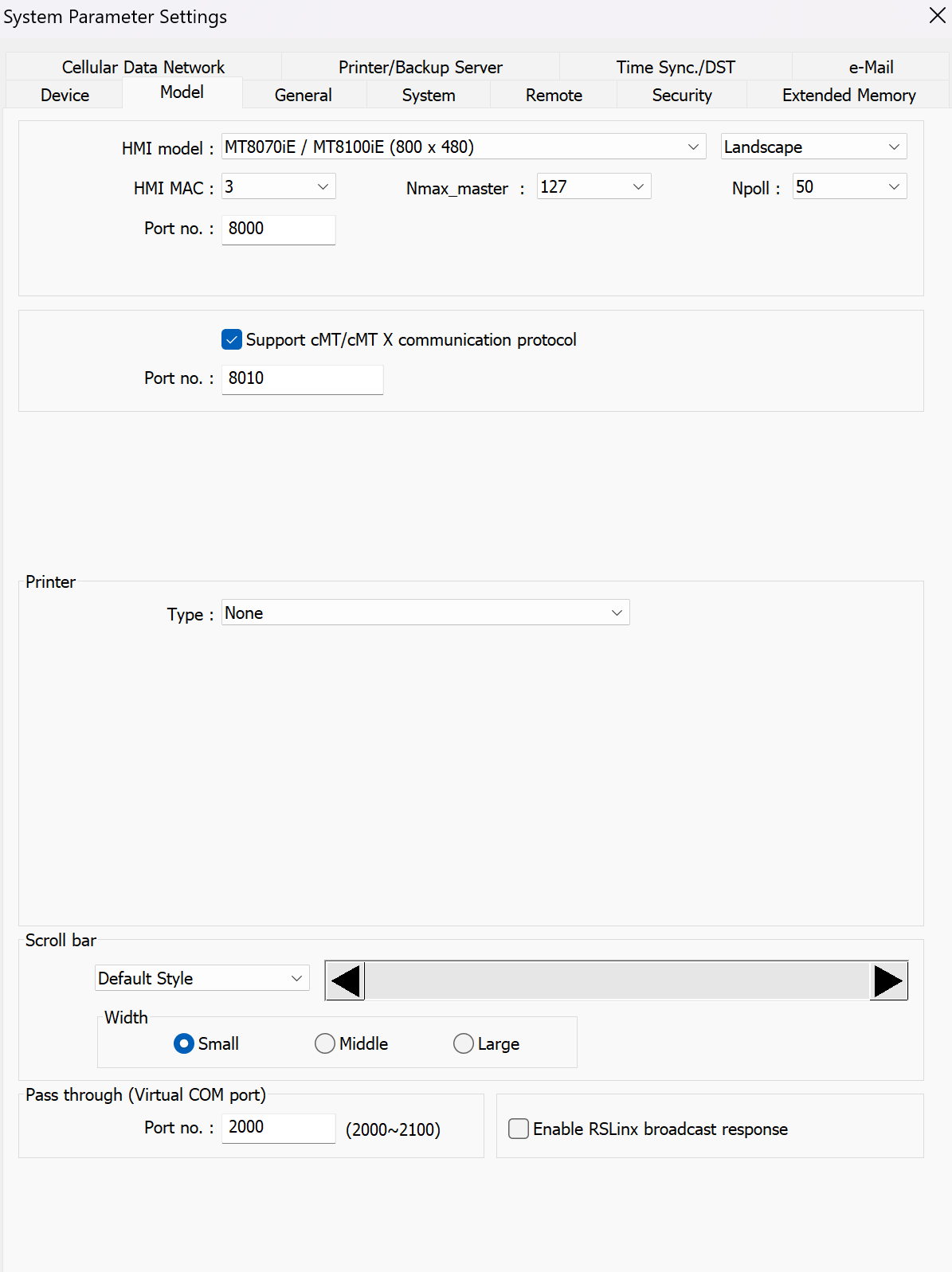
Could you send me screen shots from the system parameters of your set up. Also anything like error codes which would help us isolate the issue within the project.
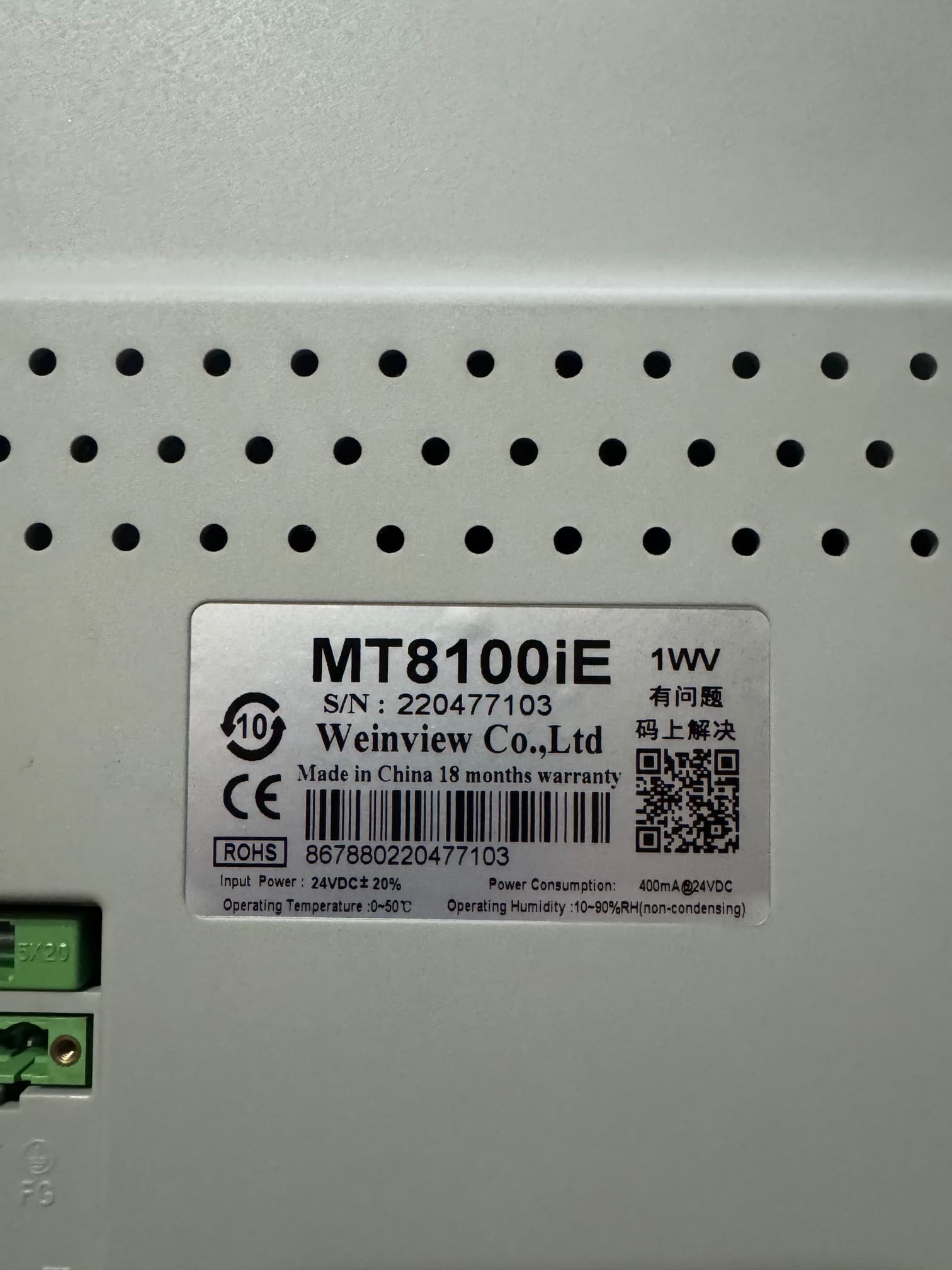
Please send the serial number of the HMI so we can check the device details on our end.
Also, please verify that the BACnet MAC addresses are unique for every device on the network, and no duplicates are present. The HMI uses the BACnet MS/TP driver and acts as a master on the MS/TP network, so duplicate MAC addresses will cause communication issues.
For reference:
The HMI’s MAC ID is set in System Parameter Settings → Model (Model tab).
The PLC’s MAC ID is set in the BACnet MS/TP driver’s device settings in EBPro.
Yes the HMI number is unique. There are only the three devices, HMI is 3, Controller 1 is 6 and controller 2 is 7. I will send the serial number shortly. Serial number is 220477103
This serial number appears to be incomplete, can you please post a picture of the product label that shows the serial number for our reference? This will give us more information about this specific unit, which my help determine why the device is not showing on your BACnet network.
Thank you for sharing that image. The unit in your image is a Weinview HMI, not Weintek. Weinview distributes products to the Chinese market, the software used on these devices requires that the language settings are set to simplified Chinese and under some circumstances a Chinese instance of Windows OS must be used as well.
To program this device you should use Weinview’s programming software. To obtain this software and for assistance in troubleshooting their hardware, please contact your overseas distributor or Weinview directly.
Oh No… I thought Weinview was just what Weintek called their displays…. I’m amazed I even have the 7” working….. What model 10” do you recommend for BACnet MS/TP from Weintek? I thought I was buying Weintek!!! Thank you so much….!!!
At the moment, I would recommend either the MT8106iP or the cMT2108X2. These 10" models have a feature set that should be similar to Weinview’s MT8100iE. To purchase, please email sales@weintekusa.com.