Hi @durallymax.
Can you please follow the steps below and advise the result?
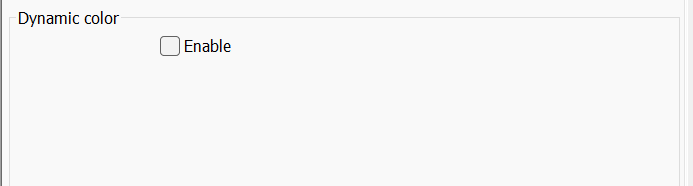
- Disable the “Dynamic color” option within the “Outline” tab:
- Click “Ok” to save the object.
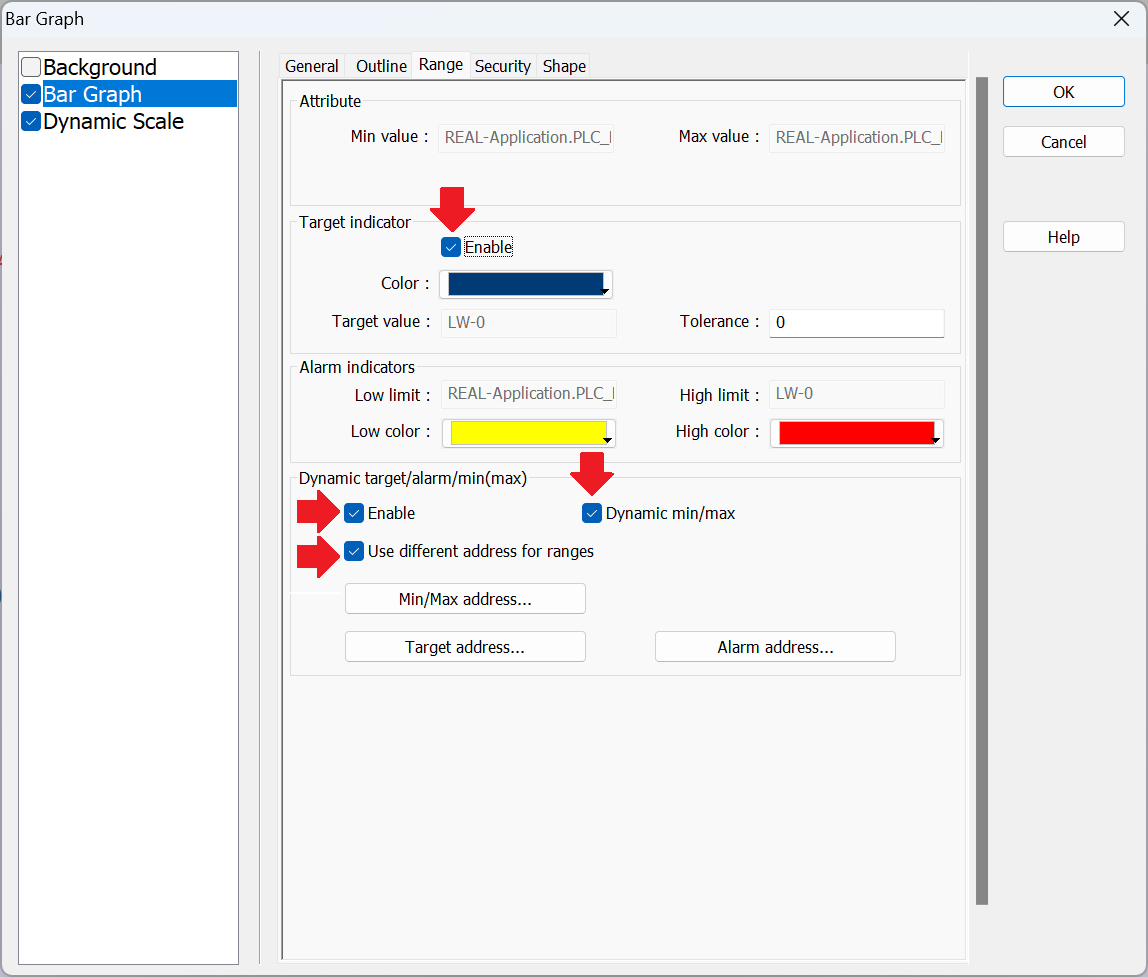
- Open the object’s properties, select the “Range” tab, and ensure that all of the following options are enabled:
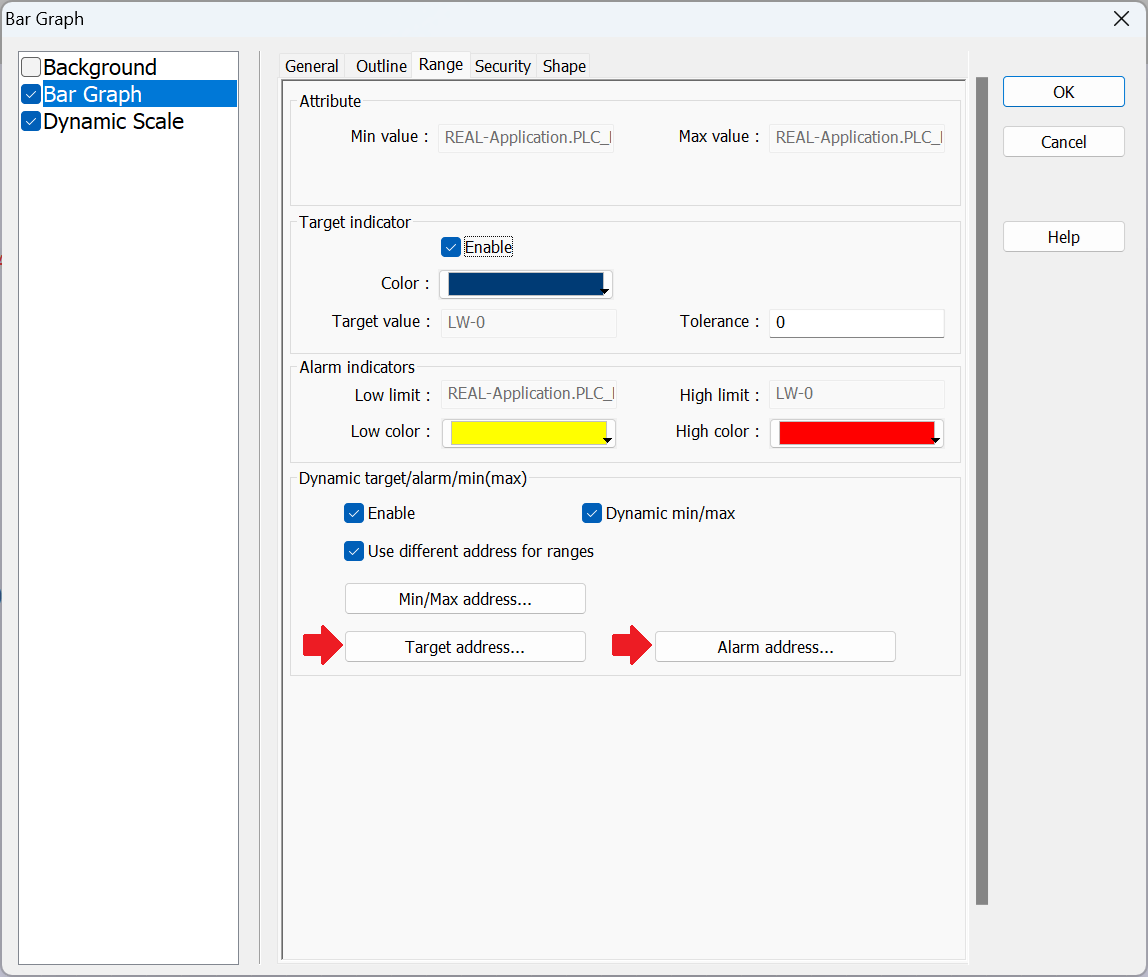
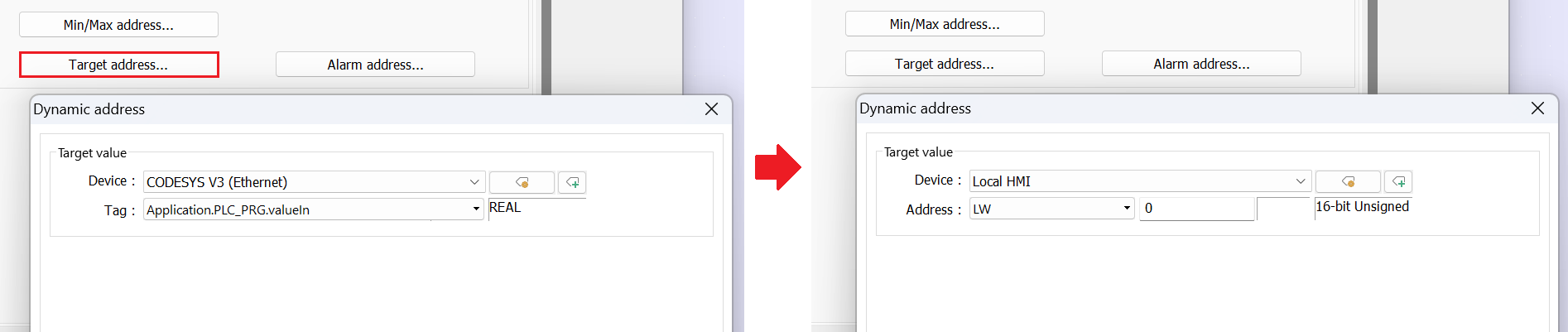
- Select the “Target address…” and “Alarm address…” options and check if either option references a PLC tag:
- If either option references a PLC tag, please set it to reference a local HMI register such as LW-0 and save the object by clicking “OK”.
- Then, re-open the object and re-enable “Dynamic color”.