- HMI Model:CMT-FHDX-820
- EasyBuilder Pro Version:6.10.01.510
Is there a way to detect an input/change to a field within the “Recipe View” object?
Is there a way to detect an input/change to a field within the “Recipe View” object?
Hi @outbound6 ,
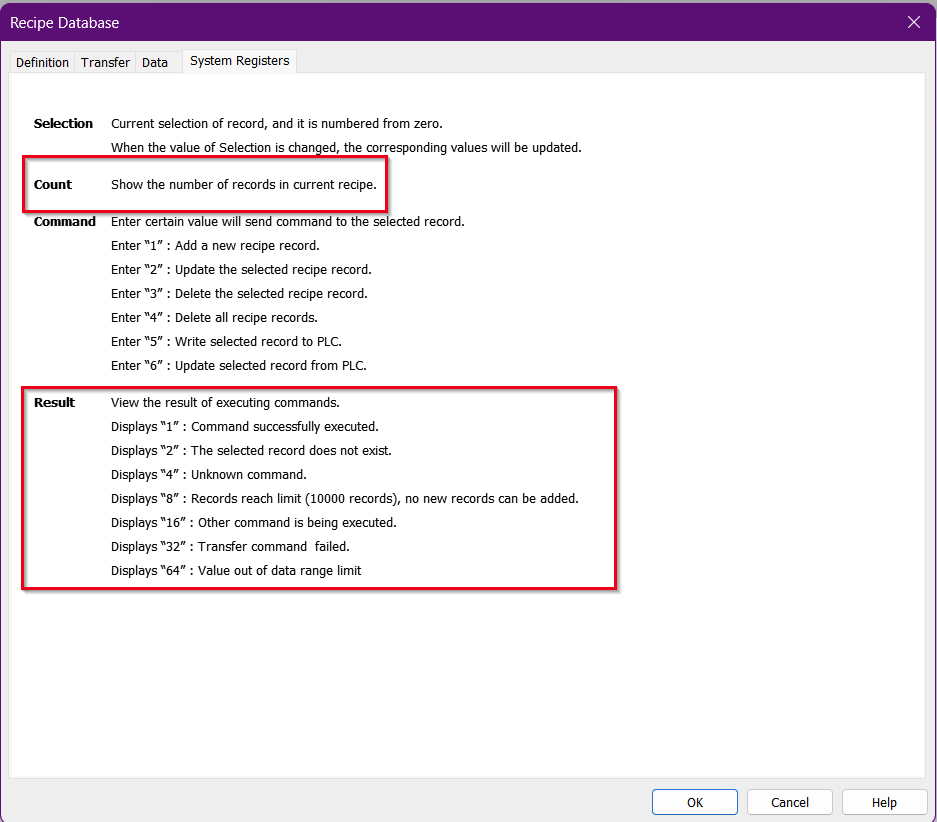
We don’t have a way to detect changes within the Recipe View object, since it’s primarily used to display recipe data. However, in the Recipe Database, each recipe has system registers you can access.
We recommend using the Count or Result register to detect changes. You can set up a macro to check when the Count value increases, or when the Result register detects a value of 1.
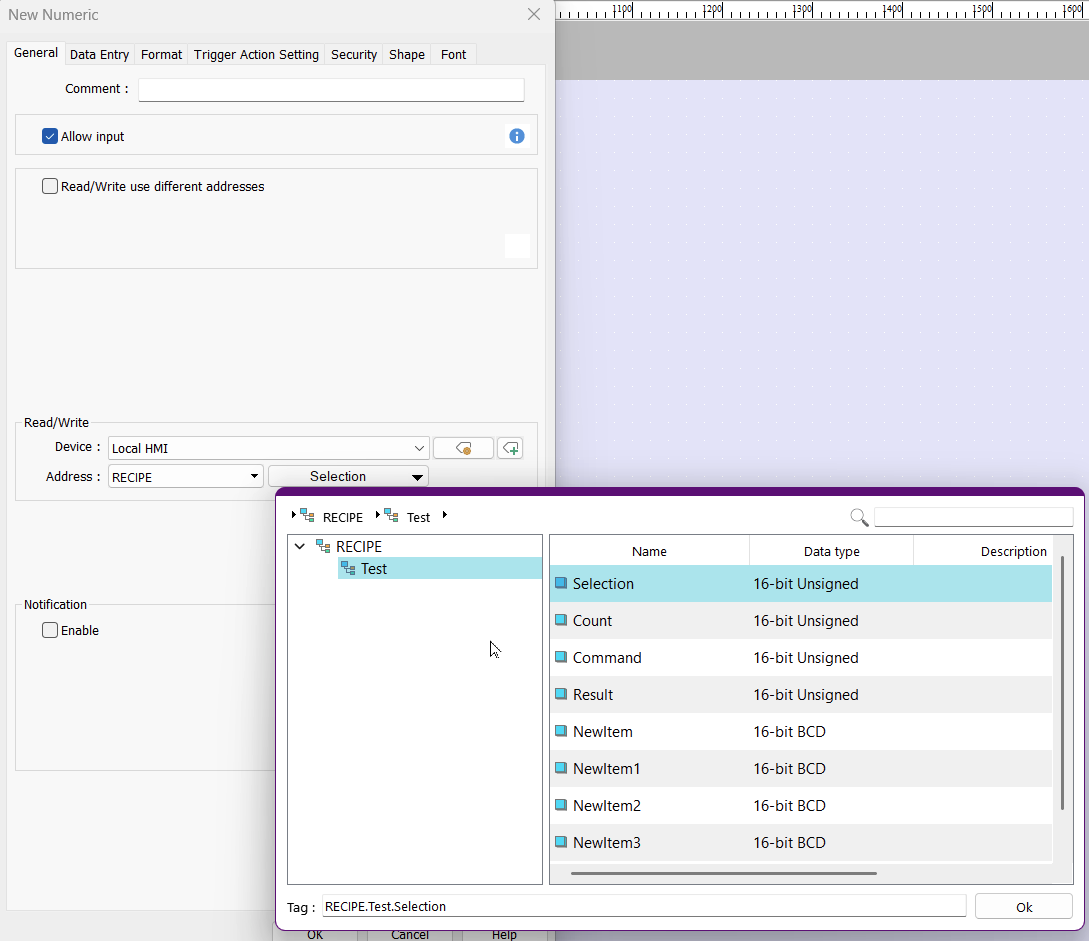
To access these registers, please make sure the address type is set to RECIPE. Note that a Recipe Database is required for this option to appear in the drop-down list.
Need to detect when a field changes, we aren’t adding lines. Sorry for the confusion.
Within your project do you use in-cell editing in the recipe view object?
Yes, we allow editing of the within the recipe object view.
That makes it a bit tricky. The User may click the recipe view when trying to scroll or select.
What we would suggest is that in order to track input, you disable the in-cell editing feature and use the UI objects like in this video.
This is not to say that it cant be done, it is just more difficult since the user can change any record via this object. So, without using other UI objects as in the video above, we would probably need to duplicate every recipe record into a copy of the recipe behind the scenes. Then, if the user ever touches the recipe object or goes to the recipe page we would can run a comparison of each record shown in the recipe to the copy to verify if any changes were made.
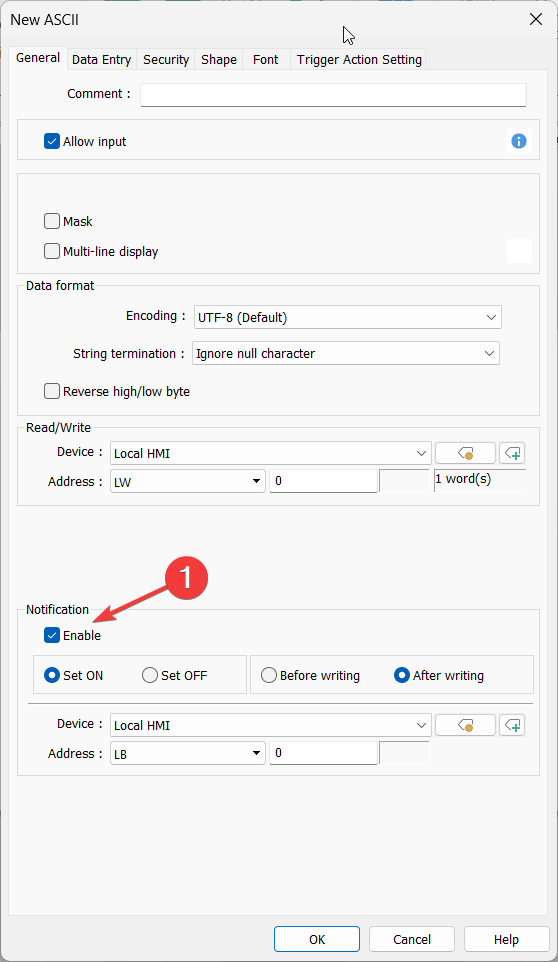
Within the UI objects you can enable this notification bit:
So for example, when the user clicks the “Update” command button for the recipe, the notification bit can track that the user submitted an update easily.