Change HMI User Security Level from PLC

Change HMI User Security Level from PLC
none 0.0 0

Is there a system bit that can be toggled from the PLC to set a user security level?

I would like to be able to toggle something in the PLC while doing debug/commissioning to enable a security level on the HMi without having to enter the password every time.

1 Like

Hi @jnorris ,

A way you can change security level is by loggin in as the admin. You can trigger a login by using a global action trigger to monitor a memory address, when triggered it executes a macro to place values to login as the admin and give you high security level access.

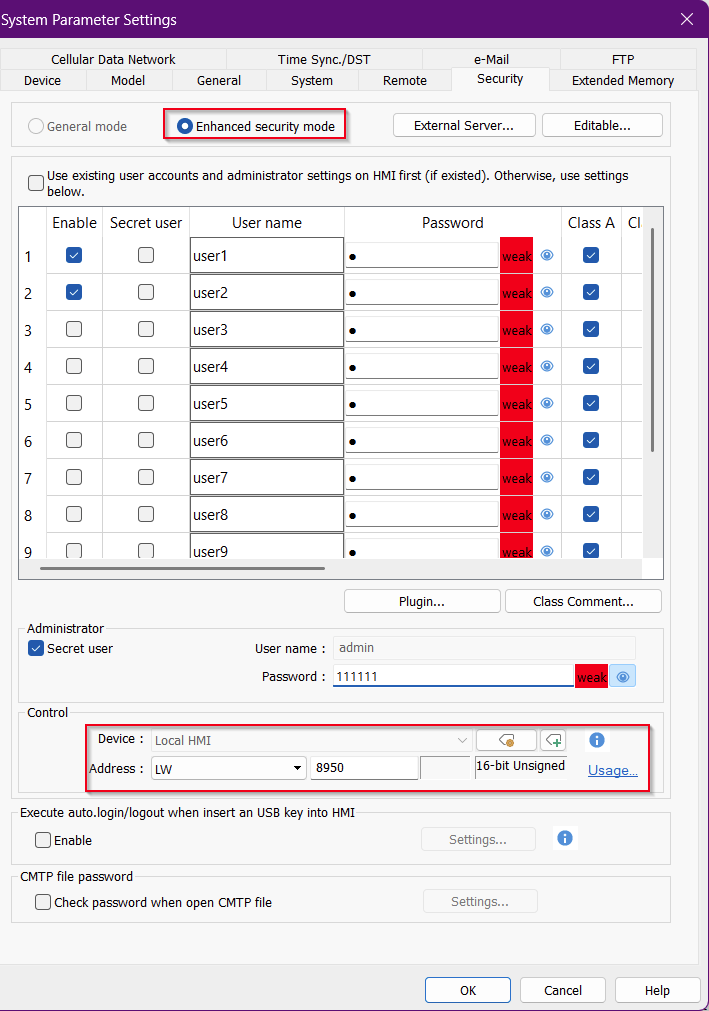
*Ensure that within System Parameters → Security that Enhanced security mode is selected. Also set the control address to LW registers. *
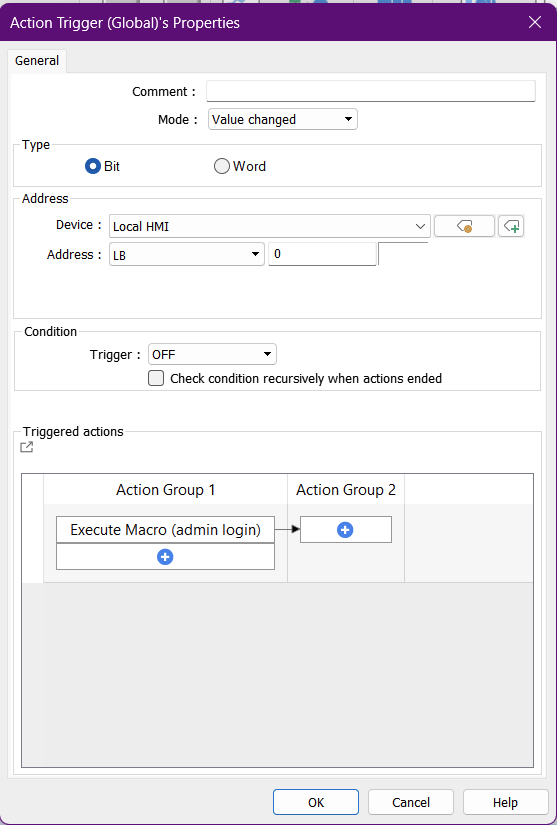
Action trigger will be addressed to PLC rather then LB 0 for the trigger.

Below is macro used. It sets the username and password into its UAC registers then sets 2 in the command registers to log you in

macro_command main()

char username [5] = "admin"
char password[16] =  "111111"
short command_to_login = 1


// send text to UAC tags
SetData(username[0], "Local HMI", "UAC user name", 5)
SetData(password[0], "Local HMI", "UAC password", 6) 
DELAY(delay_time)
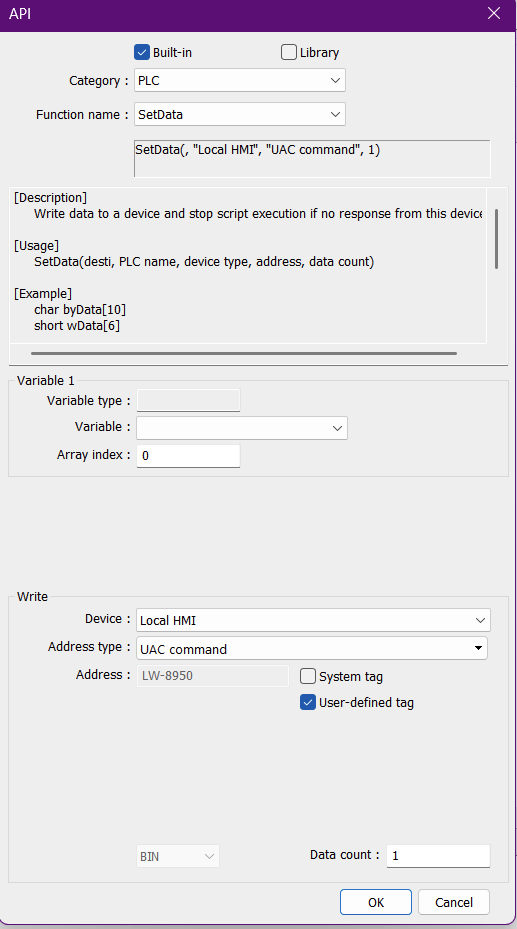
SetData(command_to_login, "Local HMI", "UAC command", 1)

end macro_command

If setting up by API select User-defined tag to find UAC

Thank you!

1 Like