Recently I changed hmi to 8072 ih. The old hmi was 8070ih. Now after loading the old program, it shows plc not connected. I have tried every com port
Note: I used 9pin female to female cable for connection (hmi to plc)
Recently I changed hmi to 8072 ih. The old hmi was 8070ih. Now after loading the old program, it shows plc not connected. I have tried every com port
Note: I used 9pin female to female cable for connection (hmi to plc)
Hi @susatm ,
Thank you for your question.
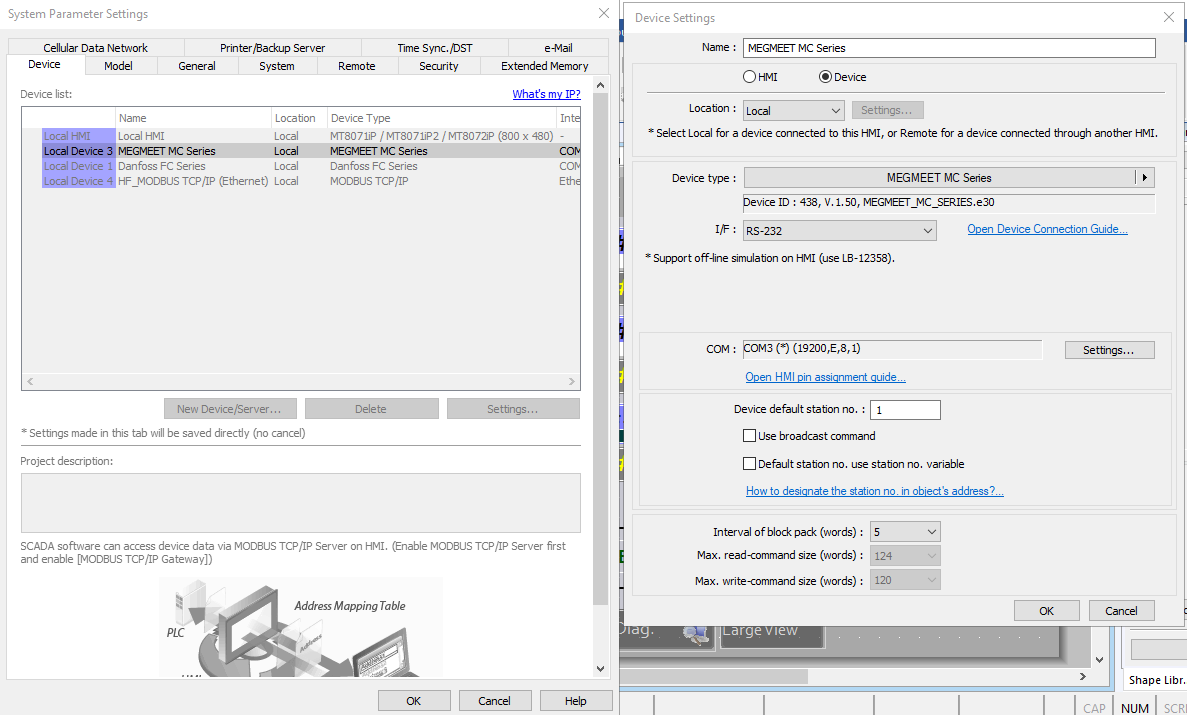
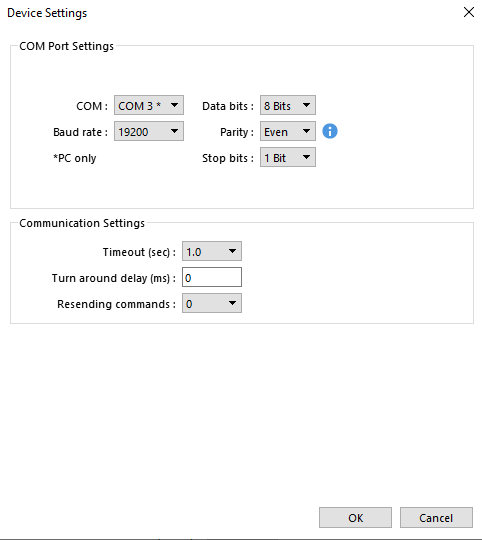
Could you please send screenshots of your device settings and confirm which PLC model you are connecting to?
Also, I wanted to confirm that you are switching from an MT8070iH to an MT8072iP.
Thank you.
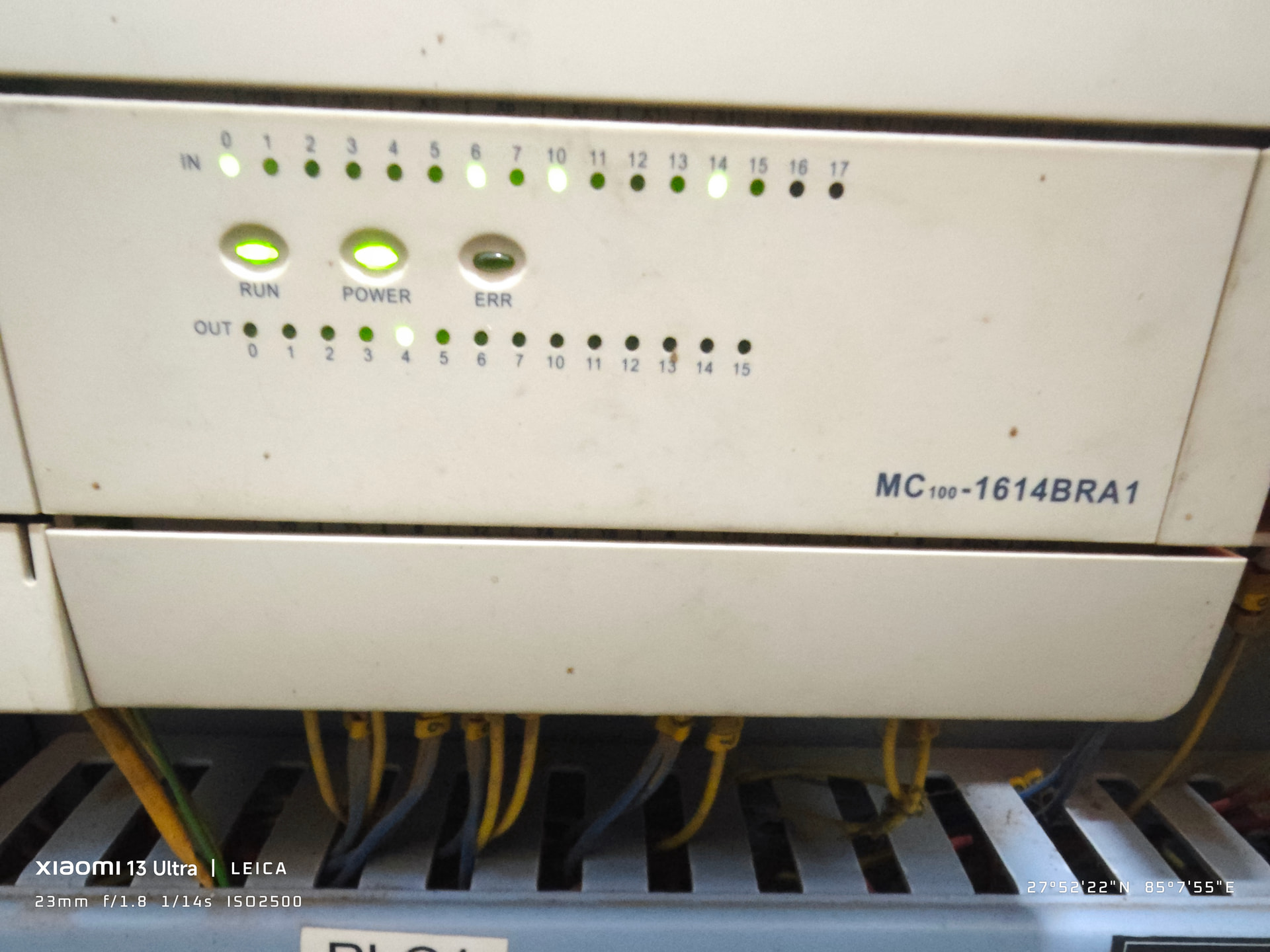
The plc i am using is MC100-1614■■■1. I have tried every com port, Baud rate and every other things.
And yes I switched from MT8070iH to an MT8072iP
Hi @susatm ,
Thank you for the images.
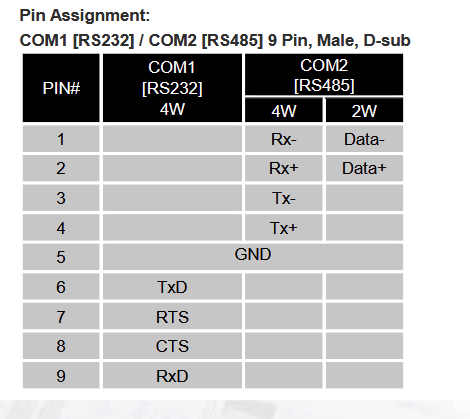
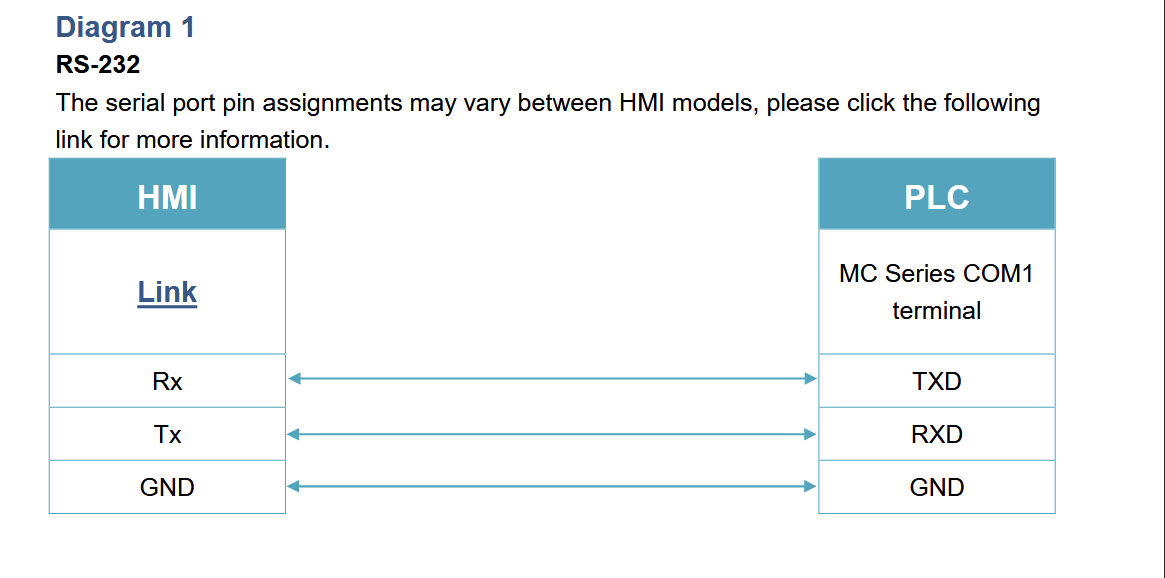
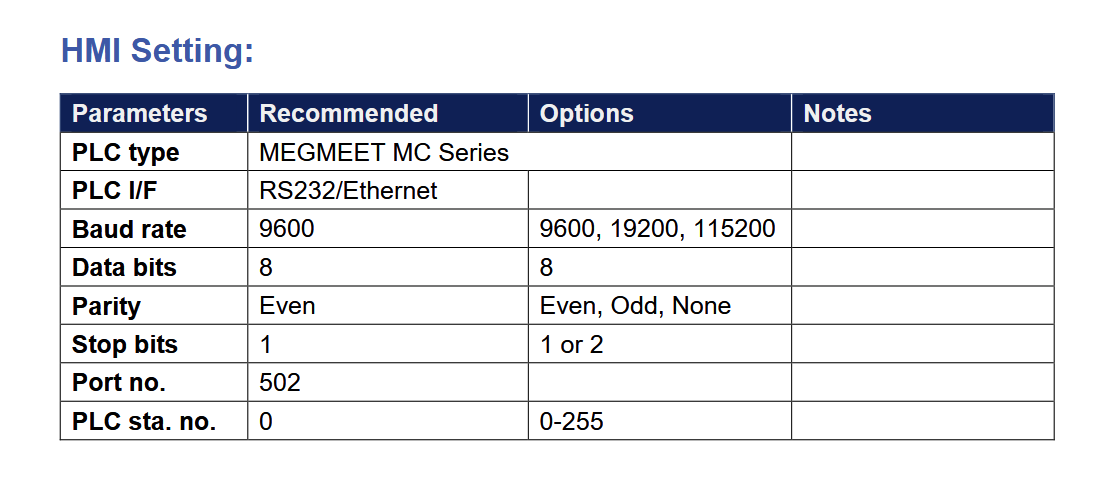
Linked below are the connection guide and data sheet for the MT8072iP. On the HMI, please use COM1 (the RS232 port) and follow the wiring diagram on the PLC side. Also, please try the recommended values for the HMI communication settings.
Please let us know if this was successful or if you have any questions.
Thank you
Why is there (*) next to COM3? I think MT8072ip has only 2 serial ports. You might need a CMT to get 3 COM ports.
I hope this helps.