- HMI Model: MT8072iP
- EasyBuilder Pro Version: latest
I use a series of function keys on my “home” screen to select different display windows. One of these is “Alarms” - pressing the key brings up a dedicated alarm page/window. This displays various alarms based on attached PLC data
I would like the “Alarm” function to take a different color (red) if an alarm is currently active compared to no active alarm. I think this means combining the function key with a bit lamp.
What is the most straightforward way to achieve this result?
Hi @BrianF_NZ ,
Thank you for your question.
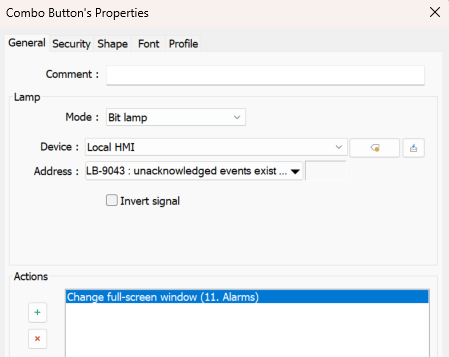
The most straightforward way to achieve this is to use a Combo Button configured to open your full-screen Alarms window, with the Mode set to Bit Lamp.
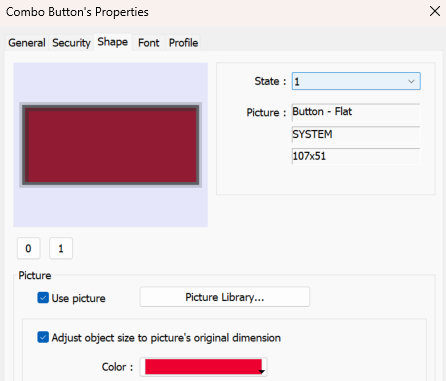
For the read address, use the system tag LB-9043, which turns ON when unacknowledged alarm events exist. In the Shape tab, configure State 0 to use the normal appearance and State 1 to display in red.
This allows the button to continue functioning as your navigation key while also providing a visual indication whenever there are active, unacknowledged alarms.