-
HMI Model: cMT3072XP
-
EasyBuilder Pro Version: 06.10.02.231
I currently have 10 Modbus Connections that are setup to poll data every hour, but I would like to be able to change the rate of polling from some type of switch/button while using the HMI itself, not in EasyBuilderPro. I see that there is a trigger mode for the connections, but I am unsure how to setup a toggle that allows for an input for how many seconds/minutes/hours I may need it to poll at a time.
Hi @jdenman ,
Thank you for your question. Are you referring to the trigger-mode within the Data Sampling object? If possible, could you share a few screenshots of your setup, including the communication settings and the Data Sampling configuration?
Hello Arden,
Thanks for responding. This question does relate to the trigger-based sampling mode for the data sampling. Normally, our data sampling is time-based, which is intuitive to setup, however, I have been tasked with creating a way to change this time-based polling in real time from the HMI itself, not through EasyBuilderPro. I have been trying to do this through trigger-based data sampling which seems to require some kind of toggle switch, but I am not sure which one I could set up to meet my needs. I would ideally like to have some kind of keyboard popup that allows for the user to set some number for the polling based on some kind of unit (ideally minutes).
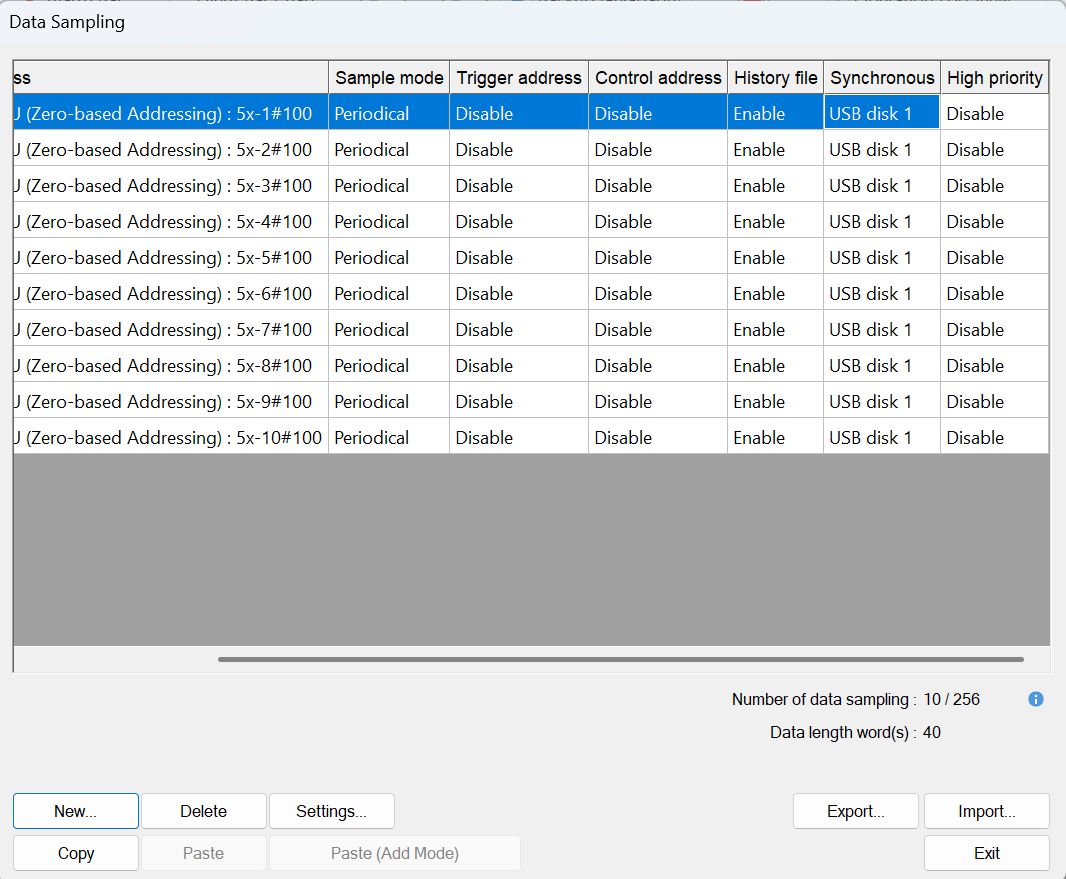
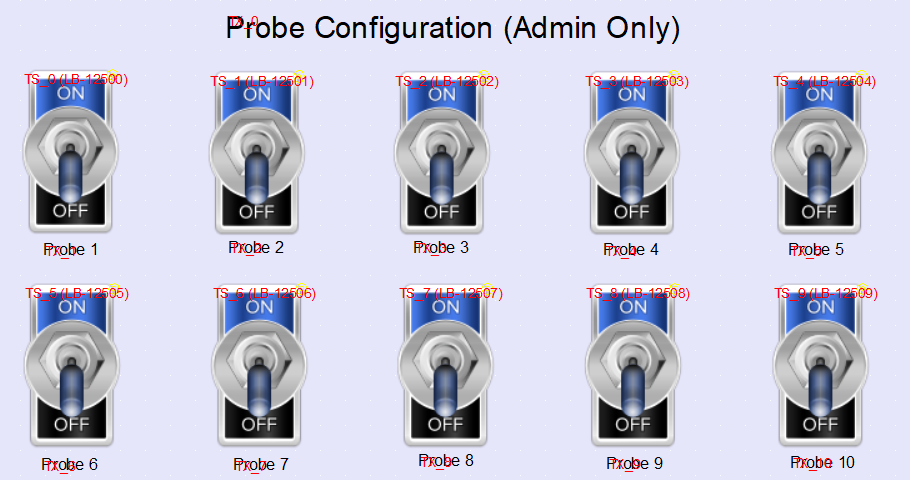
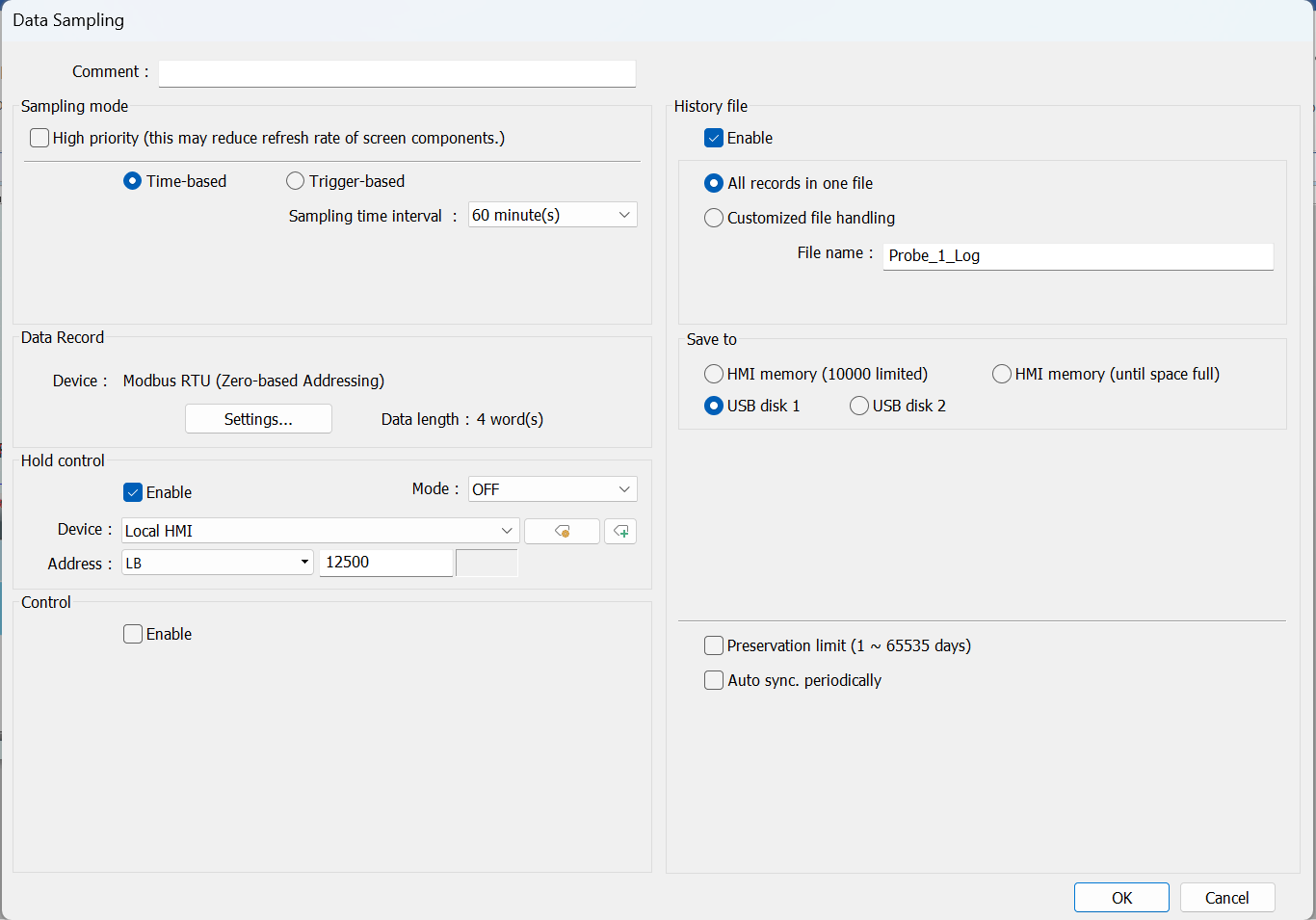
Here are some of the screenshots that describe the data sampling setup I have. All ten connections are under one device, and the probe configs are an example of the same kind of “toggle” I would like to have for this situation, allowing the user to change the rate of polling.
Hi @jdenman,
To implement dynamic sampling time, you can use the following method:
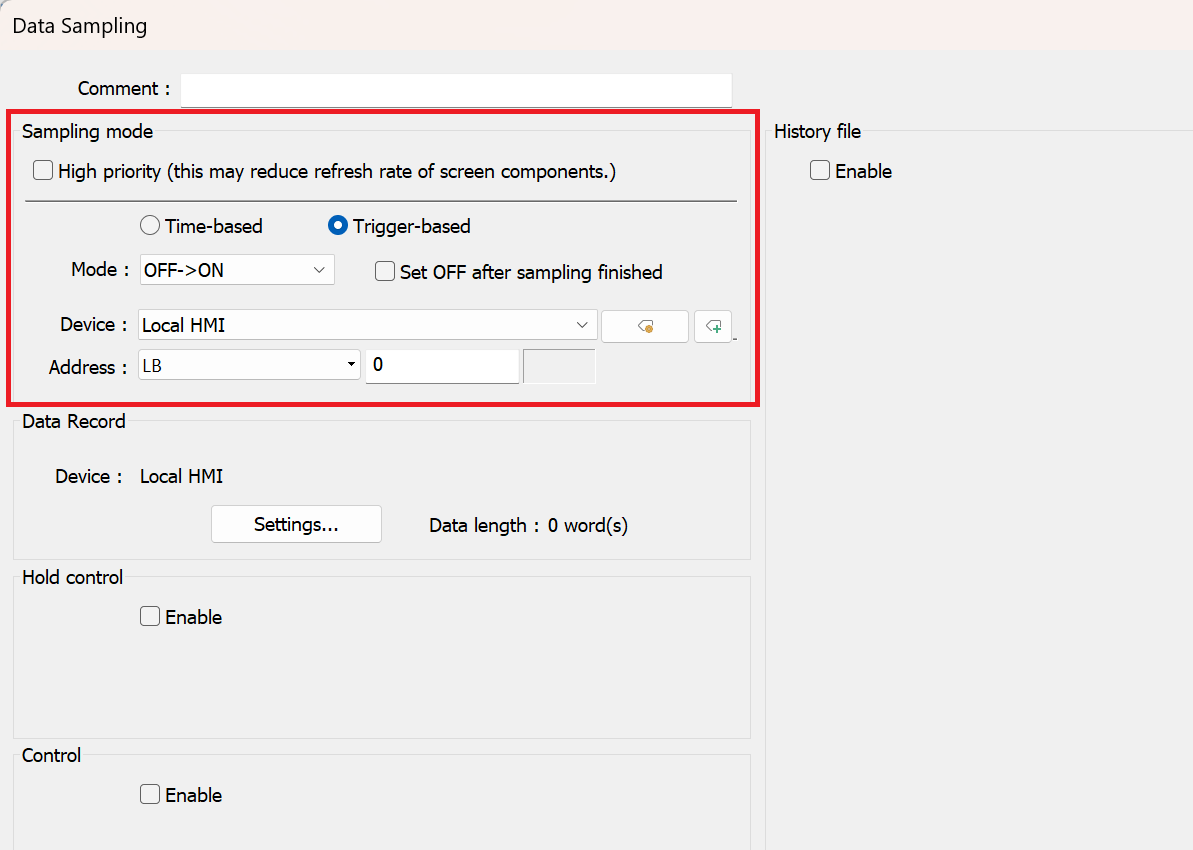
- Change the sampling mode to “Trigger-based”:
- Create a “Set bit” object that has the “Set style” as “Periodic toggle” with the preferred time interval. The, address this object to the “Trigger-base” address used in the Data sampling object:
- Within the “Security” tab of the “Set bit” object use an “status / value” bit to enable the periodic toggle when active. You can address this to one of the configuration bits used in your project and keep the “Action” as “Do nothing when enabled”:
- Copy this configuration and adjust the “Time interval” and security address to implement other sampling times.
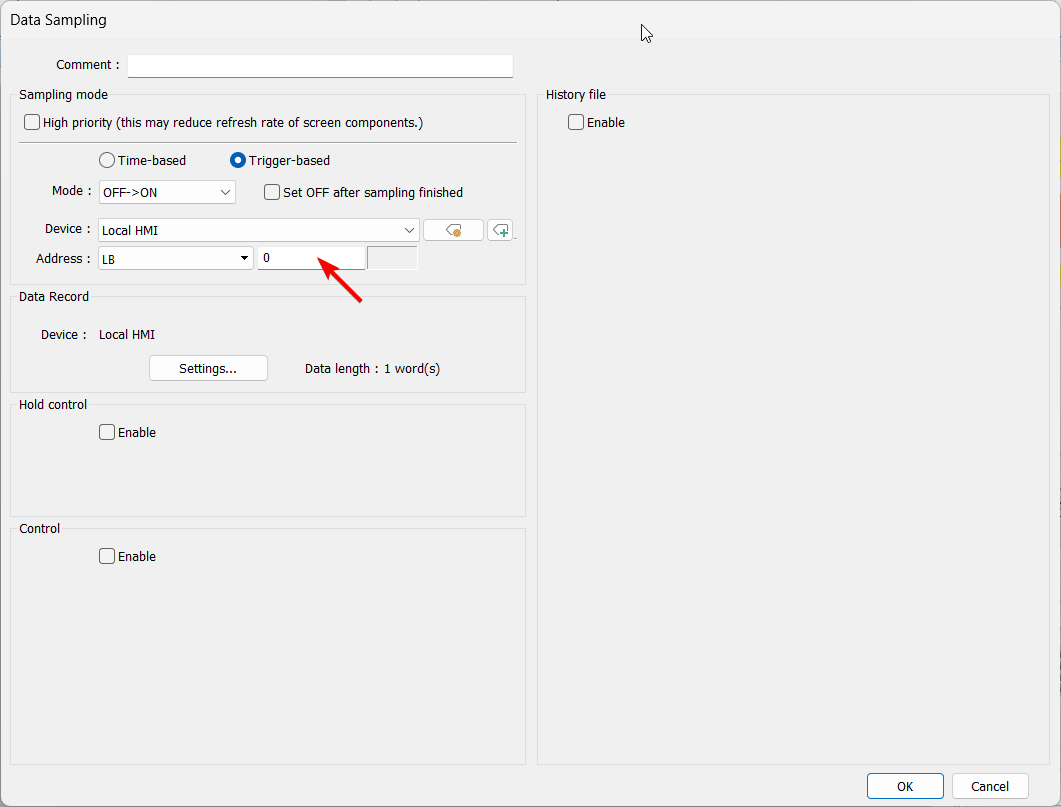
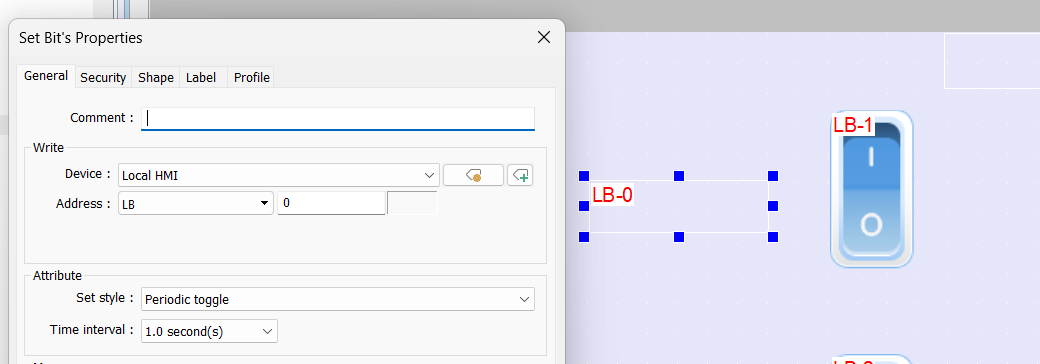
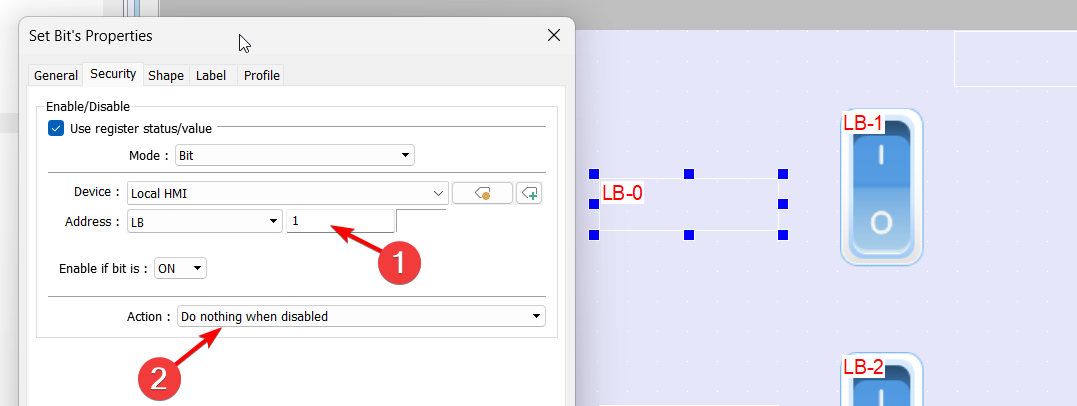
While the application is running, if the user toggles the security bit to enable the “Set bit” the HMI will sample data at the interval specified by the periodic toggle x 2. As an example, if the trigger condition is “off → on” and the trigger bit is “on” it will wait the time interval (e.g., 1s) and then set “off” and then, wait the time interval and set “on” which will trigger the data sampling. Therefore, to sample data every 1s using this method, you would want to implement a time interval of 0.5s.