I am running the CMT Viewer App to Display some machines vital stats using the individual HMIs Monitor Mode Window. I have 2 Bit Lamps on each. After a few days the bit lamps will start disappearing in what appears to be a random order and at different frequencies. If I restart the app they will return. The app is running on a windows PC. There is also Numeric displays on each but those don’t seem to be affected.
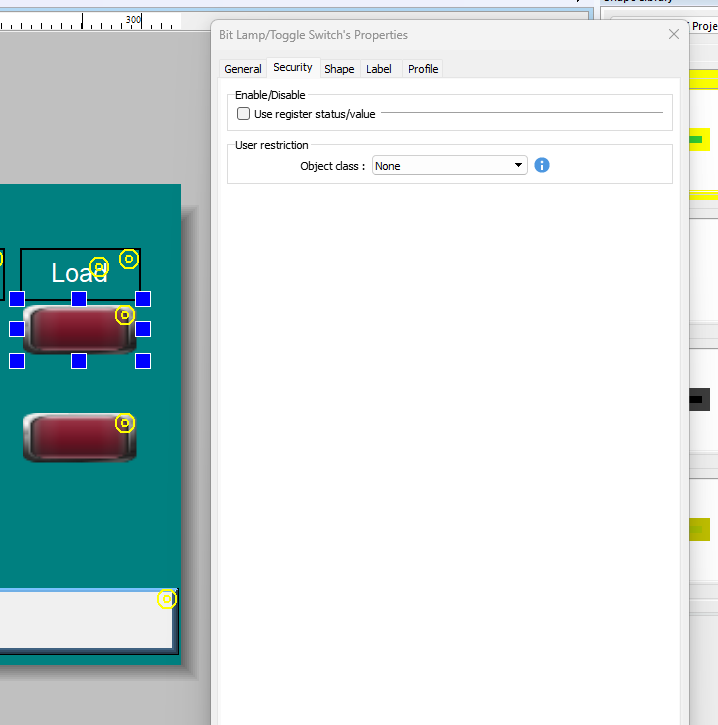
Thank you for your question. To further troubleshoot this issue, could you please attach screenshots of your project setup and the settings within the Security tab for the bit lamps that are disappearing? This should help narrow down the cause of the issue.
Thank you for the screenshot. What are the bit lamps tied to? If they are connected to a PLC, have you noticed any communication error messages or prompts appearing when the issue occurs?
If so, are you able to temporarily disable the network connection to determine whether the bit lamps reappear after communication is lost? If you are not near the HMI, you can simulate this by temporarily changing the IP address of the device so that it no longer matches the expected configuration, and then setting it back to the correct address.
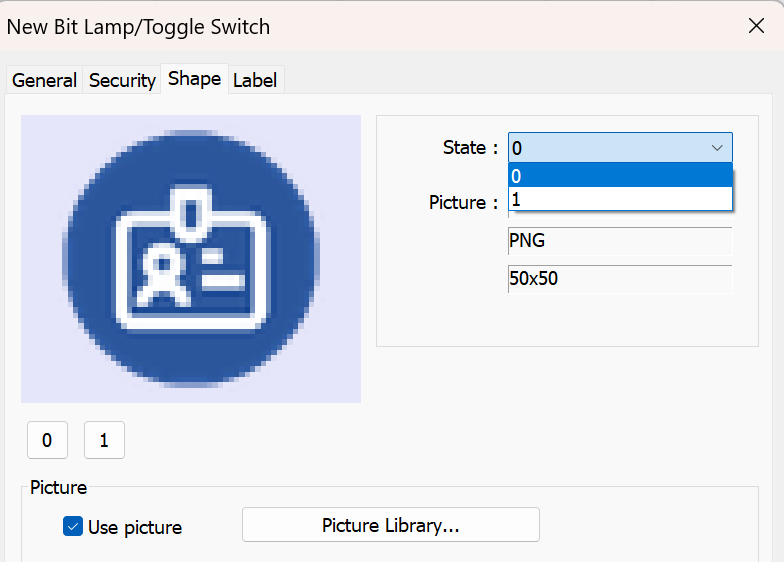
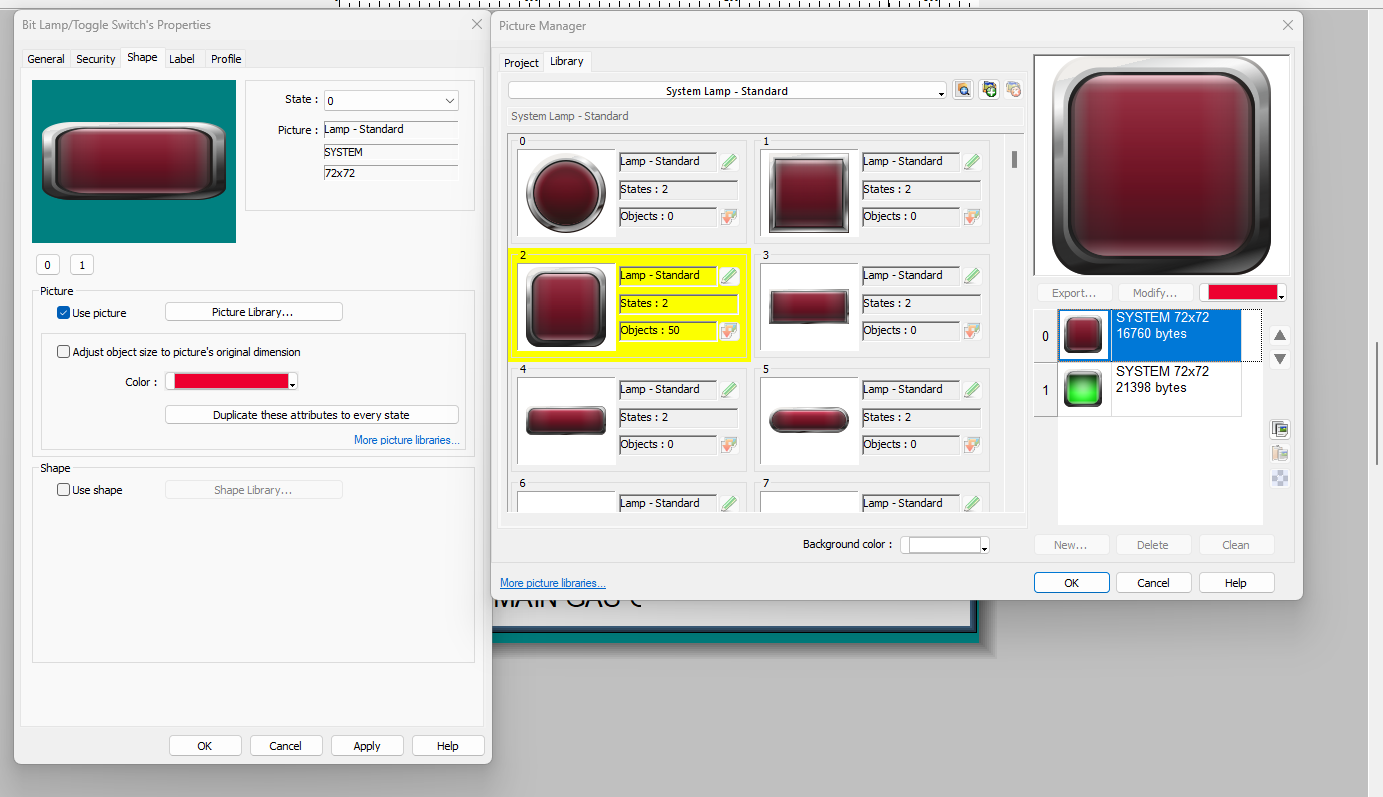
Additionally, if the bit lamps are configured to use custom images for their shapes, please also verify that an image has been assigned to each state. A missing image assignment could cause the object to appear invisible when that state is active.
I have not seen any communication faults with the plc, it is a 1769-l33er. The hmi and plc are both connected to the plant network. The pc is also on the network and it is a dell optiplex micro. When this starts to happen i can open another cmt viewer on a different computer and it will show all of the objects. I have not run the viewer app for an extended period of time on another computer to verify if it will happen on a different pc as well. The bit lamp is a standard object. This problem sometimes takes a couple weeks to start seeing an object or two disappear. Is it possible that when IT makes a change to the network that this would start happening?
Yes, it is possible. An IT restriction on the HMI network can affect communication from the HMI to the PLC, and if the HMI does not auto-reconnect, this would result in a “connection lost” pop-up displaying and the objects connected to the PLC being hidden.
Can you confirm what type of network change IT made, and whether you have noticed any other tags from the PLC disappearing, or if it’s isolated to just this object?st this object.
In addition to @Arden.y recommendation, it would also be helpful to learn what version of EasyBuilder Pro you’re using to develop this project and what version of cMT Viewer you’re using to monitor the display. It would also be helpful to learn when the issue first began. Can you please let us know these details as well?
I am unsure of what IT changes so I can’t confirm that. So far it has only been the bit lamps that disappear. There are 12 lamps in total, 2 for each hmi that is connected to the App. these lamps have been disappearing one at a time at different intervals and different orders. I haven’t seen any discrepancy in the numeric displays, also I am not getting any Hmi disconnected messages. Hmi programs are v6.09.02.651. Cmt Viewer app is 2.24.44.