- HMI Model: cMT3162X
- EasyBuilder Pro Version: V6.10.01.259
Hello I am trying to setup a second HMI cMT3162X to read values from my cMT3162X Codesys HMI. I am struggling to find out how to do this. Is there some documentation that someone could point me towards?
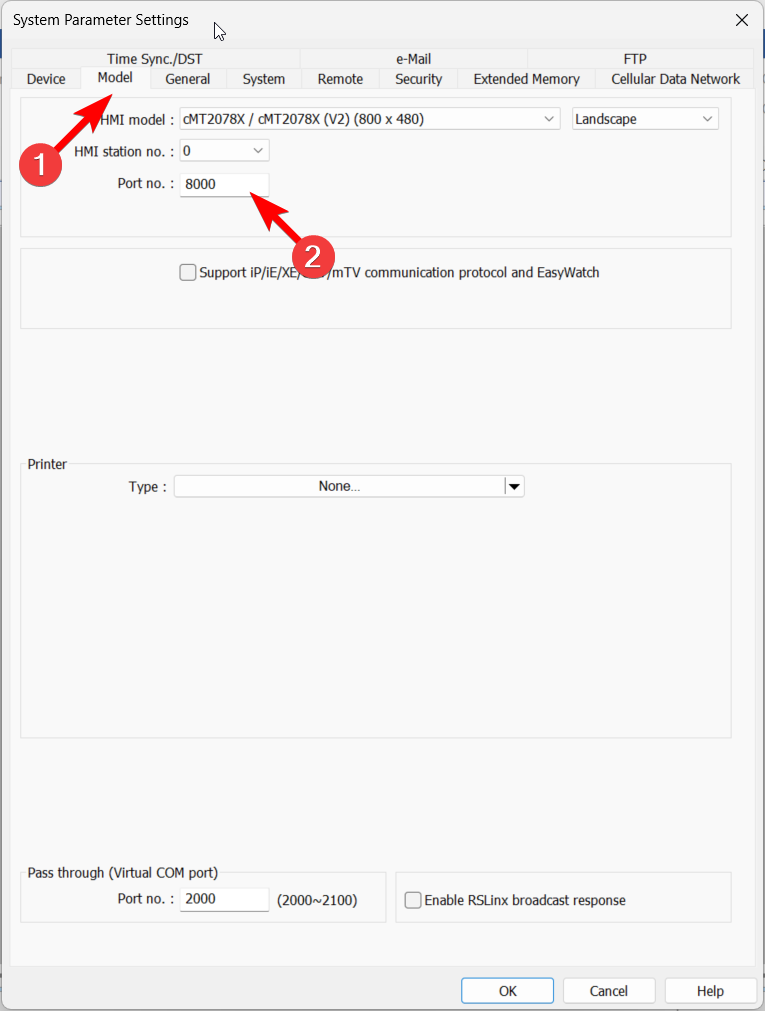
What device type should I be using? I have tried the Weintek Remote IO (Modbus TCP/IP) over ethernet and used port 502. But that hasn’t worked. I am using Port 8000 for the remote device.
Hi @S41ZLife,
To help us recommend the most efficient method, can you please let us know what the goal of this application is? As an example, are you trying to create a duplicate of the project that works remotely or are you trying to read only the values of the cMT3162X’s built-in CODESYS?
Hey Brendon,
So the goal is we have the Primary HMI, that has the PLC built in, and then because the cell is so large we have 2 other HMIs that can be used just like the first but they would be secondary to the main HMI. We are trying to read and write values from the other HMIs with a duplicate program.
Hi @S41ZLife,
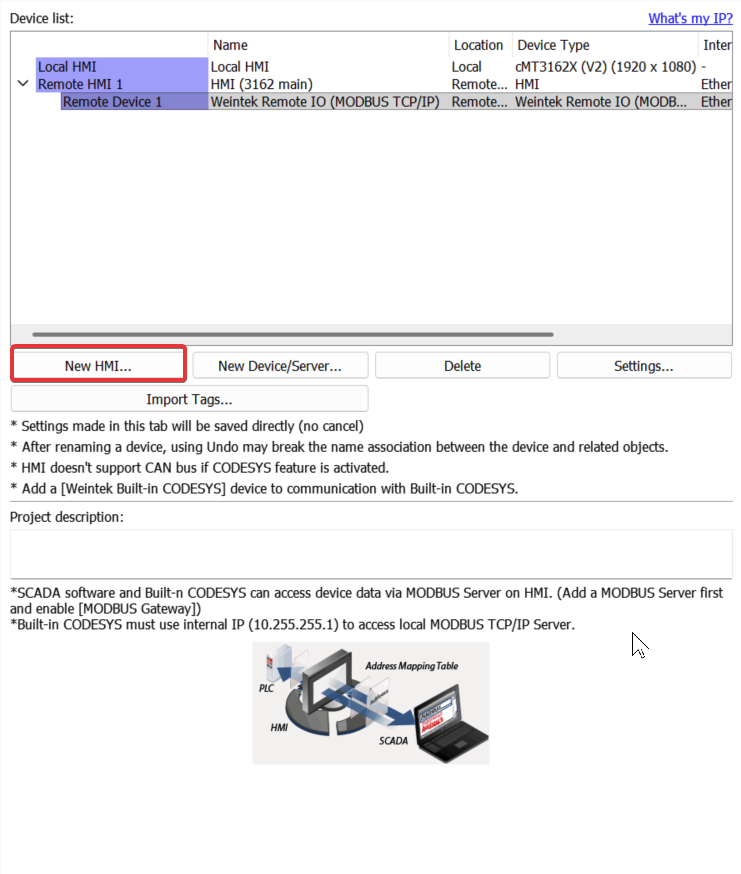
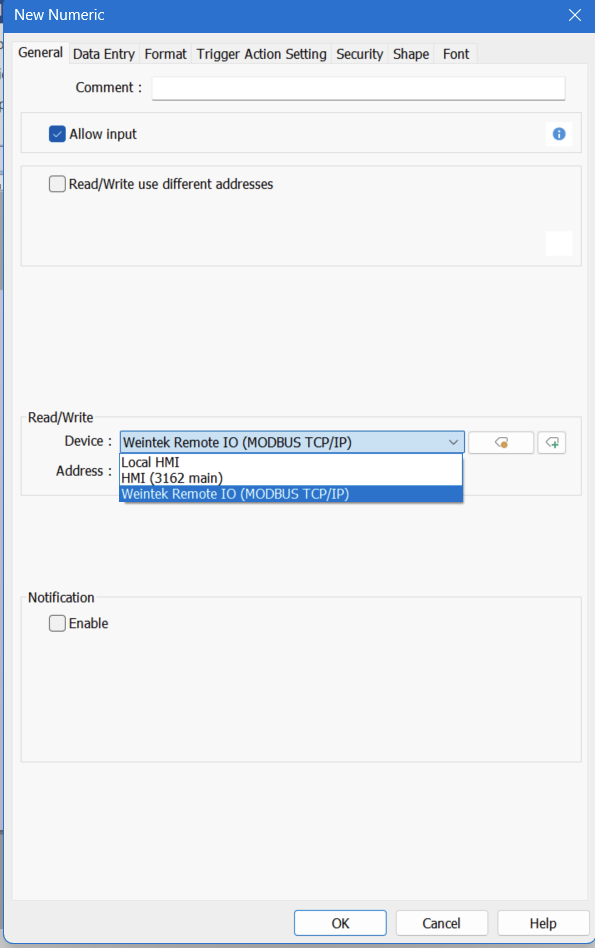
I would recommend an HMI-to-HMI connection between the primary 3162x and secondary 3162x. You can add the Weintek remote I/O within the newly added remote HMI. Then in your second 3162, you can read in values from your main, as well as the remote I/O. You can address these values within objects by changing the device address
Here is also a link to our user manual that goes through the steps to adding a HMI to a EB Pro project: LINK
Please let us know if this set up works for you and if you have any other questions.
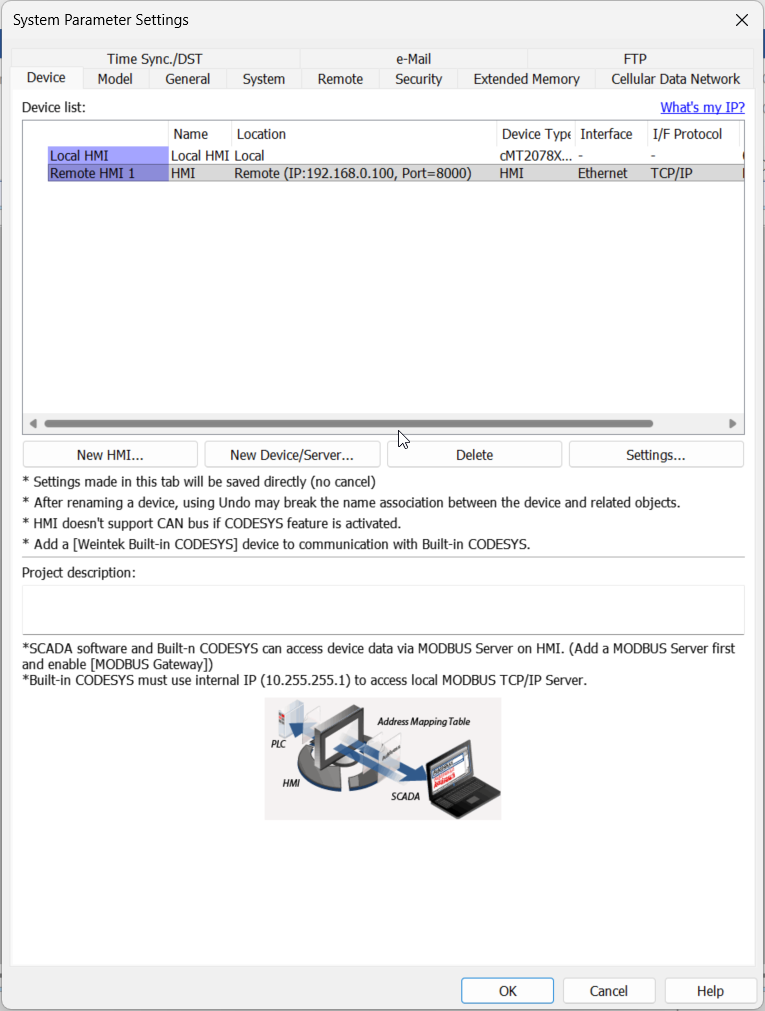
System Parameters Page
Numeric Object
Hi @Aaron.S ,
So we did that and used the weintek remote io as the device type. What port should I be using? 8000?
What is the purpose of the numeric object? Will the tags not auto populate on the secondary HMI unless that bit is true?
Hi @S41ZLife,
The Weintek Remote I/O device that @Aaron.S mentioned is just an example of how you can address a device that is connected to a remote HMI. Here is a connection setup example:
HMI A: 192.168.0.101
HMI B: 192.168.0.102
HMI C: 192.168.0.100
In the scheme above, HMI A and HMI B can communicate with and access the internal memory of HMI C.
Hi @Brendon.S , are these separate programs or are these all one large project. We were hoping to have the project be just one large project. We currently have all of the tags referencing the internal PLC is that going to work? Or will all the bits need to be translated to the HMIs internal bits so it can be used as a shared resource?
Hi @S41ZLife,
Since each HMI will need a unique IP address on the factory network, you will need to create a different program for the remote cMT3162X(s) in your application to read data from the cMT3162X with built-in CODESYS. However, if you just want to have an exact copy of the existing controls / screens within the cMT3162X with built-in CODESYS, you can use two cMT3162X (iV) models to remotely control the main HMI instead. Here is some information on our iV products: Link
@Brendon.S I did not know IV line existed. I think for this application it would have been better to use it.
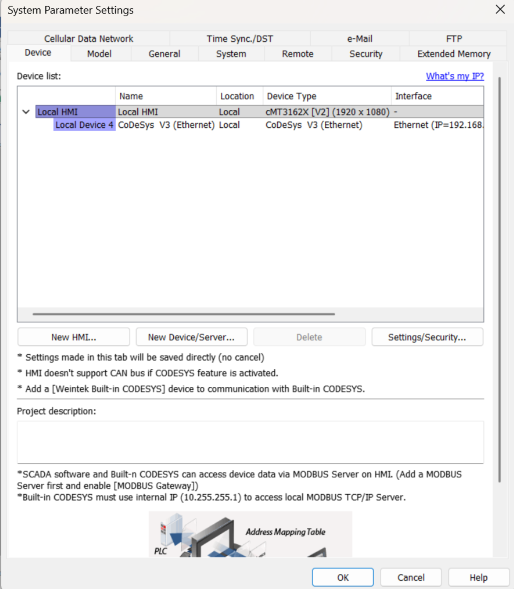
We have successfully connected the second HMI to the main HMI and it is reading the tags from the plc. Here is a quick overview of what we did.
Saved a copy of the project for the second screen to use.
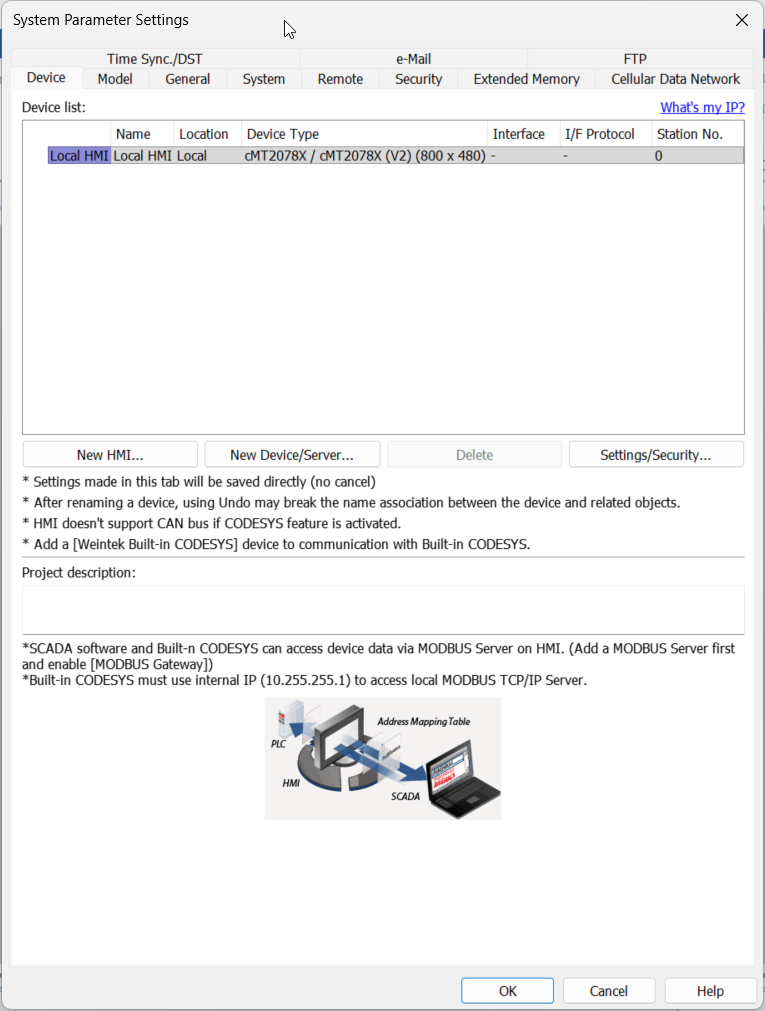
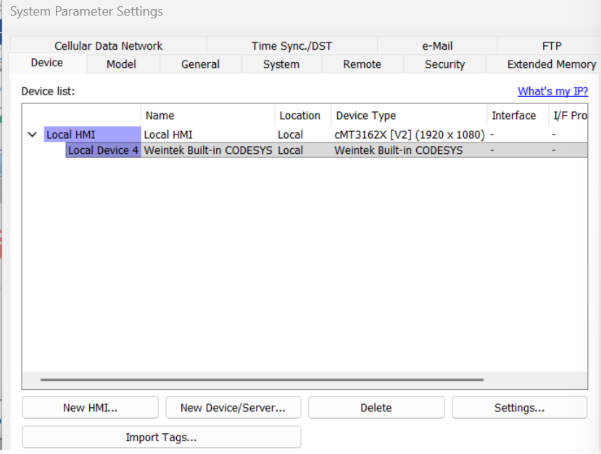
In the system parameters we changed the local devices weintek built in codesys to use the codesys automation alliance v3 ethernet
Change the IP address to the PLCs IP address and the port number 1740 and the source port is 1742
Select the local device and then import tags with 2 char per word and then import the tag list from the .xml file from the codesys project.
Try to download if there are errors restarting the EBPro project seem to fix this for us. Once there are no errors send it to the device and it worked in tandem with the other HMIs!
Hi @S41ZLife,
That is great news, thank you for the update! Using the CODESYS V3 (Ethernet) driver is recommended for this case. In addition, you can use the “New HMI” button to add the remote HMI in order to read the internal memory of that device. In the future you can use the iV series as a plug-&-play solution for applications such as this.