- HMI Model: N/A
- EasyBuilder Pro Version: 6.10
Looking to add a drop down list menu to change screens, but I do not see anything like this. Is there a way to do this?
Looking to add a drop down list menu to change screens, but I do not see anything like this. Is there a way to do this?
Hi @malanskas ,
Thank you for your question. You can achieve this by using an Option List object together with a PLC Control object.
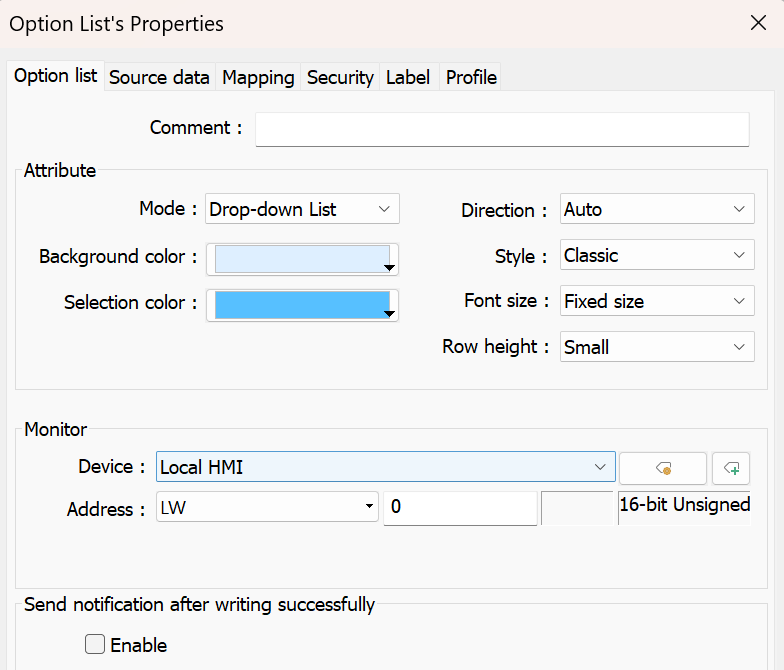
First, create an Option List object and set the Mode to Drop-down List. Then, navigate to the Source Data tab and select Predefine as the Source of item data. Add an item for each screen you would like to be able to navigate to.
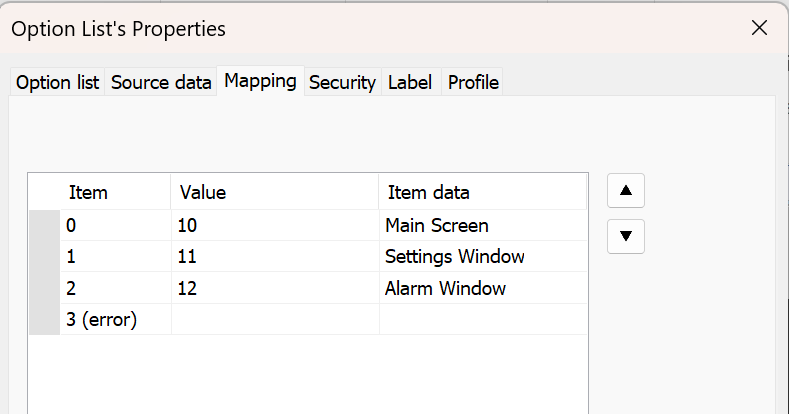
Next, open the Mapping tab and map each Value to the corresponding window number. For example, setting a value of 10 will navigate to Window 10 when that item is selected.
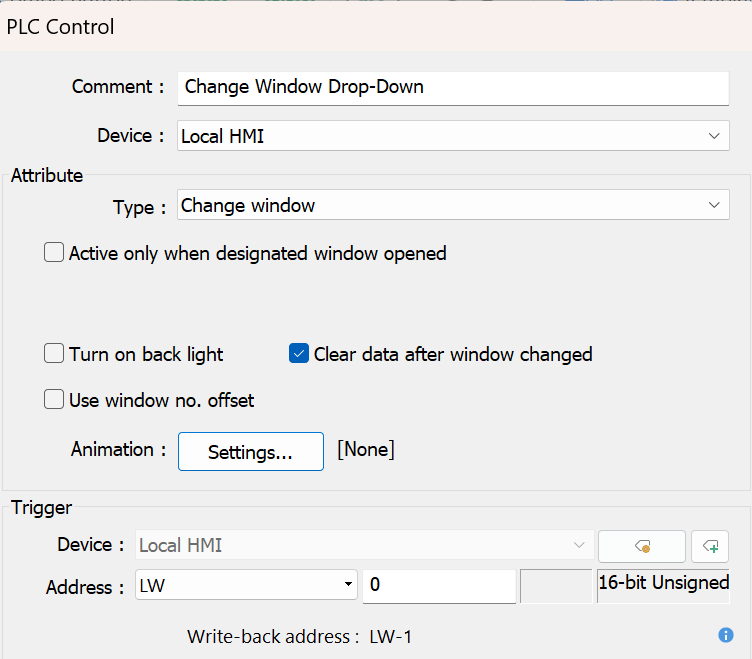
After that, add a PLC Control object and select Change window as the type. Set the Trigger address to the same address used as the Monitor address in the Option List object.
Note: If you would like the drop-down list to be available on every screen, we recommend placing it on the Common Window (Window #4). Just make sure it does not overlap with any existing objects on your screens.