- HMI Model: CMT3162xV2
- EasyBuilder Pro Version: 6.1
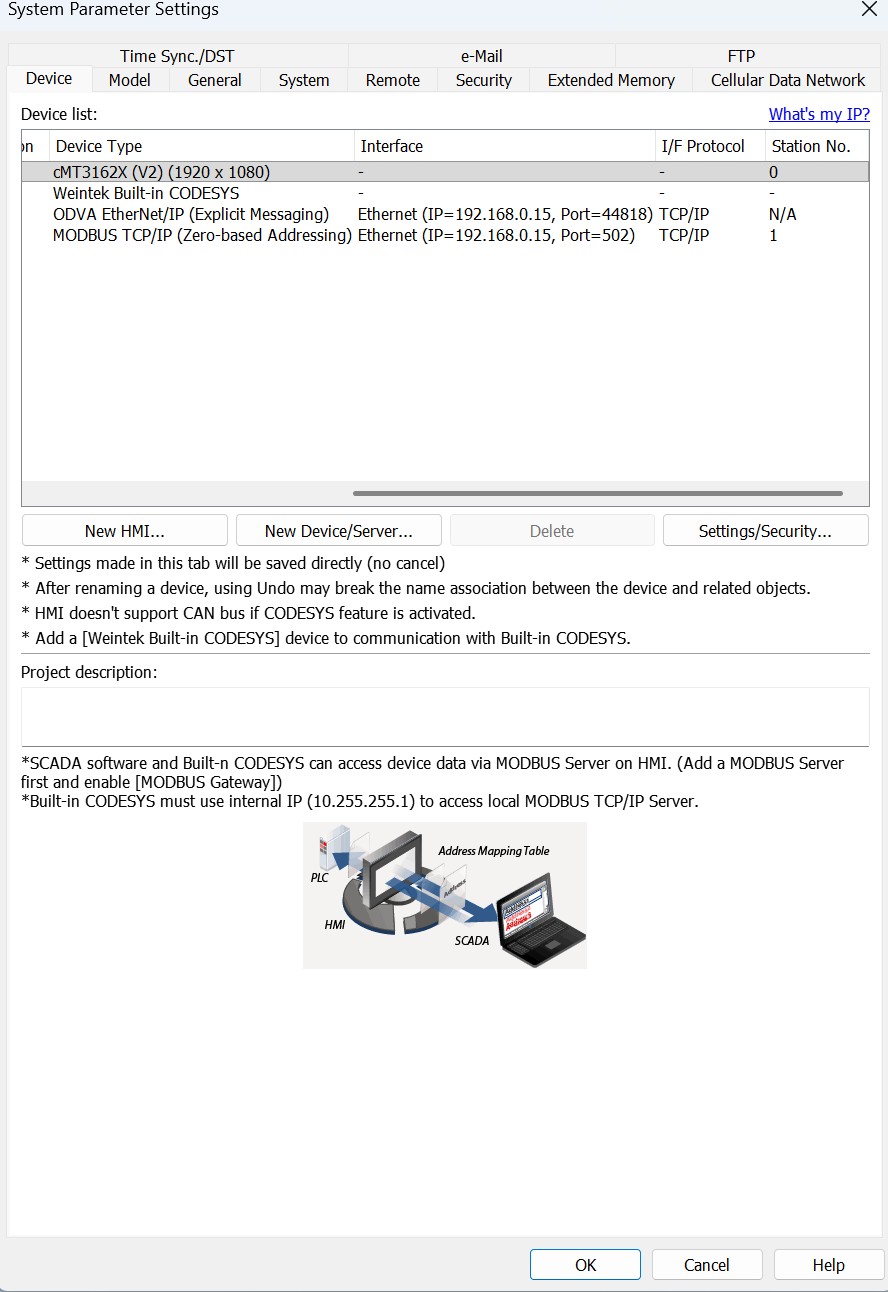
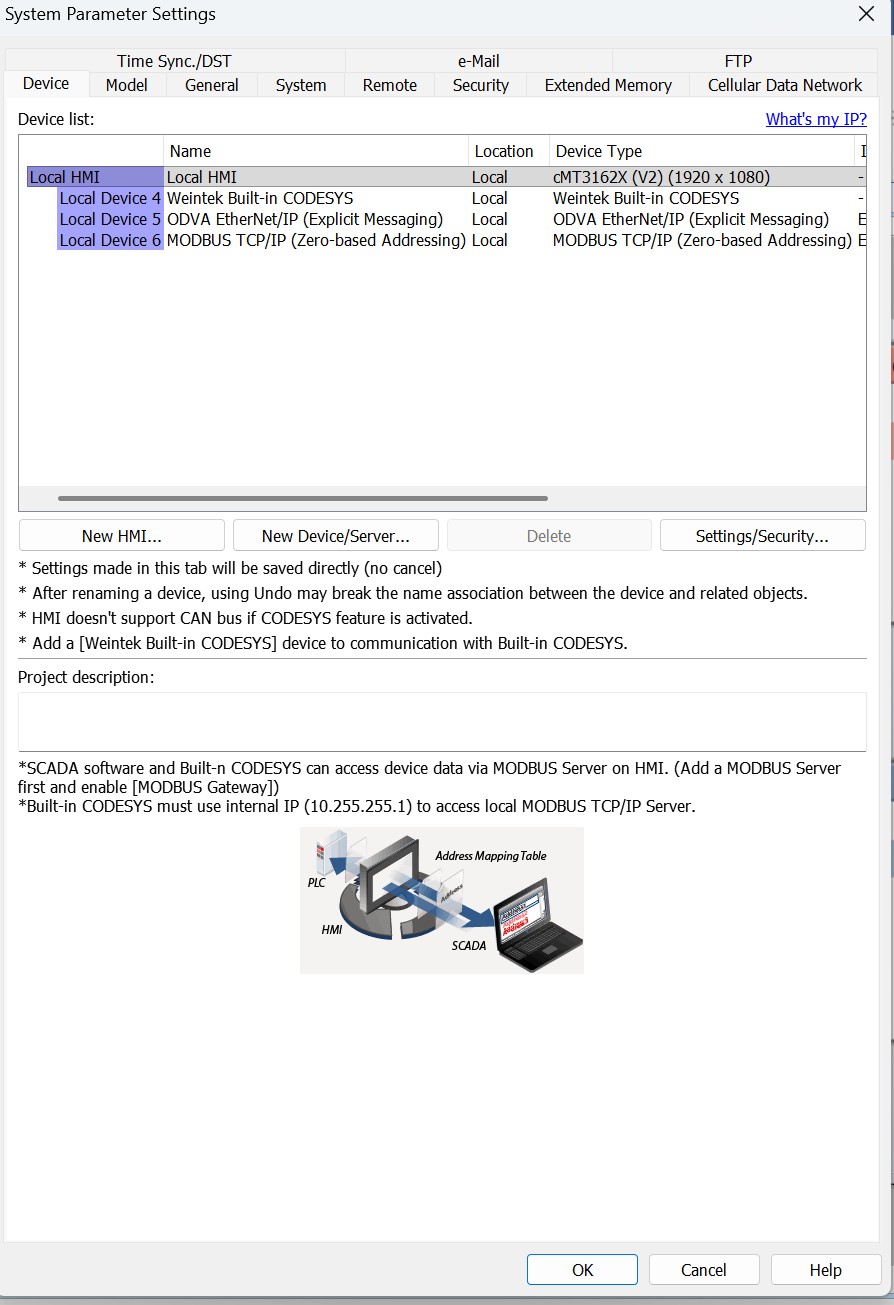
I have a Watlow PM plus PID controller that I need to interface with an CMT 3162. The controller is setup for ethernet IP/Modbus TCP, I have used the ODVA (Explicit Messaging) driver.
Description of goal:
The operator creates a “schedule” of various parameters on the HMI and then transfers them to the controller. There’s a total of 30 steps with each with 5 or 6 parameters. I would like to avoid having to create tons of individual tags if possible.
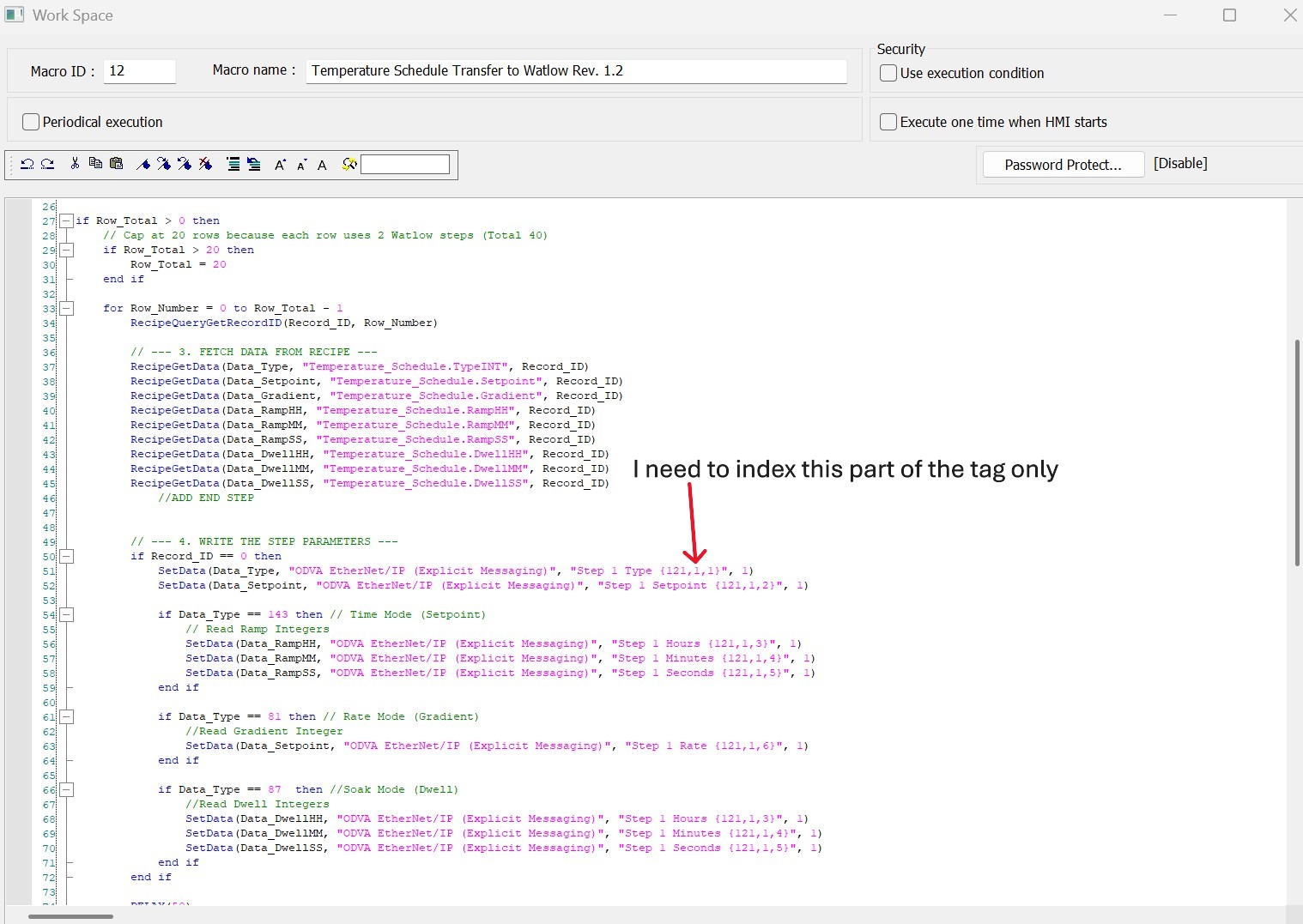
Is there a way to write a macro that can index the CIP Instance part of the tag for each step. Almost all of the parameters I need are sequential instances?
Also, Is there a way to copy/paste tags in the tag editor? If I have to create a lot of tags, what’s the most efficient way to do it? Is it possible to use the Array Dimensions to create sequential instances of a tag?
Communication Question:
I tried using the Modbus TCP driver (registers are easier to index). I can read data from the controller with both protocols ethernet IP and Modbus, but I can’t send data using Modbus TCP. When I send data using Modbus, it flips back to zero instantly. How do I use Modbus with this device?
Any help you could provide would be helpful!
Thank you.
Hi @leadfoote
Thank you for your question.
The ODVA EtherNet/IP (Explicit messaging) driver does not support indexing in macros. Our recommendation is to use the Modbus TCP/IP driver you have set up, as it is better suited for indexing as you mentioned. If needed, here is also a forum post demonstrating how to index in macros: LINK
For the Modbus value flipping to zero, could you send a screenshot of your configuration? Please also ensure that all data types are consistent between EasyBuilder Pro and the connected device.
Hi @leadfoote,
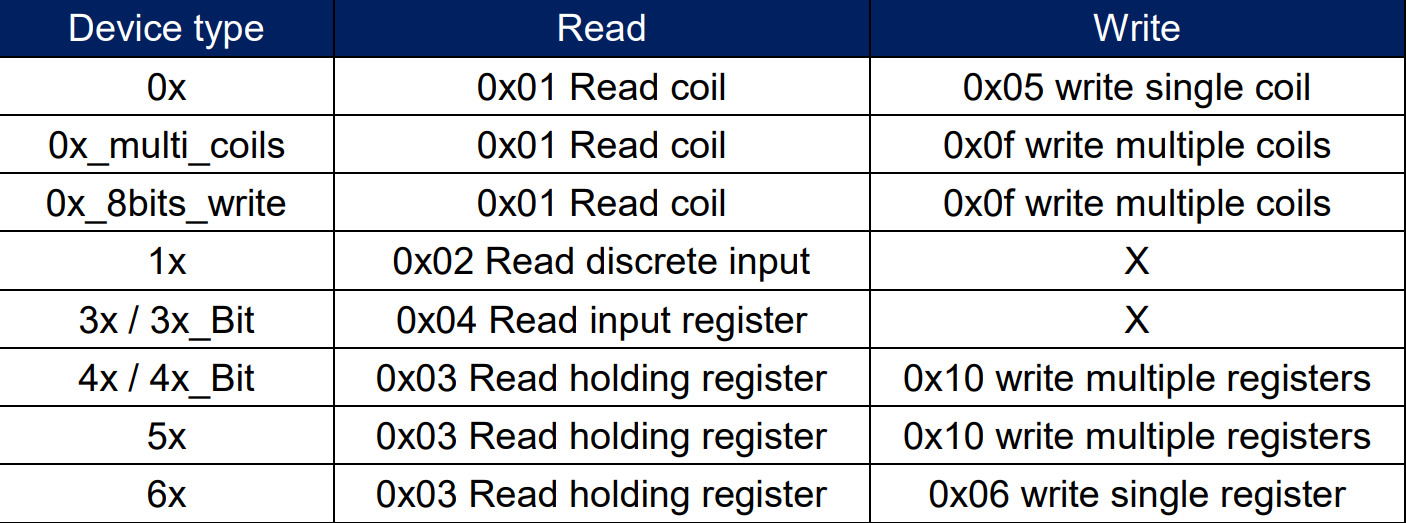
Also, please double check the Modbus “function codes” (sometimes abbreviated as “FC”) supported by the Watlow controller. There is a high probability that the register type you are using such as ‘4X’ is using a function code to write data that is not supported by the controller. Here is a list of the function codes supported by the different register types available when using our Modbus TCP / IP driver.
Brendon,
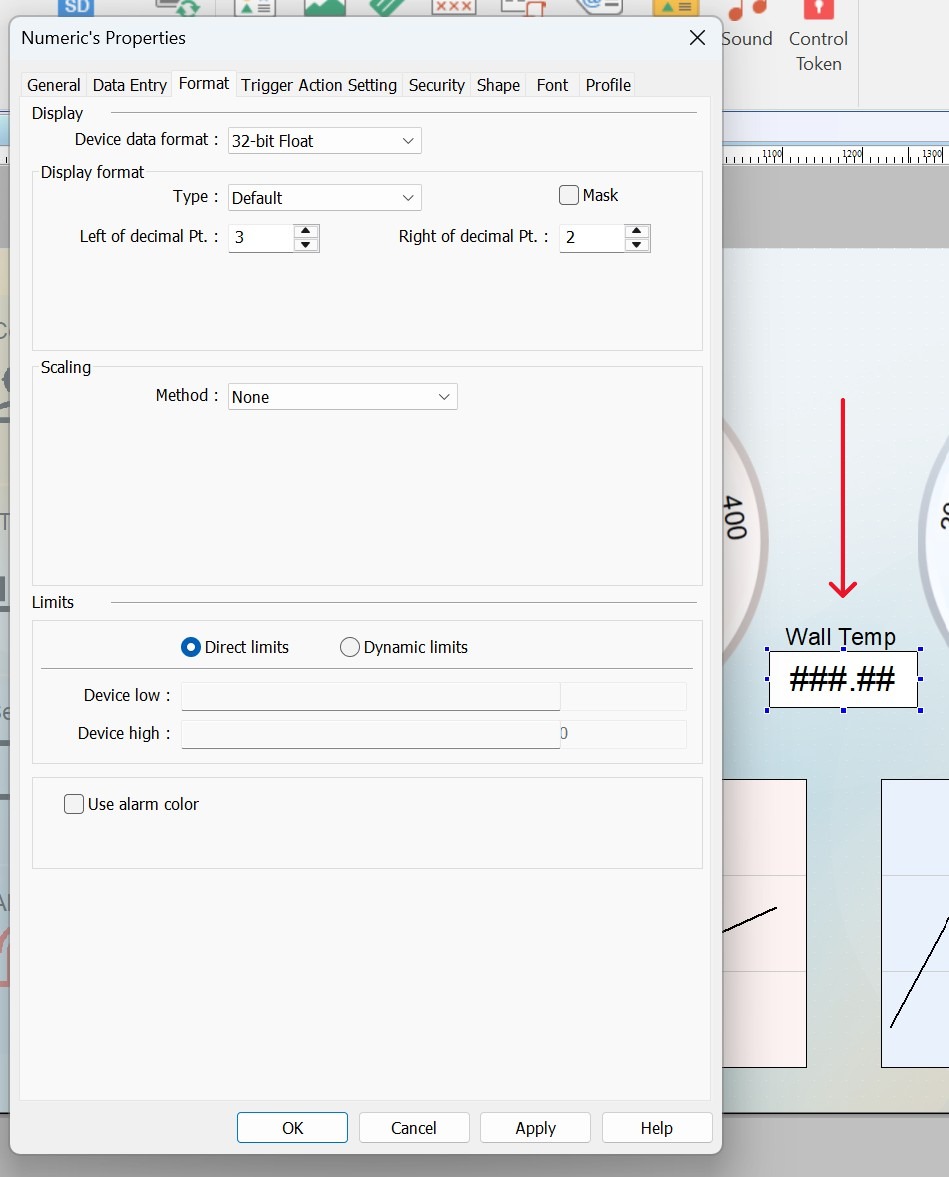
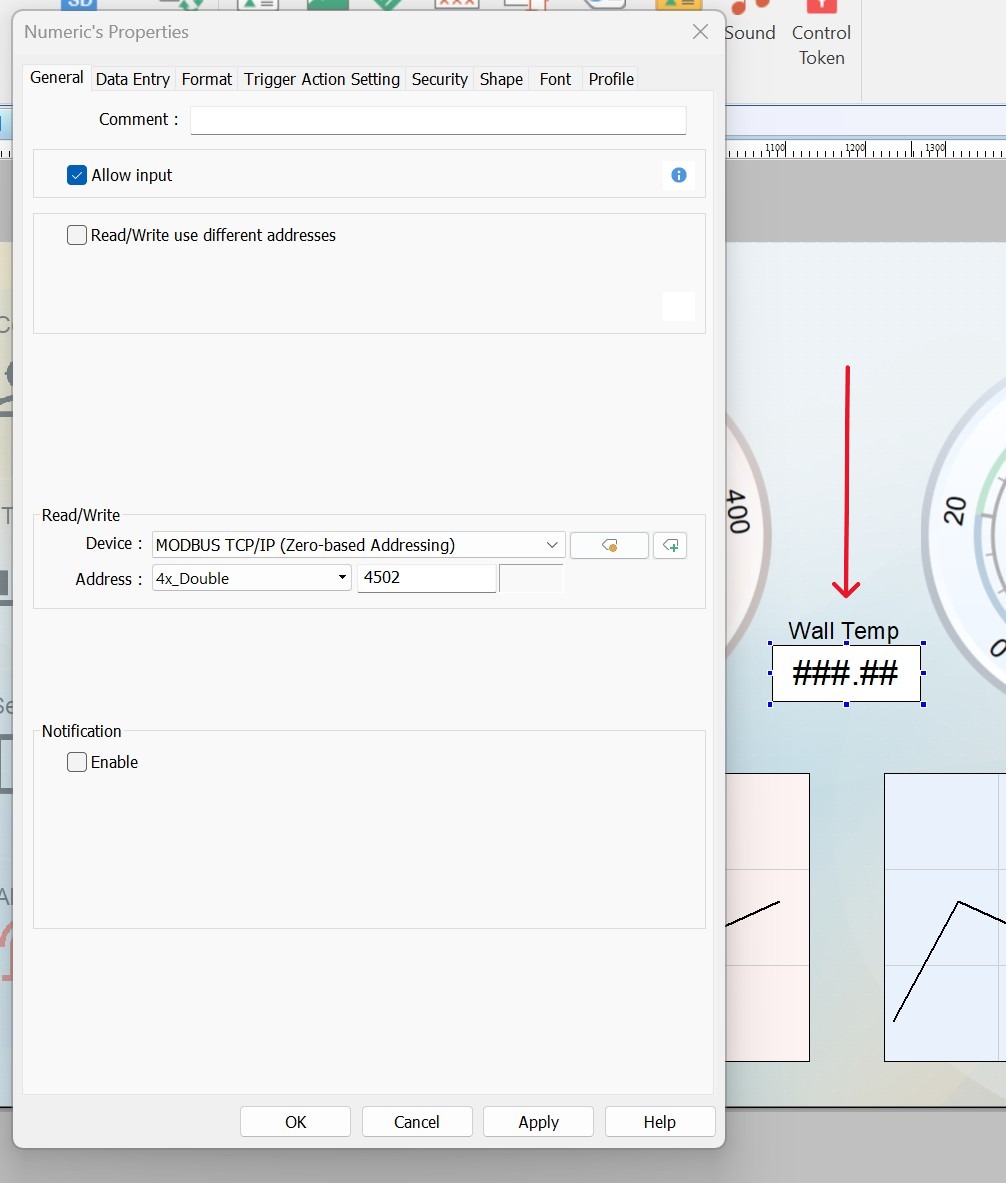
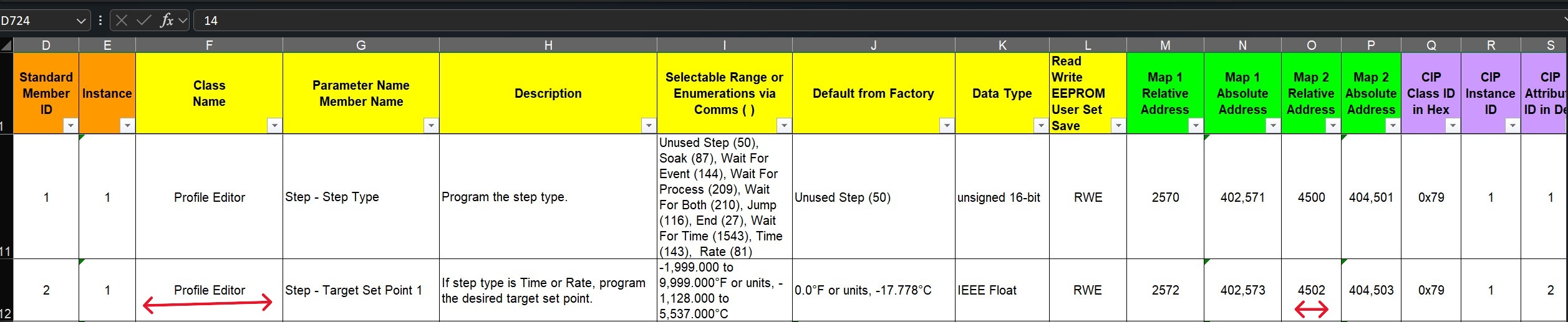
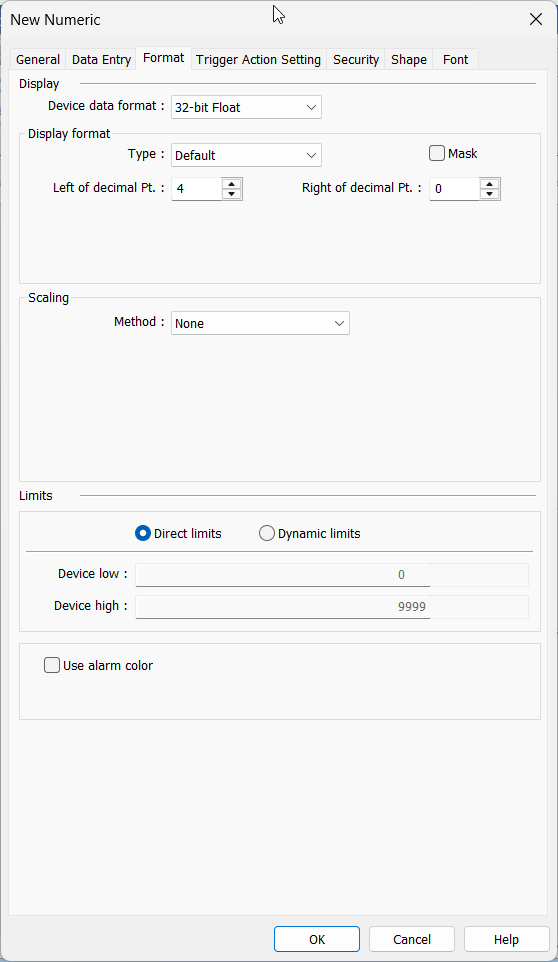
Thank you for your help! I was able to establish communication. I cant say for sure what I did to make it work, but it seems to be working now. Here is some screenshots of the numeric object configuration and Watlow controller register list.
Hi @leadfoote,
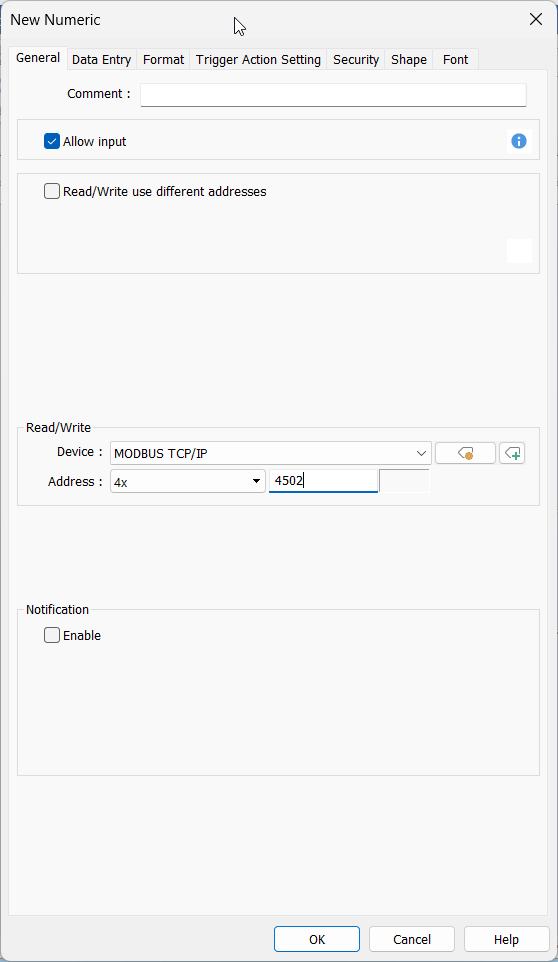
We are happy to hear that you’ve got this working! The 4x_Double will read a double word value. You can likely achieve the same result with the configuration below:
Note: The “Device data format” is set to 32-bit float.