- HMI Model: cMT3162
- EasyBuilder Pro Version: 6.10.01.510
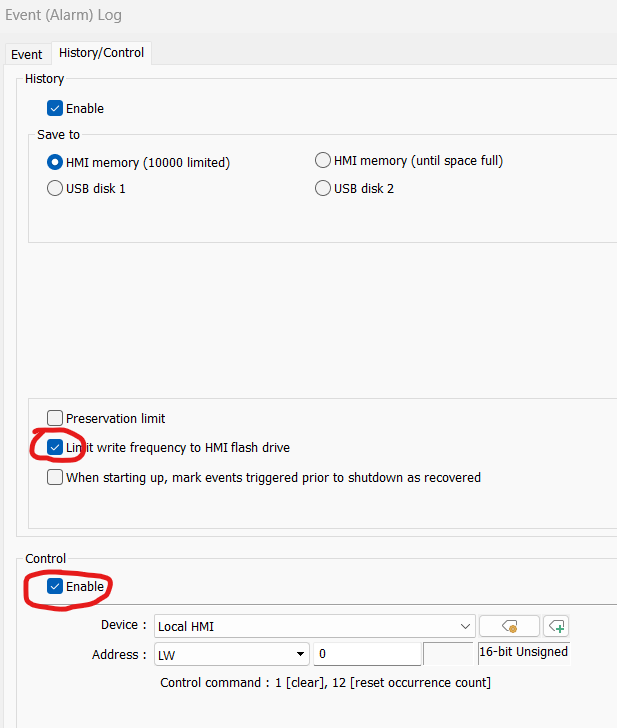
Currently, I am having issues with the Event Display retaining historical alarms similar to a similar post, but I want to be clear on the solution. So, in the EVENT (Alarm) Log - History/Control I need to enable “Limit write frequency to HMI flash drive” (which is fine) and then check the “Enable” Under Control…Note: neither were checked.
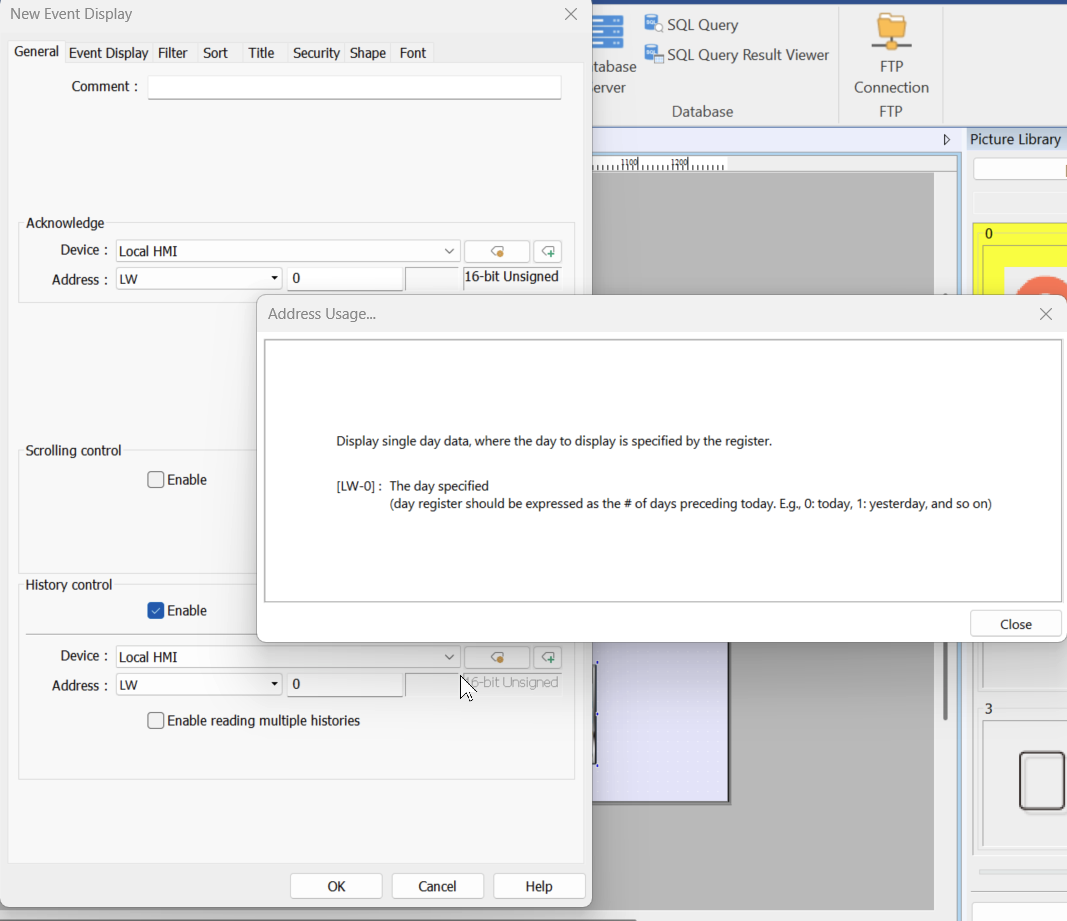
Next, I need to ensure that “Enable” is not checked in History Control under the General tab…correct? Thanks
Hi @ProcessControl ,
The current set up should work to retain history of the alarm that were triggered. In the event alarm log, if History is enabled then the Event Log displays the history data read from the designated source.
The Limit write frequency to HMI flash drive option will store operation logs on the
HMI at intervals of 10 seconds.
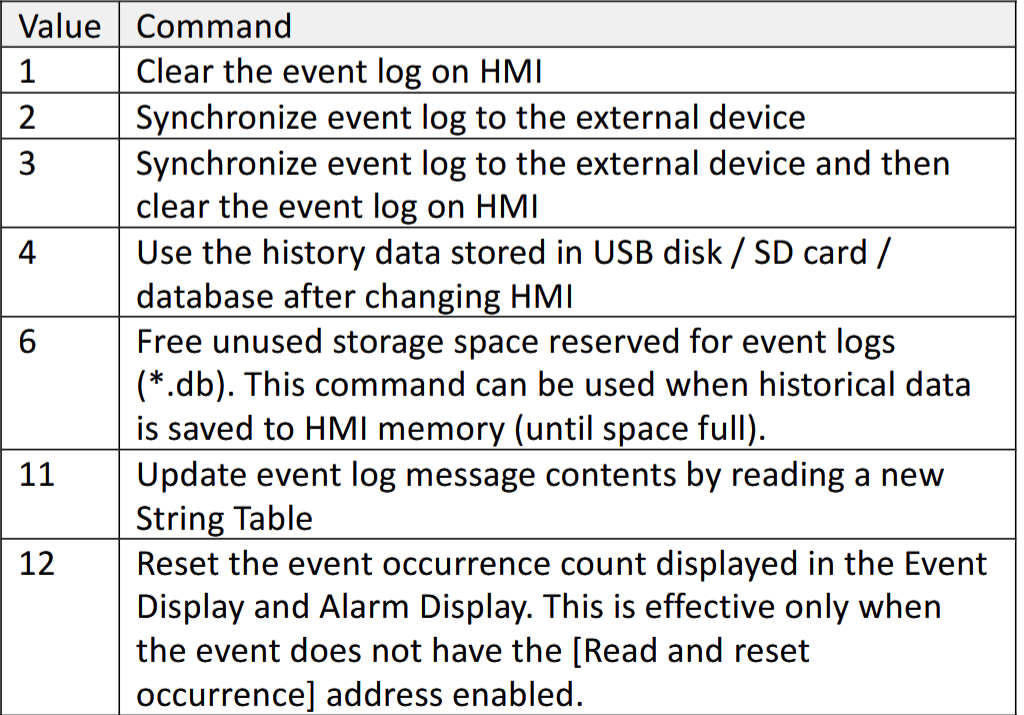
The control address within the Event (Alarm) Log has the following has the following commands avaiable when the corssponding value is entered into the control address specified.
Within the Event Display object, selecting the History Control feature allows you to view events by day.
The history files are organized by date, and each file is assigned a number called an index.
The newest file is always 0, the next newest is 1, then 2, and so on.
Please let us know if you have any follow up questions.