In order to analyse my production, i need to extract the alarm history of the machine, so i already tried the event log file but didn’t help me by the way it’s made. if there’s there’s another way to extract the alarm history from the event display window
Extracting alarm history from event display
none
0.0
0
Hi @Massi ,
Could you send us screen shot of your project setup of the alarms and event display window. Also which HMI model are you using?
Hi @Massi ,
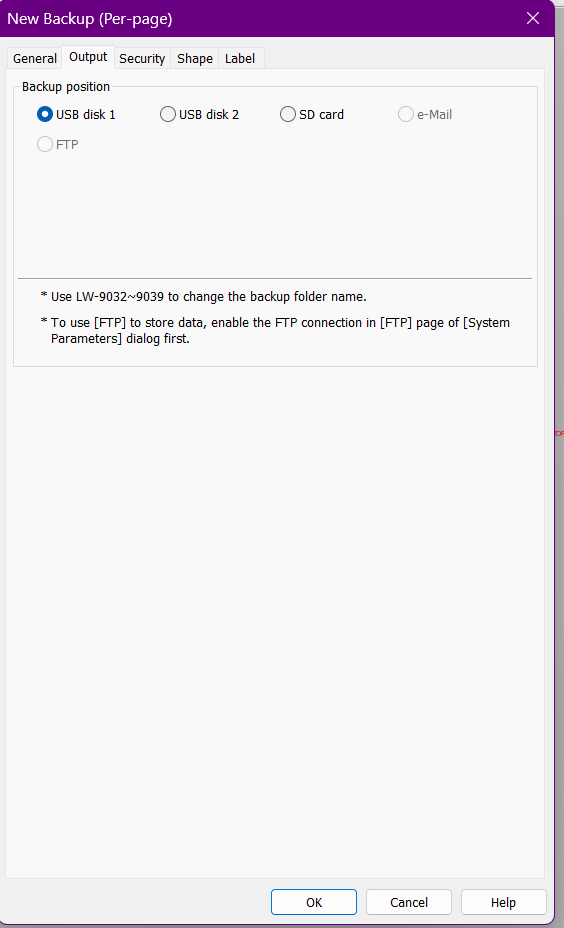
To save the history data, we recommend saving alarm history data by using a USB or the FTP server. As long as there is alarm data saved, you can access it by creating a New Backup object in the Data/History tab of Easy Builder Pro, and saving the historical event log to the backup position of your choice. There you will see USB and FTP options. Select the preferred storage format.

If you chose FTP, you can access the event log by navigating to File Explorer on PC, and enter 'ftp://uploadhis: ', followed by your HMI’s password, ‘@’, and your HMI’s IP address. For example, ftp://uploadhis:111111@192.168.1.123/. Here you will find your HMI’s eventlog folder with the data inside.
Here is the YouTube video on how to set up FTP: How to use FTP to transfer files from your HMI remotely - Weintek USA
If you wanted to store the event log data to a USB, select the USB disk option as the Backup position within the output tab of the backup object, and the preferred storage format, and click OK. As long as there is historical data taken, you can navigate to your File Explorer, and locate your EBpro folder. In the EBpro folder, you will find the usb1 or usb2 folders, where you will find the datalog in the format you selected.
Hello Aaron,
I’m using MT8106IQ
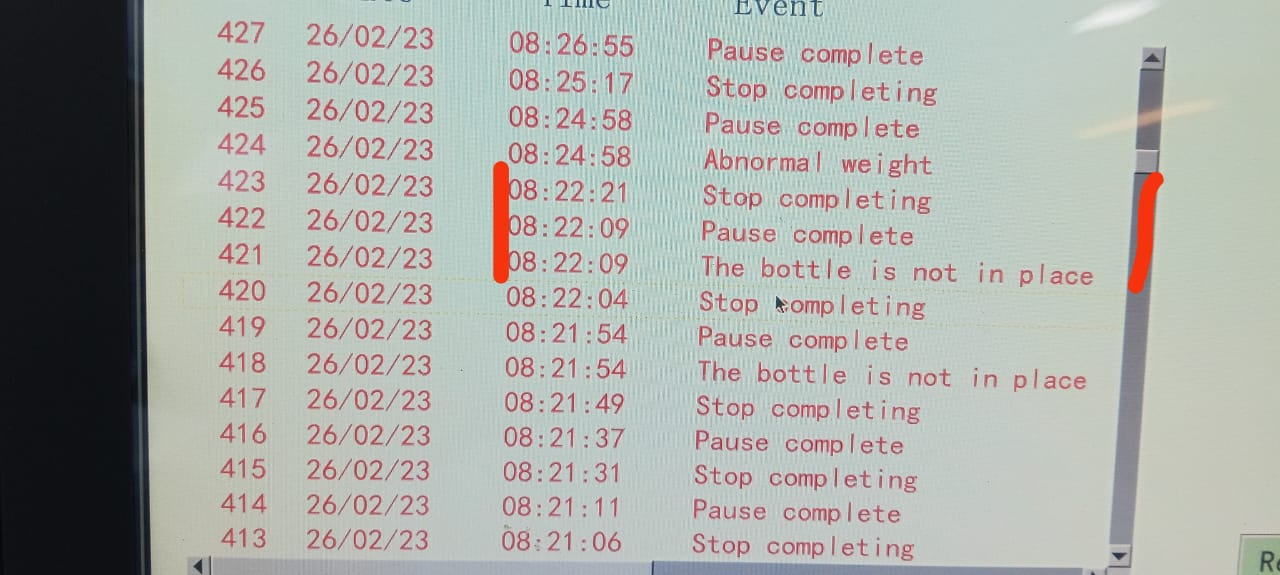
The 1st photo is from the hmi event display realtime as you can see, i have an alarm from 8:22:09 and then the production resumed at 8:22:21 “Stop completing”
but in the second photo you can check it gives you more detailed events that i don’t need i just need the down time
23/02/2026 8:22:09 Pause complete
23/02/2026 8:22:09 Stop completing
23/02/2026 8:22:09 The bottle is not in place
23/02/2026 8:22:21 The bottle is not in place
23/02/2026 8:22:21 Pause complete
23/02/2026 8:22:21 Stop completing
Hello Arden,
I’m not familiar with the backup feature i’ll try and feed you back
Perhaps you could achieve this, but not through the event-based method. Instead, you could use data sampling, which, through a trigger, would activate the event registration. This event would be recorded with the time and date, and with a MySQL database, you could display these times through query modeling. NOTE: Your HMI must have a database export capability, and this solution is much more complex. I hope this helps.
Hi @eddy_neves,
This Weinview model may not support the database server feature. However, it will support saving and transferring historical event data via a USB or FTP server.