-
HMI Model: cMT-FHDX-820
-
EasyBuilder Pro Version: v6.10.01.510
I have an event logger for alarms with almost 700 alarms. I would like to be able to use the subcategories 1 and 2 to use as filters when viewing the alarms(alarm event history would also be acceptable). Would also like to be able to filter on the bar chart.
Filtering Alarms using Subcategories
none
0.0
0
Hi @RTSSmatt ,
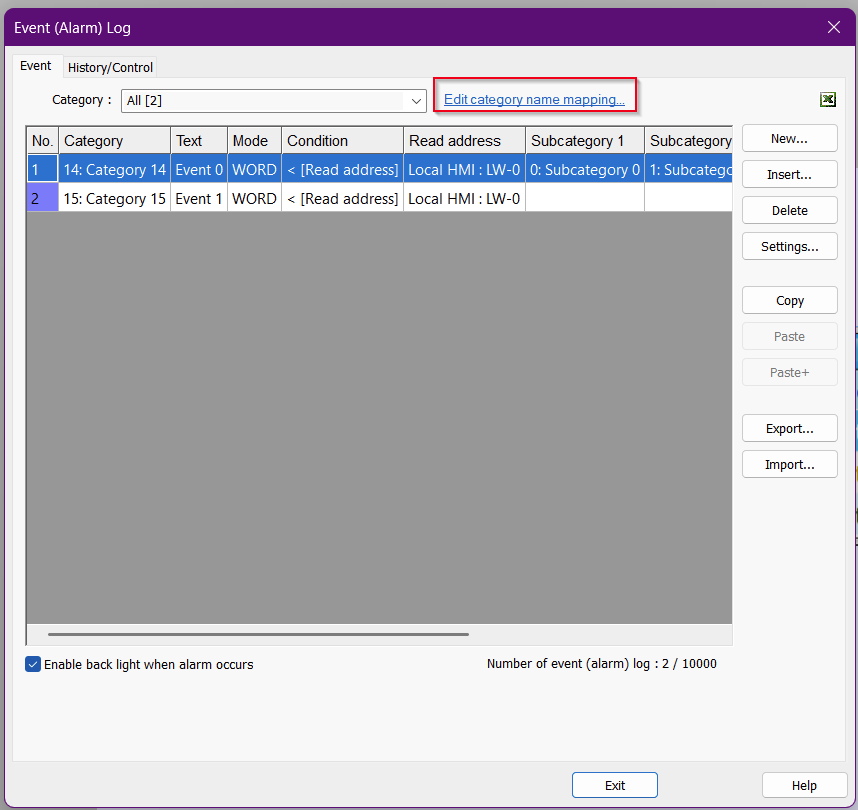
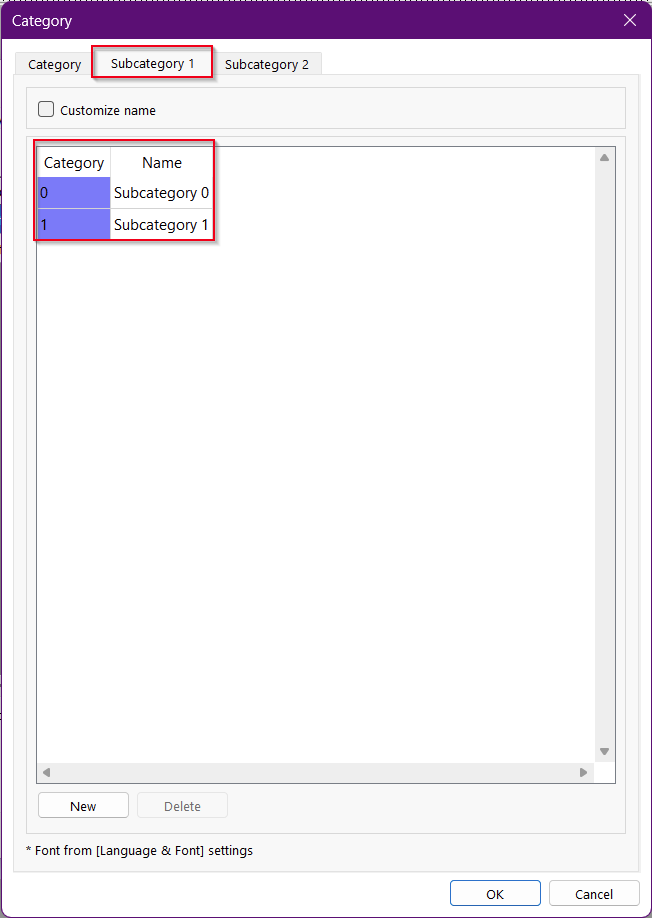
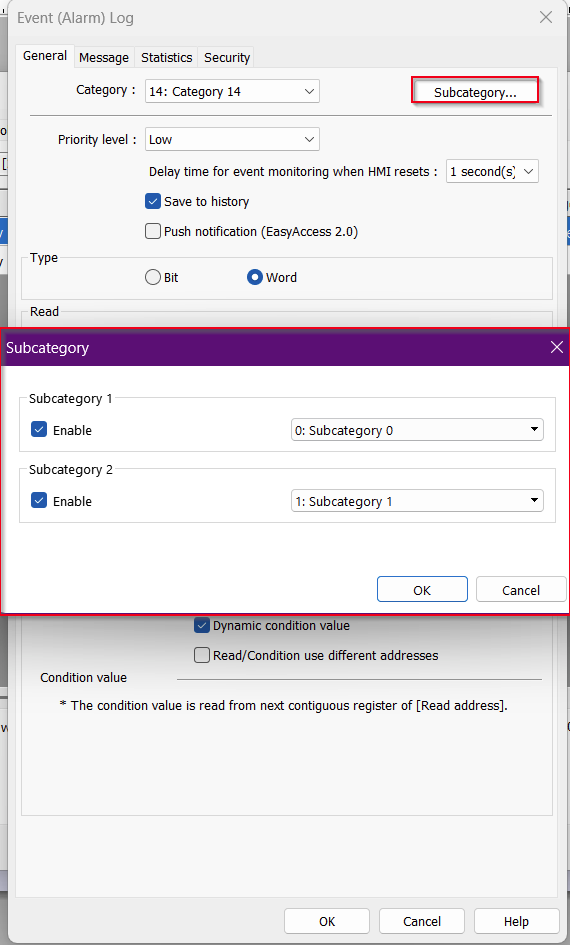
To enable subcategories, click on “Edit Category Name Mapping” within your Event Alarm Log. Here, you will be able to add subcategories to Subcategory 1 and Subcategory 2. Each subcategory can be referenced within each alarm if enabled.
To display the subcategories within an Event Display object, navigate to the Sort tab. Within the Overview list, scroll all the way down to Subcategory to select and display the subcategories in the Event Display.
For more information on event alarms and categories please refer to section 7.2.2 of our Easy Builder Pro Manual..
Please let me know if you have any question.
Hello and thank you for responding,
I did have my Event Alarm Log configured as you suggested. My hope was to be able to use the filter feature at runtime to not only filter Category but also SubCat 1 and SubCat 2. I have provided some context for my end goal at the bottom of this post.
I found I was able to rename the category and subcat titles. So in the following screen shots keep that in mind:
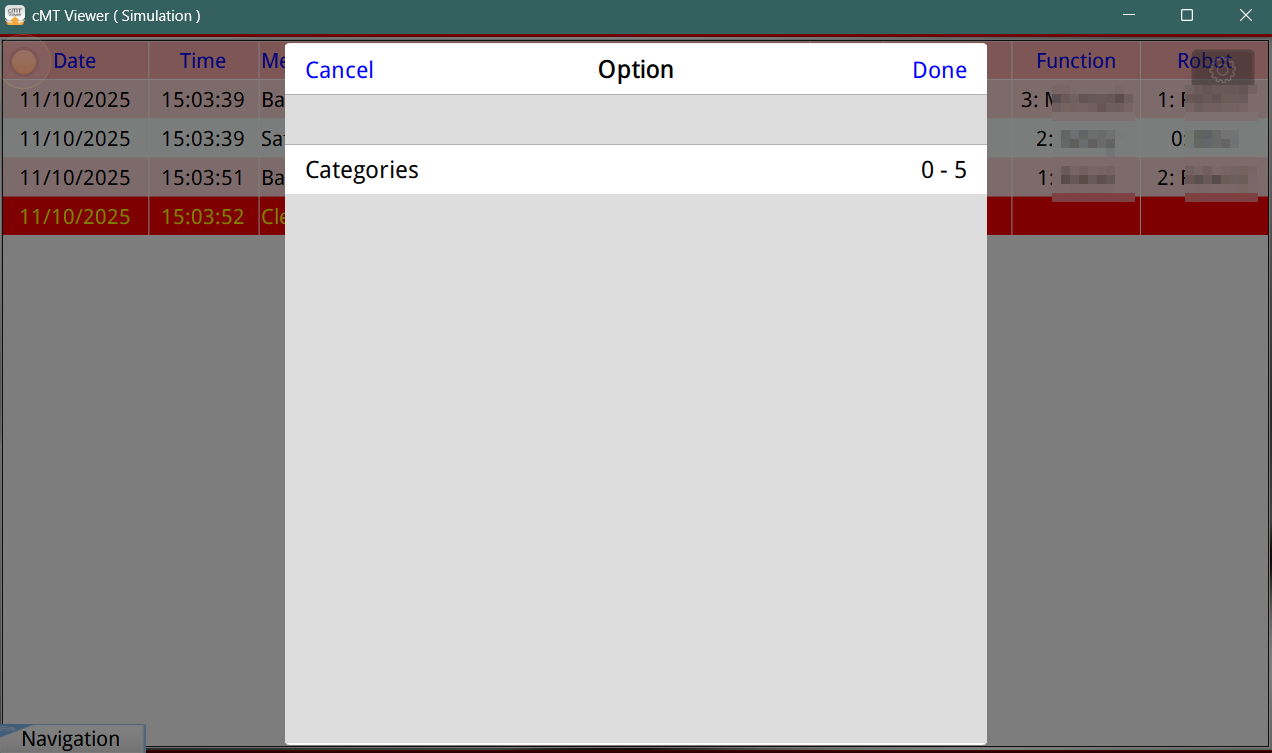
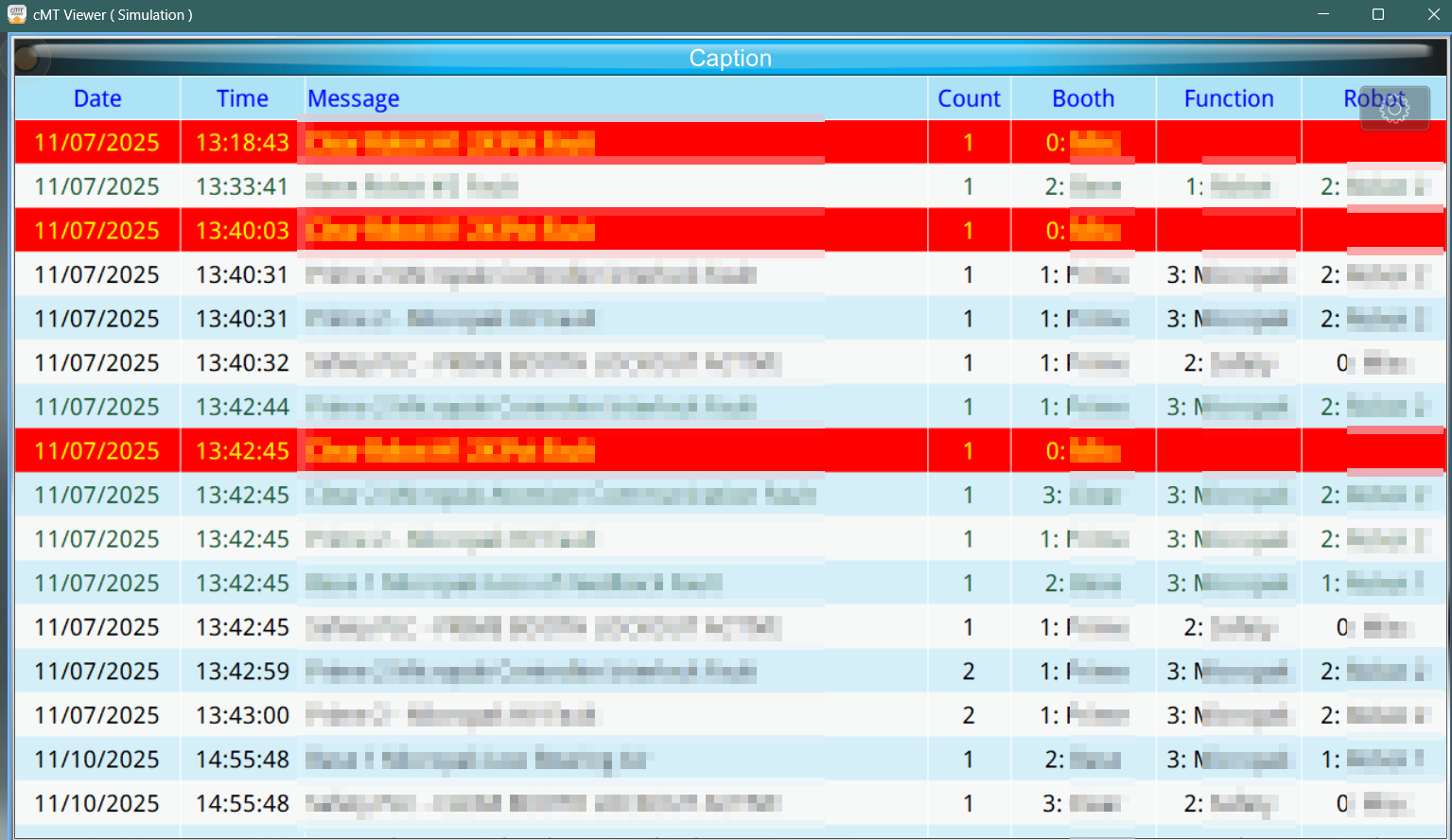
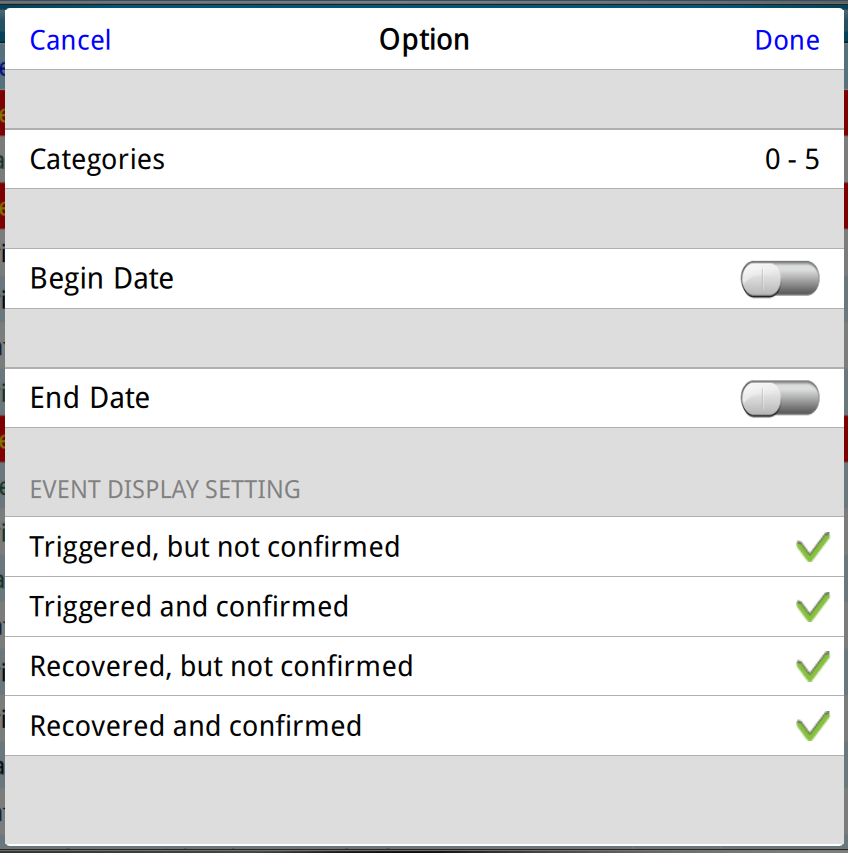
Category = Booth (Currently the only category you can use as a filter)
Subcategory 1 = Function (Unable to use subcategory as a filter?)
Subcategory 2 = Robot (Unable to use subcategory as a filter?)
Active Alarms w/ Available Filter Options(Gear icon)
Alarm Event History and Available Filter options
Event Bar Chart and Available Filters Options
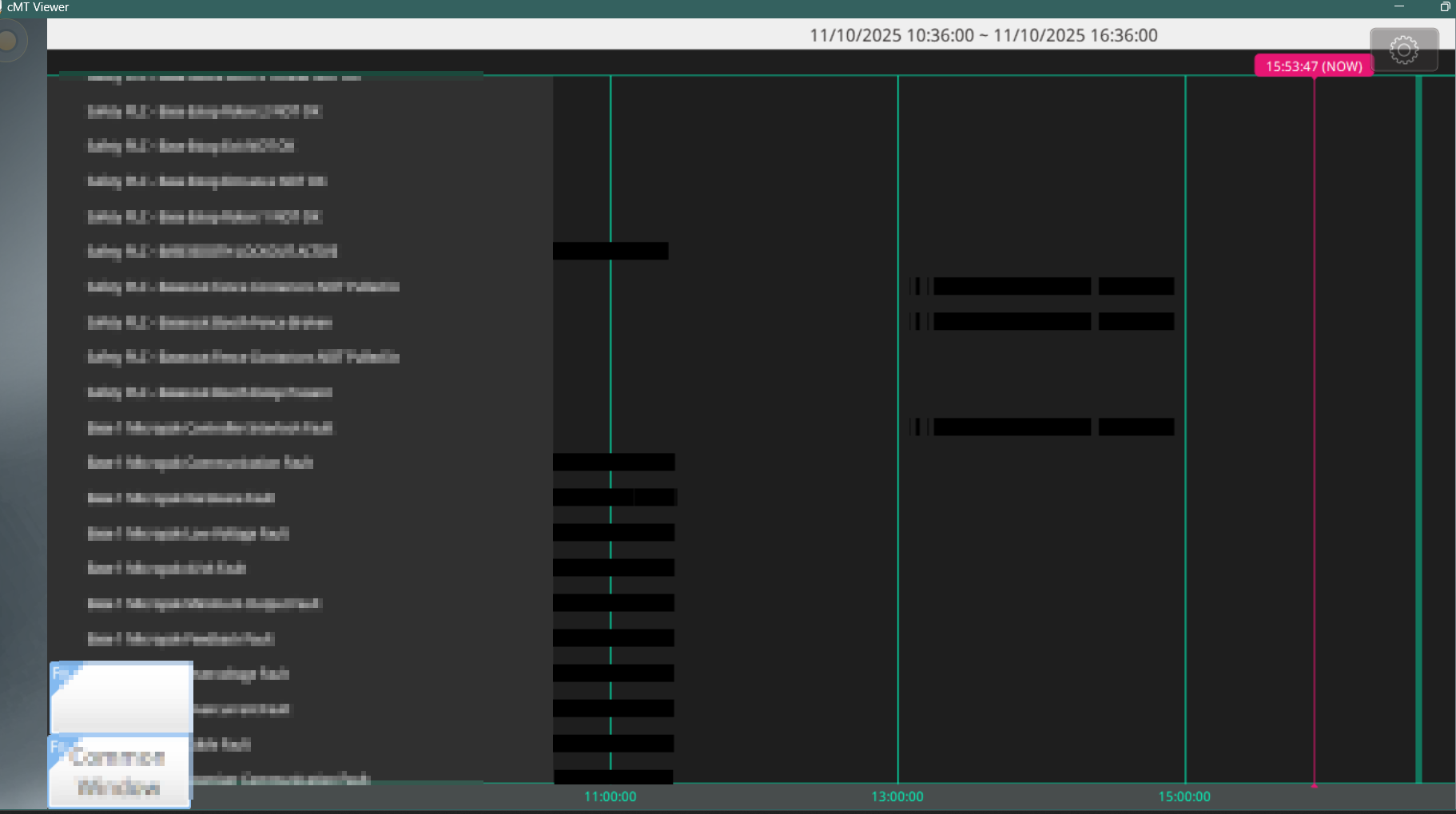
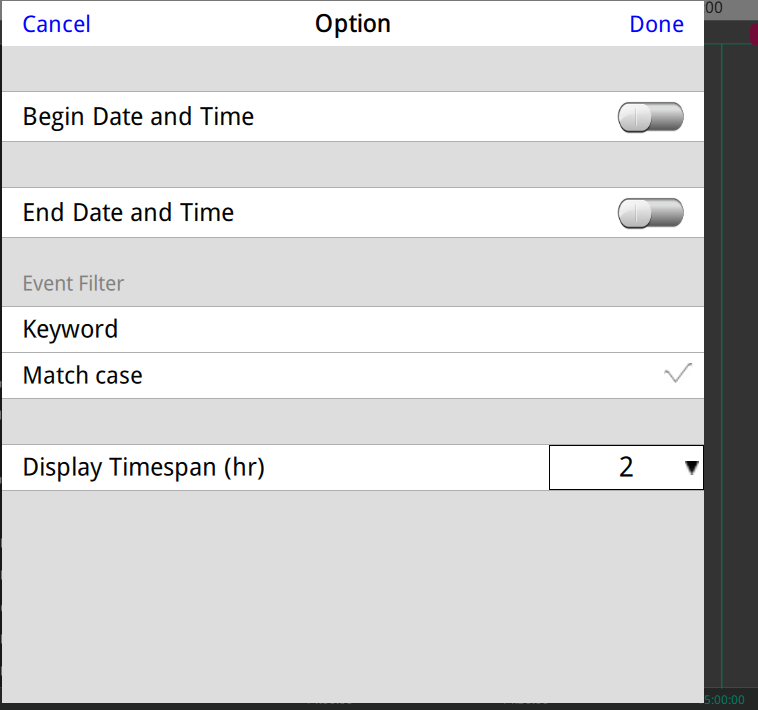
The event bar graph already sorts each alarm into their category. As you scroll down you’ll see category 0, then 1, then 2, etc. And although it has the option to use a keyword as a filter, it searches all text for each row, so any mention of common phrase would display more than I wanted.
I started down the path of using the dynamic range for category filter as the documentation mentioned tying to an array. But I found I was only able to define the lower and upper bounds, example: category 30 through 65, as a filter range. Which still does not suit my purpose.
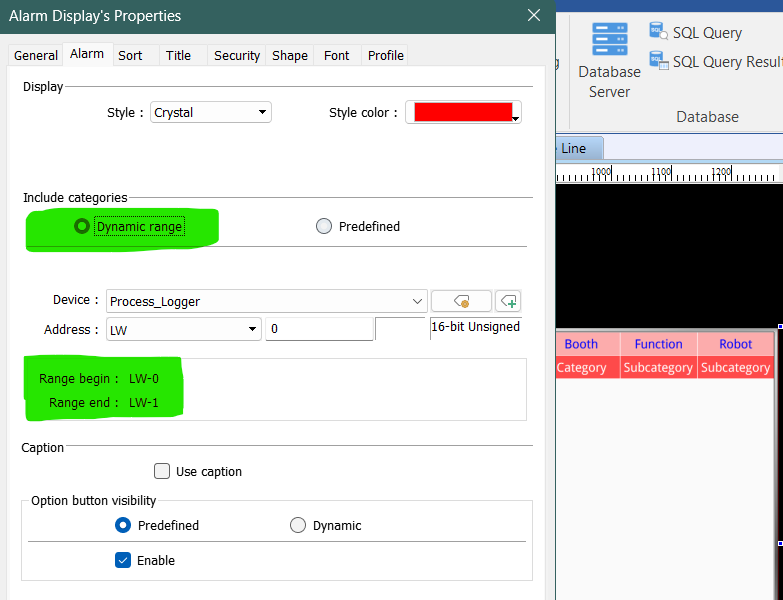
I am dealing with logging many events which includes over 700 unique alarms(and more to come). It would be most helpful to be able to filter using the HMI’s built in screens and filter options. But from what I have found the only way I can achieve what I would like to do is to FTP into the HMI and copy the event log, convert it using the Data/Event Log Converter (EasyConverter), and then filter/parse it using another external tool.
If there is an easier way to achieve this, please let me know.
Hi @RTSSmatt,
We are still trying to determine if it will be possible to accomplish sorting through subcategories. Thank you for your patience, we will provide an update soon!
Hi @RTSSmatt,
Would it be possible to add the “Booth”, “Function”, “Robot”, and other data to the alarm message directly?
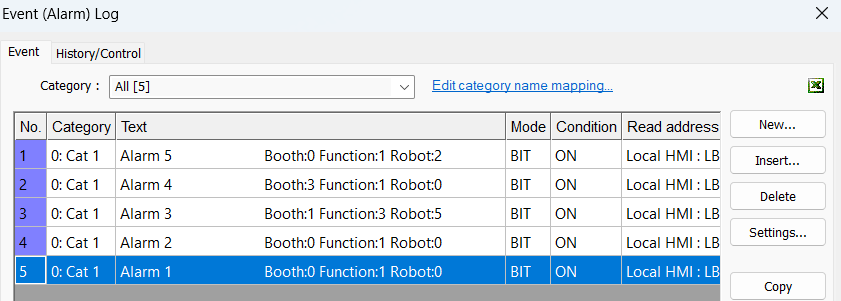
With this change you would be able to export this as a .csv and re-import this into a recipe. This would allow you to use our recipes built-in or programmable filter features:
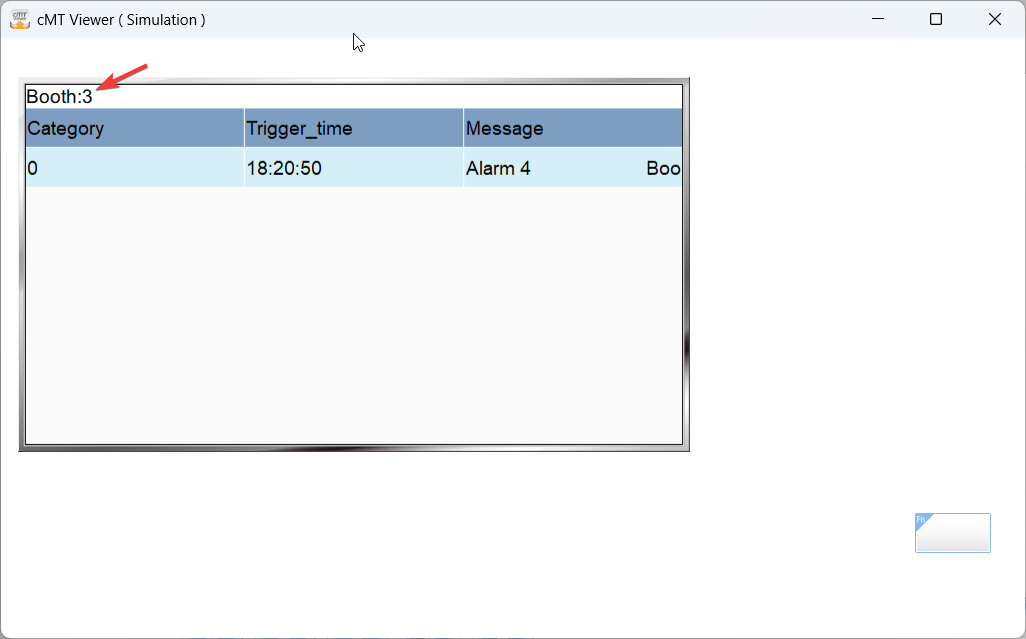
Here is a demo project that demonstrates this approach: Link