Hi @SCPWeintek,
Typically, this issue can be resolved by adjusting the display settings as shown:
-
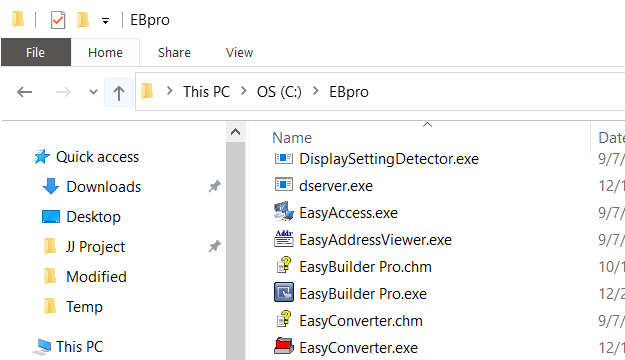
Locate the installation directory of EasyBuilder Pro. By default, it should be located within C:\EBpro:
-
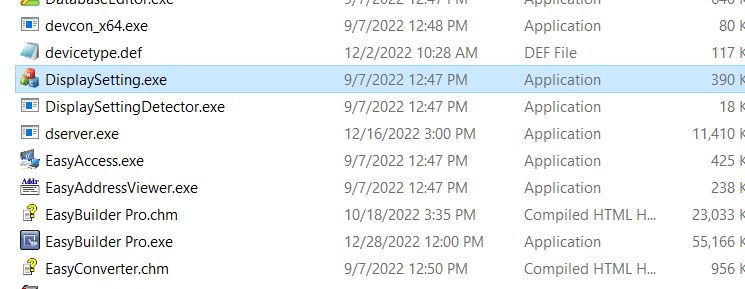
Within the installation directory (e.g. C:\EBpro) open the “DisplaySetting” application:
-
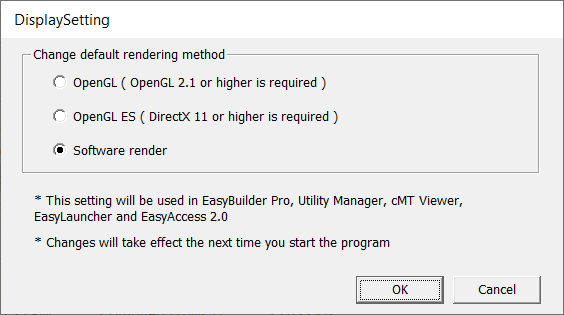
Close EasyBuilder Pro and associated software. Within the “DisplaySetting” application select “Software render” and click “Ok”:
-
Re-open EasyBuilder Pro and advise if the issue is resolved.