Hi @cuongho ,
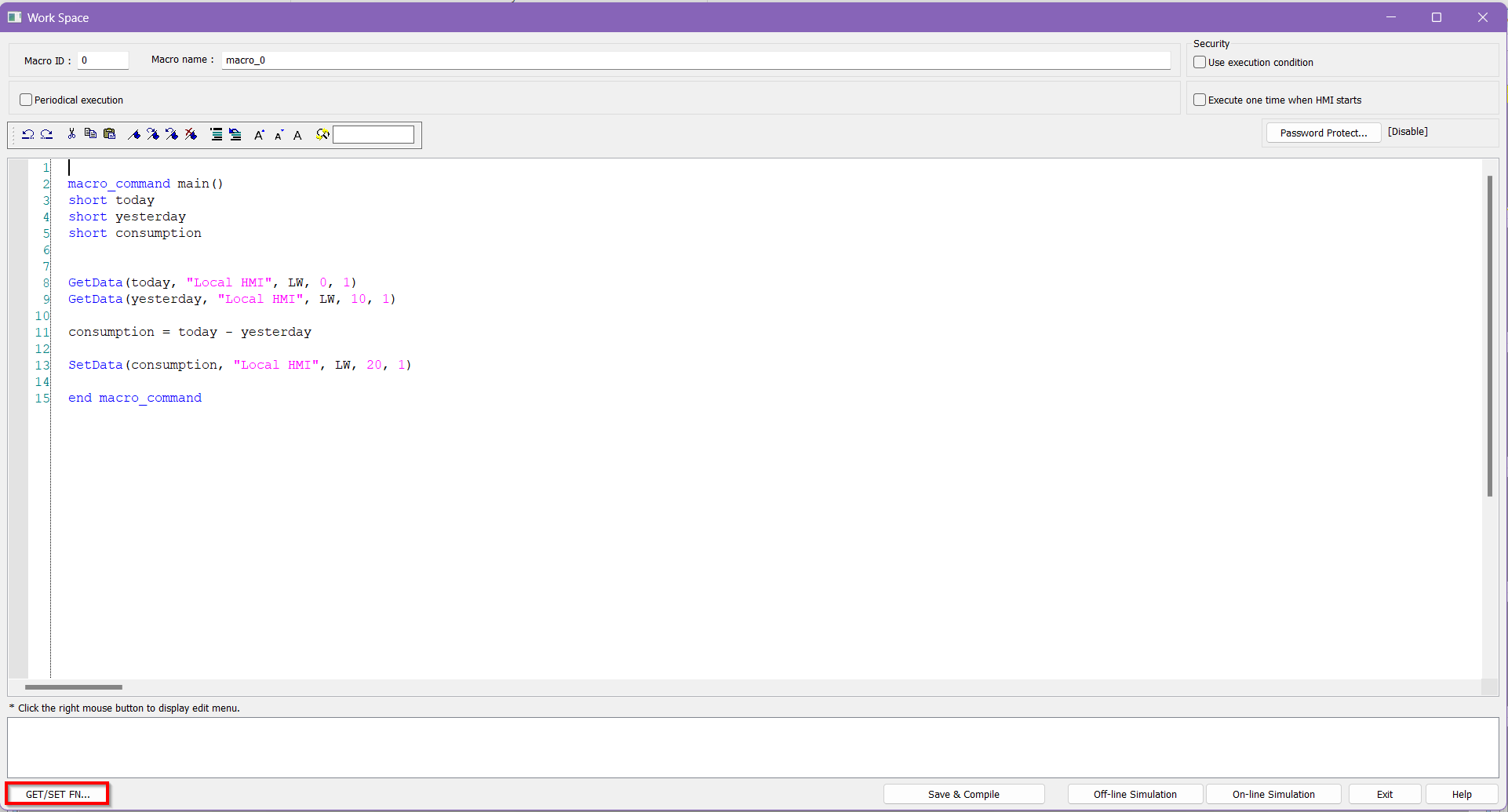
Yes, using a macro would definitely work. Below is the macro used and the project to show a small demo.
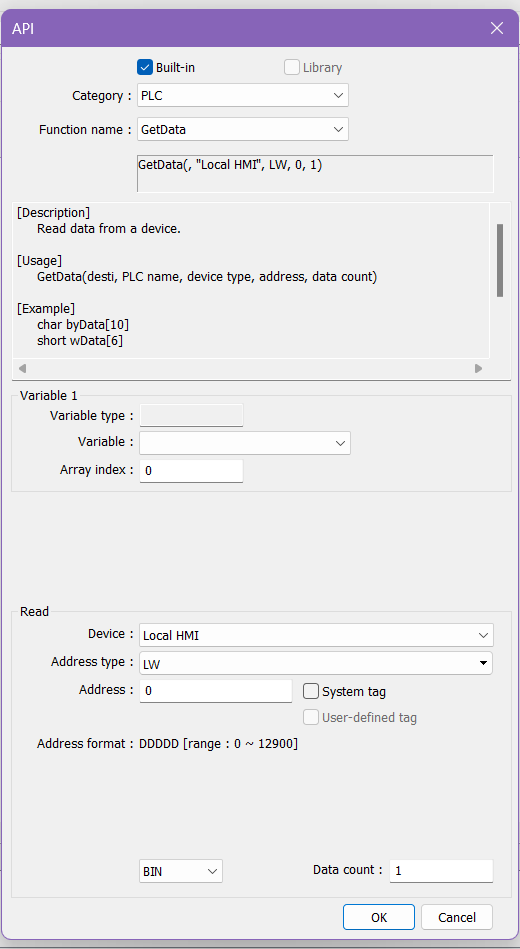
We can use the GETDATA and SETDATA functions to pull the data, apply the formula, and store the correct consumption value in the memory register.
In the demo, I am using a function key to execute the macro, but if you want to automate it, I suggest using periodical execution. Furthermore, LW-0 is today, LW-10 is yesterday, and LW-20 is the consumption rate. Please feel free to update these values with the correct memory registers.
Below is a macro that uses the system register LW9013 to get the day of the month, compares it with yesterday’s value, and calculates the daily consumption, storing the result in a sequential memory address.
LW50 is used to store the value of the last processed day.
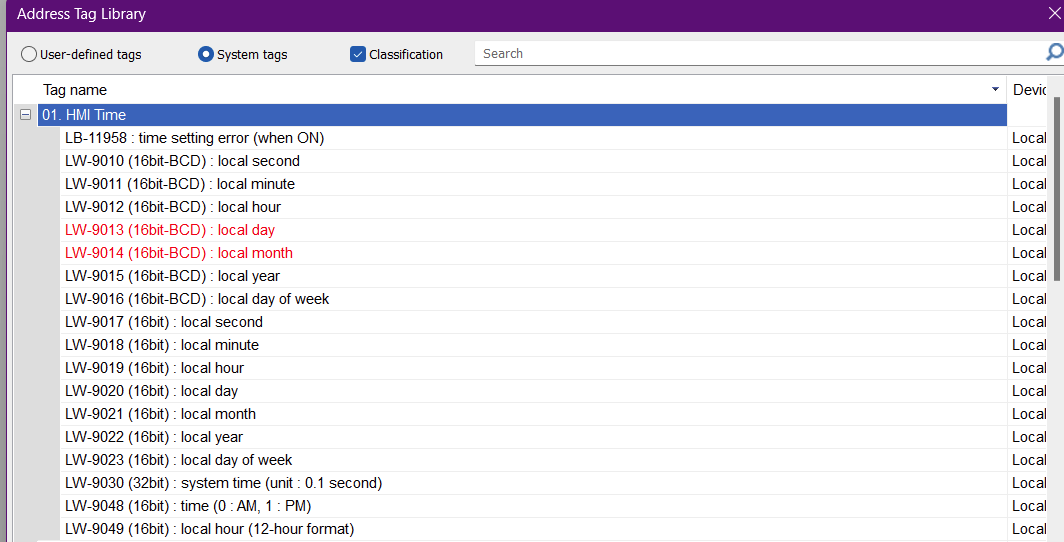
If you need any other time-related system registers, they’re listed in the image below.
Please feel free to use them and update the macro as needed.
macro_command main()
short today
short yesterday
short consumption
short current_day
short last_run_day
short storage_address

// 1. Get today/yesterday values
GetData(today, "Local HMI", LW, 0, 1)
GetData(yesterday, "Local HMI", LW, 10, 1)

// 2. Get current day and last run day
GetData(current_day, "Local HMI", LW, 9013, 1)   // System day
GetData(last_run_day, "Local HMI", LW, 50, 1)    // Stored last-run day

// 3. Only run if the day has changed
if (current_day <> last_run_day) then

  // 4. Compute consumption
  consumption = today - yesterday

  // 5. Store consumption in LW101 + (day - 1)
  storage_address = 100 + (current_day - 1)

  SetData(consumption, "Local HMI", LW, storage_address, 1)

  // 6. Update last_run_day so it doesn't run again today
  SetData(current_day, "Local HMI", LW, 50, 1)

end if

end macro_command