- HMI Model: CMT20788X
- EasyBuilder Pro Version: 6.10.01.422
I am looking for a bit that lets me know that a user has logged in. I want the log in button to change states when someone is logged in or not.
I am looking for a bit that lets me know that a user has logged in. I want the log in button to change states when someone is logged in or not.
Hi @bpierce12,
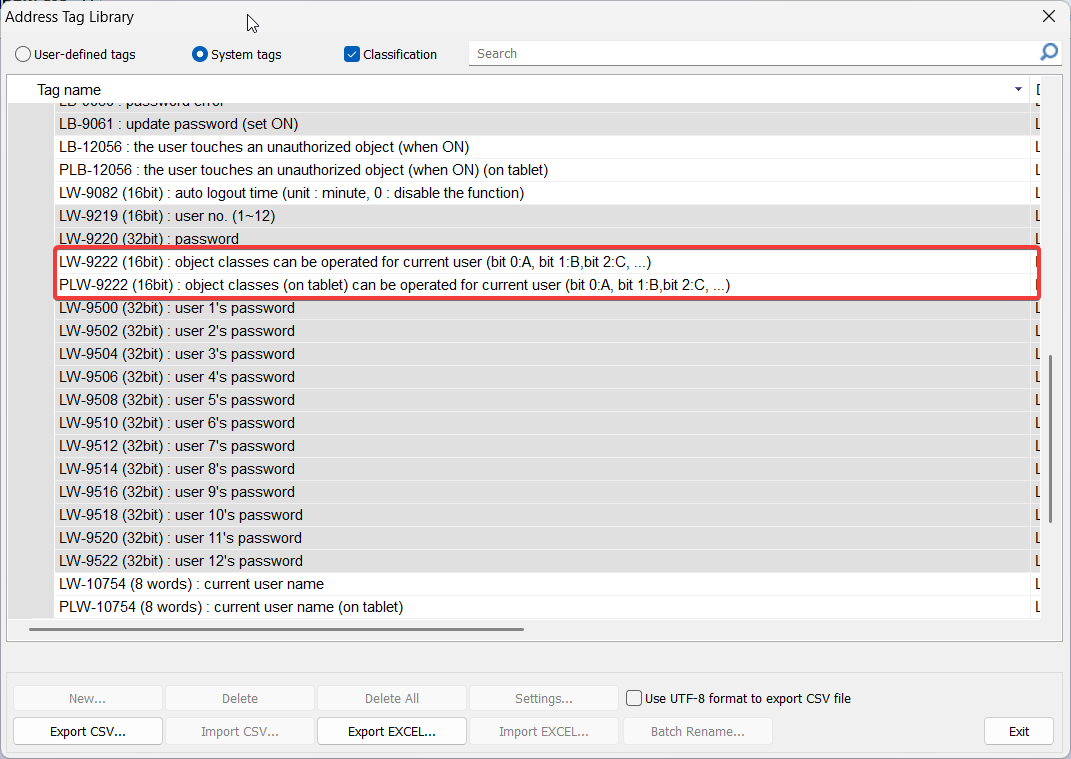
When a user is logged in, the value of LW-9222 or PLW-9222 changes according to the users login credentials:
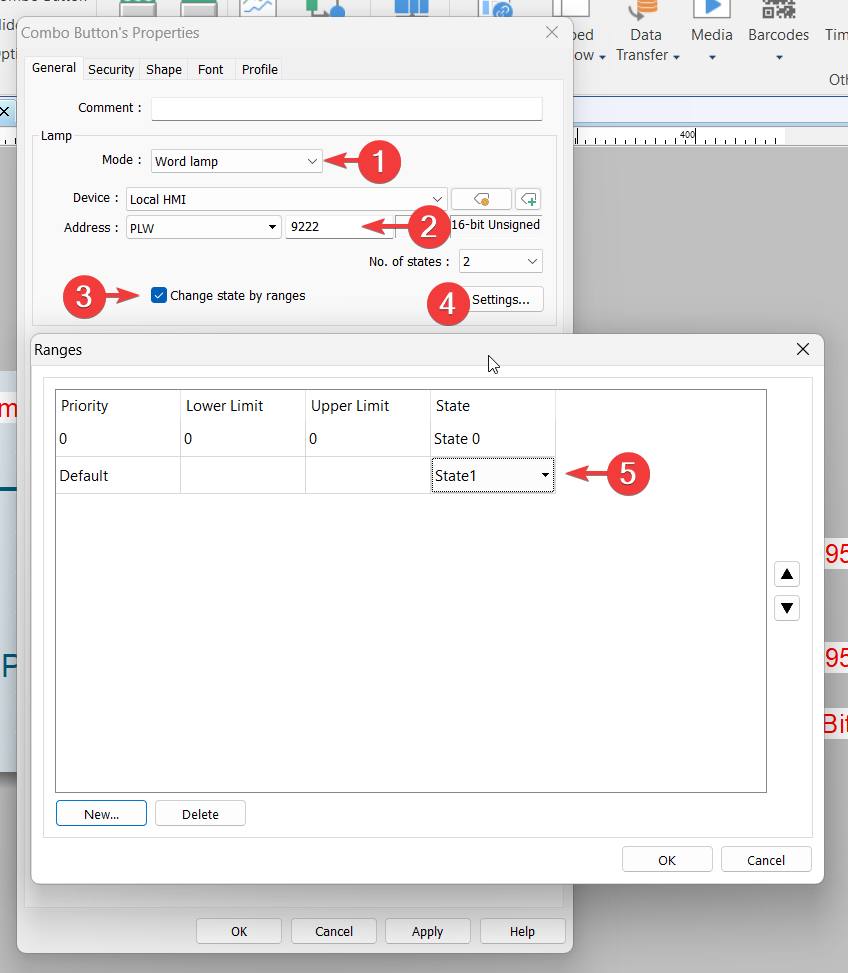
One option may be to make the login button a “Combo button” and use the following configuration to change states if a user is logged in:
Brendon,
That worked exactly how I needed it to.
One more question though. How do you get to the tag address library that you are showing?
Hi @bpierce12,
The system address can be accessed through the “Address” icon within the “Project” tab.