- HMI Model: cMT3152X
- EasyBuilder Pro Version: V6.09.02.510
- Serial Number or supplier: 2406108941
*I have been trying to connect a Codesys project to EasyBuilder for an upcoming project and nothing I have tried is working. I have followed the PLC Connection Guide with no luck. Anything I can find online has to do with the Weintek Built-in Codesys. I have a Wago CC100 PLC with codesys V3.5. I can see the PLC when I scan the network. I have also tried changing the Source Port and Port number. If anyone has had any luck connecting with one of these PLCs or may have more options for troubleshooting I would love the help.
How to communicate with Wago 751-9301 via CODESYS V3 (Ethernet)
none
0.0
0
Hello @srouse31,
Thank you for contributing to our forum!
The protocol format may vary among vendors licensing the CODESYS runtime with their products. If a CODESYS-based controller does not respond to our CODESYS V3 (Ethernet) driver, we usually recommend using the OPC UA Client driver:
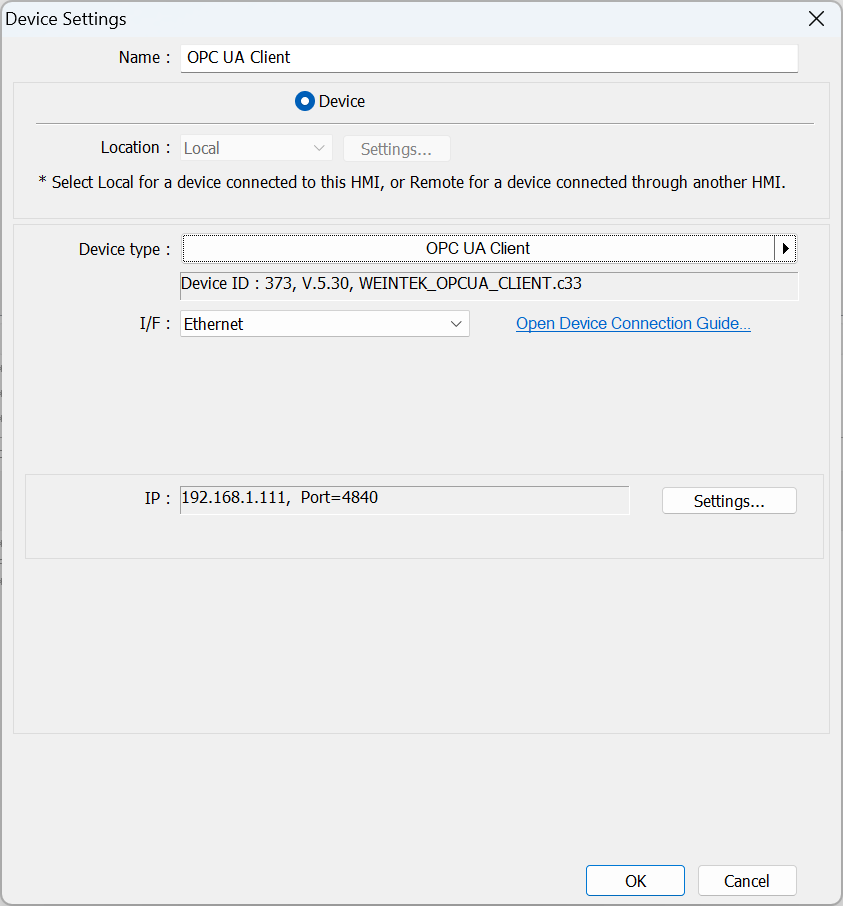
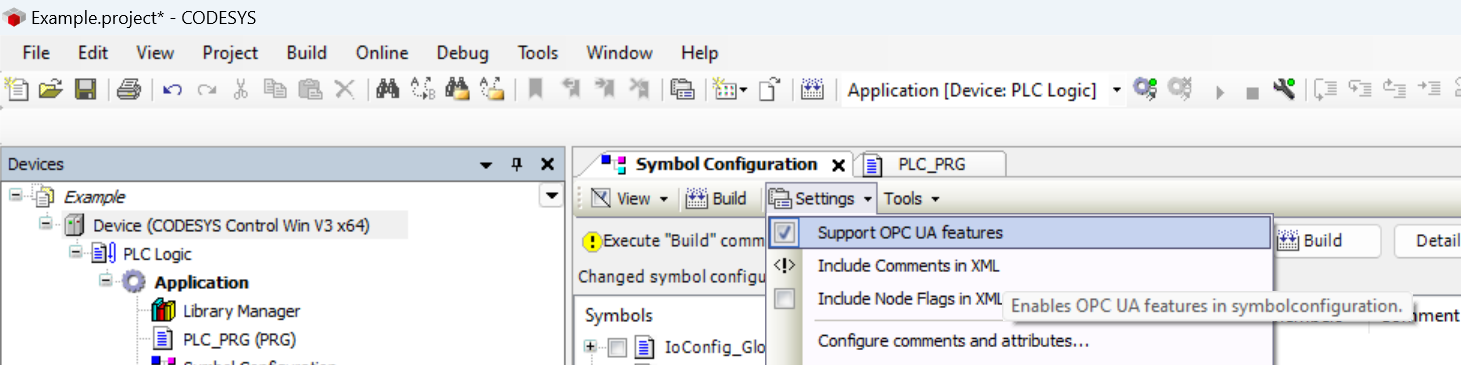
There is an option within the CODESYS IDE and perhaps eCockpit as well that will allow the controller to communicate via OPC UA:
According to the technical note written by WAGO, a WAGO PLC seems to use TCP port 11740 for the Codesys communication protocol.
In EBpro, the configuration may be similar to this setup:
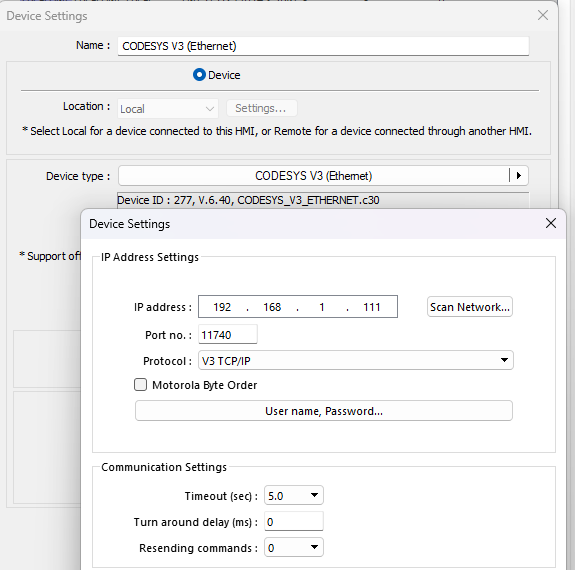
Double-check if in your Codesys project it has configured any User Management Access. If so, enter the information about username&password to the image above (“User name, Password…”).
Also Note that the Wago controller is setup by default with username “admin” and password “wago” and that you do need this in the “User name, Password…” field otherwise you will get a “No Device Response” message from the HMI.
Hi @AdamKosick,
Thank you for sharing your advice and experience on our forum!