Introduction:
This post provides step-by-step instructions for establishing communication between a Weintek HMI with an Allen-Bradley CompactLogix PLC.
Software Version:
EasyBuilder Pro 6.05.01+
Logix Designer V17+
Includes full L5X support
Instructions:
To establishing communication between a Weintek HMI and an Allen-Bradley CompactLogix PLC, follow the procedure outlined below:
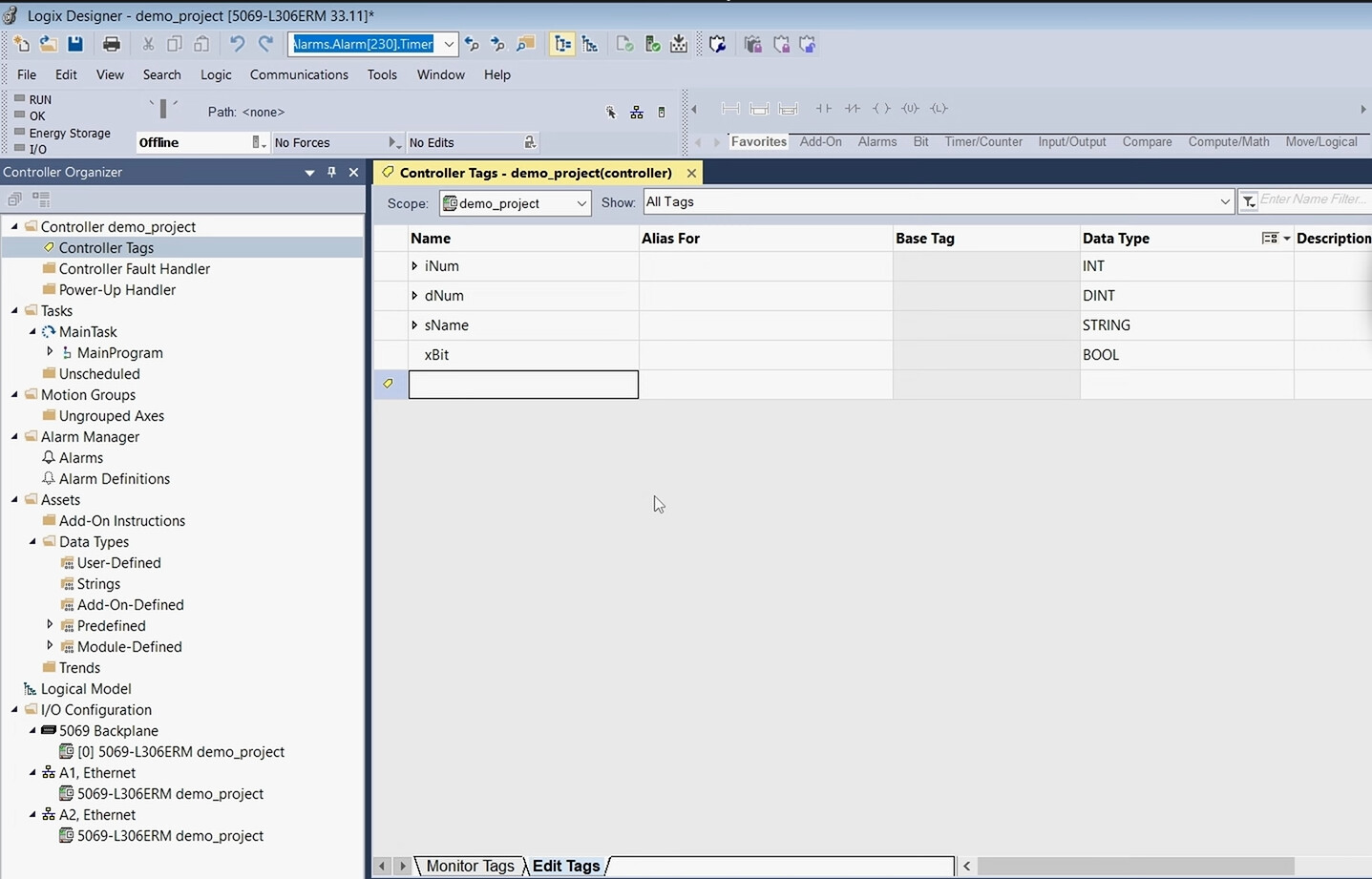
- Open “Logix Designer” and create or open an existing project file.
-
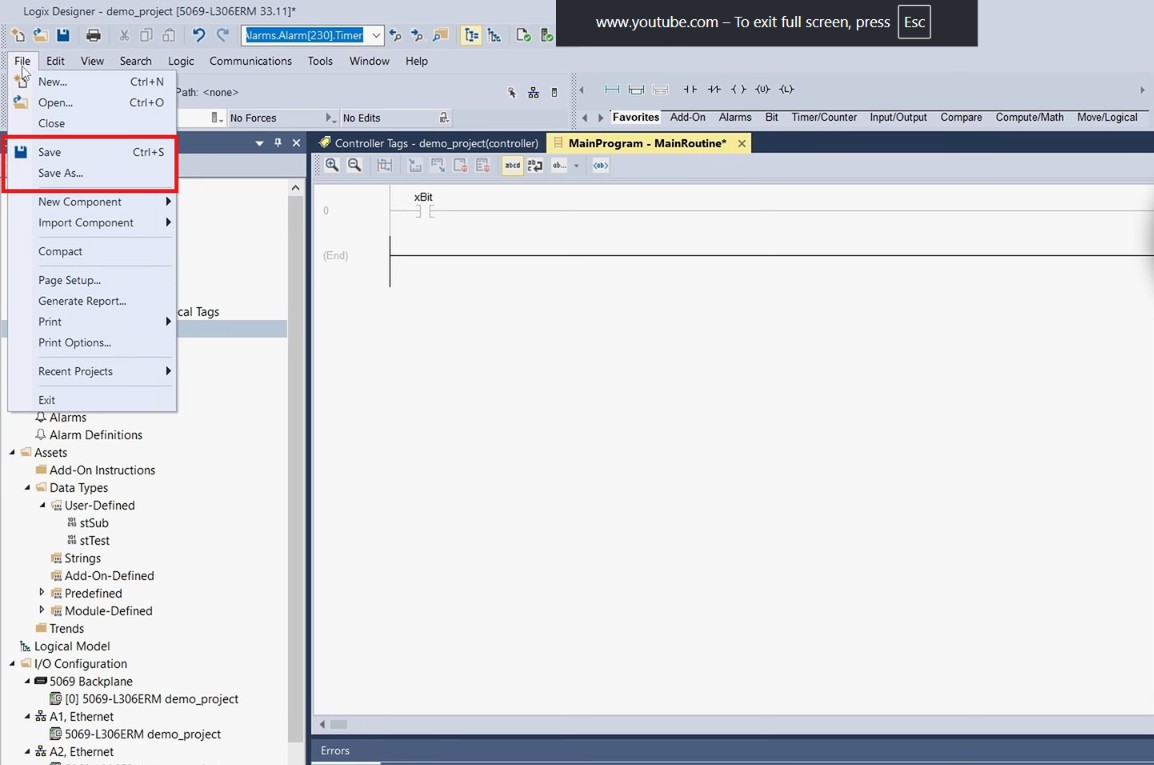
Save the project as an .L5X file.
-
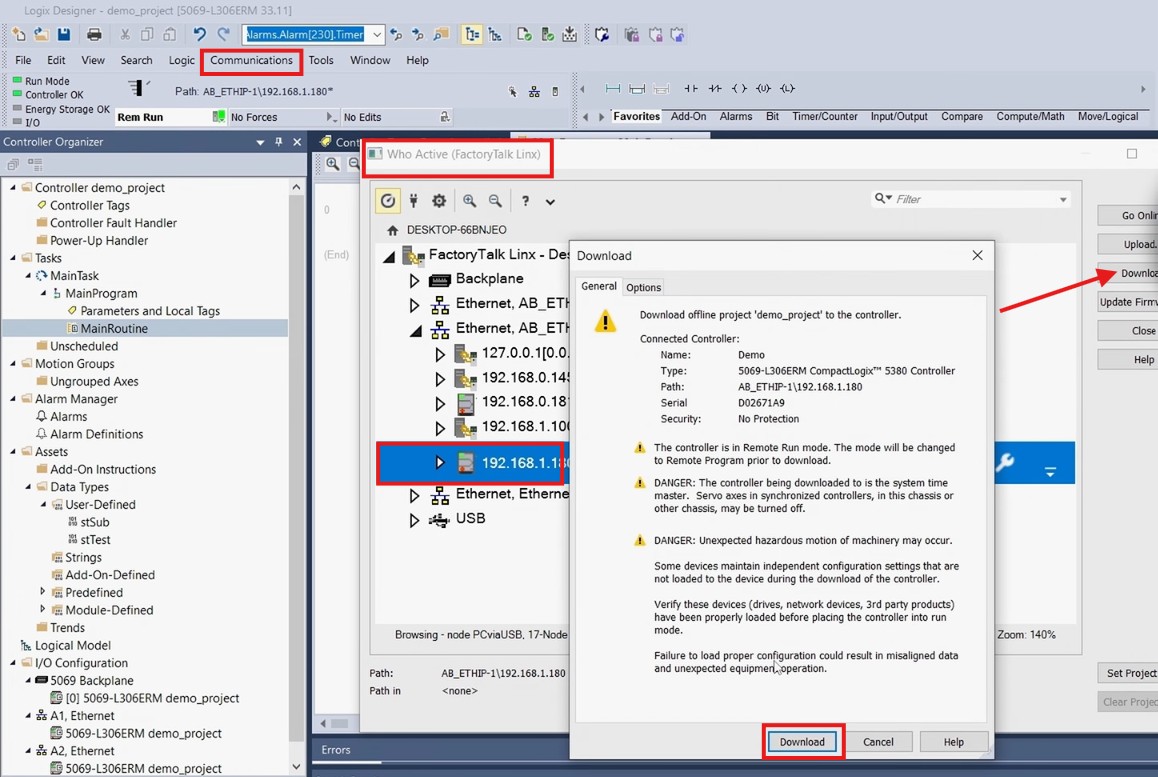
To ensure that this revision of the application is loaded on the controller and to verify that the tag references are up to date, select “Communications”, click “Who Active”, open the appropriate project or controller tags, and click “Download” to download the project to the PLC.
-
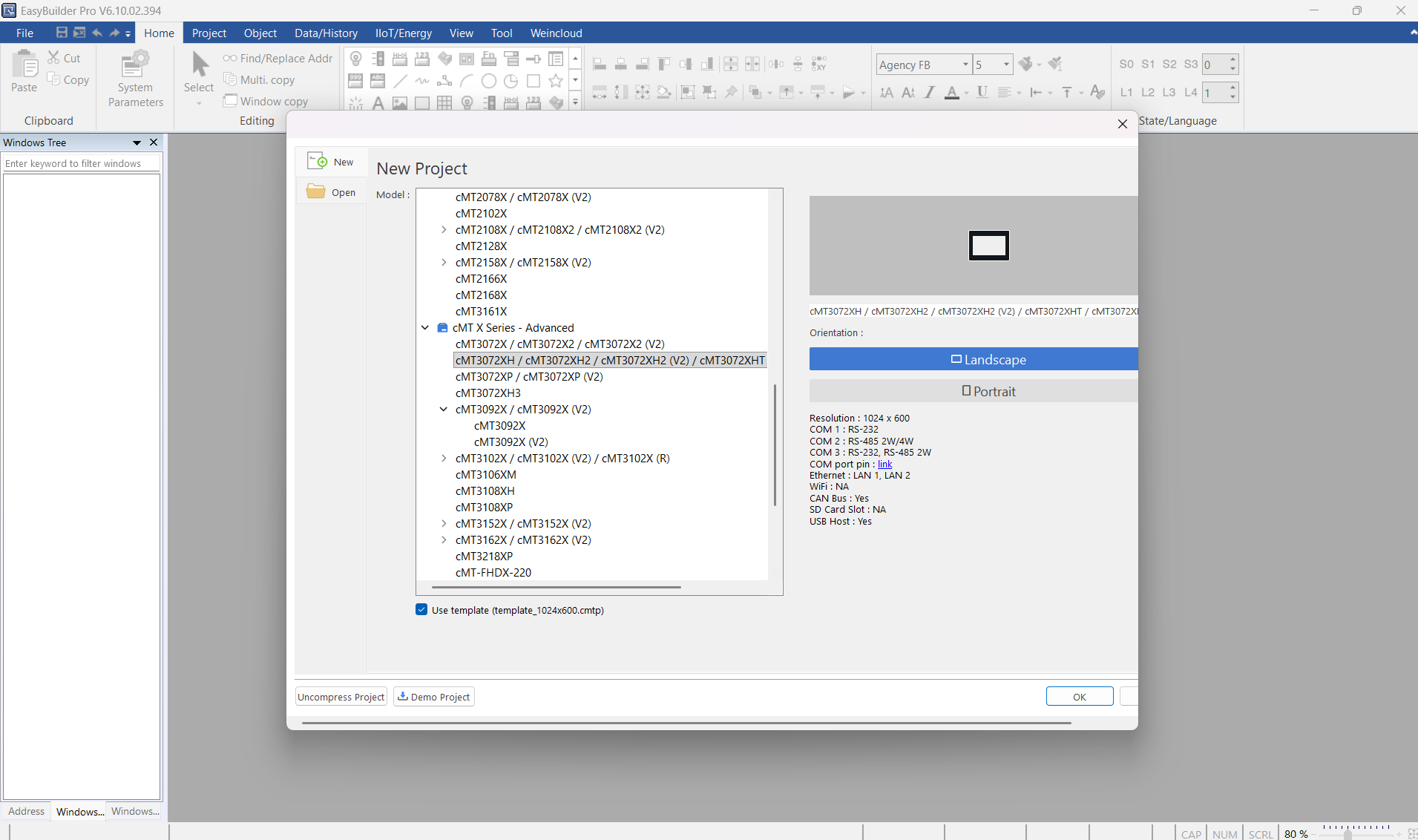
Open EasyBuilder Pro and create or open a project.
-
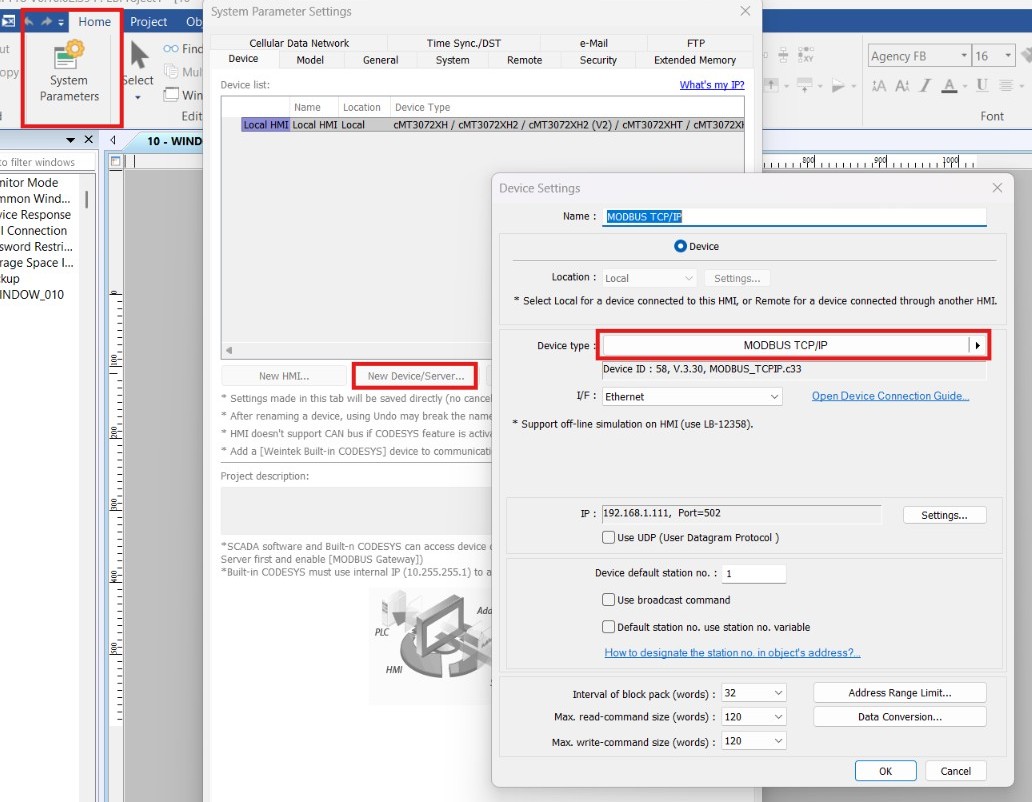
When creating a new project, select the desired HMI model when prompted. Then, click “System Parameters” under the “Home” tab then select “New Device/Server” to select the “Rockwell EtherNet/IP (CompactLogix) - Free Tag Names” driver.
-
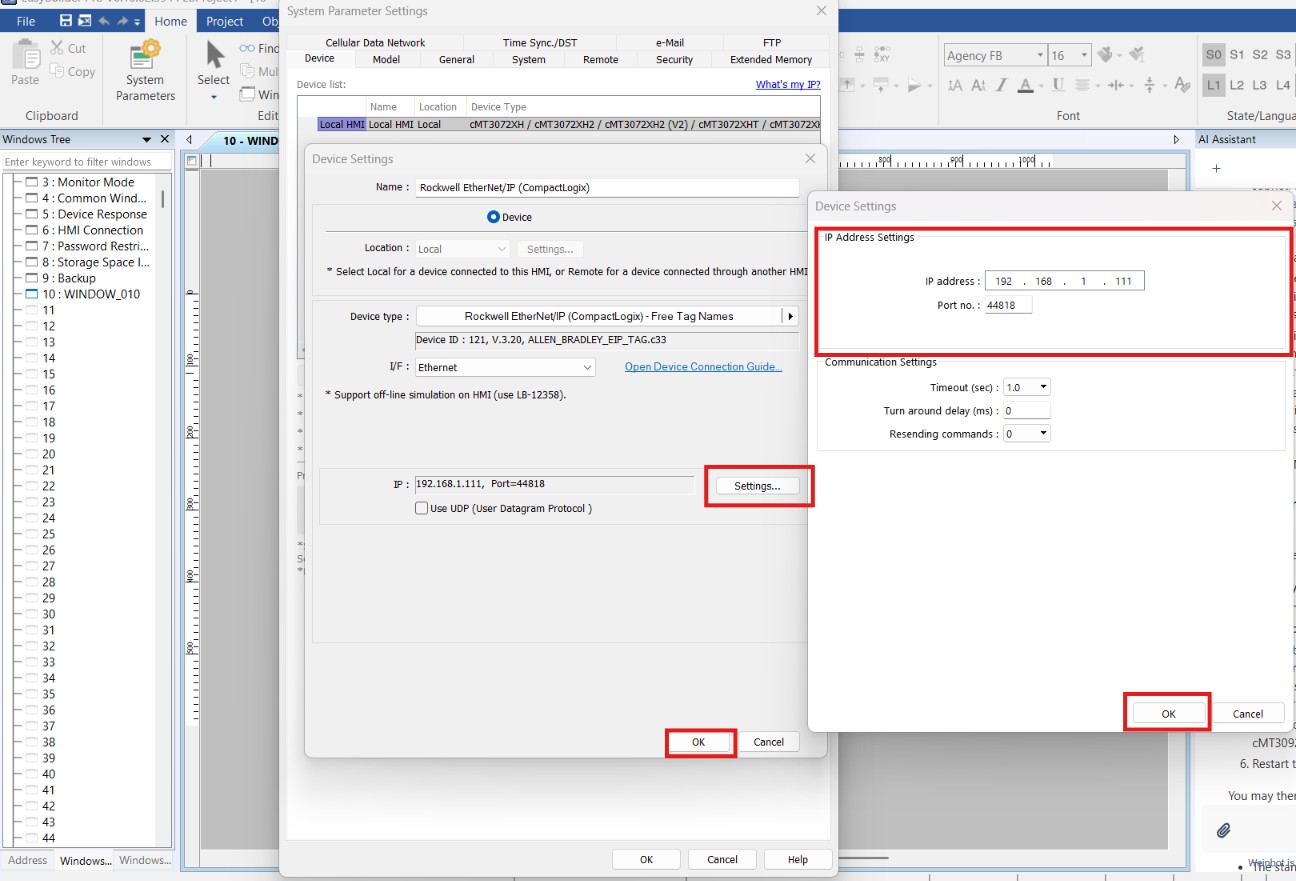
With the driver selected, click “Settings” and configure the IP address and other required communication parameters, then click “Ok” twice to return to the “System Parameters Settings” window.
-
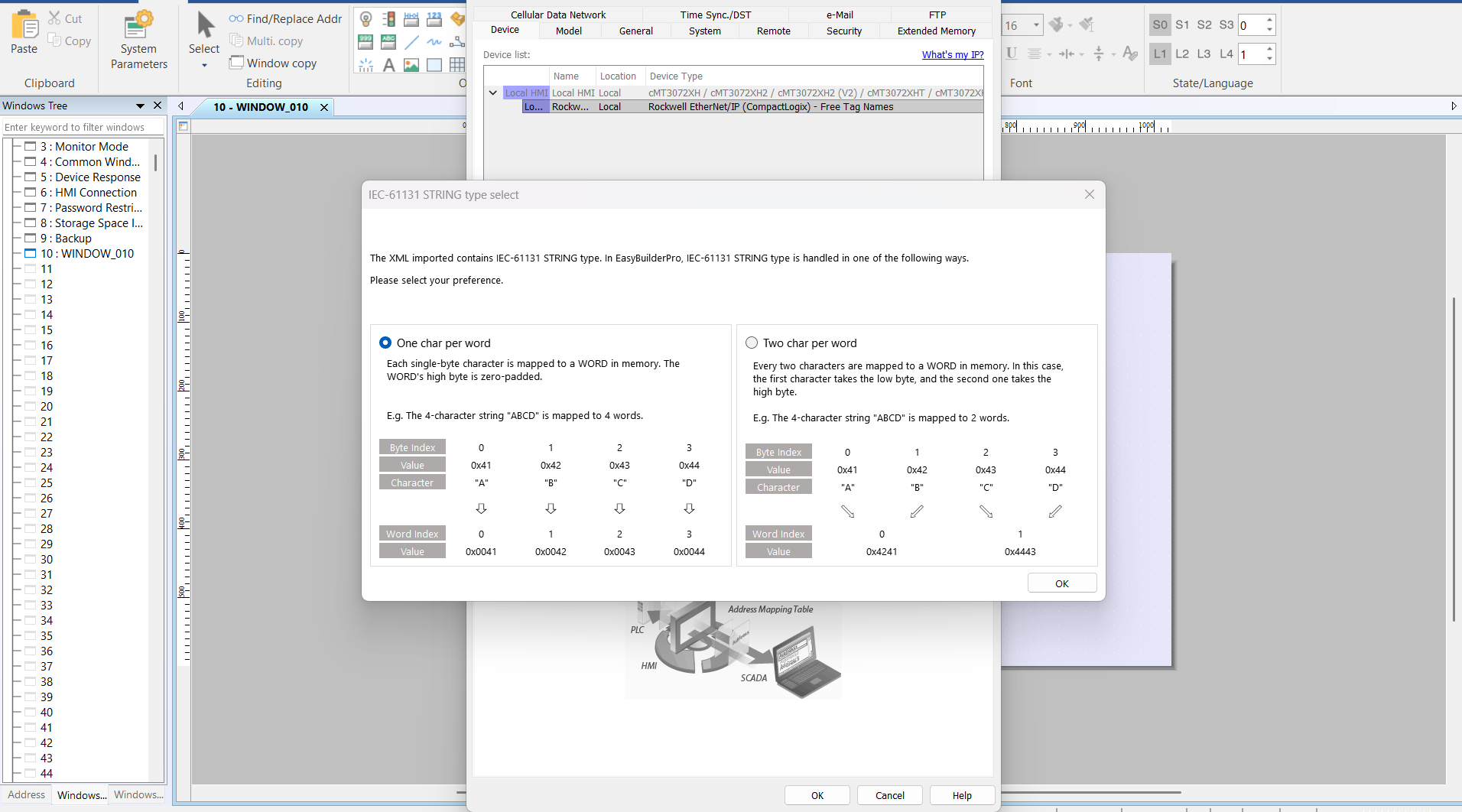
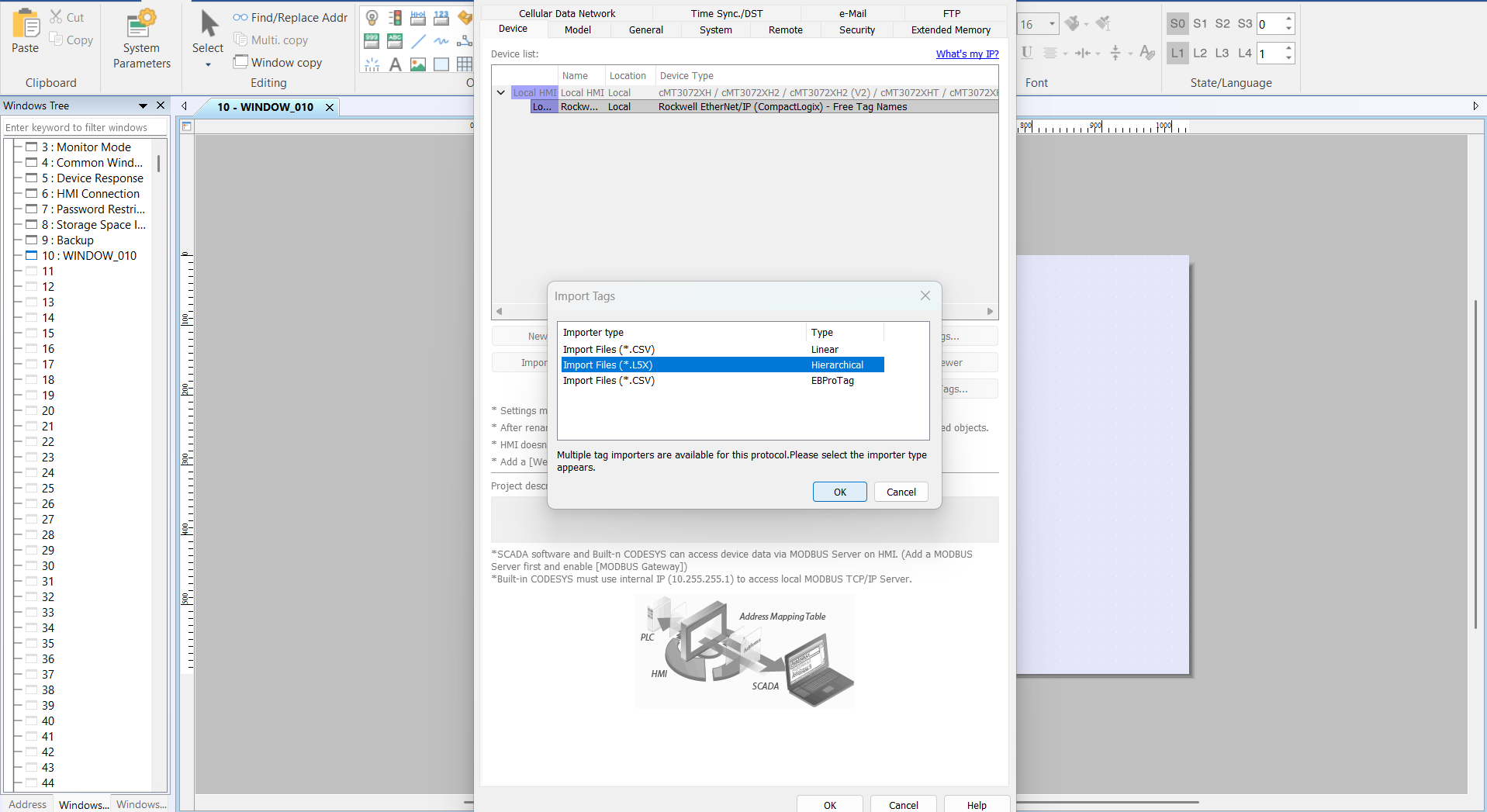
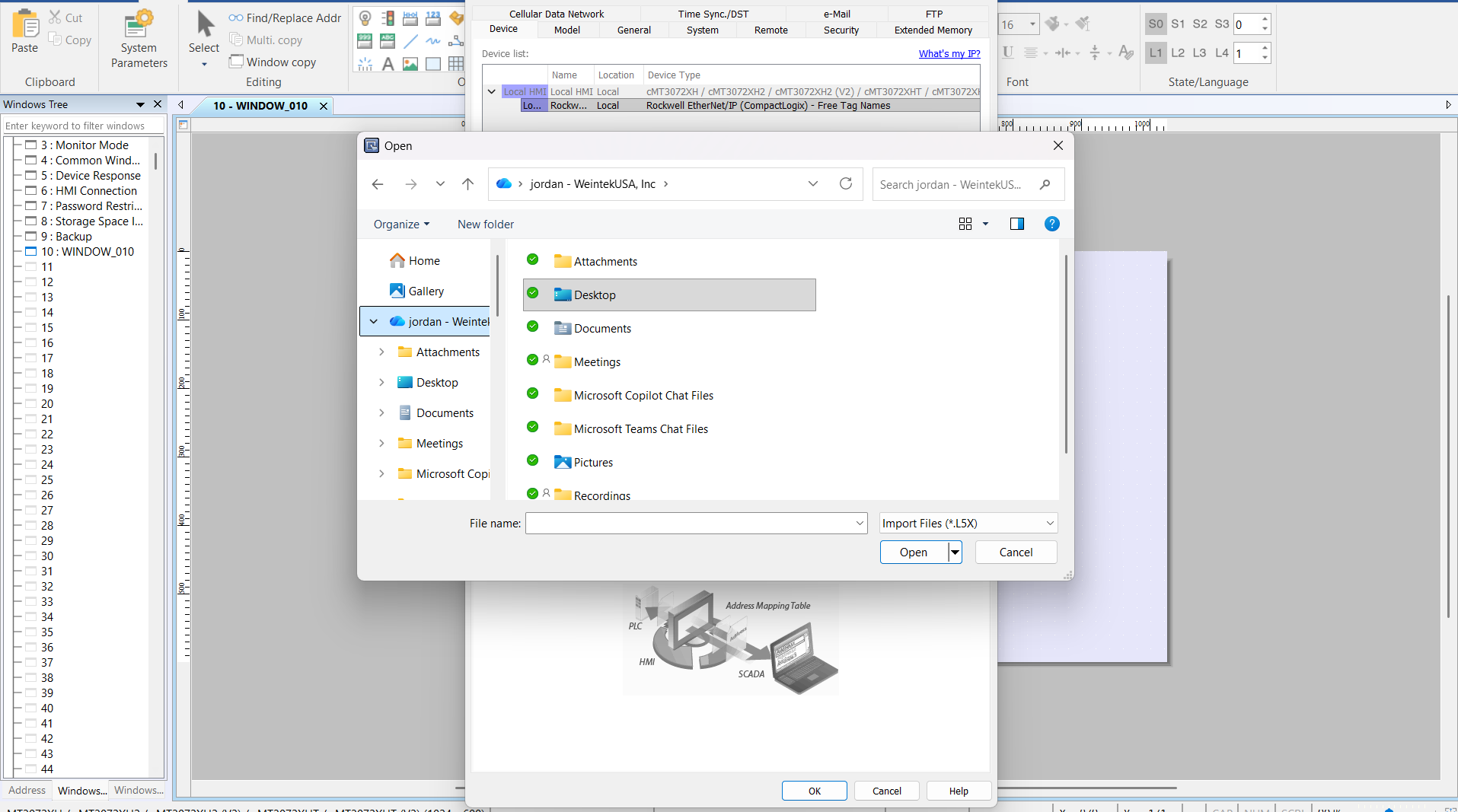
If your PC is connected to the PLC, click on “Get Tag Info” to import tags directly from the controller or select “Import Tags” to load the .L5X file. When prompted, select “One char per word”, then click “Import Files (Hierarchal)”.
-
In the popup window, select the correct file and choose the desired tags.
-
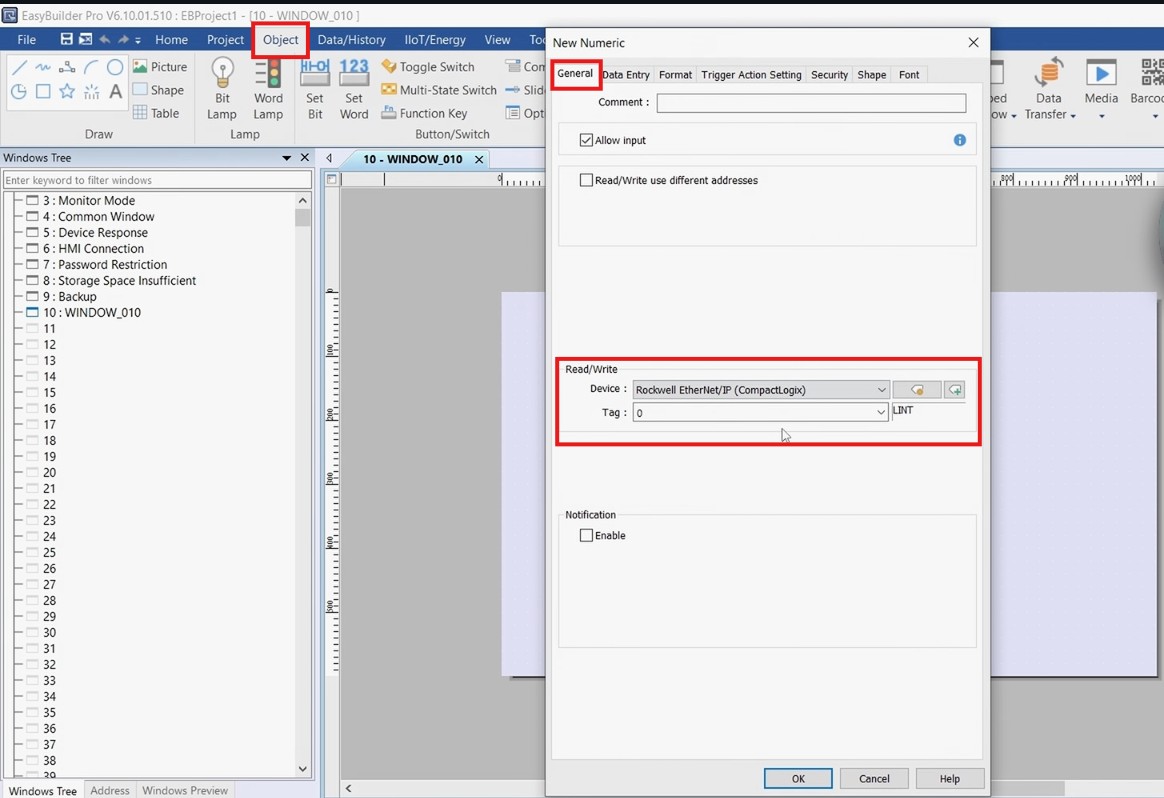
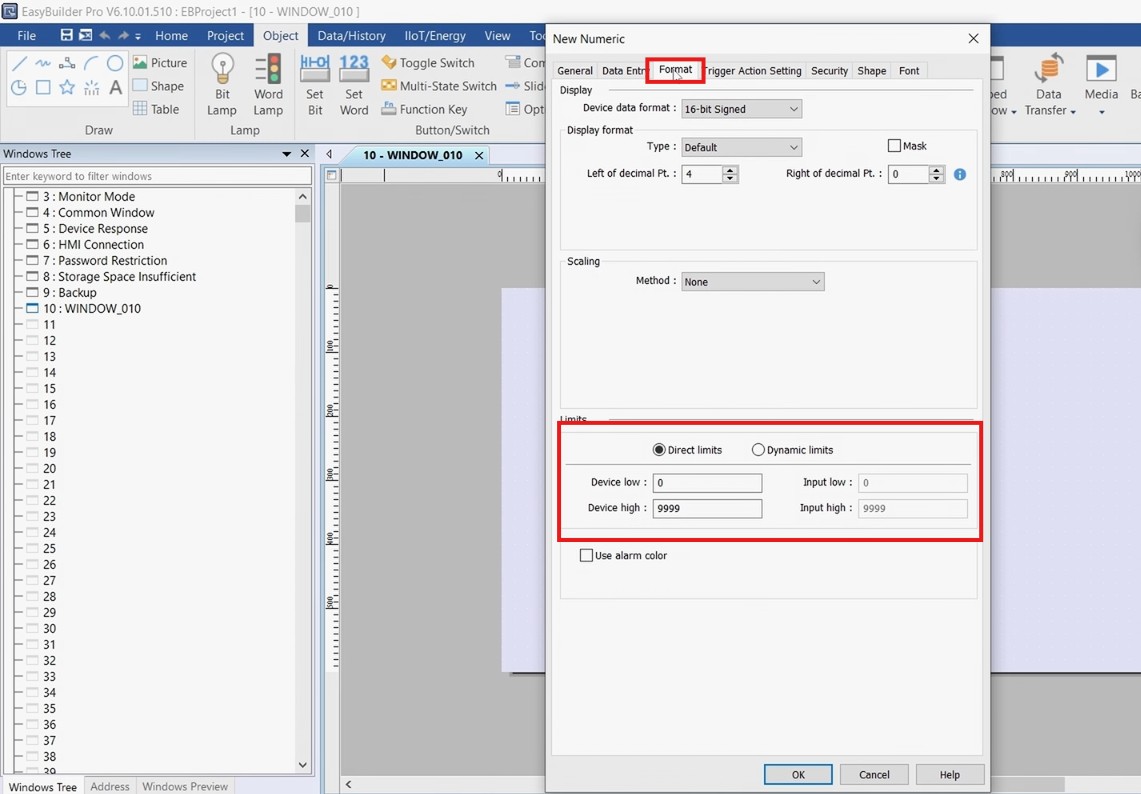
Create objects within the project as needed. In general, objects will have a “Tag” option for assigning PLC tags in the “General” tab, with additional parameters available under the remaining tabs.
-
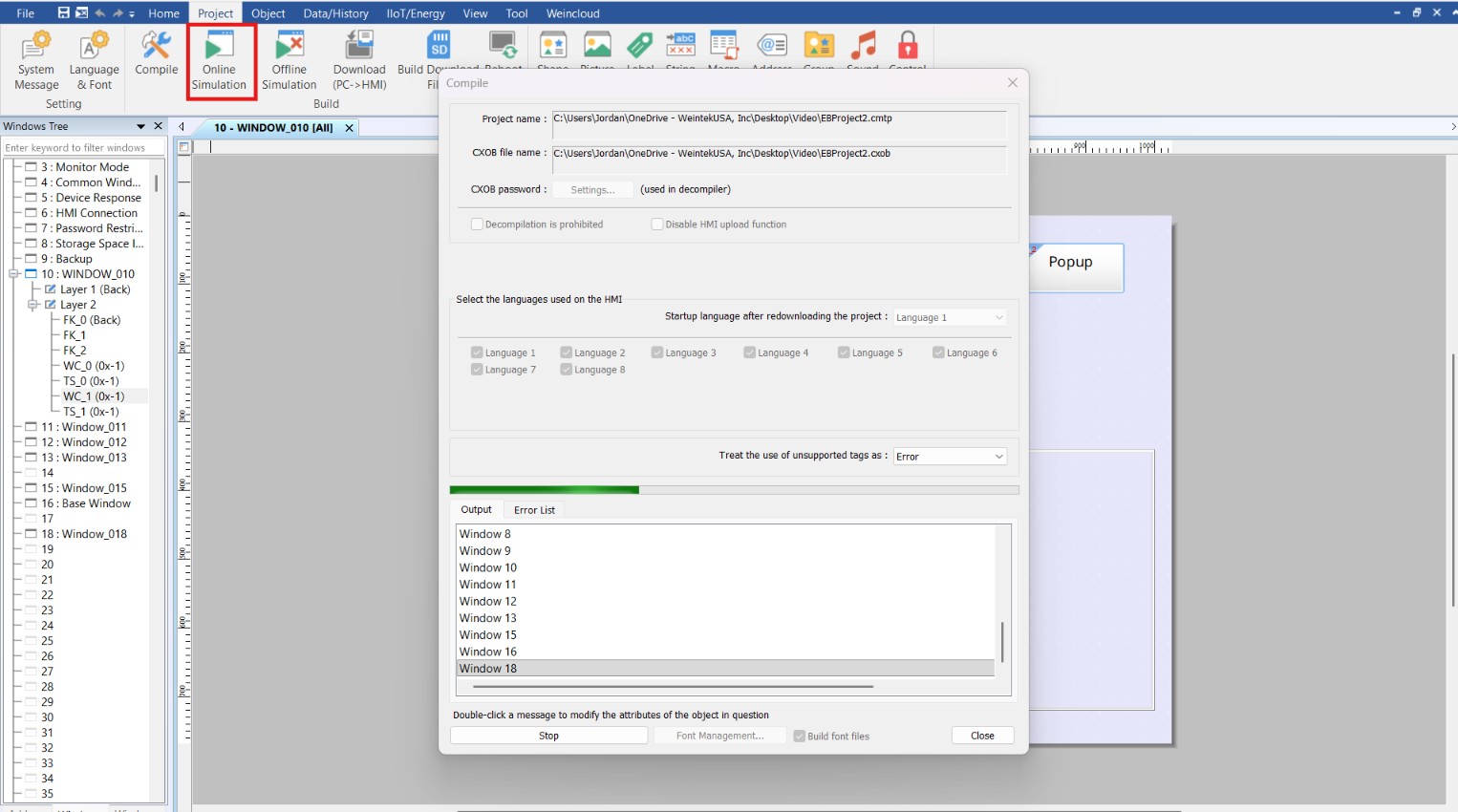
Run an “Online Simulation” to test the communication between the HMI and PLC.
Notes:
- Weintek software does not have one-size-fits-all approach to tag synchronization across different PLCs. Therefore, PLC tag imports need to be performed whenever new tags are added, tag names or data types change, or other modifications are made to the tags.
- For additional instructions on connecting a Weintek HMI and Allen-Bradley PLC, please refer to the video on our YouTube channel (Weintek USA, Inc.).
Logix Designer is a trademark or registered trademark of Rockwell Automation.