-
HMI Model: cMT2078X
-
EasyBuilder Pro Version: 6.10.01.422
-
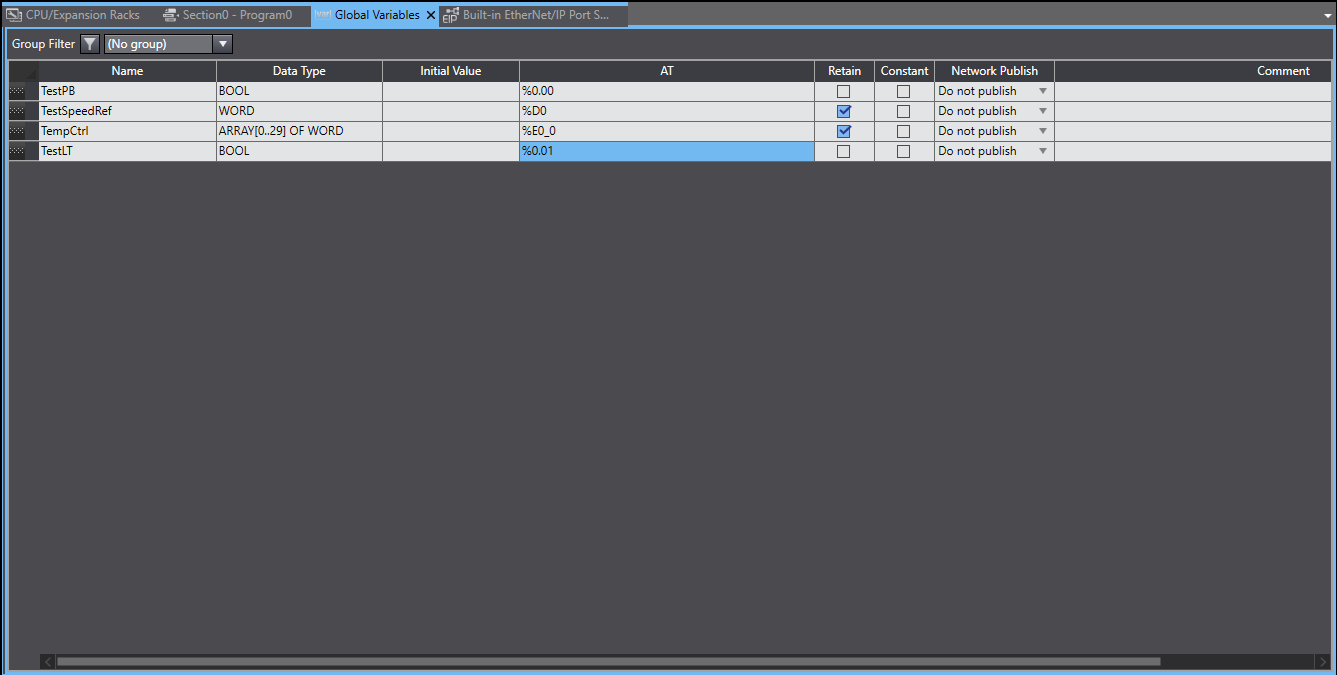
I am trying to establish communications with an NX102 using memory settings. The registers CIO, W, D, H have already been configured in Sysmac Studio. I believe the correct driver has been setup in EasyBuilder Pro. The test has yet to be successful. Please advise.
How to connect to an Omron NX102
https://forum.weintekusa.com/uploads/db0776/original/2X/e/e396a4145318d1e5388980ae0124fecb1ddd646f.png
none
0.0
0
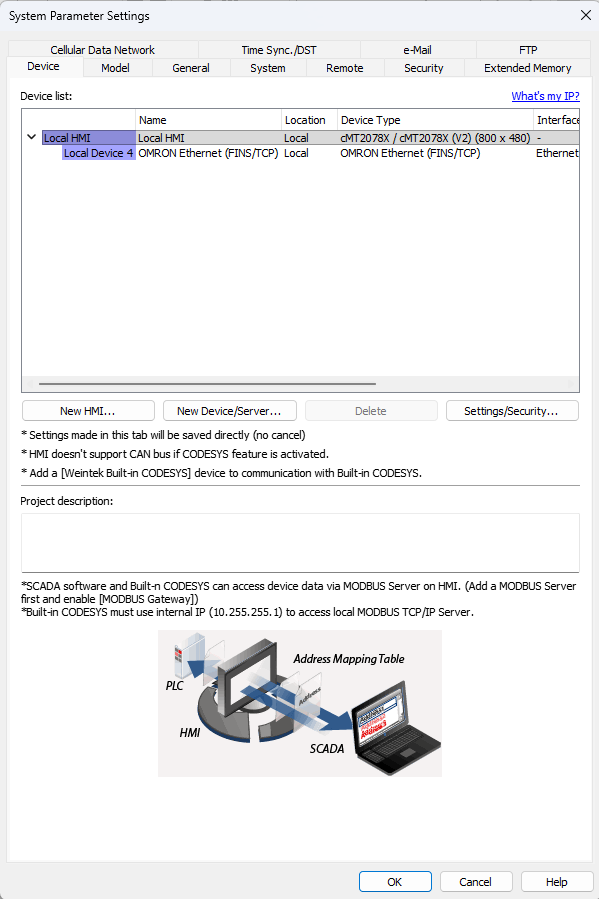
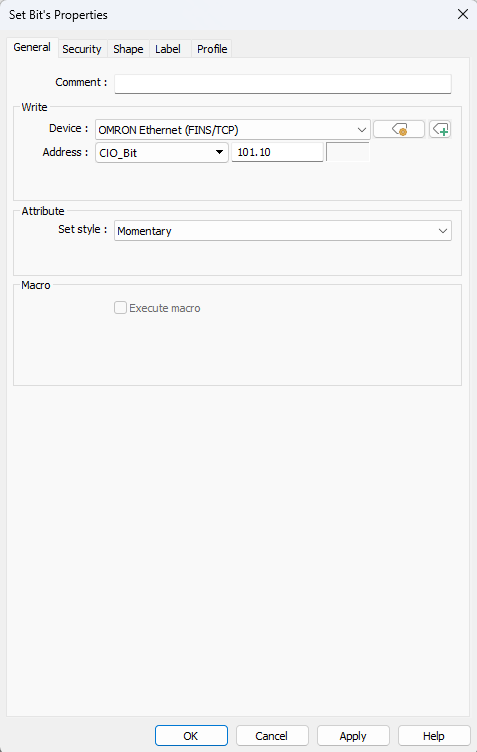
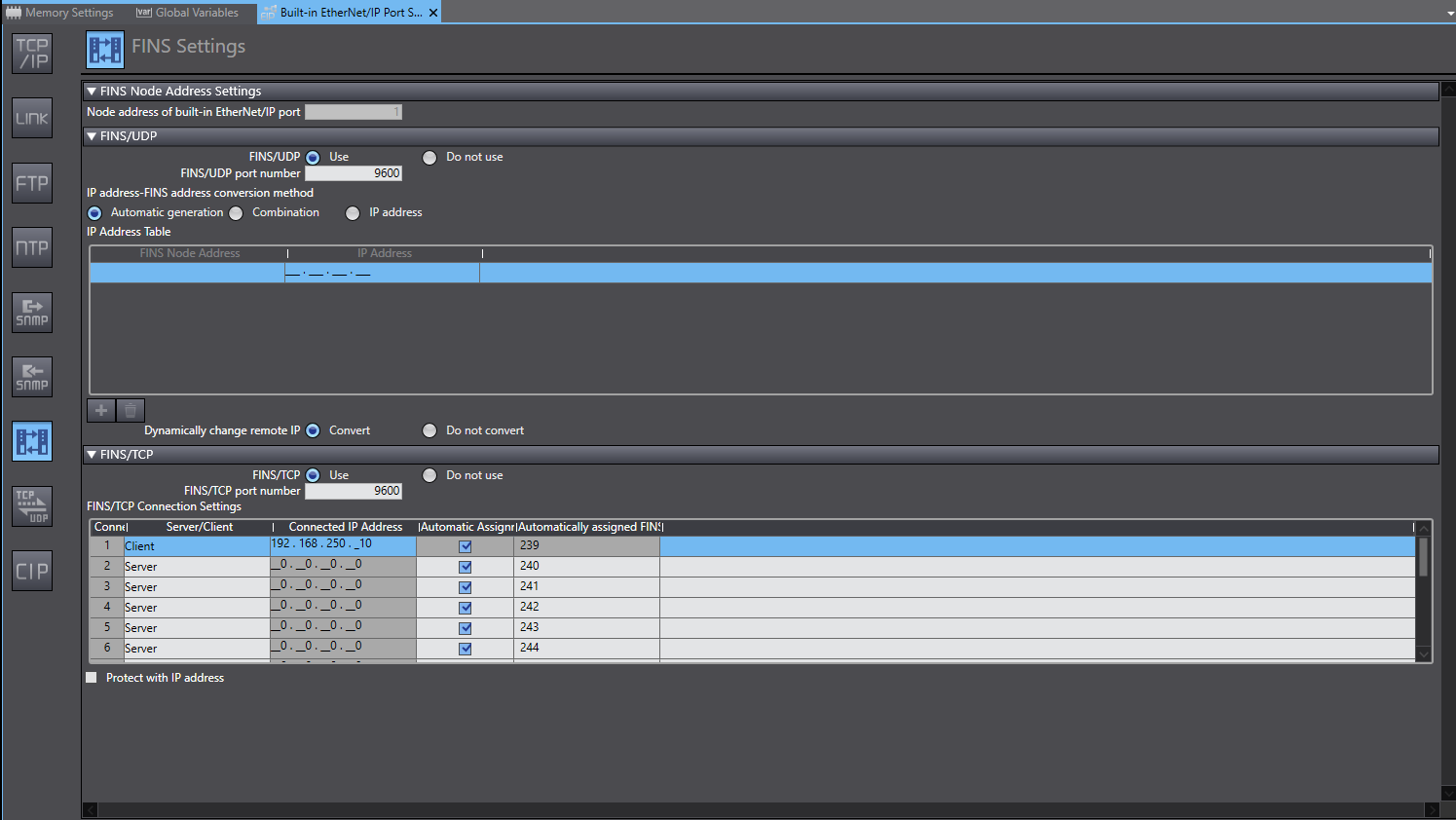

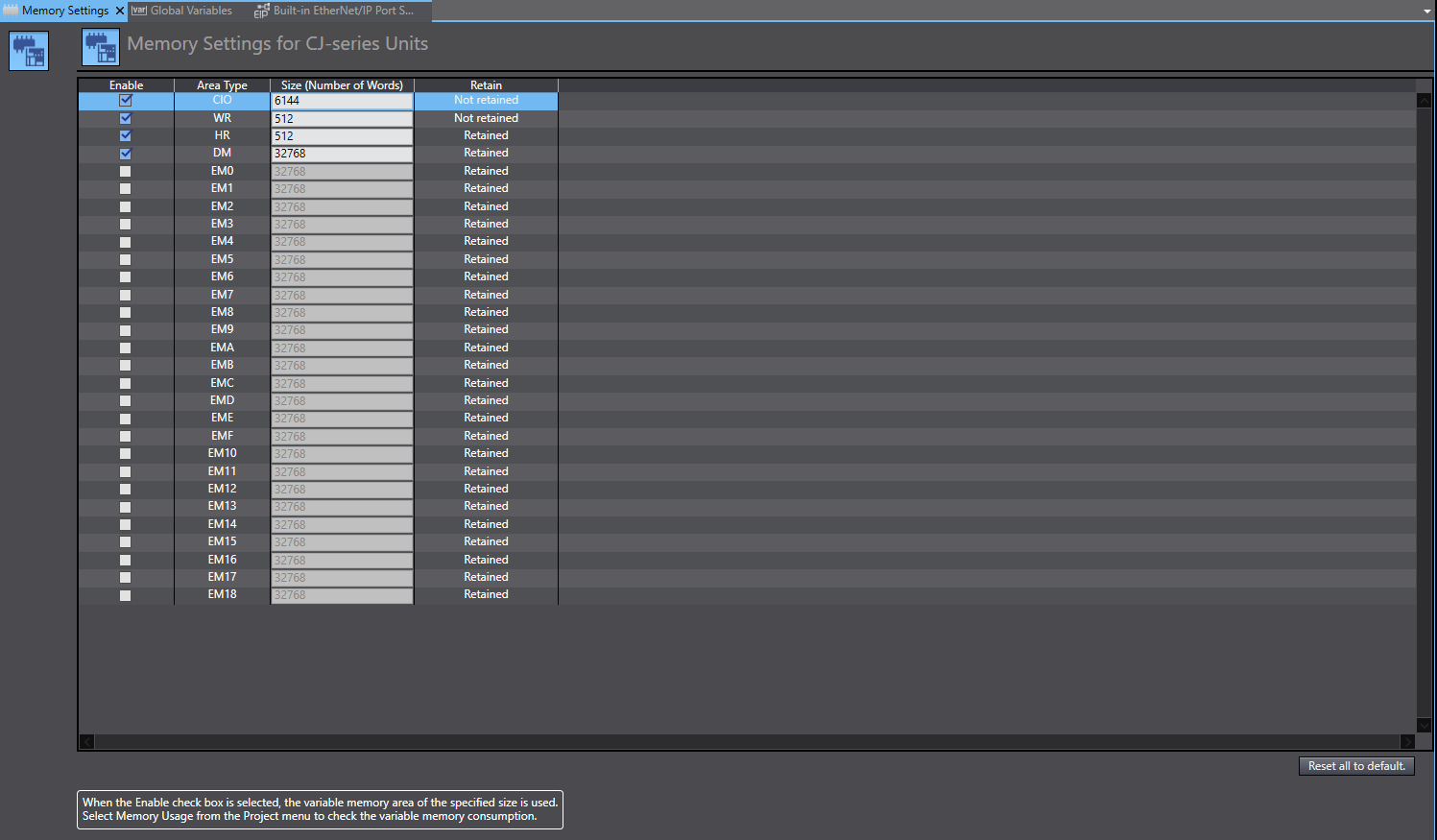
Hi @Jdutt ,
Thank you for contributing to our forum.
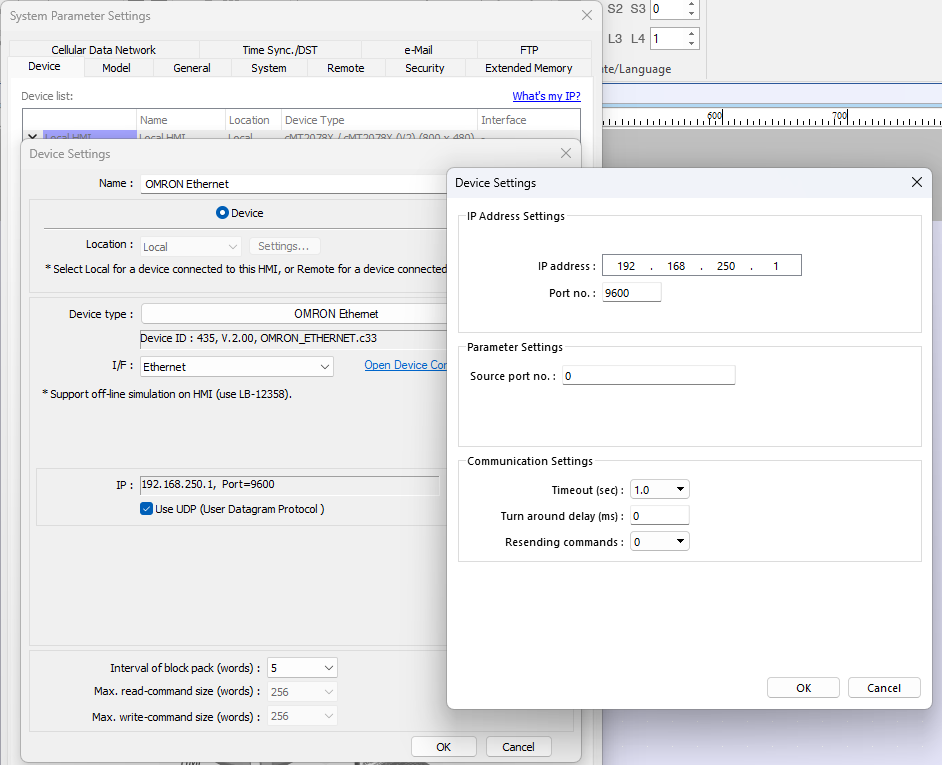
If you are trying to connect to the PLC using its memory registers, please try the OMRON Ethernet driver. Here is the PLC connection guide: LINK
Please let us know your findings
Hello Aaron,
Thank you for the reply.
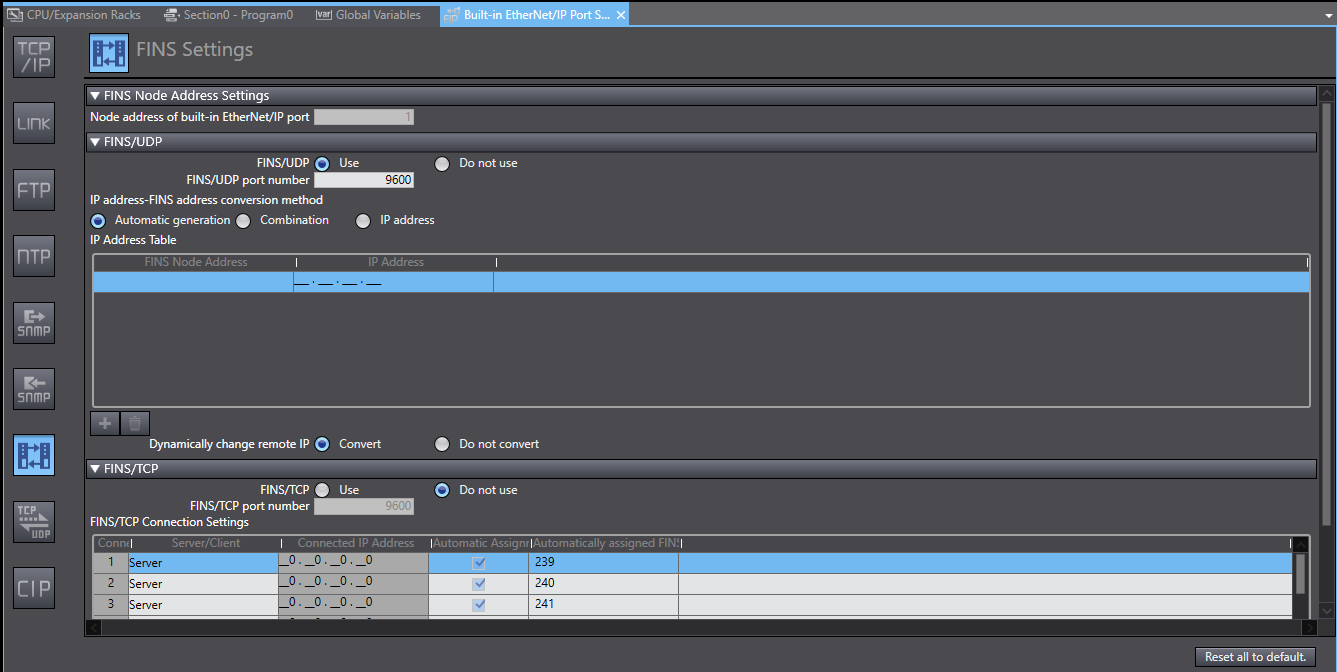
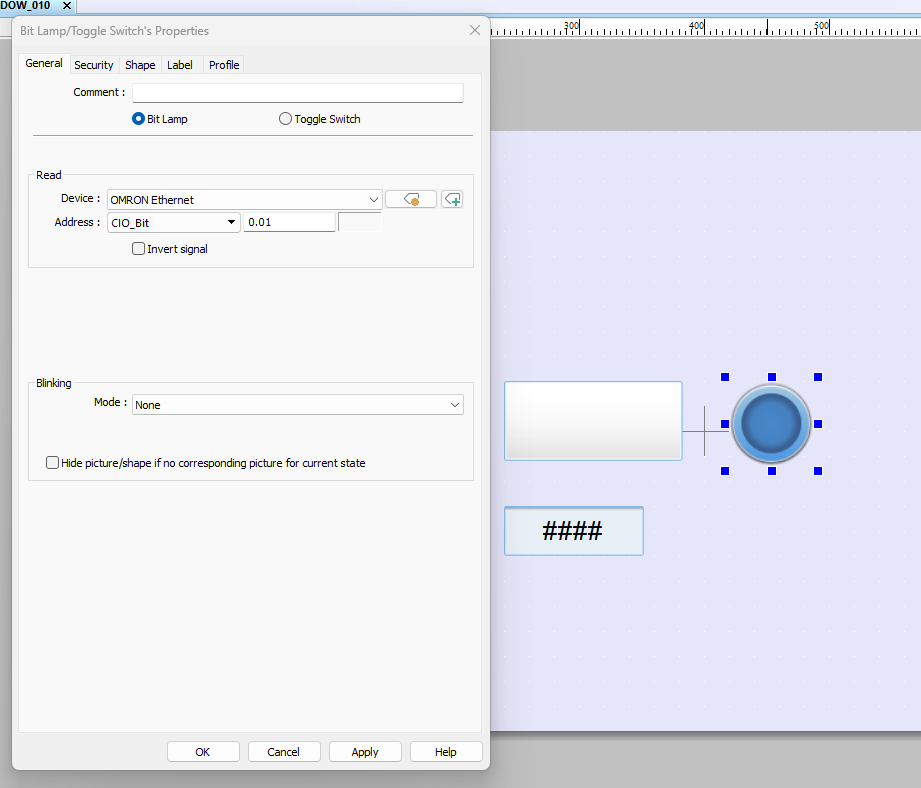
I have implemented the settings as the document recommends. There is still no comms between the devices.
There is a comms error on the HMI and the lamp object is invisible.
Please advise.
Hi @Jdutt ,
Just for our clarification, could you provide us with the IP of LAN 1 and LAN 2 of your HMI?Also, is the HMI connected directly to the OMRON PLC or are you using a switch of some kind?
We like to ensure that LAN 1 and LAN 2 are configured to be on different subnets. For example if LAN 1 has an IP of 192.168.10.10 and LAN2 has an IP of 192.168.10.11 This can create routing conflicts and can cause packet drops from the PLC.
If you haven’t done so yet, could you please try connecting the HMI directly to the PLC without using a switch and ensure the use of different subnets? Let us know if the issue persists.
Here is a helpful video from our YouTube channel about how to check your LAN 1 and LAN2 IP. I’ll link it here.
Initially I had the ports on the HMI bridge with no network switch.
Now the HMI ports are separate with unique subnets. All network cables are terminated at an unmanaged Wago 582-111 switch.
@Jdutt ,
I see, could you try creating just a simple project with one object (ex. toggle switch or bit lamp) and map that to a single register from the PLC? Just to eliminate the possibility of tags being mismatched or being routed incorrectly. We have seen in the past with a similar OMRON NX PLC that if one tag is misconfigured or missing on the PLC side that can also cause a drop in communication.
I just tried that. Device No Response message is still present. Could we be looking at the wrong driver? I am currently trying each.
Hi @Jdutt,
I think your correct. Could you try the OMRON EtherNet/IP (NJ/NX Series) driver and see if the connection occurs.
Below is the connection guide. Please let us know the results.
I ended up using this driver with modern tag syntax, no addresses.
Hi @Jdutt,
Thank you for the update and just to confirm, is the communication issue resolved?
Just to add! I’ve been through this from personal experience, in this specific case. There are 2 ways to communicate that I’ve used and that work. Omron
Ethernet driver - no need to export variables
1- shown in the images, but missing: in Sysmac Studio/Global Variable/Network Publish/Publish Only(the tags you want to expose to the HMI) I Address in EBPRO.
Method 2 Omron NX/NJ driver - requires exporting the variables.
2- In Sysmac, you don’t need to allocate %w %h… in AT. In global variables: Studio/Global Variable/Network Publish/Publish Only (the tags you want to expose to the HMI) In Tools/Export Global Variables/CX Designer, Ctrl+C open txt, Ctrl+V.
In EBPRO, import into the tag manager and allocate to the objects.
2 Likes