- HMI Model: cmt-fhdx-820
- EasyBuilder Pro Version: 6.10.01.510
I have a query that is having a syntax error i believe…
RecipeQuery(“Select CutDepth FROM Code_Que1 WHERE CutNumb = 0”, cd0)
How do i need to define the Where variable, “0”
I have a query that is having a syntax error i believe…
RecipeQuery(“Select CutDepth FROM Code_Que1 WHERE CutNumb = 0”, cd0)
How do i need to define the Where variable, “0”
Hi @outbound6 ,
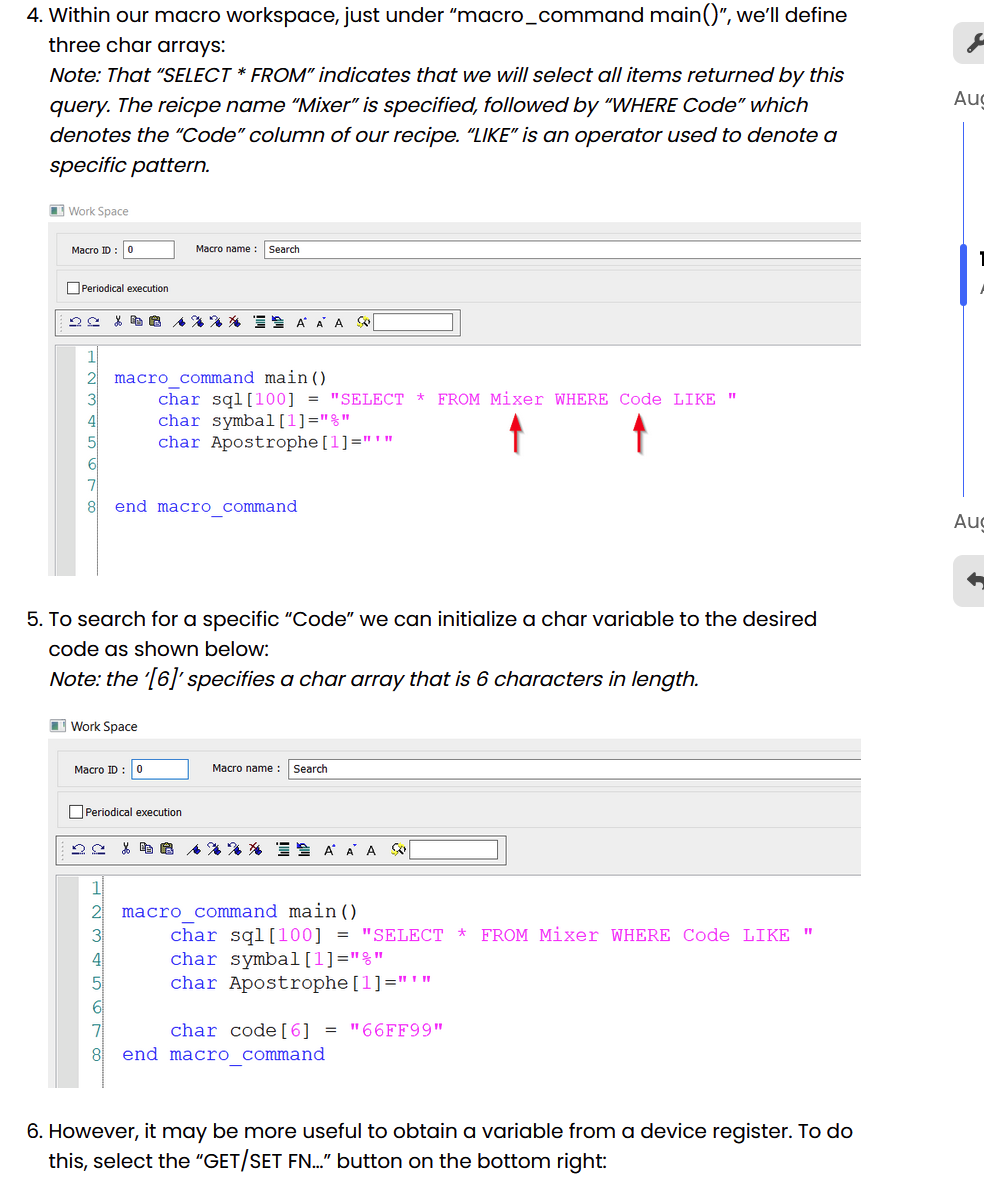
The recipe query function needs the SQL query to be held within the CHAR array. Below is a post that has examples of how to set this up. LINK
Please let us know if you have any additional questions
Im calling the statement from a macro….
Hi @outbound6 ,
Within the advanced section we had set up the recipe query request by placing in array of char. Would this step up work for your project?
OK, that worked, thanks!
Now, do you have a good example of a “UPDATE” statement running inside a macro?
Hi @outbound6 ,
Glad to hear that worked!
As for a update statement, the recipe quiery fucntion is only for quering the recipe. We recommend using the RecipeSetData or SetData function to update values. Below are examples:
Recipe Set Data Description: Writes data to recipe. If success, returns true, else, returns false.
recipe_address consists of recipe name and item name:
“recipe_name.item_name”.
record_ID specifies the ID number of the record in recipe being modified
Recipe Set Data Example:
macro_command main()
int data=99
char str[20]="abc"
int recordID
bool result
recordID = 0

result = RecipeSetData(data, "TypeA.item_weight", recordID)

// set data to recipe "TypeA", where item name is "item_weight" and therecord ID is 0.
recordID = 1
result = RecipeSetData(str[0], "TypeB.item_name", recordID)

// set data to recipe "TypeB", where item name is "item_name" and the record
ID is 1.

end macro_command
SetData Example:
macro_command main()

short x

SetData(x, "Local HMI", RECIPE, "test.Count")


end macro_command
Currently trying to select a range of rows within the recipe. Then step through each row within that range and updating a field within that row. (It would be nice if update worked…)
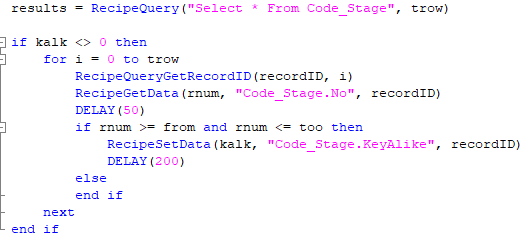
First issue is it will not update the correct row, assigned queried from “No” field as it steps though the range. (Always updating recordID “0”)
It’s seem the obtaining the recordID is an issue, any suggestion?
I was hoping the recordID is tried back to the original query but doesn’t seem so.
Hi @outbound6 ,
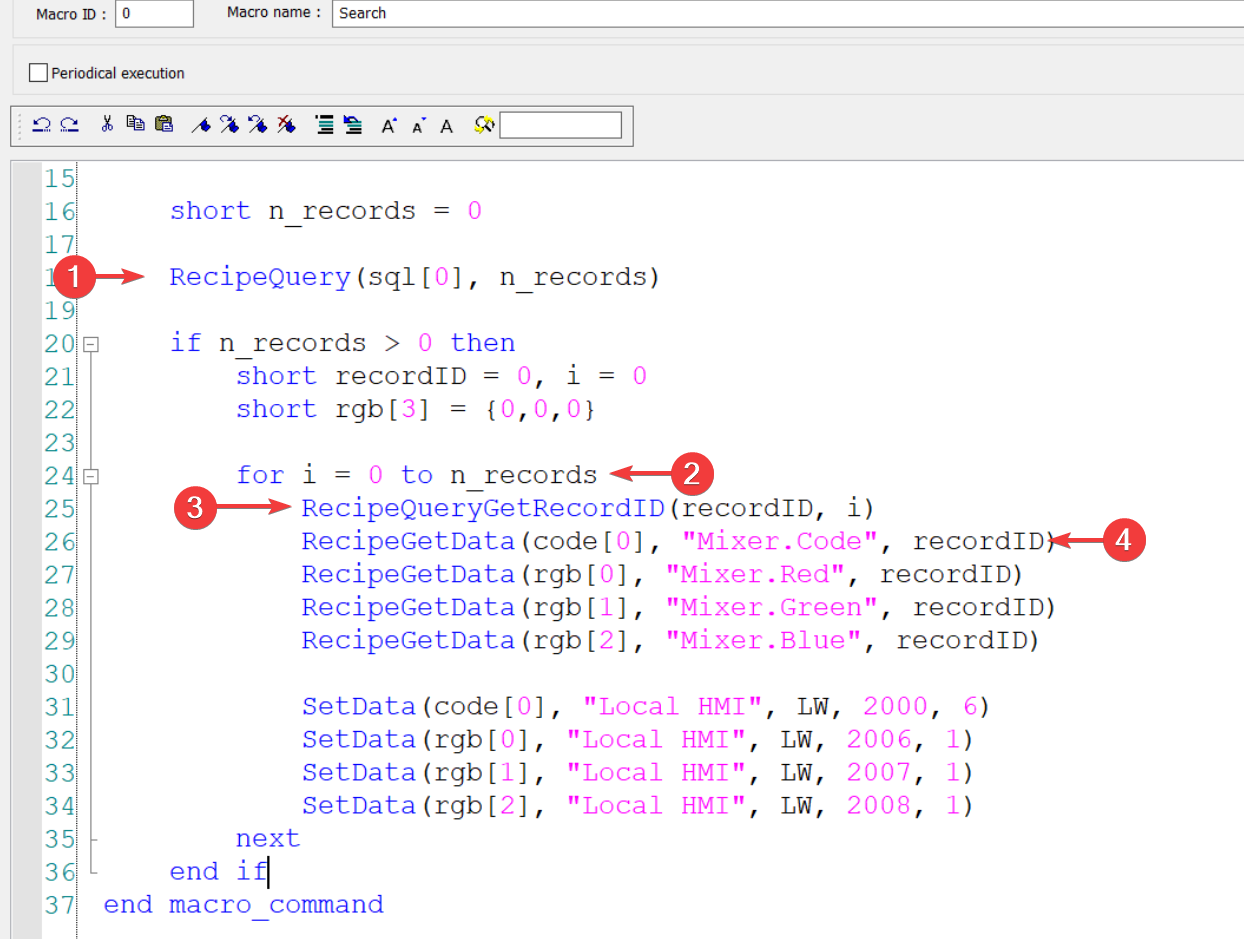
In your macro, you can move the RecipeQuery("SELECT * FROM ...", total_row) call outside of the for loop. RecipeQuery returns the number of records found and stores it in total_row.
Then, use total_row to control the loop count—for example, for i = 0 to total_row - 1—and call RecipeQueryGetRecordID(recordID, i) inside the loop. This retrieves the record ID for the i-th row in the query results and writes that ID into recordID.
Once you have recordID, you can use it with functions like RecipeGetData(..., recordID) and RecipeSetData(..., recordID) to read from or write to that specific recipe record.
Below is a example of the set up. Please let me know if you have any questions. Futhermore, if you want to install breakpoints to further investigate your macro here is a article to help you debug your macro. LINK
Just to add more clarity, i don’t think i did a good job.
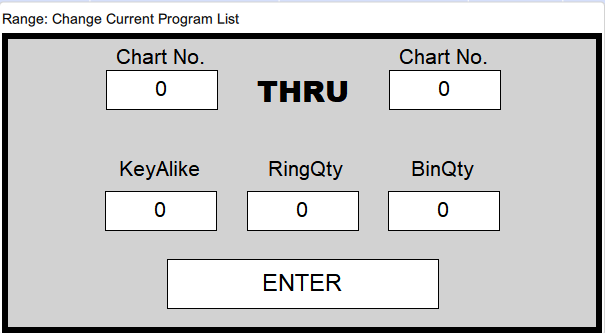
I have a recipe “A”, within that recipe the user can select a range of lines they want to modify. The range is determine by a “No” field within the recipe “A”.
Recipe “A”: (Field in Red rectangle is range determination)

So example…
User selected “No” 5 thru 15 within recipe “A”, within that selection they are modifying the “RingQty” field.
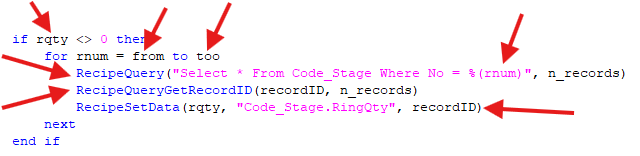
Within the range a query is driven from the “No” field.
rqty = RingQty object box (Numeric)
from => Chart “No” starting range
too => Chart “No” ending range
Using this code, RecipeQueryGetRecordID will always return “0”, thus when the RecipeSetData runs it’s changing the recordID “0” within the entire recipe. This isn’t what i was assuming this would do, i thought the recordID would be captured from the proceeding RecipeQuery.
Using your example this will capture all the records within the recipe, at this point i need a way to select and update the row of data based on the “No” field and recordID field?
I hope this clarities what I’m searching for…
Thanks.
Hi @outbound6,
I did not see any issues in your most recent code.