- HMI Model: cmt-fhdx-820
- EasyBuilder Pro Version: 6.10.01.510
Is there a way to increment through a recipe with an object but, button would essentially be selecting the next row and so on…
Example i have a recipe with 20 rows, when i open this into a recipe view object it will default (selection) to the first line within that recipe.
Now, using an object button I would like to select line two, three, four and so on…
Hi @outbound6 ,
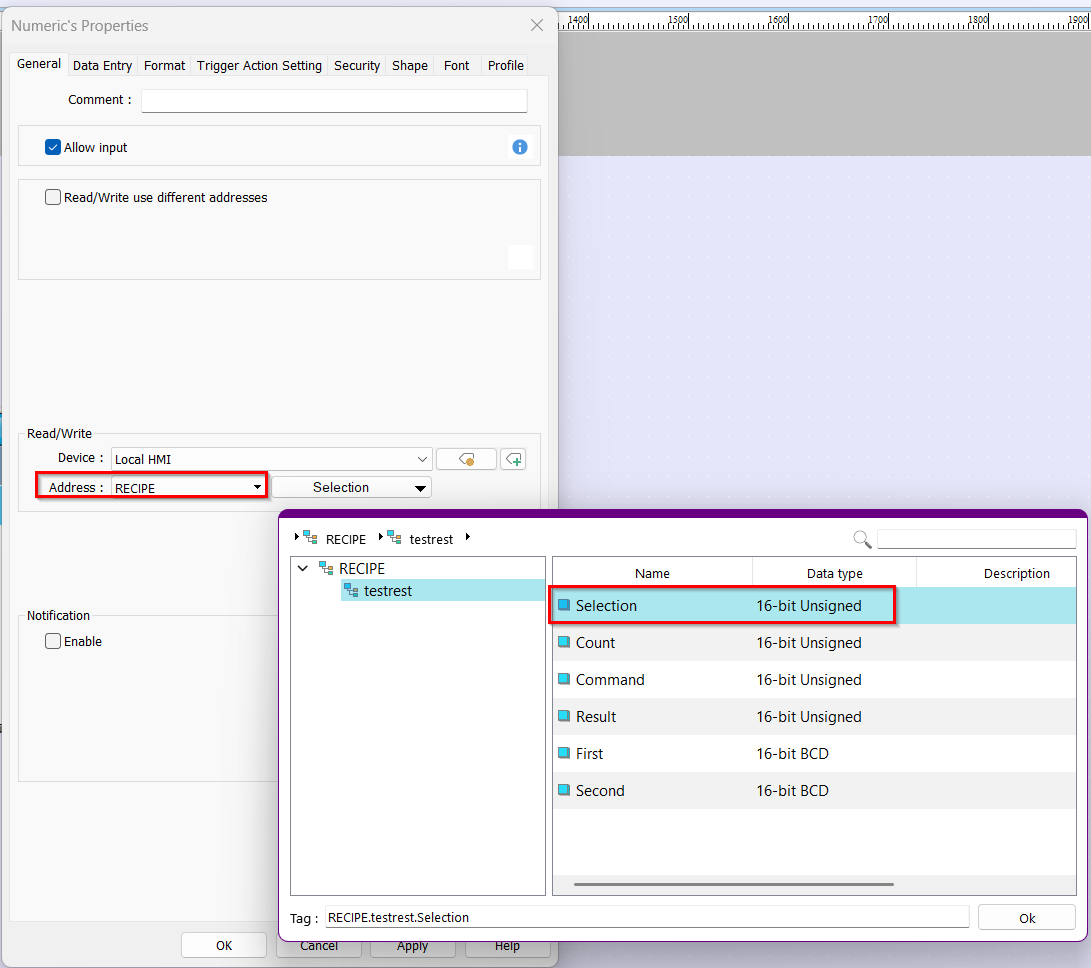
Thank you for your question. To select rows within your Recipe View object, you can assign a Numeric object to the RECIPE Selection memory address. This will select the row that corresponds to the value entered in the Numeric object. Below is an image showing what this looks like. Please note that a recipe must be created before the RECIPE option appears for the object.
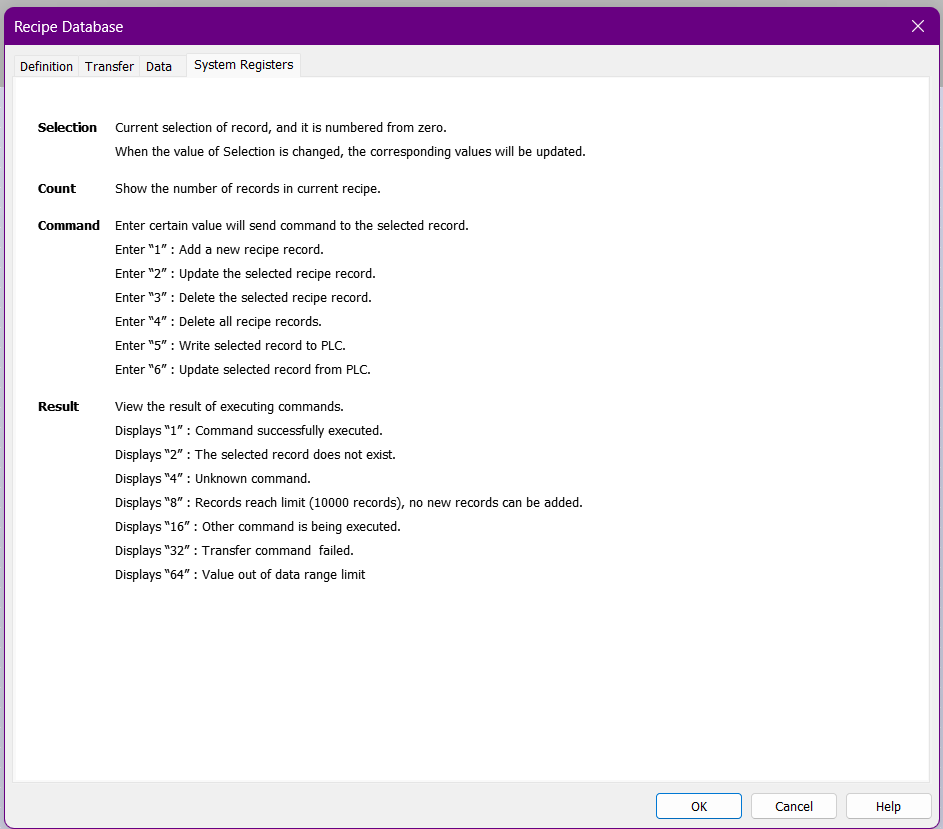
The second image shows how to use the Count, Command, or Result addresses of the recipe object within your project.
Please let me know if you have any other questions.
@outbound6,
You can also assign the RECIPE selection address to a “Set Word” button as well.