- HMI Model: MT80711P2
- EasyBuilder Pro Version:
6.10.01.456
Hi @Avi92 ,
Thank you for contributing to our forum.
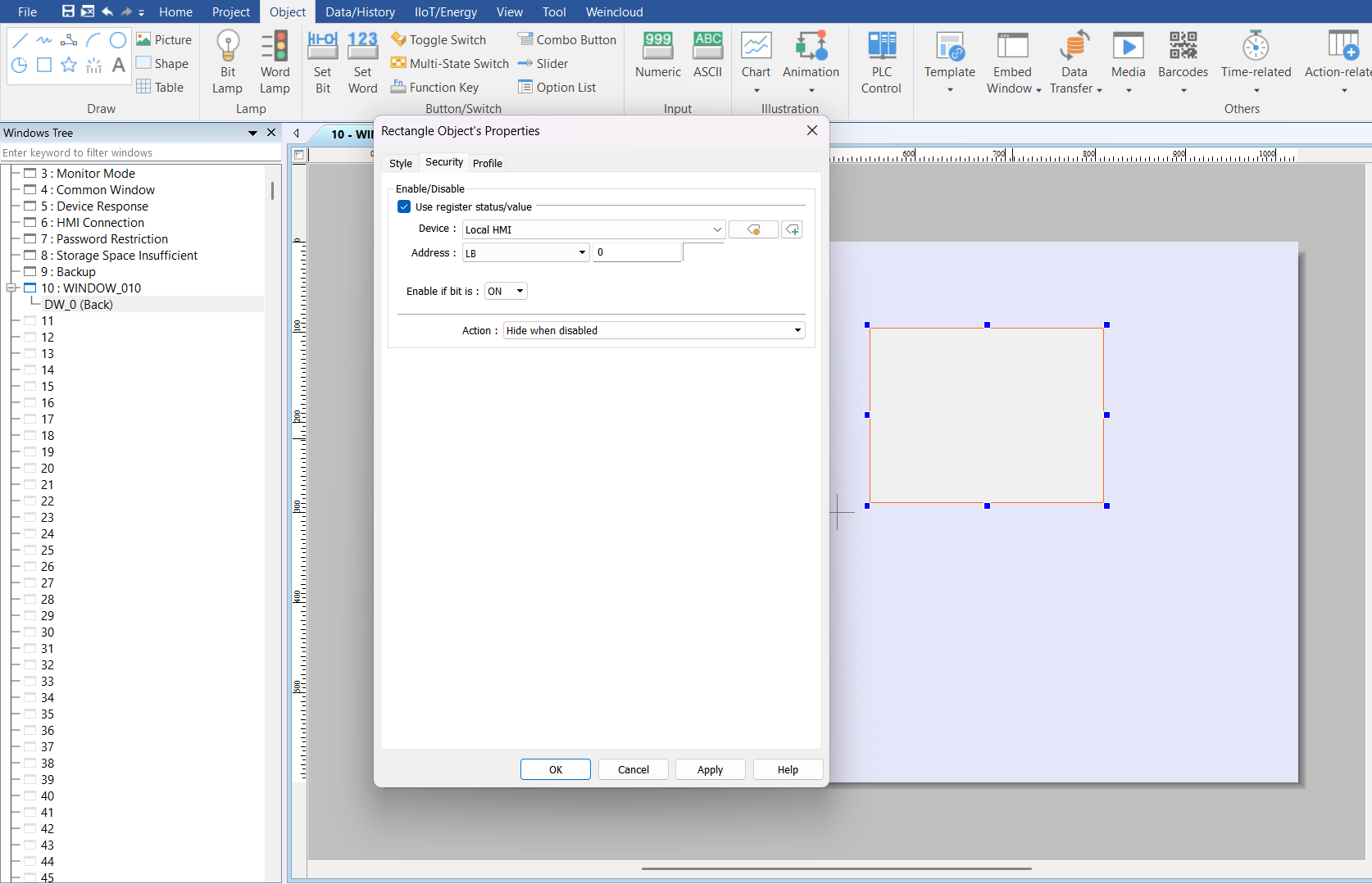
To control the visibility of shapes and objects within Easy Builder pro we recommend using the security tab within the object. Below is a video on how a boolean object is used to control the visibility of a object.
Please let us know if you have any other questions.
How to control the visibility of an object with a Boolean variable - Weintek USA
Sorry, I sent the previous message before I had a chance to write it. I’m familiar with visibility of objects and use it in all my designs, but I’m looking to make shapes disappear from the screen as well. Shapes seem to have “Object Class” only under the security tab. Is there a trick to change their viability?
Hi @Avi92 ,
Absolutely no worries! If you’re looking to hide shapes without using the “User class restriction” my best recommendation would be to use the “Draw” tools on the top left of the “Object” tab. That will allow you to control the visibility with bits, as you are already familiar with. Another option could be to use the “Picture” object. You’ll have to upload your own images or library, but that should work for you as well.