- HMI Model: CMT-FHDX-820
- EasyBuilder Pro Version: 6.10.01.510
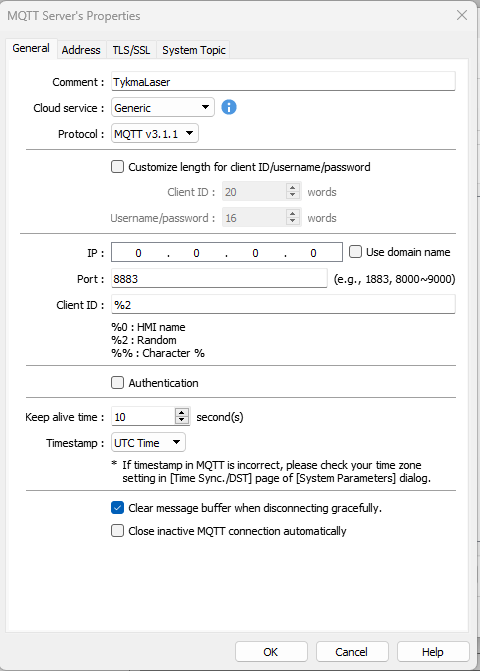
I’m trying to establish server settings to a local API application, how would i set this up under the server settings?
I’m trying to establish server settings to a local API application, how would i set this up under the server settings?
Hi @outbound6 ,
What type of server are you using locally?
Futhermore, in the video below there is a video on how to connect MQTT cloud to AWS IoT server for reference.
Thank you
Based on what I know about the FHDX series, the cMT is not an MQTT server (broker). In that configuration page, you are defining the remote MQTT server (broker) that the HMI will connect to.
The cMT works as an MQTT client (publisher/subscriber). You must have a broker running locally (for example, Mosquitto) or use a cloud service such as AWS IoT, Azure IoT, etc., and then configure its IP address, port, and security settings in that screen.
Hi @eddy_neves,
Thank you for chiming in! I just wanted to clarify that the cMT-FHDX-820 and other models can operate as a MQTT broker as well by specifying the loopback IP in these settings. Please see this link for more details: Link
Hi @outbound6,
What kind of API are you trying to connect to? The service selected above is should be used for MQTT connections specifically.
Hi Brendon, thanks for the clarification.
Understood — so the cMT is also capable of operating as an internal MQTT broker using the loopback IP. It’s good to know this option is available.
I’ll take this into consideration and think about possible applications where an internal broker would make sense.
Thanks!