Introduction:
In this post, we’ll explore different ways to protect your project file. This includes setting a password for compiling and decompiling a project, completely prohibiting project decompilation, preventing project file uploads to an HMI, and setting up a project key.
EXOB/CXOB File Passwords
Within EasyBuilder Pro, passwords can be applied to EXOB/CXOB files during project compilation. When attempting to decompile the project file afterward, the correct password must be entered to successfully decompile the file back into an EXOB/CXOB file for editing.
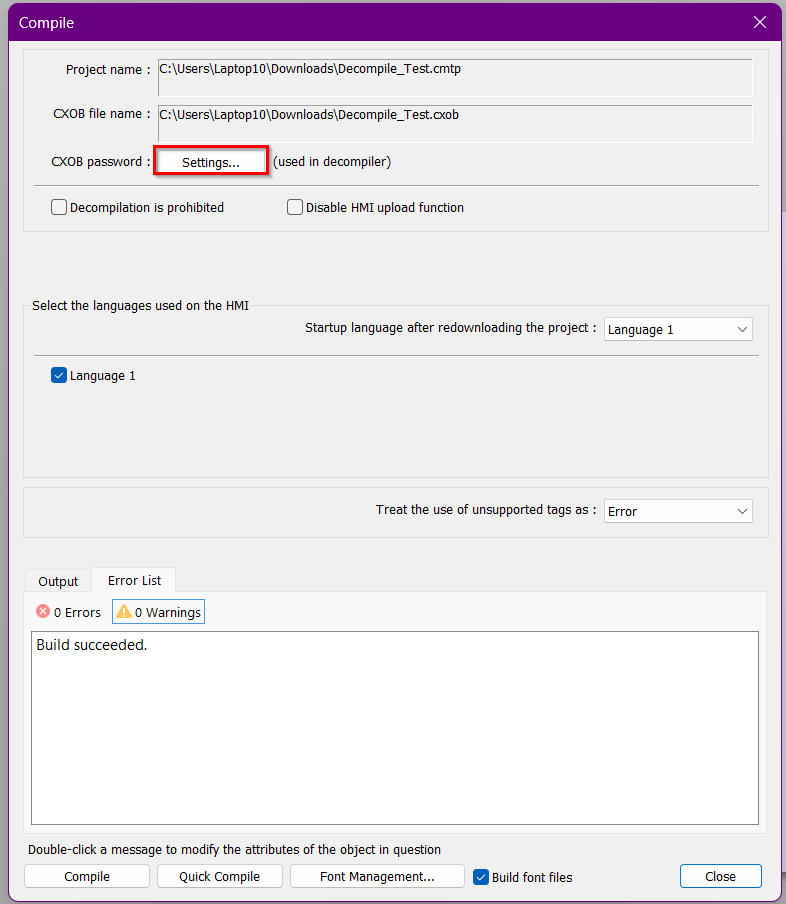
Compile Settings can be found within the Project Tab

Click on the “Settings…” button next to CXOB password
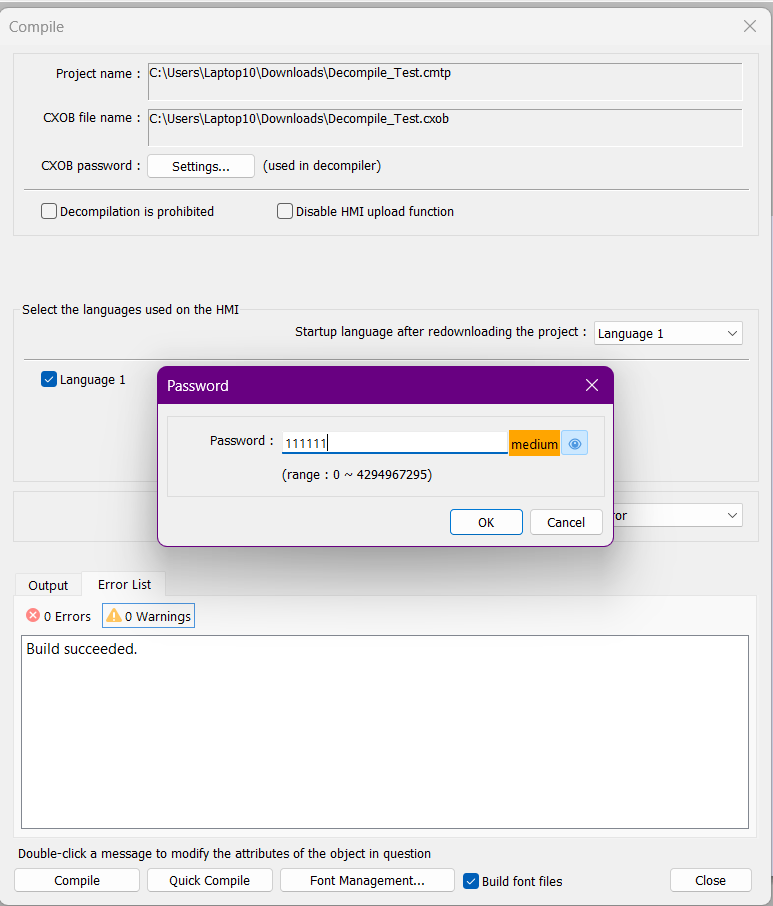
Enter the password you would like to us. “111111” is the default password
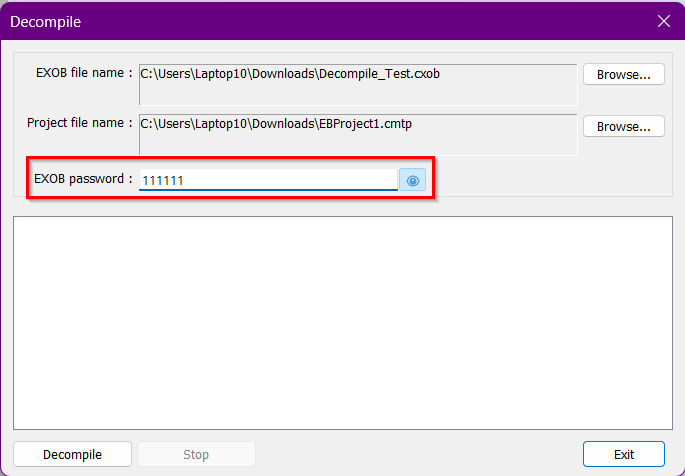
During decompile, passwords must match
Prohibiting Decompilation of a Project
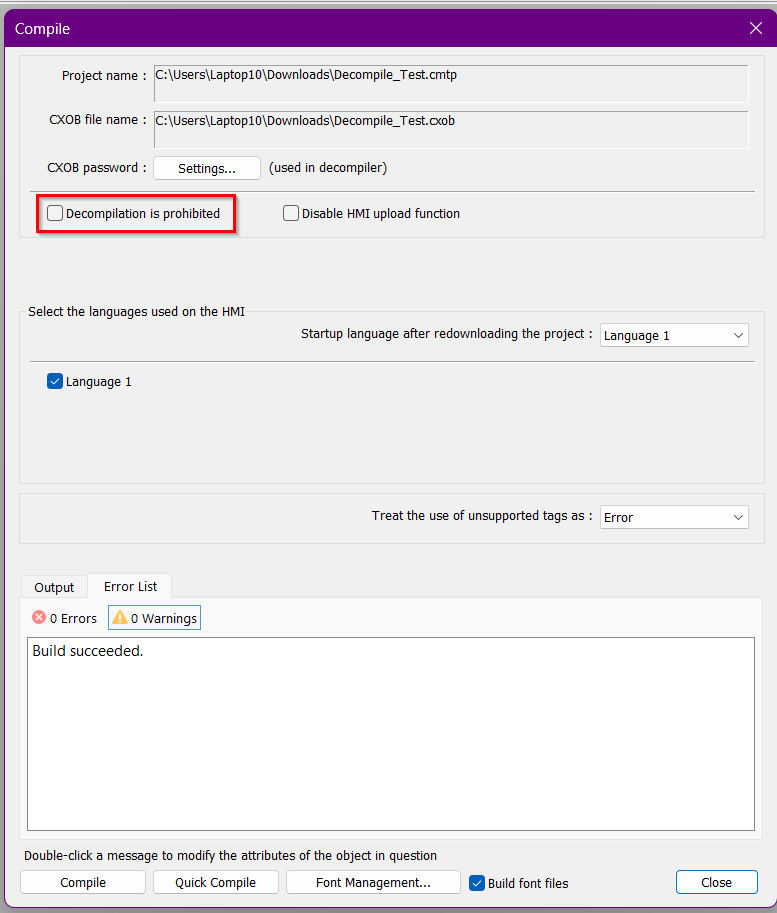
To never allow decompilation of a project please the check the “Decompilation is prohibited” check box within the Compile settings of the Project tab. This will lock the .exob/.cxob files to never allow for decompiling of project.
Compile Settings can be found within the Project Tab
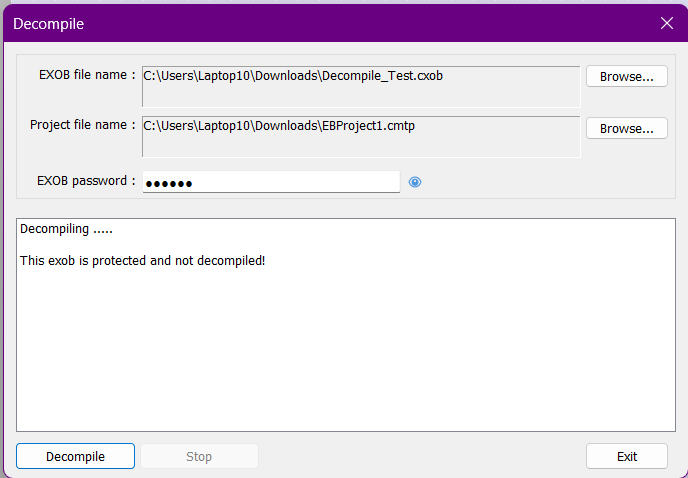
Error message will display if trying to decompile file
Disabling Project Upload to HMI
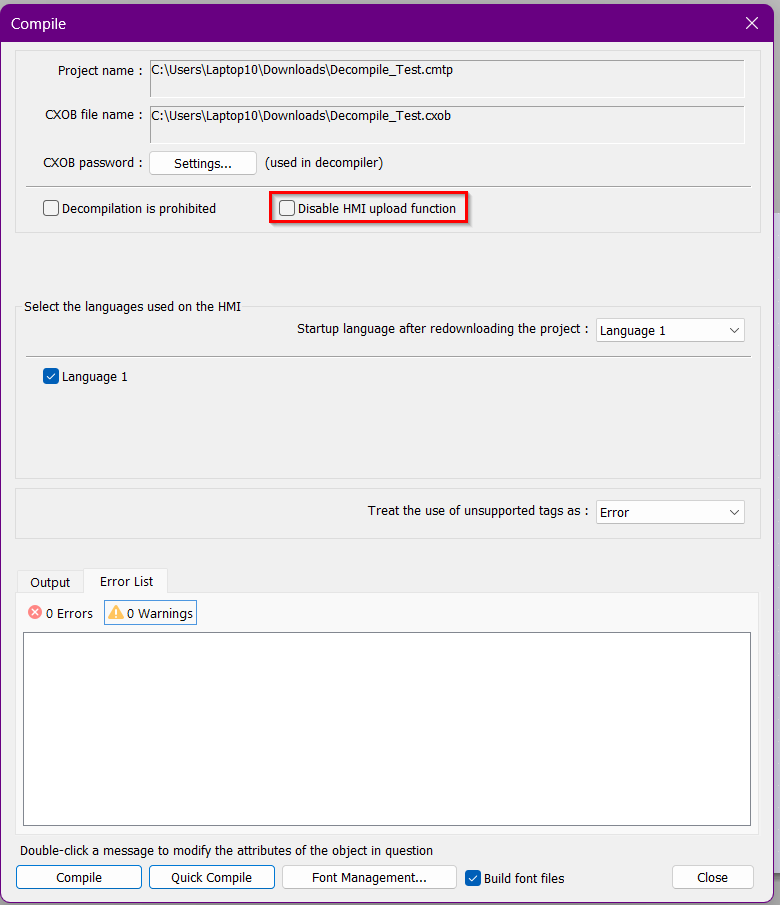
Project upload to an HMI can be disabled either within the compile settings or by using system register LB-9033. When project upload is disabled, any uploaded file will be 0 bytes and cannot be decompiled. The HMI will need to be rebooted for the setting changes to take effect.
Compile Settings can be found within the Project Tab
Setting up a Project Key
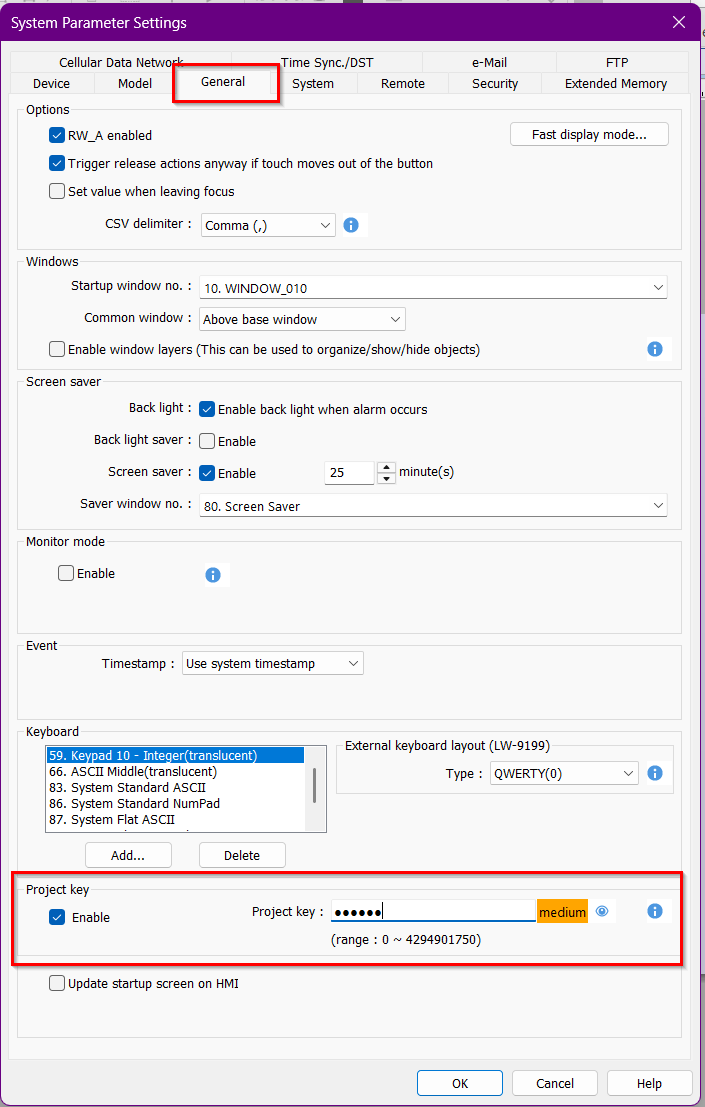
If you want your project to run only on specific HMIs and not others, setting up a project key within your EasyBuilder Pro project will accomplish this. The project key can be configured under System Parameter → General → Project Key.
The HMI key is set using system registers LW-9046 to LW-9047. The HMI key value cannot be set by a remote device and must be configured directly on the HMI. Be sure to reboot the HMI after changing the HMI key.
After project compilation, the HMI key and project key must match for the project to run properly. Otherwise, the HMI and PLC will not communicate with each other and LB-9046 will turn on.