- HMI Model: CMT3162X V2
- EasyBuilder Pro Version: 6.10.01.510
First off, please forgive my poor macro writing skills, if you have any suggestions on how to clean it up I would appreciate it.
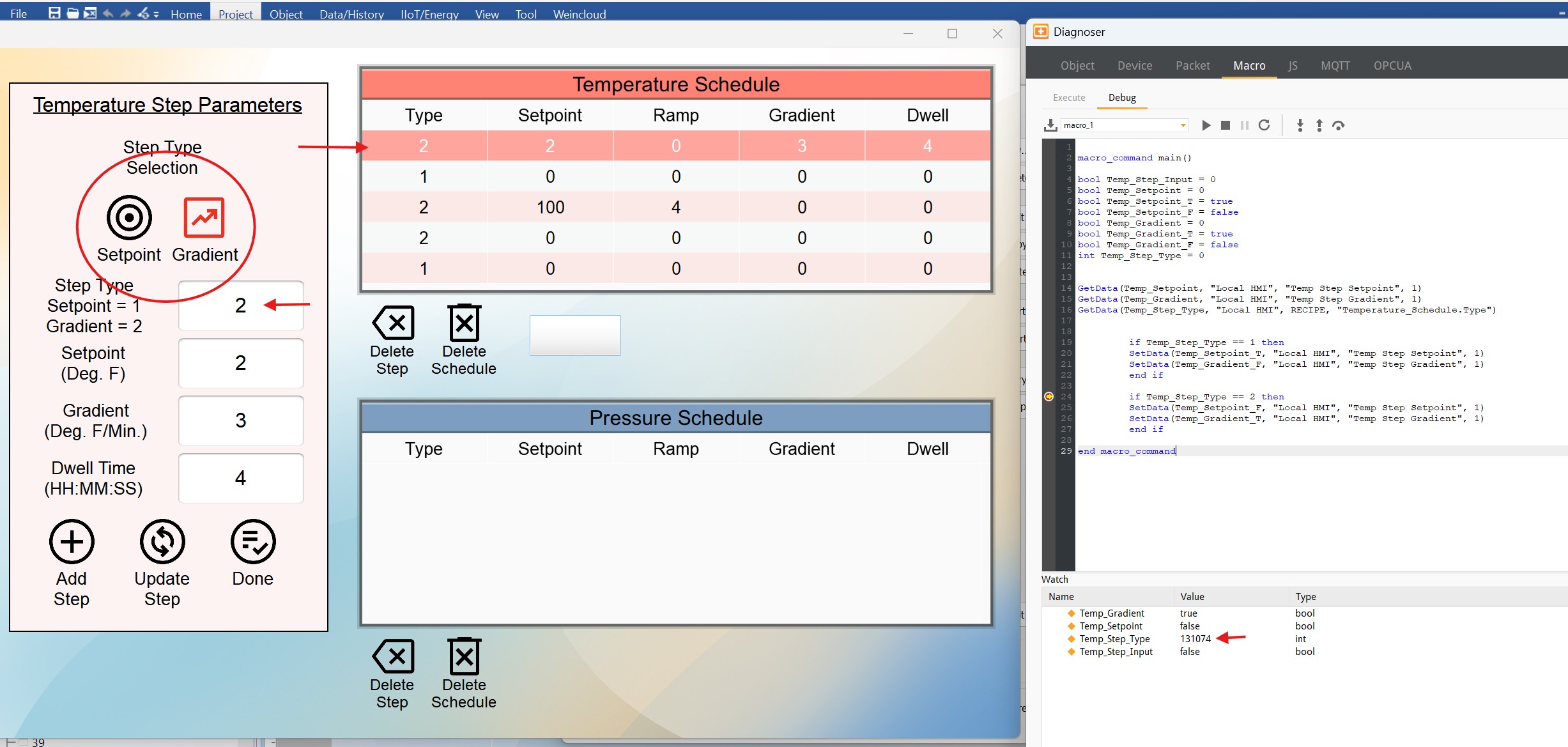
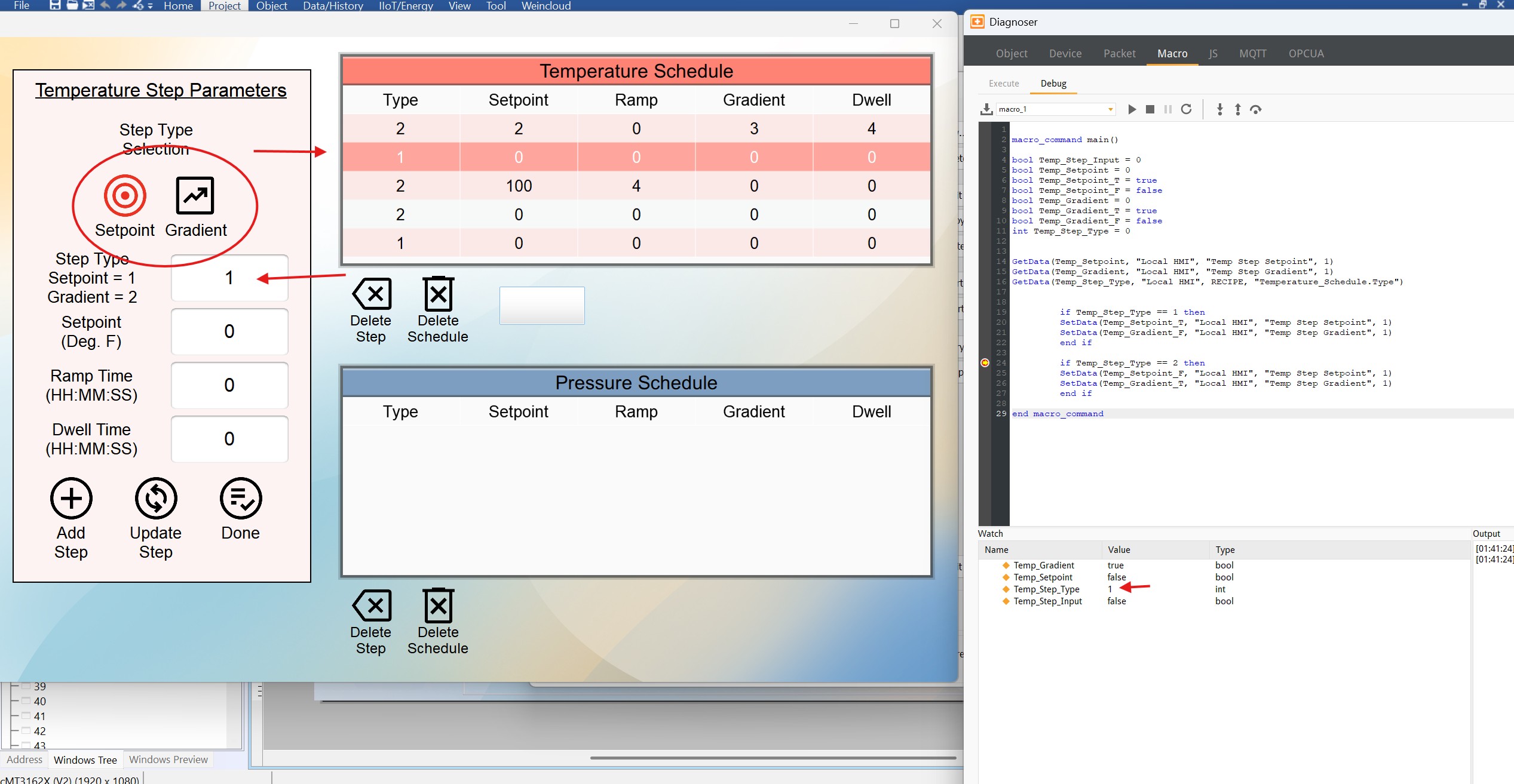
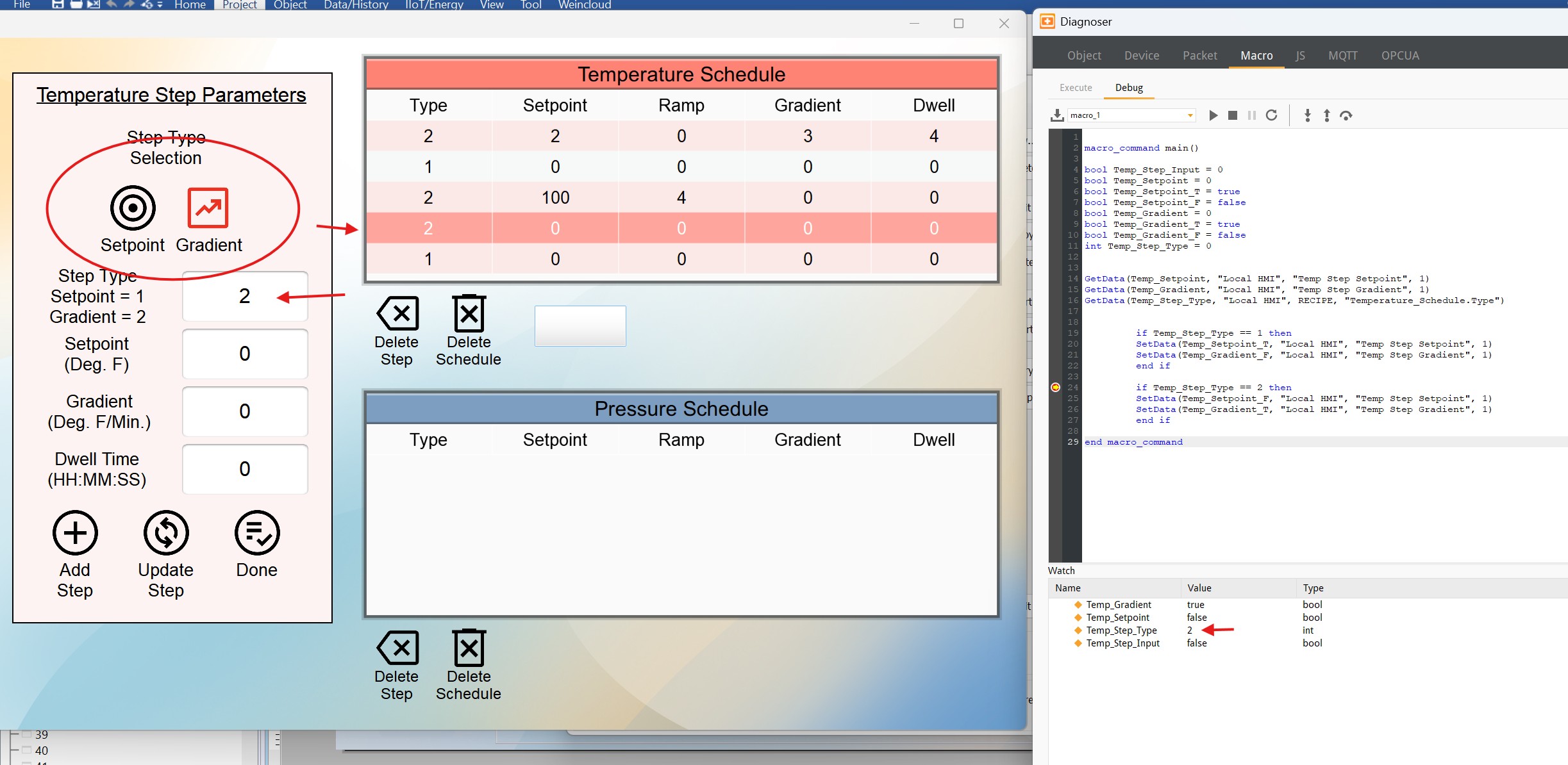
My goal to change the Setpoint or Gradient step type images (circled) to red when the corresponding line in the recipe viewer is selected and 1 or 2 is displayed in the numeric box.
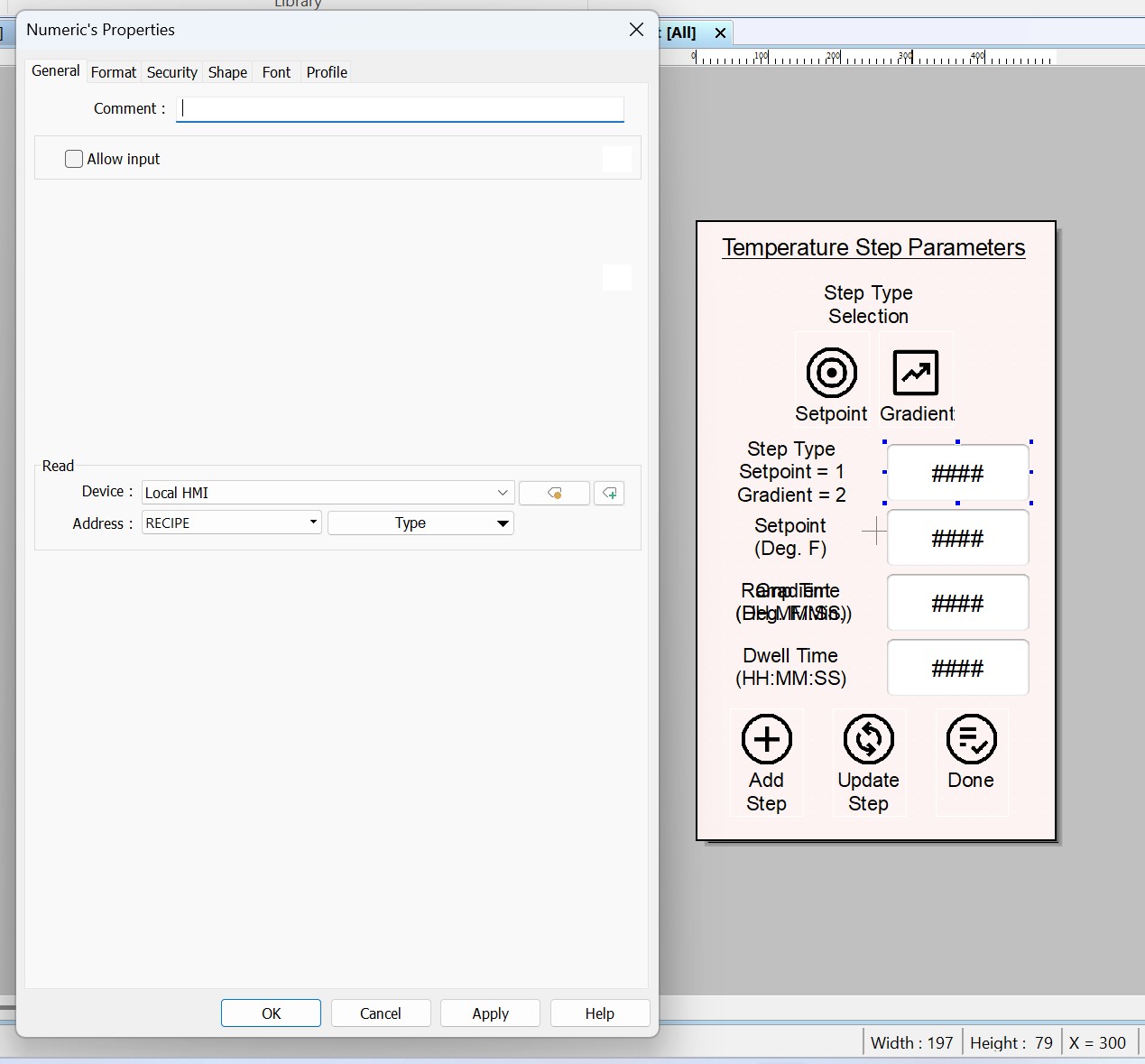
The macro I wrote does that. However, when I add numbers in the other parameters it stops working. In the diagnoser window you can see that the macro returns 1 or 2 in the Temp_Step_Type only if the Type in the recipe viewer is 1 or 2 and all other parameters are zero, otherwise it returns some other value. I don’t understand what’s happening? I have the numeric box addressed to the recipe type.
Thank you.