I have several Omron PLCs networked together and several Weintek touch screens on the same network. My client requires that alarms and alarm history (events) from different PLCs are shown on separate pages - an alarm and history screen for each PLC. I have not been able to discover how to set up an alarm and alarm history screen for each PLC.
Routing alarms from separate PLCs to different pages
none
0.0
0
Hi @BobBishop ,
Thank you for your question. To display alarms and alarm history separately for each PLC, you can use the Category feature within the Event (Alarm) Log to organize alarms by device. When creating each alarm, assign it to a specific category corresponding to the PLC it is monitoring.
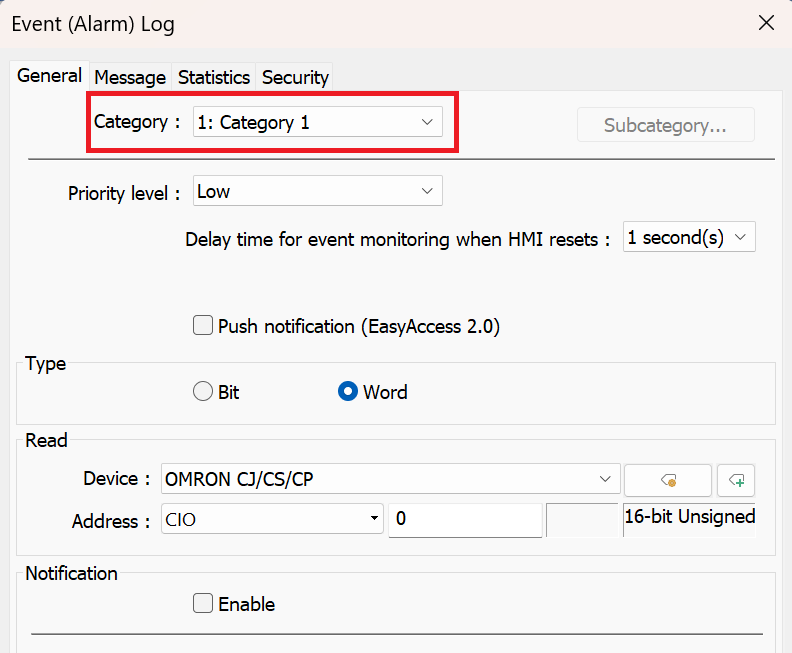
Next, add an Alarm Display object to the page and configure it to show only the desired category. This allows each screen to display alarms and history for a single PLC.
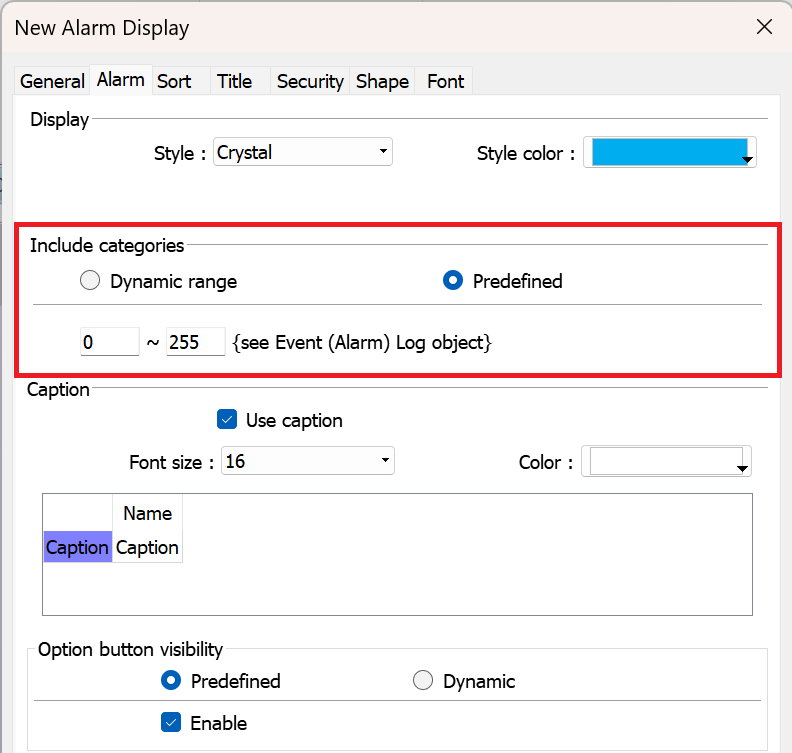
Additionally, here is a video detailing other alarm capabilities in EasyBuilder Pro that may be helpful: Link.
Thank you.