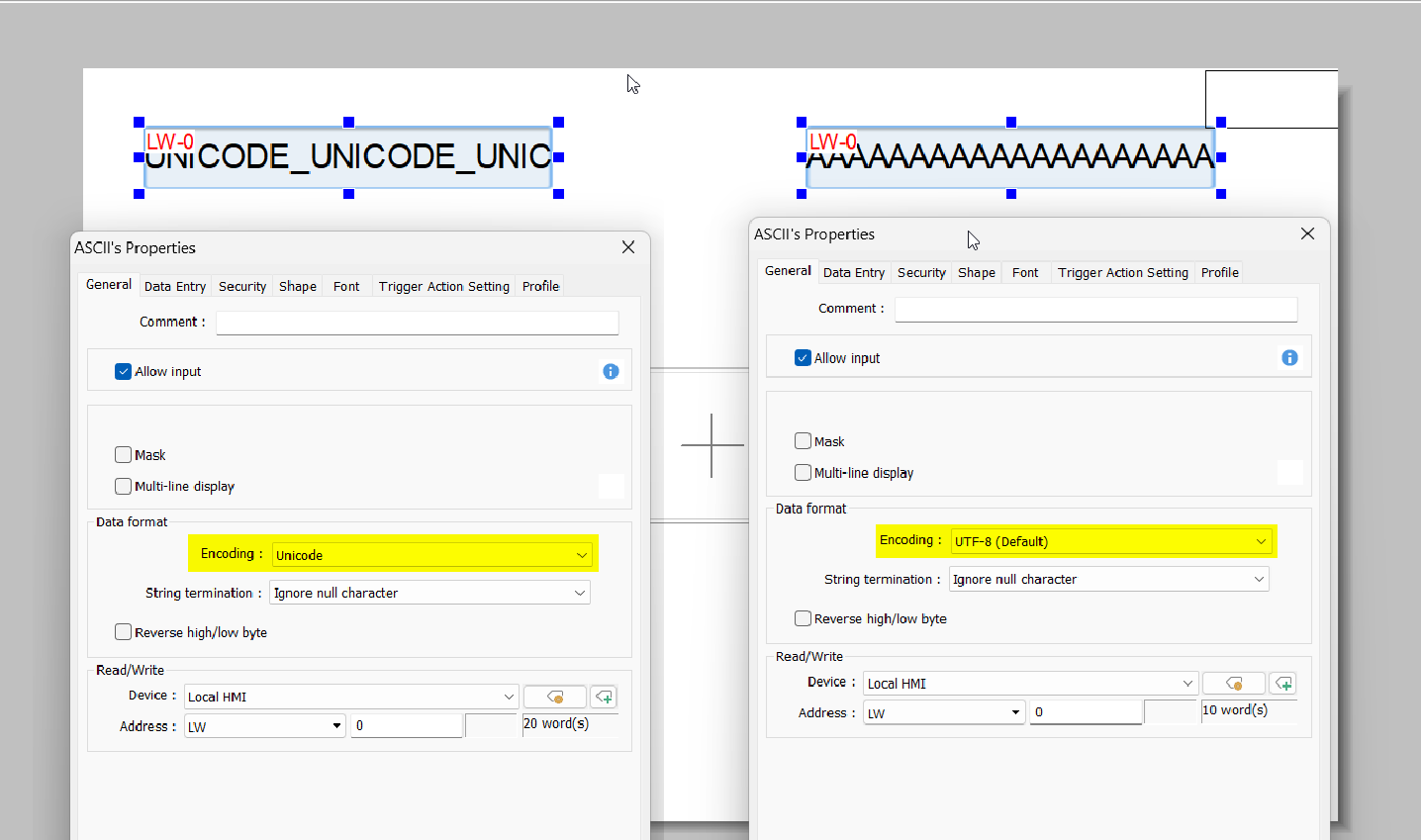
Hey there, I am using a macro with StringGet instructions in a loop to grab string data from a PLC tag, then a stringSet to populate registers in the HMI. This is to populate a dropdown option list object.
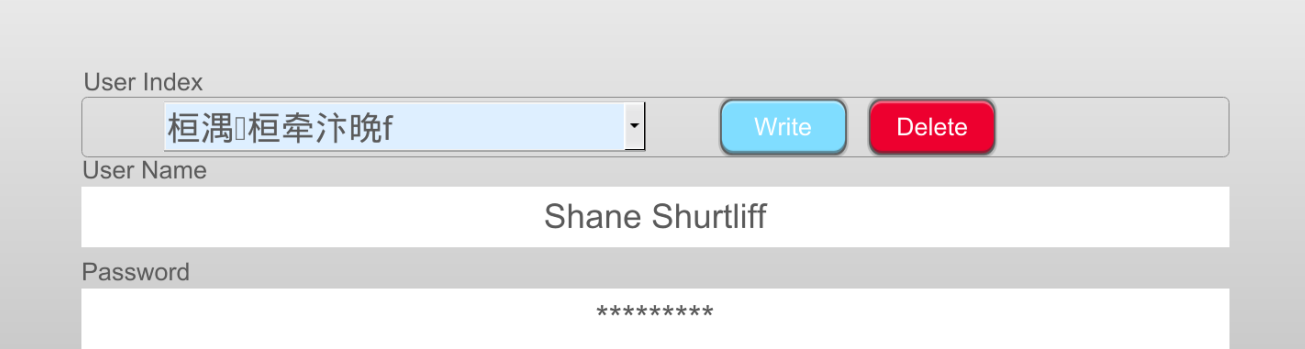
The issue that I am having, is that when I use 2 chars per word when importing tags, the instructions only seems to read or write every other character. It works when set to 1 char per word, but then the other strings read from the controller have nulls or spaces inserted between each character or the strings get muddled in other ways.
I have confirmed that this is an issue with the instructions buy creating another macro that just does a StringSet StringGet on a single string from the PLC tag
any ideas how to remedy this?
my next thought was to arrange the data the strings that I need from the struct on the controller to an array thats shared with the HMI, but I was hoping to avoid that.
Changing the instruction didn’t transfer the string data at all.
The macro that I am using uses a loop to populate RW registers with the strings, but even this very simple macro has the same issue in which the strings skips every other character.
macro_command main()
char cUsrNm[50]

// get the data from the plc
StringGet(cUsrNm[0], "OMRON EtherNet/IP (NJ/NX Series)", "VAR://HMI_Working_User.Name[0]", 50)

// set the data in the HMI RW 100
StringSet(cUsrNm[0], "Local HMI", RW, 100, 50)

end macro_command
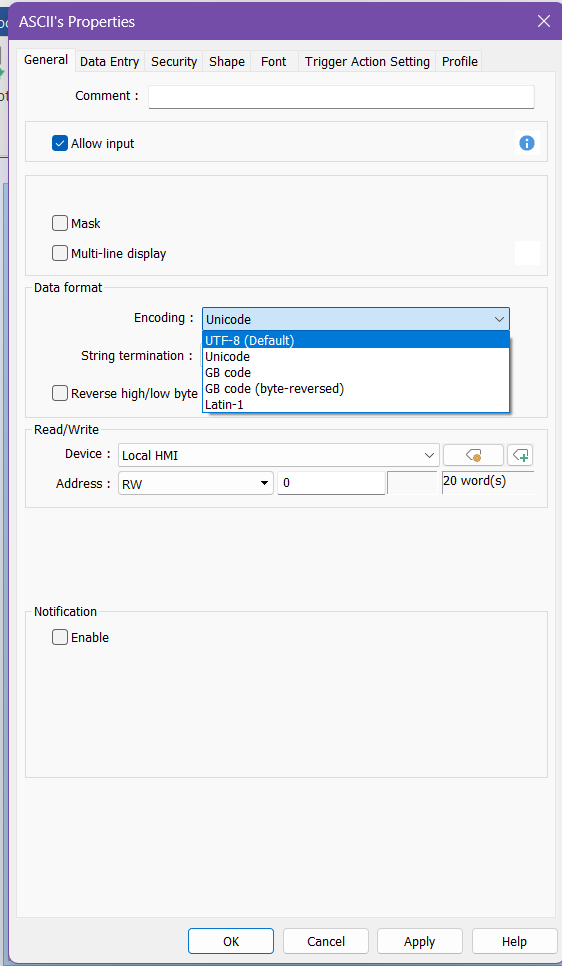
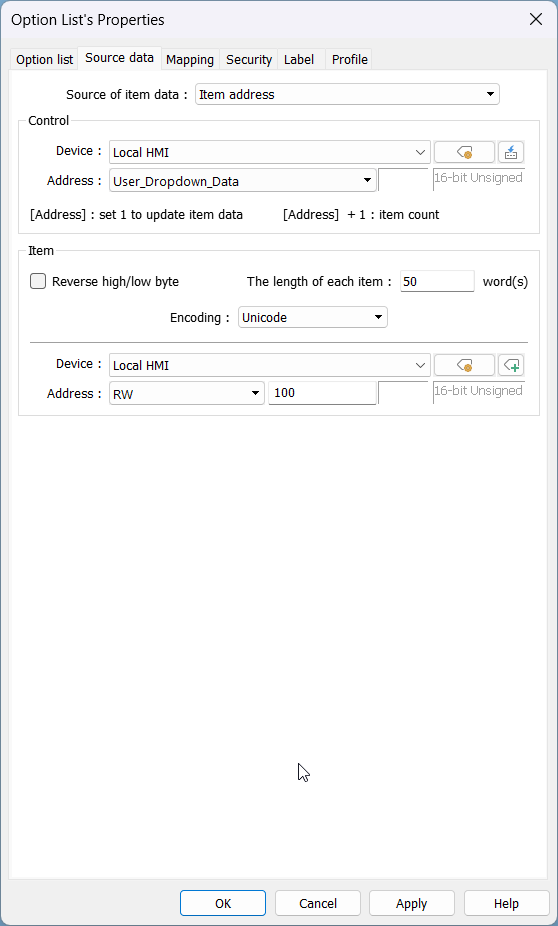
Could you try using SetData and GetData? Then, within your RW object, set the encoding to Unicode if you are using UTF-8, and vice versa if you are using Unicode. Also, could you change your char to a short for your cUrsrNm[50], since each element requires 16 bits of memory?
macro_command main()


short sUname[50]
int i
int iResetUserIndex = 1
int iUpdate_list = 1
bool xActivate = true
bool xDeactivate = false

// start the process in the PLC
SetData(xActivate, "OMRON EtherNet/IP (NJ/NX Series)", "VAR://HMI_Populate_Tables", 1)


// loop through each user index and populate the RW values with the names
for i = 1 to 20 step 1

	SetData(i, "OMRON EtherNet/IP (NJ/NX Series)", "VAR://HMI_User_Index", 1)

	// get the username from the working HMI user info
	GetData(sUname[0], "OMRON EtherNet/IP (NJ/NX Series)", "VAR://HMI_Working_User.Name[0]", 50)

	// save the data into the RW and index the address up to RW 600
	SetData(sUname[0], "Local HMI", RW, 100 + (i*50), 50)

	// delay for testing
	// DELAY(500)

next

// stop the process in the PLC
SetData(xDeactivate, "OMRON EtherNet/IP (NJ/NX Series)", "VAR://HMI_Populate_Tables", 1)

// reset the user index back to 1
SetData(iResetUserIndex, "OMRON EtherNet/IP (NJ/NX Series)", "VAR://HMI_User_Index", 1)


end macro_command
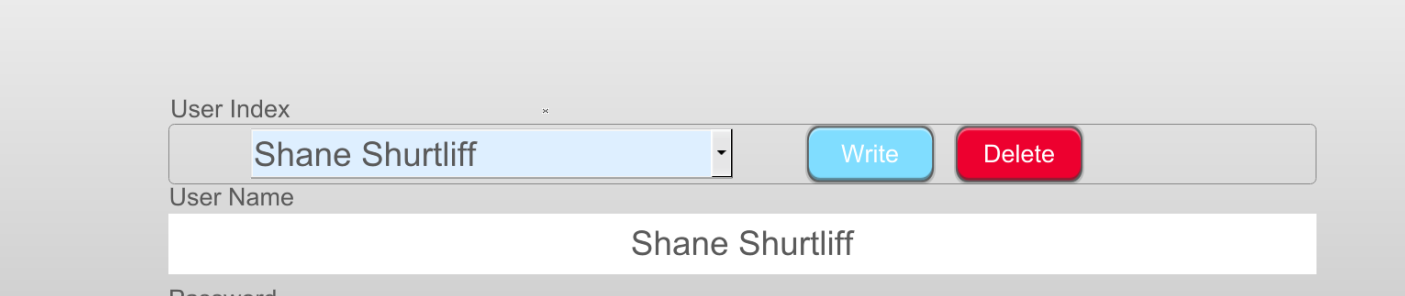
This may be due to a difference in the encoding formats used by the HMI and controller. Can you switch the encoding format of the option list to UTF-8? I believe this should resolve the issue.
Thanks Brendon, that seems to have solved the issue.
I guess, in summary, using shorts instead of chars was better for using a macro to move the ascii characters from the controller. As a result, using GetData and SetData worked better than StringGet and StringSet. Any idea why this would make a difference?
The encoding method may vary by controller, but Omron PLCs like the NJ series hold each character within a STRING in 16-bits of memory. So, when transferring STRING data to the HMI, you must use a short array.
The non-english characters in your image are a direct equivalent of “Shane Shurtliff” but in the Unicode encoding format. To test this, you can always create two ASCII objects addressed to the same address but with different encoding formats: