- HMI Model: CMT-FHDX-820
- EasyBuilder Pro Version: 6.10
Is there a tooltip feature?
If so, where and how do I set this up?
Or is there another way to accomplish this?
Is there a tooltip feature?
If so, where and how do I set this up?
Or is there another way to accomplish this?
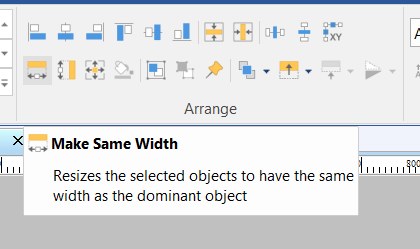
There is not a dedicated “Tooltip” feature within EBPro, however a select few features do show what their purpose is if you hover over them. Ex: The arrange buttons under the Home tab.
For a more detailed explanation of each object and how to use them, please refer to our EBPro User Manual or check out our YoutTube channel for more helpful tutorials!
Sorry, for misunderstanding, i was referring to an object that i would put within my project.
Hi @outbound6 ,
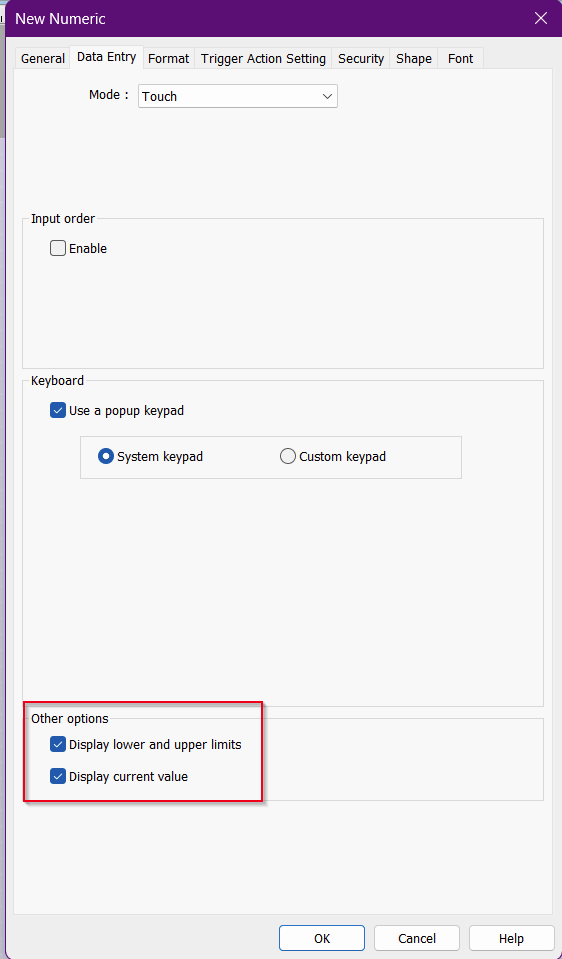
A feature like this is currently not available within all object on the current version of Easy Builder Pro. The closest we have is our numeric objects to display the lower and upper limits + current value.
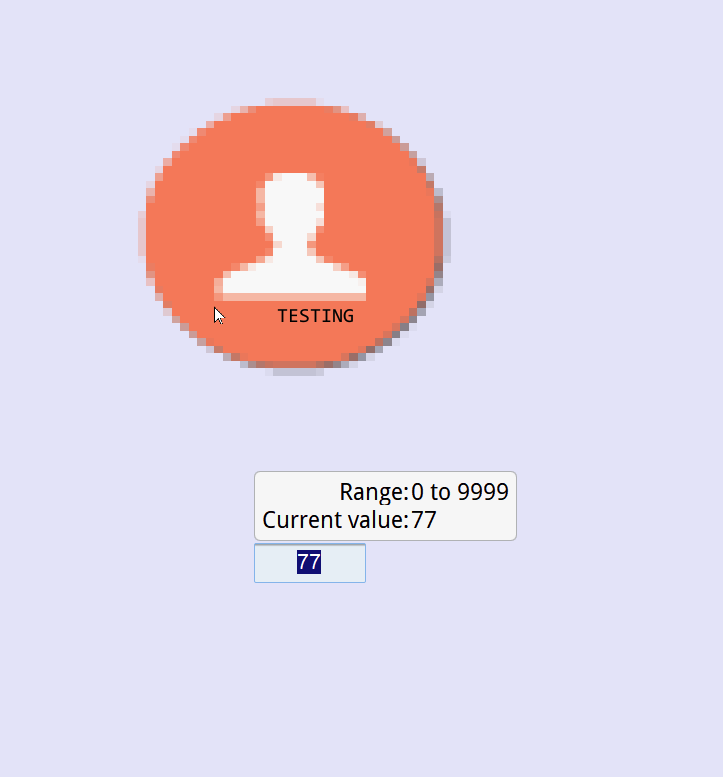
You could also use JS Objects within your Object tab to display text when a mouse down event occur on the object like in the image below. Please refer to the JS SDK for more info. Demo code is also below that was used within the JS object.
Thank you!
var canvas = new Canvas();
var mouseArea = new MouseArea();

canvas.width = 200;
canvas.height = 100;
mouseArea.width = 200;
mouseArea.height = 100;

this.widget.add(canvas);
this.widget.add(mouseArea);

// Default hidden
let showTooltip = false;
let tooltipText = "TESTING";

mouseArea.on("mousedown", function(e) {
    showTooltip = true;
    canvas.clearRect(0, 0, canvas.width, canvas.height);

    if (showTooltip) {
        canvas.fillStyle = "black";
        canvas.font = "20px Consolas";
        canvas.fillText(tooltipText, e.x + 10, e.y + 10);
    }
});

mouseArea.on("mouseleave", function(e) {
    showTooltip = false;
    canvas.clearRect(0, 0, canvas.width, canvas.height);
});