I have a library of graphics I’ve developed using EBP with Codesys on board that was running on a cMT-3108XP and worked great when setting the encoding to be Unicode.
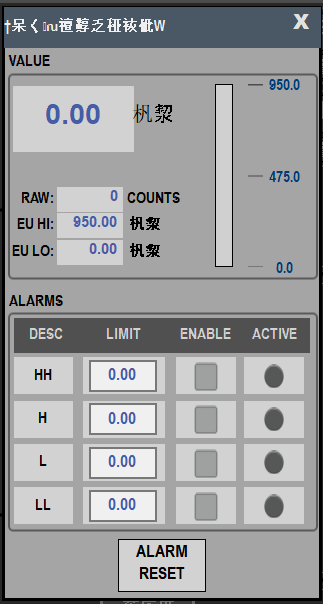
Now I’m using that same library of graphics on a cMT-SVRX-820 (with on board Codesys) and getting Japanese characters. Did I miss a setting or does the ASCII object work differently on different units?
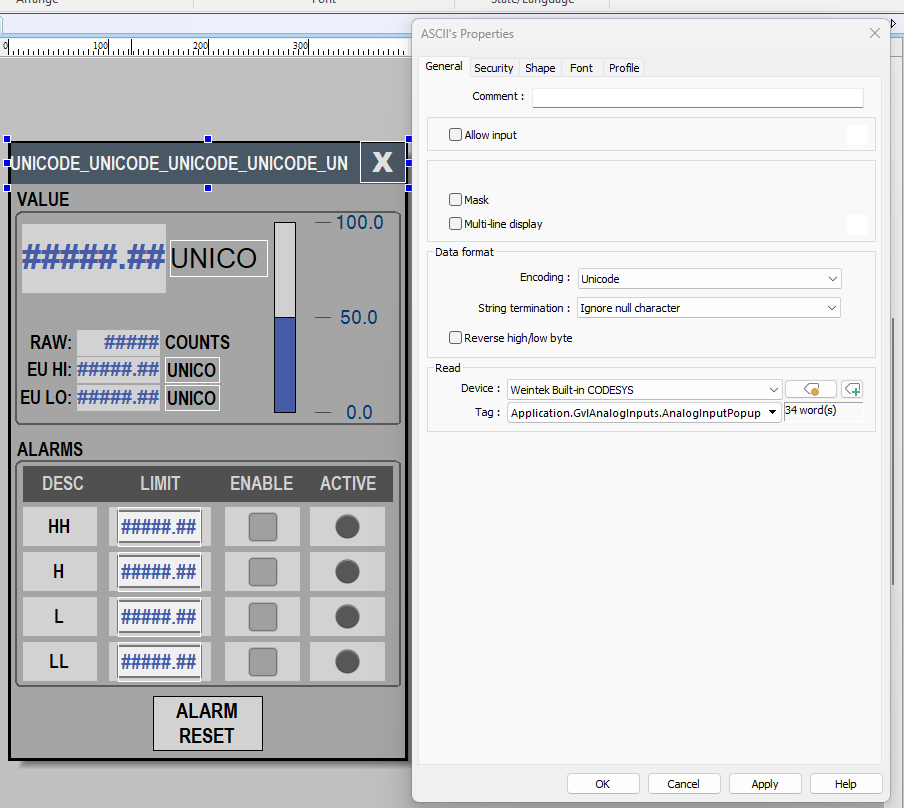
Below is a screenshot of the setting for a popup title bar as an ASCII string. Running this via cMT Viewer gives me Japanese characters for the title bar and a few other spots on this popup using the units (entered in Codesys)
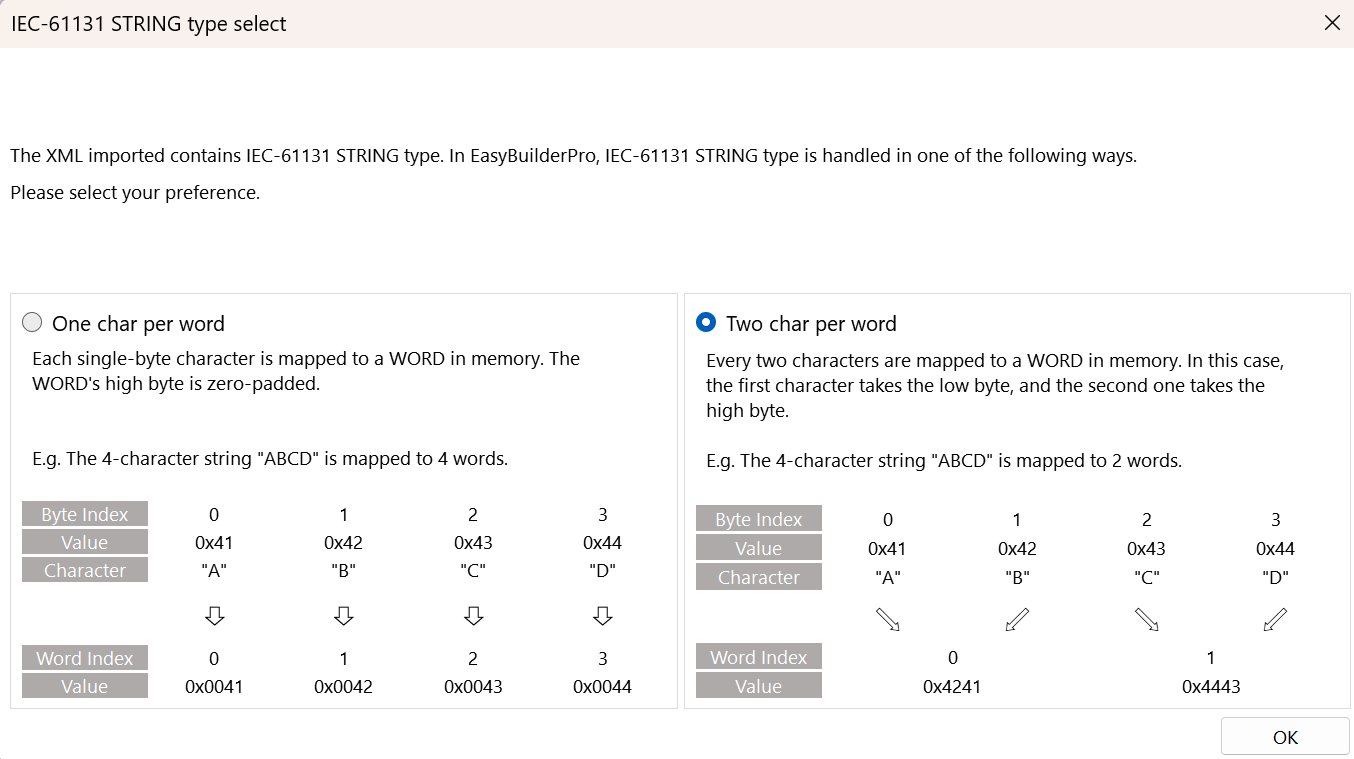
There are a couple factors that can affect how the string is interpreted. One reason is the option selected under “IEC-61131 STRING type select” when importing the CODESYS tags in EB Pro.
Here is a forum post that goes into more detail on this option: link.
Another possibility is the data type used in CODESYS. If the STRING data type is used instead of WSTRING, the STRING data is represented as two characters per word when mapped to the HMI. If those bytes are then interpreted as UTF-16 Unicode, the two characters can be interpreted together as a single Unicode character, which may result in characters from Japanese or other Unicode character ranges being displayed.