- HMI Model: cmt-svr-800/820
- EasyBuilder Pro Version: 6.10.02.284
I had an even where the “Device No Response” popup got stuck, even though the communication was restored It did not go away until someone clicked on close. This has happened a couple of times but we have not been able to replicate.. We when we try to force it happen it automatically goes away when the PLC comms comes back, however the few times it has been stuck we can see the data is flowing correctly on the back.
Is there a way to programatically close the popup? This is an unanttended device used as a gateway, the issue is when the popup is stuck it seems to be affecting somehow the data transfer.
Hi @GregCavazos,
Thank you for contributing to our fourm.
While we don’t recommend that the connectivity error message be disabled, it is possible with a system tag. Within the “Address Tag Library”, in the “System tags” list, select the “Device No Response” tag that corresponds to the number of the device that is producing the connectivity error message. Here is another forum that breaks down the steps on how to disable the message: LINK
We also would recommend doing a import of the latest tags if its a tag based device to see if that resolved the error.
Hello Aaron,
Thanks for the quick reponse, I would not like to disable it but automatically “click” close when the popup gets stuck. Normally when comms is restablished it automatically closes, since there is no frontend we are not actually seeing this all the time, we added a screen for datastream troubleshooting.
This is used as a gateway, read data from USB, do some processing and send it on a datastream tag to a Rockwell PLC, we only have 2 tags on the PLC side, the string itself and the LEN. I have confirmed that the tags are operational.
I am trying to replicate the issue, I even disconnected the PLC for like 30 mins and when I plug back it automatically goes away (the popup), I dont know if a longer period of disconnection would make the popup to get stuck.
TBH, I dont mind the popup there since as I said this is a troubleshooting screen, the problem is that for some reason at somepoint the gateway needs to get the USB datastream twice to send it to the PLC, so far we have not been able to identify what causes that the only thing we noticed is after we clicked “close” the data was sent on the first datastream as normal.
Regards,
Greg
Hi @GregCavazos,
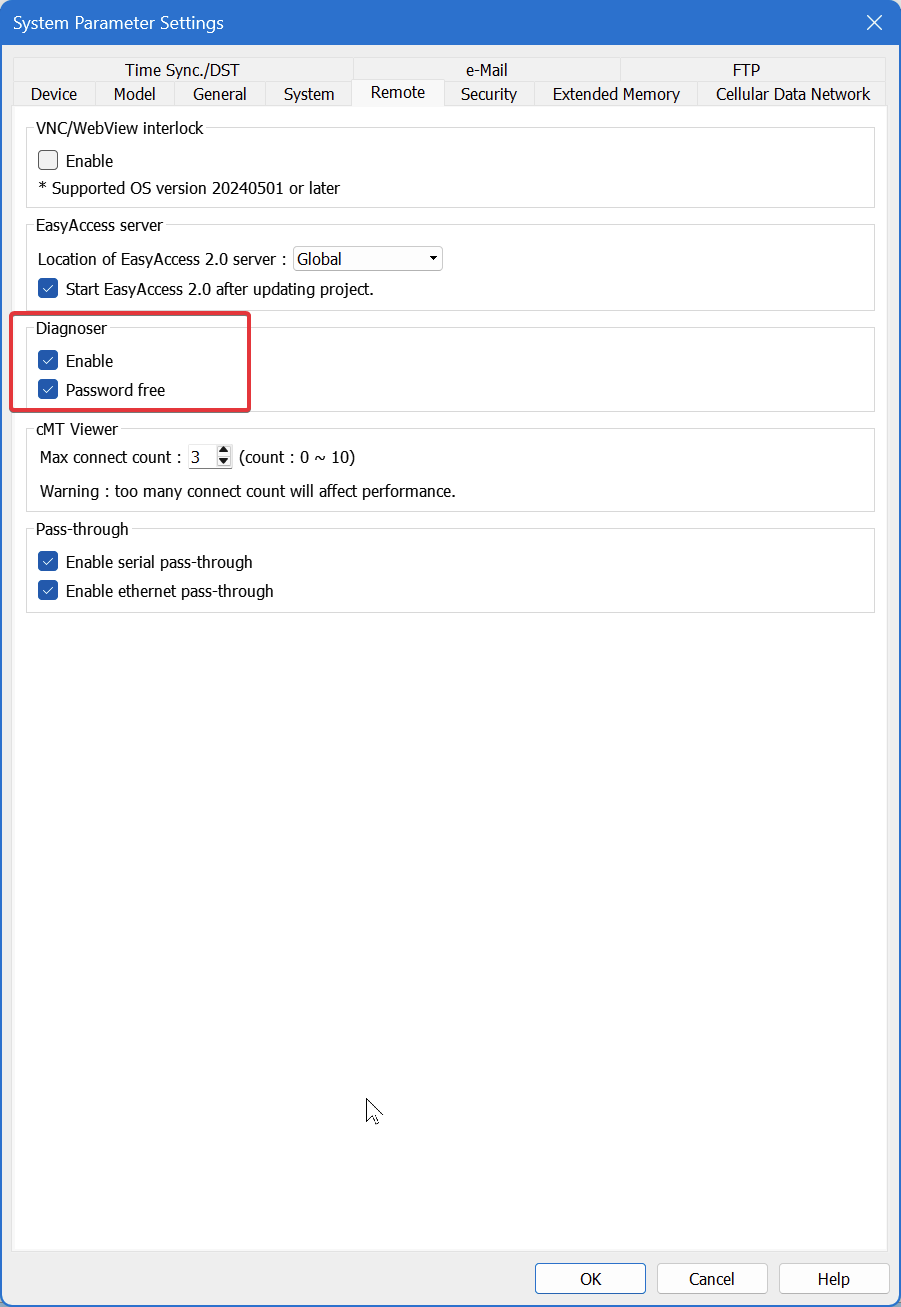
Thank you for the clarification. The best way forward would be to resolve the device connection issue, as it might be a tag that is not connecting properly. You can enable the Diagnoser within your System Parameters.
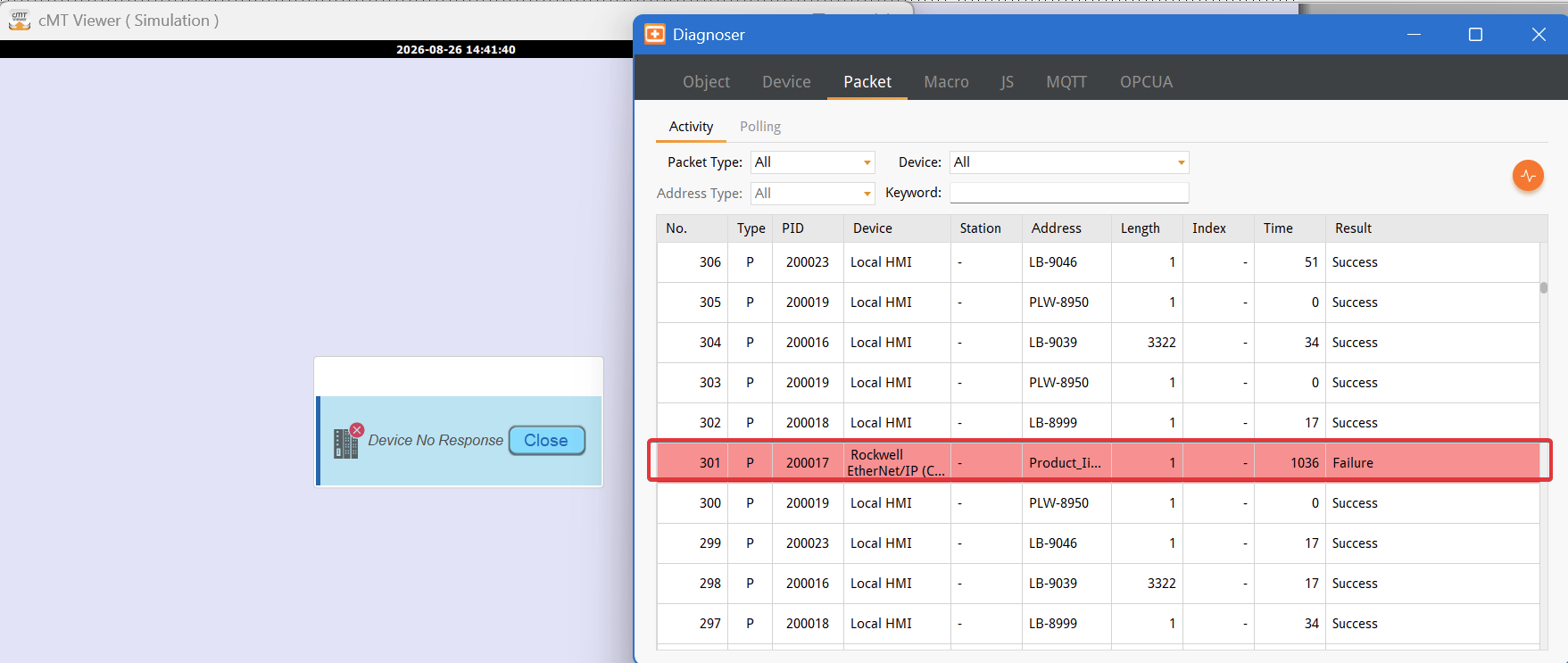
You can then right-click on the cMT Viewer application to open the Diagnoser when the “Device No Response” window is stuck, to see which tag or tags are causing the pop-up window to stay open and not close automatically.
*Will need to click on the yellow button to start the polling of the packets to see which ones are still failing. *