- HMI Model: MT8072iP
- EasyBuilder Pro Version:; latest
I see that I can set time from the on-screen settings menu.
Is there a function to manually or automatically synchronise HMI time to the connected PC, or perhaps a web-based time-server?
Does EasyAccess2.0 provide this functionality?
Hi @BrianF_NZ ,
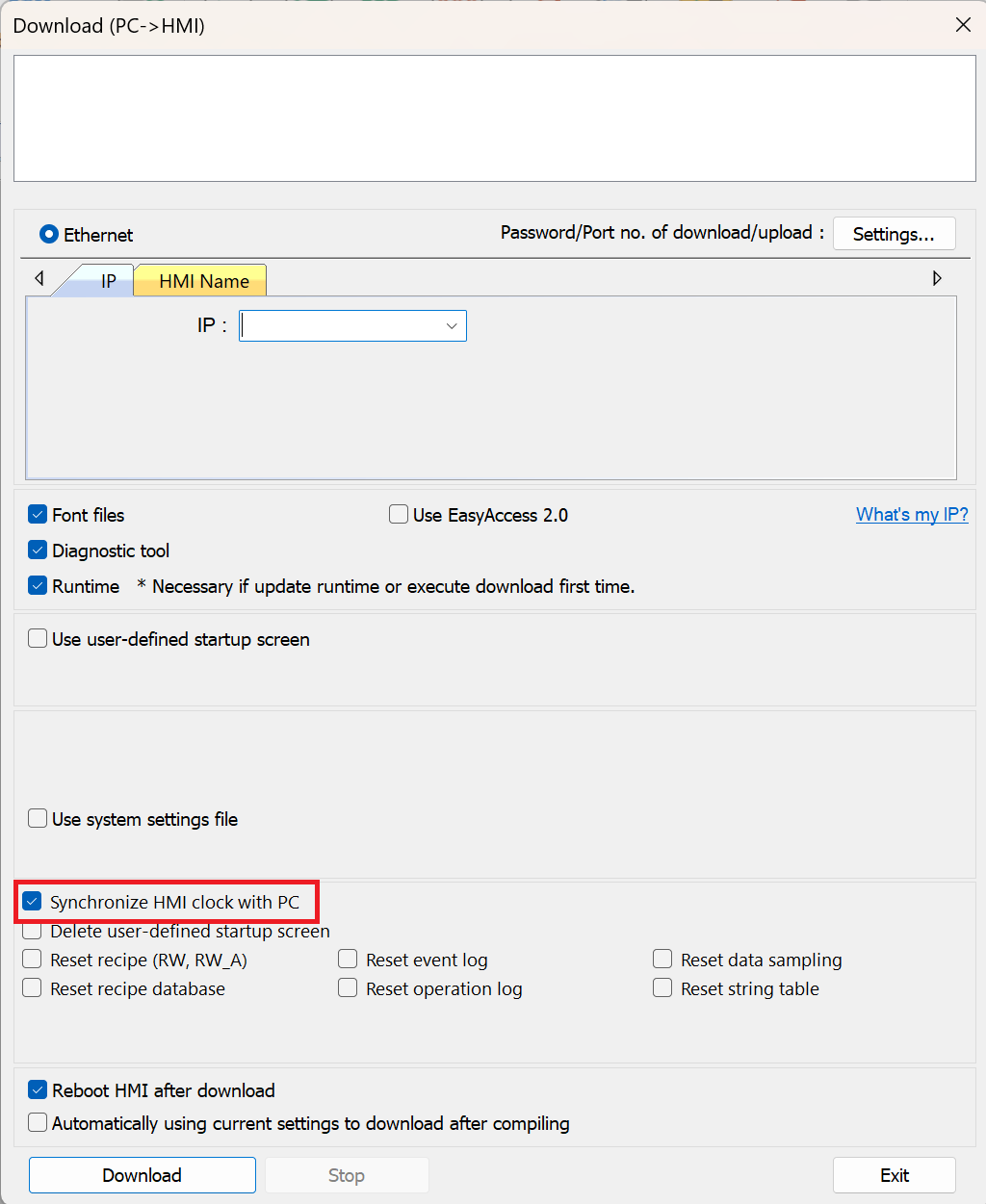
There are a couple of ways to sync the HMI clock with your PC. One option is when downloading your project to the HMI, there is an option to enable “Synchronize HMI clock with PC.” After re-downloading the project with this option enabled, the HMI time should synchronize accordingly.
To test this on your project, consider temporarily adding address tags that display the local time values (e.g., seconds, minutes, hours) as numeric objects to a window. Then, enable the synchronization option and download the project again to confirm the values update as expected.
Here is an example of this set up from our forum: How to set up the time and date on an HMI.
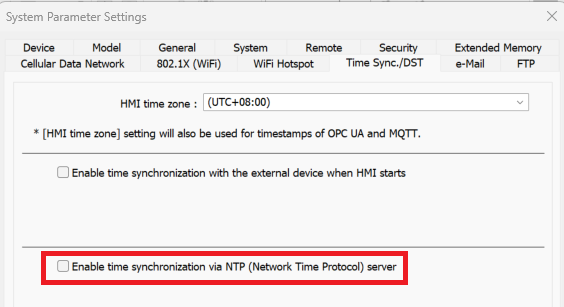
Alternatively, you can configure automatic time synchronization using an NTP server. To do this, navigate to System Parameters → Time Sync./DST, and enable “Time synchronization via NTP (Network Time Protocol) server.” This allows you to configure a connection to a time server for automatic synchronization.