- HMI Model:
- EasyBuilder Pro Version:
- I do not see all the elements of my UDT when I import the tags. I can see some elements but not all.
I do not see all my UDTs when importing Studio5000 tags
none
0.0
0
Hi @rday1971,
What elements are you missing, can you post a screenshot and describe the data type of the missing elements?
Can i email the screen shot to you? It wont let me attach it.
Can you try to upload this image again? We’ve updated a setting on our side to allow this.
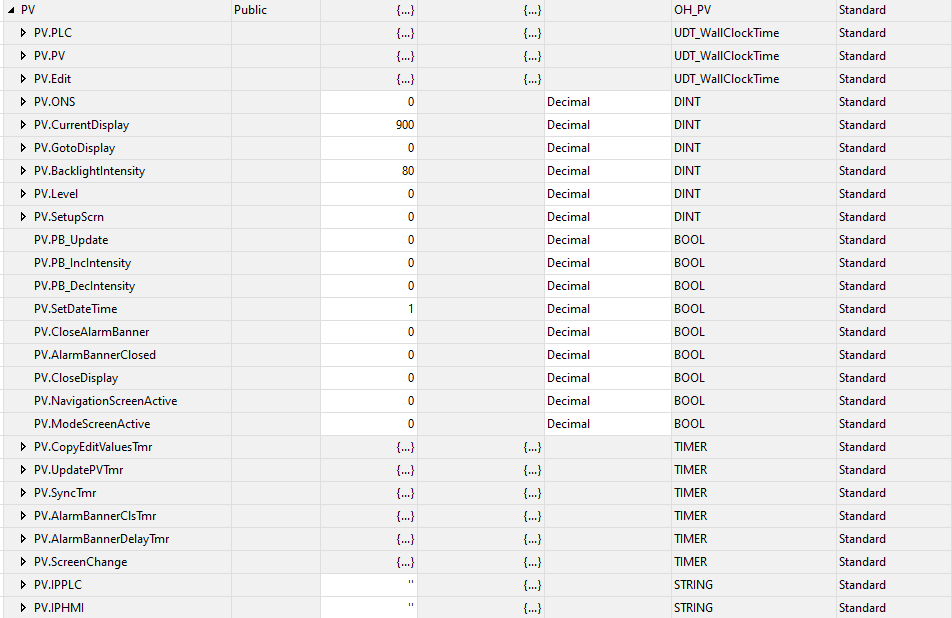
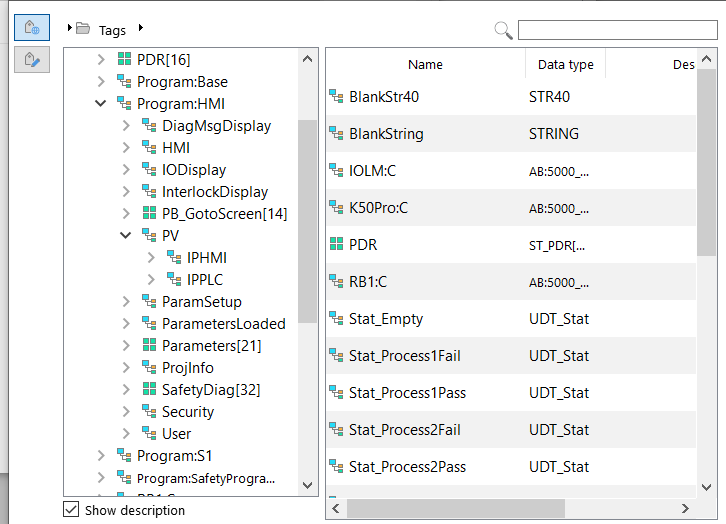
Hi @rday1971,
The types shown depend on the object that you are searching in. An ASCII object will allow you to reference a string tag or SINT array in AB’s case. Whereas a numeric object will allow you to reference decimal types like DINT or INT. And, bit type objects like bit lamps or toggle switches will allow you to reference BOOL variables. Can you please let me know what tag you are trying to access and what UI object you are using?
The change window function. the data type in the UDT is a DINT.
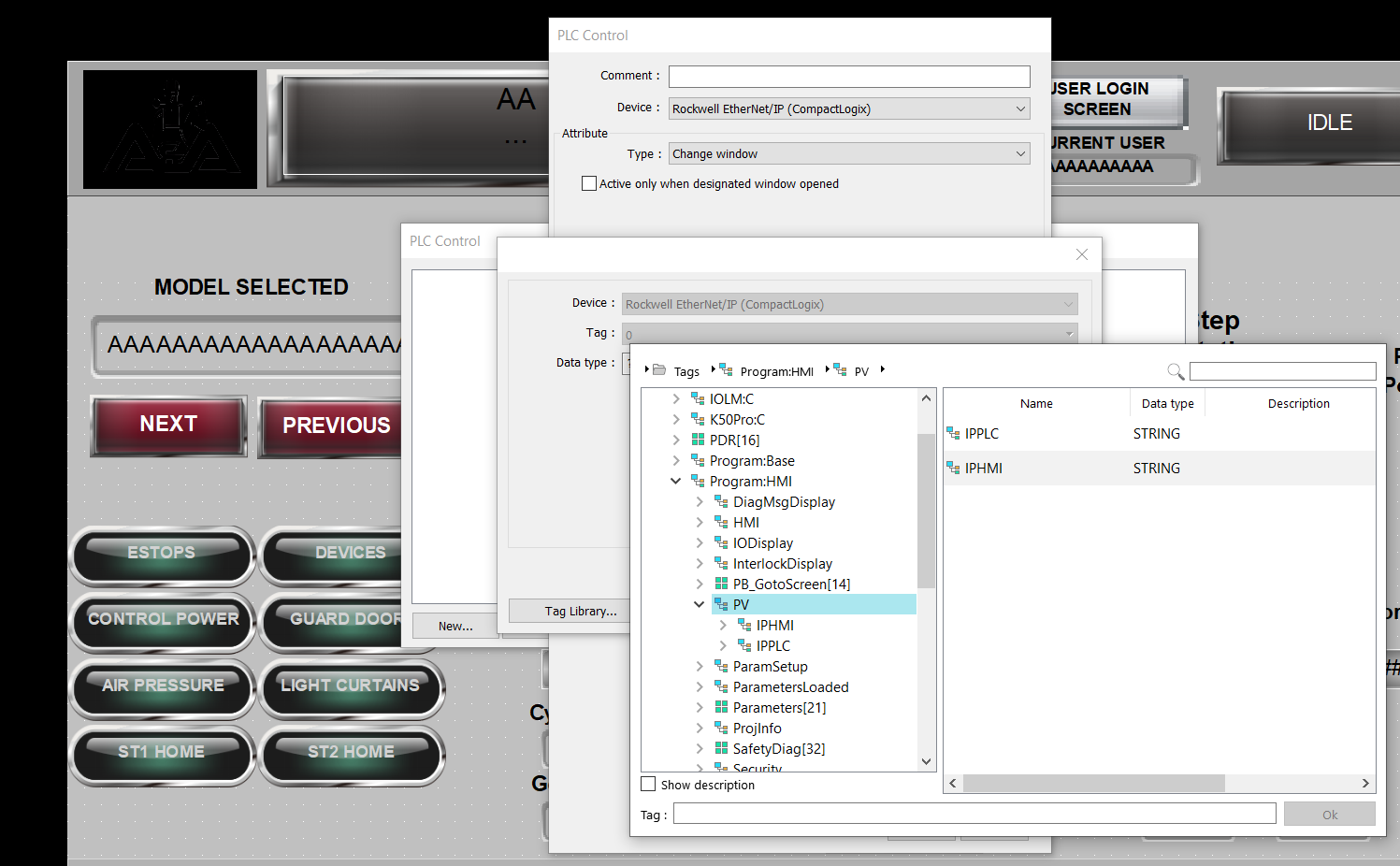
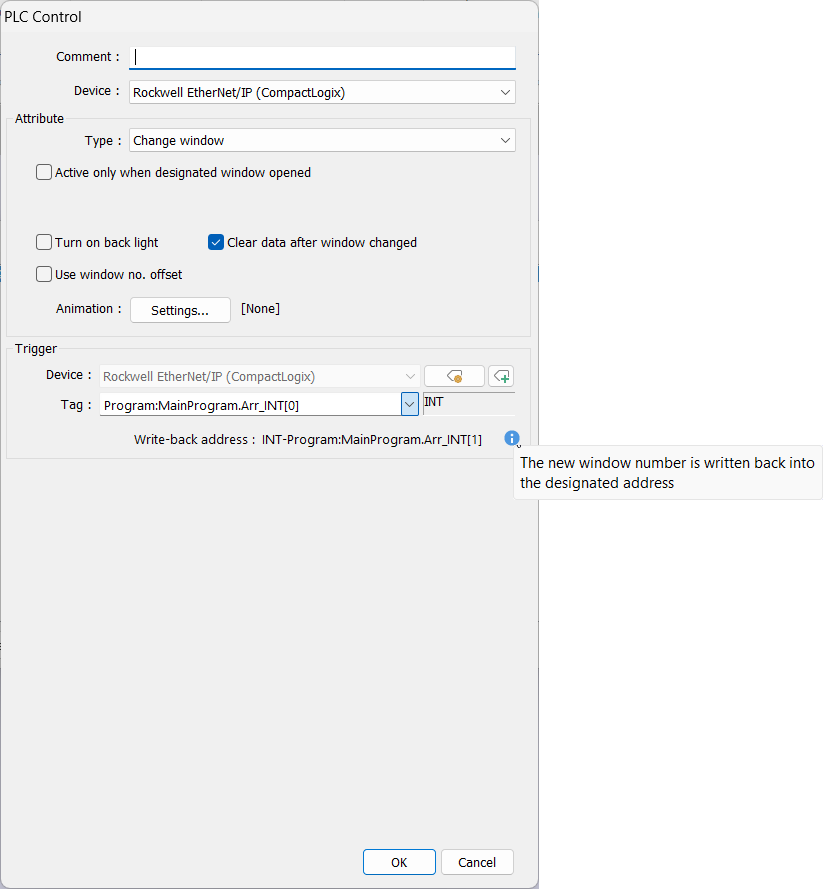
The “change window” option within the “PLC Control” object will only allow you to select numeric tags that are elements of an array. This is because the “change window” option requires both a trigger and write back address. Where the trigger is used to set the window number to navigate too and the write back is used by the HMI to confirm the window number when the navigation is finished.
If the element is not part of an array it will not display as an option within this menu because a single integer tag cannot be used for both the trigger and write back address. However, a non-array tag can still be used if you first transfer the value within that tag into HMI memory, such as LW-0, and then read LW-0 + LW-1 using the “change window” option within this object.
I’m a bit rusty at the macros, but trying to get the value into the array i get a error saying the tag name does not exist.
macro_command main()
int GotoScreen[2]
// Get the DINT value from the PLC
GetData(GotoScreen[0], "Rockwell EtherNet/IP (CompactLogix)", "Program:HMI.PV.GotoDisplay", 1)
end macro_command
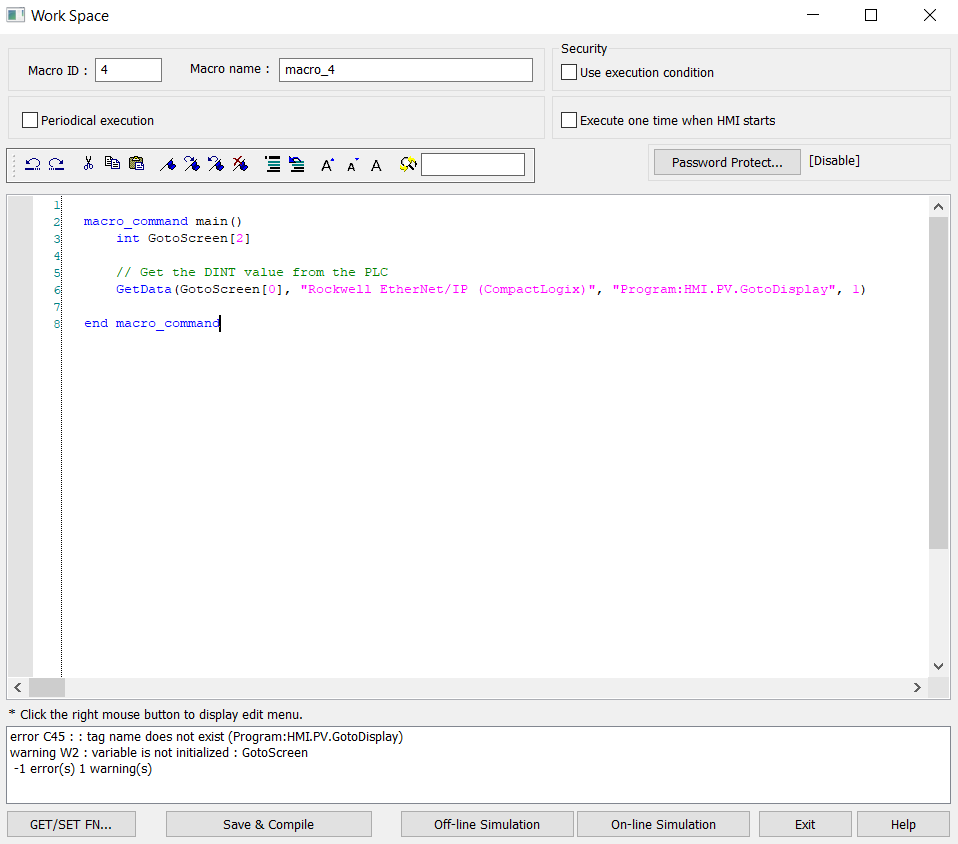
Any ideas? The tag exist in the PLC and I can see it from a PV+. Its like EB doesnt like the fact it is program scoped or something.
Did you use the “Get/Set FN…” button on the bottom left corner to select that tag called ““Program:HMI.PV.GotoDisplay””? If not, please try using the “Get/Set FN…” button to see this tag can be found in the tag list of the macro.
If this issue still persists in the macro, you can email the technical support team of Weintek USA your L5X tag file generated from Studio 5000 and advise the version of EBpro that you’re using.
I did that’s why I’m confused. I will send them my file.
i have also tried this with other tags in a different macro. I get the same results.