- HMI Model:cMT3162X (V2)
- EasyBuilder Pro Version:6.10.01.609
1. Numbering in option lists
I am currently working with list-type objects in the HMI, and I would like to know if there is any way to display an automatic index or numbering for each row.
The intended format would be as follows:
1 Text A
2 Text B
3 ext C
I am able to display text lists, but I have not found a way to add a dynamic or automatic index to each item. I would appreciate your guidance on whether this functionality is available or what the recommended approach would be.
I also followed the post that you have a list of dynamic options.
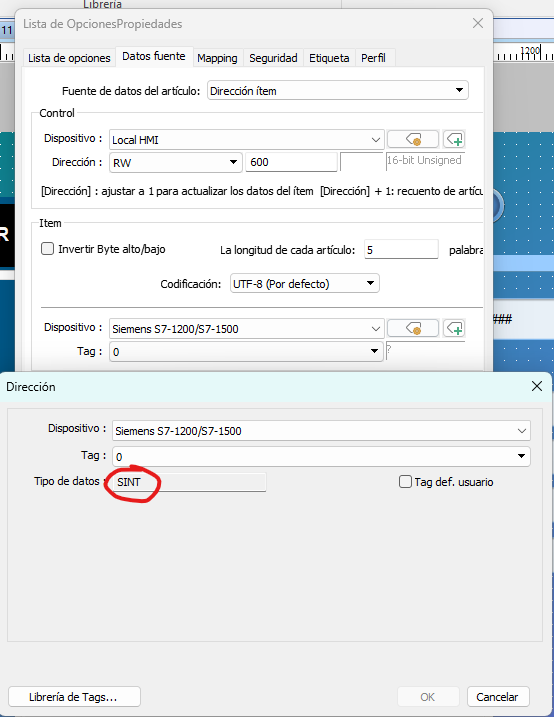
2. Read ARRAY OF STRING[15] between PLC Siemens and HMI
In the PLC Siemens, I have a variable defined as:
Array[1…50] of String[15]
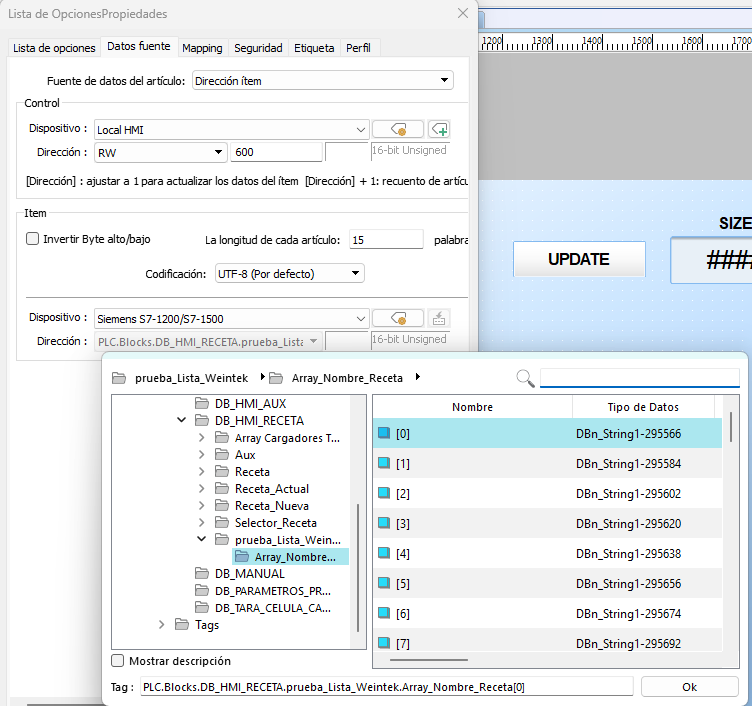
My intention is to directly link this array to the HMI’s options list object. But I’ve tried it and it doesn’t work, it can’t read the variables in each position of the string.
Thank you very much for your time.
Hi @jmcascales ,
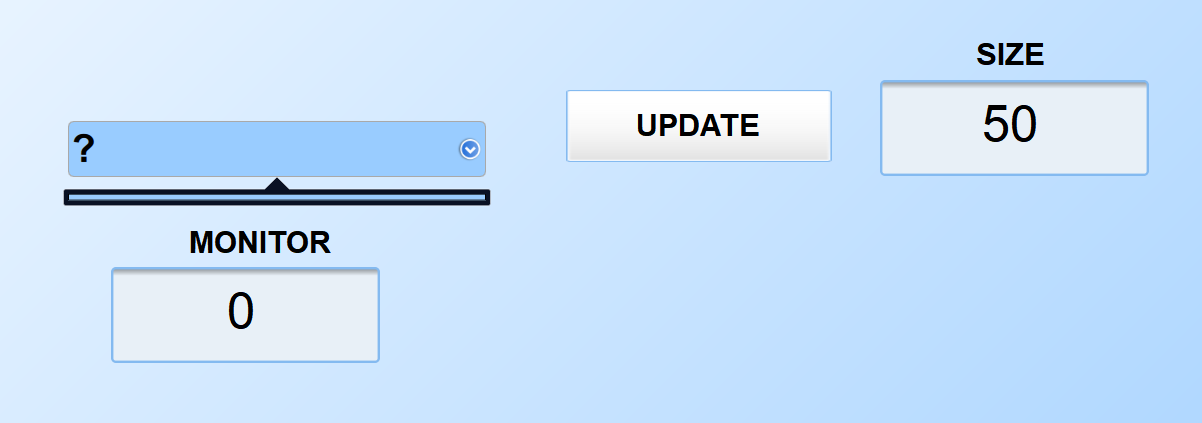
Thank you for your questions. To achieve an automatic index/numbering for each row of an option list, we recommend placing a Numeric Display object next to the Option List and configuring it to use the same address as the Option List’s monitor address value. This will display the currently selected index, as shown below:
The appearance can also be customized by removing the Numeric Display object’s shape.
For your second question, can you confirm that the control registers for the Option List are configured so that the control address at RW-600 sets a value of 1 to update the items pulled into the options list? RW-601 will then have the number of items that you want to pull into the options list. Additionally, please ensure that the size of each index within the array is 15 words.
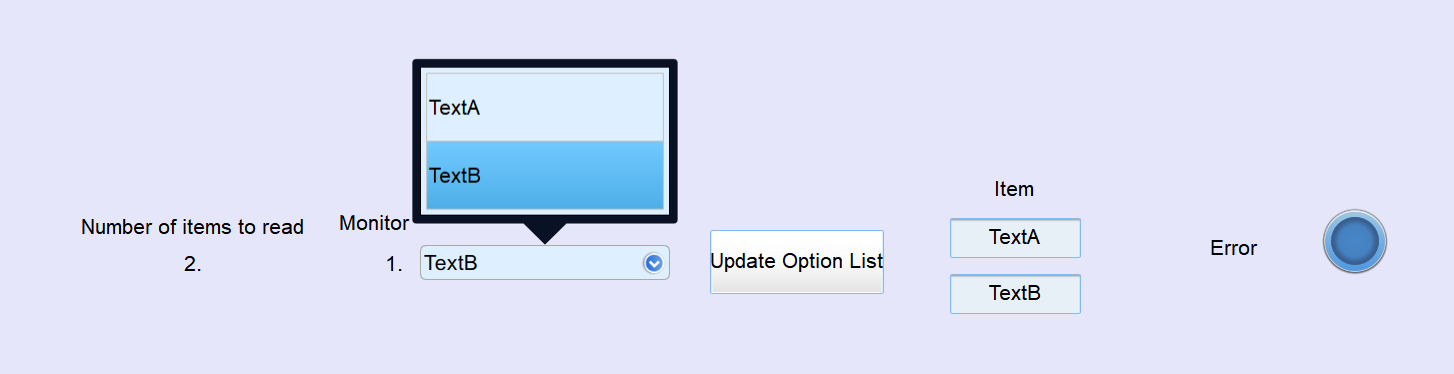
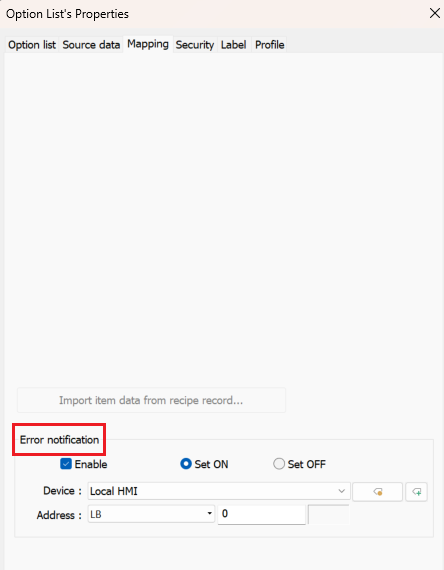
To troubleshoot this further, you can configure an error status address within the Mapping tab of the Option list settings and monitor it with a Bit Lamp. This can help determine whether an error is occurring.
Please let us know if this works for your project setup.
Hi,
Thank you very much for your response and for the explanation.
Regarding the first point, the Numeric Display object is not exactly what I was looking for. What I actually need is for each row in the option list to display its corresponding row number (index) directly within the list itself, rather than showing only the currently selected index.
As for the second issue, I am still unable to correctly visualize the STRING from the Siemens PLC. I believe this may be because the variable is being interpreted as a 16-bit unsigned value, whereas it is actually a word-based structure (STRING), so the interpretation is not correct. Additionally, the system now does not detect the PLC STRING variables properly, as it indicates that the expected data type for linking is a 16-bit unsigned value.
Thank you again for your support.
Hi @jmcascales ,
Thank you for the clarification! Instead of using an Option list, we would recommend using a Recipe table to achieve the row indexing. It is very similar to a drop down list, but the macro implementation would be less complex than creating a custom indexed Option List using a macro.
The Recipe Table would also make it easier to transfer data from the PLC. The current approach is attempting to read the STRING values directly from the PLC, which is generally only practical if all of the strings are stored within the same array. We would recommend reading the STRING data into HMI local memory addresses first by using a data transfer or a macro, and then linking the Recipe Table to those local addresses.
For more information on how to create a recipe drop-down list, check out this forum post: How to make a recipe drop-down list.
@jmcascales,
In addition to what @Arden.y mentioned, the transfer tab within the recipe database may allow you to easily transfer data from within PLC variables to a recipe table which can then be displayed in a drop-down list form. However, please note that either option will require custom logic which may be complex to design.
To request in-depth technical support, please contact support@weinteksusa.com. The engineers at our facility may be able to help you find a Weintek partner that is local to your area and time zone to help answer your questions in real time.
Hi,
Thank you both for the information and suggestions. I really appreciate your help — I will test this approach using the Recipe Table and the local HMI memory, as you recommended.
Regarding the partner you mentioned, could you please clarify if this refers to one of your distributors or to an official Weintek technical support service? I already have a local distributor, which is the one from whom we purchased the HMIs.
Thanks again for your support, I’ll give it a try.
Hi @jmcascales,
You are most welcome - please let us know the result! Also, to answer your question, we can connect you with a local support service that is backed by engineering resources at our global office.
As we are the U.S branch of Weintek we will do our best to answer questions from all customers, but our office hours and engineering expertise is structured to address questions regarding common protocols, practices, and design techniques in North America.