- HMI Model: cMT3162X V2
- EasyBuilder Pro Version: V6.10
I am working with EasyBuilder Pro and I have some questions regarding how transparency is handled in general (not only for images, but also for shapes, objects, and windows).
I would like to understand:
-
How does opacity work for objects, layers, and windows?
-
Is it possible to apply partial transparency to shapes, buttons, or other objects consistently?
-
What is the recommended approach to create overlay or semi-transparent effects in HMI projects?
I’m trying to improve the visual design of my project and better understand the limits of transparency in EasyBuilder Pro.
Thank you in advance.
Hi @jmcascales ,
Thank you for your questions. We can definitely help clarify how transparency works in EasyBuilder Pro.
For objects and windows, higher opacity makes the object more visible, while lower opacity values increase transparency.
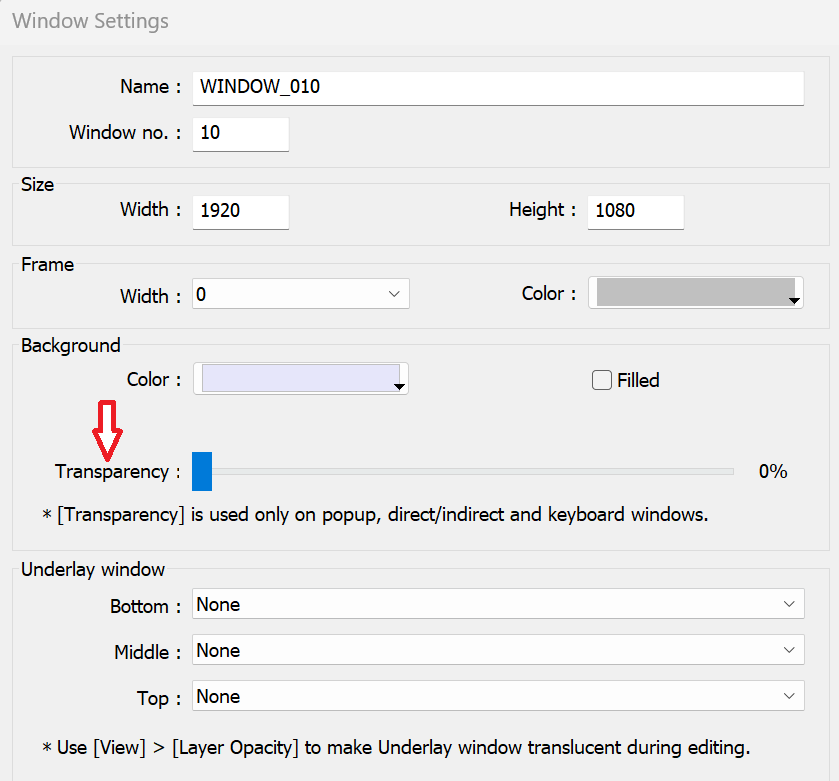
For Common Windows and window layers, the Opacity setting in the View tab controls the transparency effect for the entire window. However, for Pop-Up Windows, Direct Windows, and Indirect Windows, transparency can be configured using the Window Transparency option within the Window settings (on cMT and cMT X models such as the cMT3162X V2).
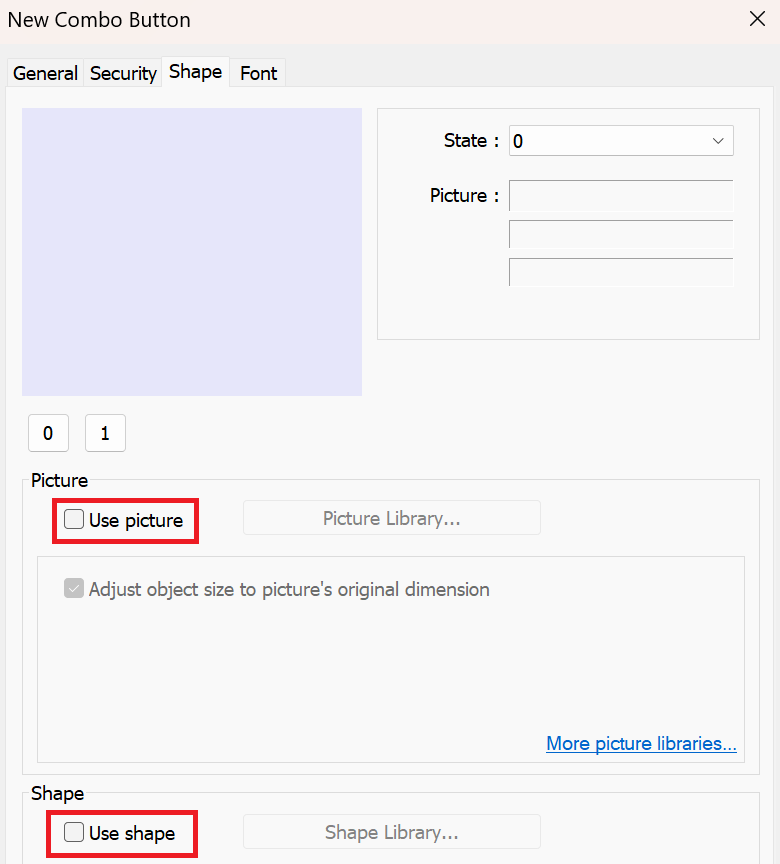
At this time, EB Pro does not have a direct opacity/transparency property for individual objects such as shapes or buttons. However, fully transparent objects can be achieved by unselecting Use picture and Use shape within the Shape tab.
To create semi-transparent overlays or underlay effects, one approach is to create a separate window that acts as the background layer, adjust the window transparency in the window settings, and display that window above or below the main content as needed. Another approach is to create semi-transparent images using an external image editor.
For a step-by-step example of creating an underlay effect, check out this forum post: How to create a background or “Underlay” window.
Thank you very much for your response, it has been very helpful.
As a suggestion for improvement, we believe that adding object transparency would be highly valuable. Other HMI editors already include this feature, and it provides a great deal of flexibility when designing and customizing interfaces.